Answer

LEC - Managed Depolyment - Not able to download Artifacts

  • December 1, 2025
  • 3 replies
  • 53 views

paguin
Hero (Partner)
Forum|alt.badge.img+12

Hello,

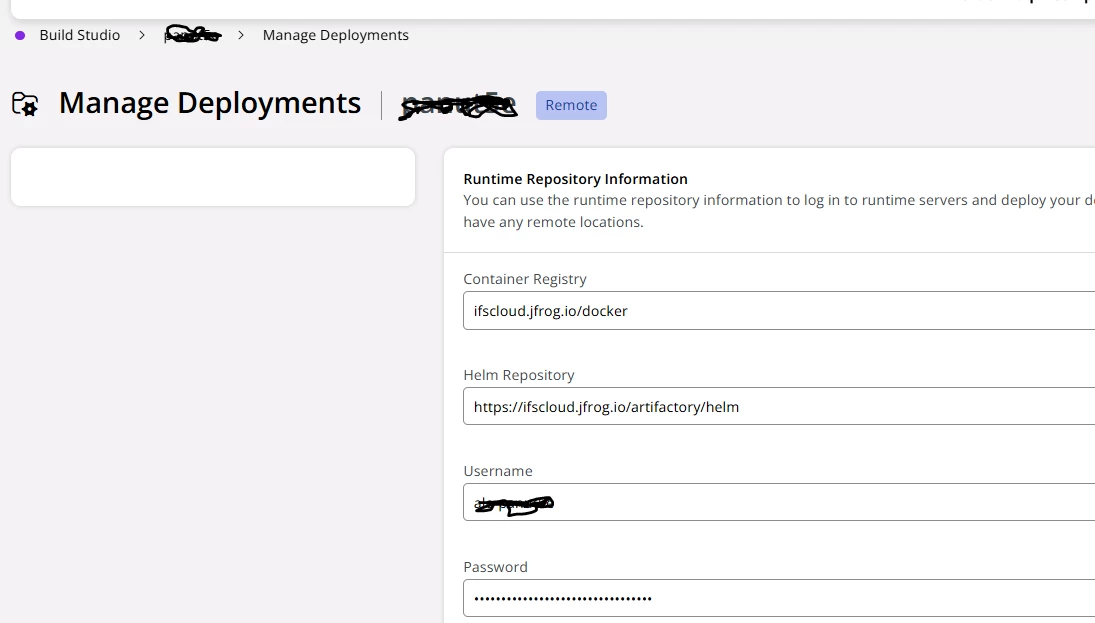
Since LEC is upgraded. I am not able to view Artifacts and Oracle download tab. Have cleared browser cache too. 

can some one suggest on the same.
regards

Pankaj

Best answer by paguin

@hardik , this was a bug which RnD has just resolved

thanks for your reply. 

regards

Pankaj

3 replies

hardik
Hero (Partner)
Forum|alt.badge.img+11
  • Hero (Partner)
  • December 1, 2025

Hello,

It’s also not visible on my side, so this doesn’t appear to be a cache issue.
It looks like it may be a bug or a recent change in the system.

Could someone from IFS please clarify or provide more information on this?
Your guidance would be greatly appreciated.

Thanks,
Hardik


hardik
Hero (Partner)
Forum|alt.badge.img+11
  • Hero (Partner)
  • December 3, 2025

Hello ​@paguin ,
I came across some troubleshooting steps on the Docs Portal regarding this issue.

Since you’ve already tried the caching-related actions, the next recommended step is point 5 from the documentation:
https://docs.ifs.com/techdocs/ale/020_lifecycle/130_troubleshooting_issues/010_lifecycle_experience_troubleshooting_issues/#unable_to_download_artifacts_from_manage_deployments

5. If none of the above steps work, contact the IFS support teams to get the issue resolved.

At this stage, it would be best to reach out to IFS Support so they can assist further.

Thanks,
Hardik


paguin
Hero (Partner)
Forum|alt.badge.img+12
  • Author
  • Hero (Partner)
  • Answer
  • December 3, 2025

@hardik , this was a bug which RnD has just resolved

thanks for your reply. 

regards

Pankaj