

Answer

How to Invoice close Customer Order wrong quantity

  • June 8, 2021
  • 4 replies
  • 375 views

arebbeadle
Hero (Customer)
Forum|alt.badge.img+14

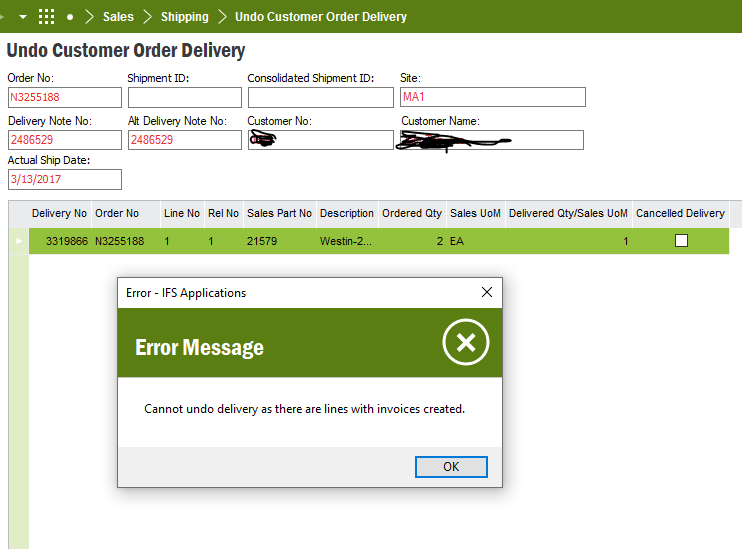
Trying to clean up old customer orders but get an error. Order has one line item qty of 2 but qty 1 invoiced and line and order status is “Delivered”. How can I change the quantity to 1 since that is already invvoiced? We tried Undo Delivery and get error. I just want to close the order with the qty 1 that is already invoiced? Any suggestions?

 

Best answer by jabous

So you have 1 part invoiced and the 1 part delivered (with an invoiced created)?   If this is correct, then you need to print & post both invoices, and then create a RMA to return the part and credit the customer.   Once you create the invoice, there is no going backwards.  If the invoice is in a Preliminary status you can adjust the price, quality, and taxes, on the lines and save.

This topic has been closed for replies.

4 replies

Thushitha Chandrasiri
Superhero (Partner)
Forum|alt.badge.img+21

Hi @arebbeadle ,

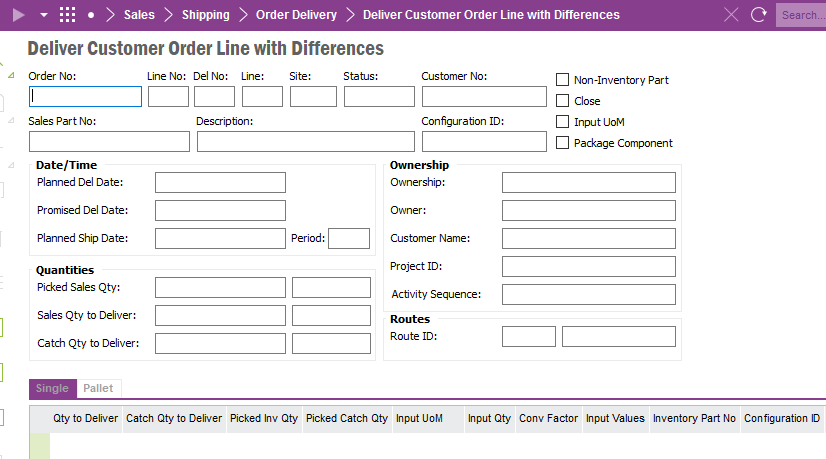
Have you tried Deliver Customer Order Lines with Differences screen ? If not, can you give a try ?


Thanks,


Forum|alt.badge.img+15
  • Superhero (Employee)
  • June 8, 2021

If the customer order header is in a Delivered Status, then the invoice want not printed.  

Once you print the invoice, the order header should advance to Invoiced/Closed.  Then you should be able to RMB on the customer order line and ‘Close’ the line.  


Forum|alt.badge.img+15
  • Superhero (Employee)
  • Answer
  • June 8, 2021

So you have 1 part invoiced and the 1 part delivered (with an invoiced created)?   If this is correct, then you need to print & post both invoices, and then create a RMA to return the part and credit the customer.   Once you create the invoice, there is no going backwards.  If the invoice is in a Preliminary status you can adjust the price, quality, and taxes, on the lines and save.


arebbeadle
Hero (Customer)
Forum|alt.badge.img+14
  • Author
  • Hero (Customer)
  • June 8, 2021

Thank you