Solved

Custom Fields

  • Feb 4, 2022 3:23 PM UTC
  • 12 replies
  • 369 views

Forum|alt.badge.img+6

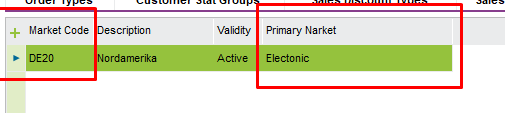
Using EE in apps 10 -In the Sales Basic Data i have a custom field created to show Primary Market  in the Markets tab.

I now have been to as to have this column also in the Business Opportunities page and be able to search by this column.

Can i duplicate the custom field that is on the one page into the other page and as required search on this field?

Best answer by Kasun Manuranga

Hi @mick.colpitts,


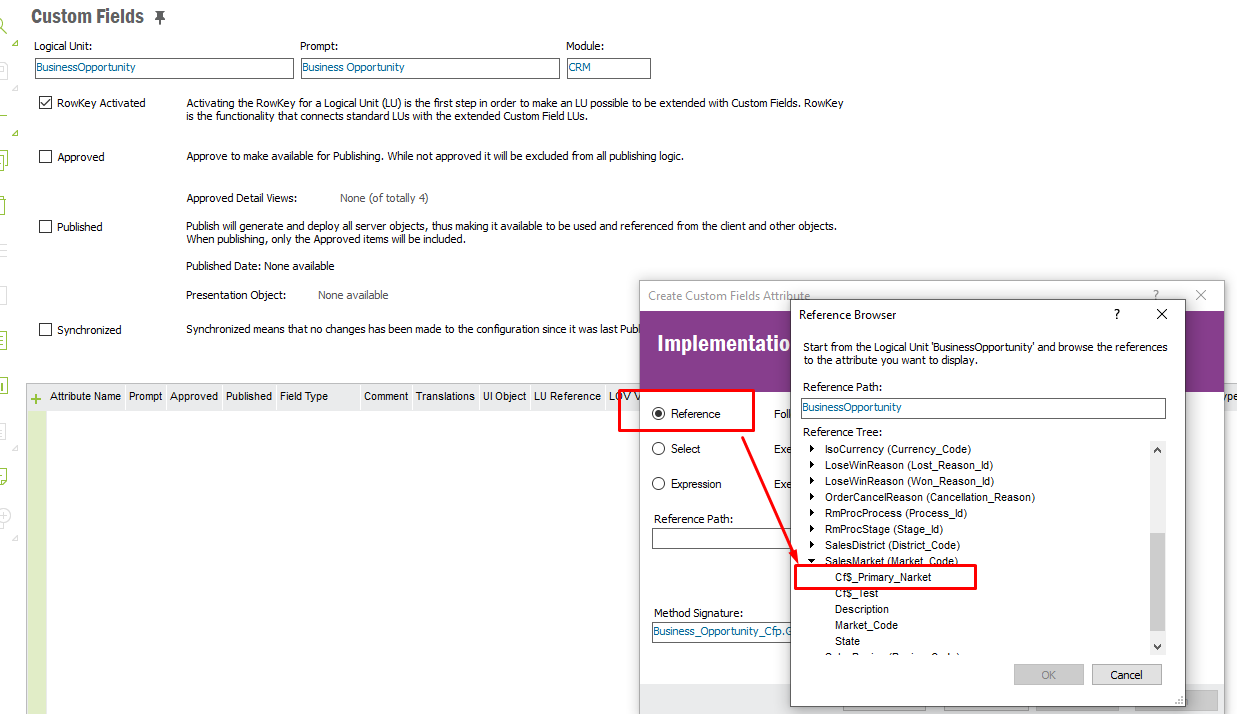
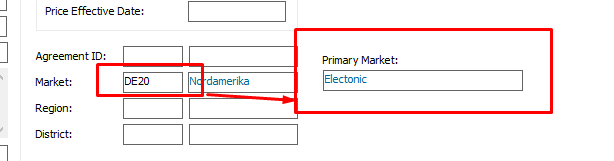
I am not sure whether I got your question properly but if you want to get the same Primary Market details which added in Sales Basic Data to Business Opportunities, it should be possible through a reference Custom field.


And then create a Reference Custom field in Business Opportunities to fetch the data from the custom field added in above .


Does this helps.


Regards,

Kasun

View original
This topic has been closed for replies.

12 replies

Kasun Manuranga
Superhero (Employee)
Forum|alt.badge.img+17
  • Superhero (Employee)
  • Answer
  • Feb 7, 2022 3:00 AM UTC

Hi @mick.colpitts,


I am not sure whether I got your question properly but if you want to get the same Primary Market details which added in Sales Basic Data to Business Opportunities, it should be possible through a reference Custom field.


And then create a Reference Custom field in Business Opportunities to fetch the data from the custom field added in above .


Does this helps.


Regards,

Kasun


Forum|alt.badge.img+6
  • Author
  • Sidekick (Partner)
  • Feb 8, 2022 2:12 PM UTC

Kasun, 


Thank you for help, when i try to create a reference attribute i do not get given the option. Am i approaching the wrong way?


Kasun Manuranga
Superhero (Employee)
Forum|alt.badge.img+17

Hi @mick.colpitts,

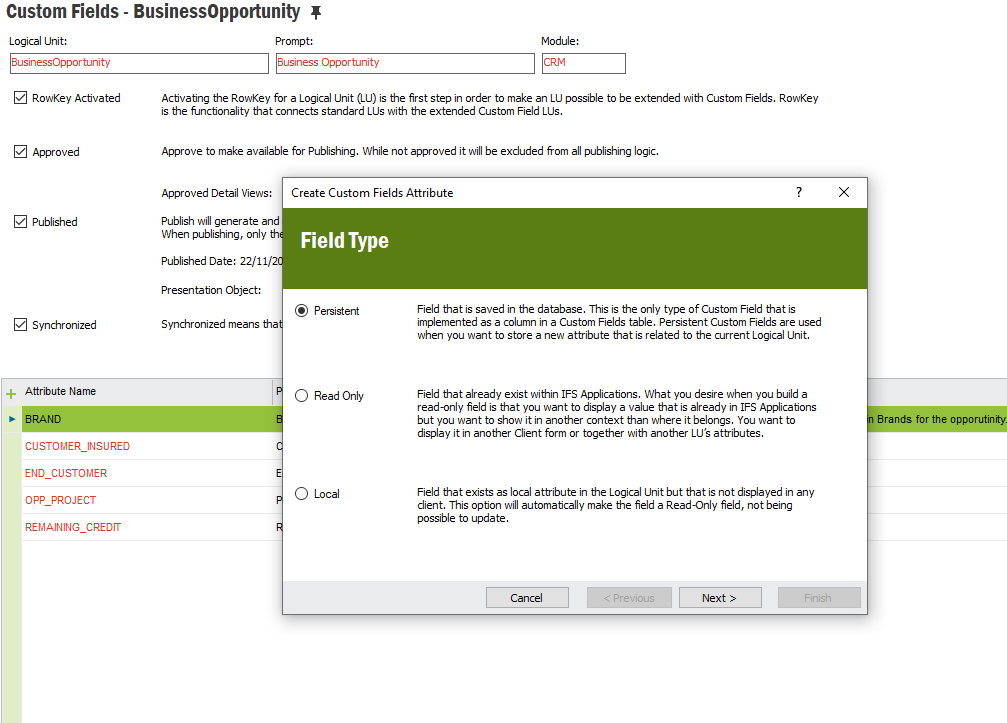
You need to first select option, Read Only , click Next and give a field a Name and then click Next so you can select Reference option .

Hope that helps.


Best Regards,

Kasun


Forum|alt.badge.img+6
  • Author
  • Sidekick (Partner)
  • Feb 9, 2022 11:12 AM UTC

Thank you, all sorted thank you for your help, 


Forum|alt.badge.img+6
  • Author
  • Sidekick (Partner)
  • Feb 10, 2022 9:36 AM UTC

Is this also possible to replicate into Aurena?


Kasun Manuranga
Superhero (Employee)
Forum|alt.badge.img+17

Hi @mick.colpitts ,


Yes it is possible. Once you added this in EE client then you can get the same in Aurena as well.


Regards,

Kasun


Forum|alt.badge.img+6
  • Author
  • Sidekick (Partner)
  • Feb 10, 2022 11:49 AM UTC

Kasun,


Thank you for your help, i can see that it is possible to add but from your screen shot i cant see where to add it.


I have opened page designer but from there i struggle. could you please direct me


Kind Regards


Mikc


Kasun Manuranga
Superhero (Employee)
Forum|alt.badge.img+17

@mick.colpitts 


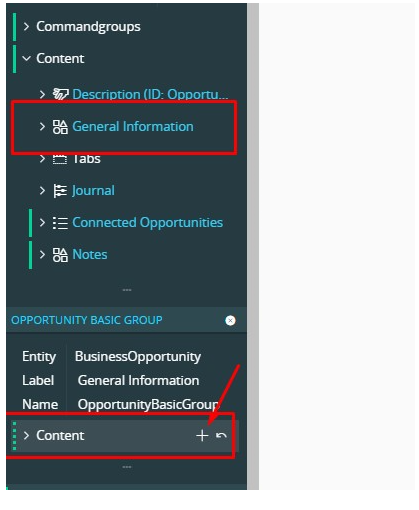
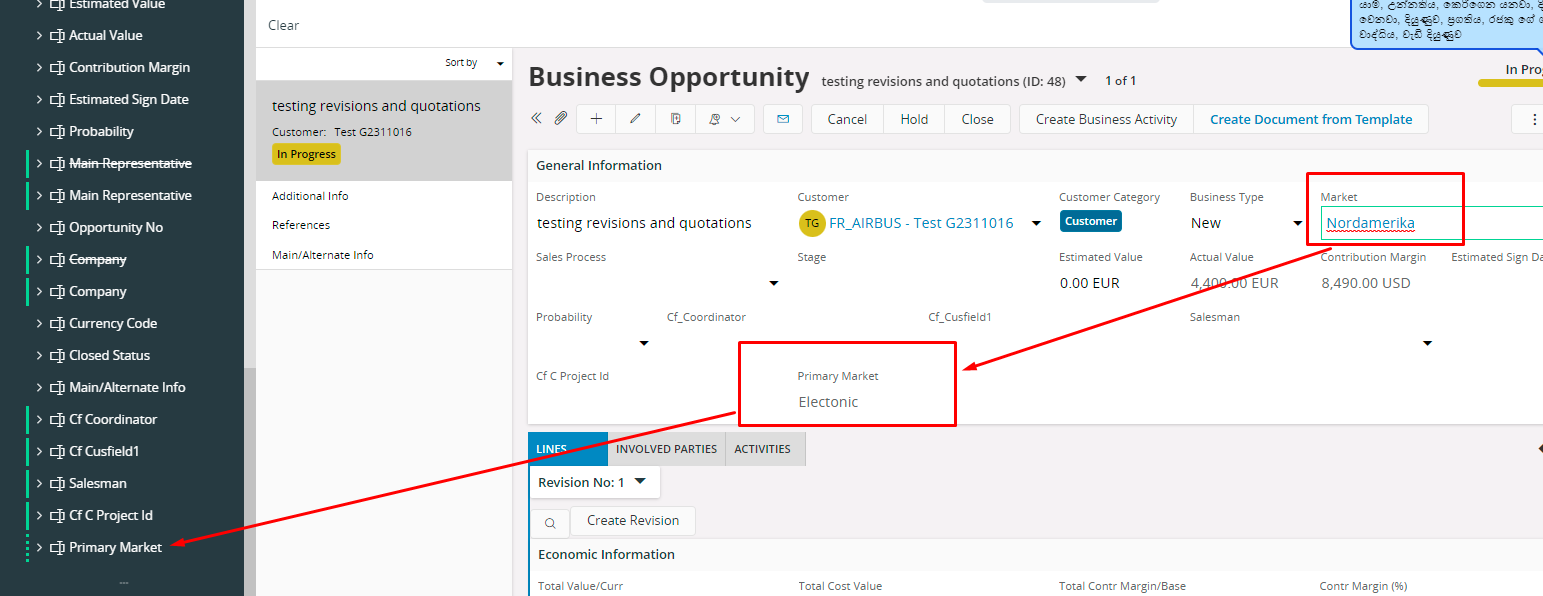
1. Open Page designer for Business Opportunity
2. Click on "General Information"
3. Then Click on "Content" and + mark
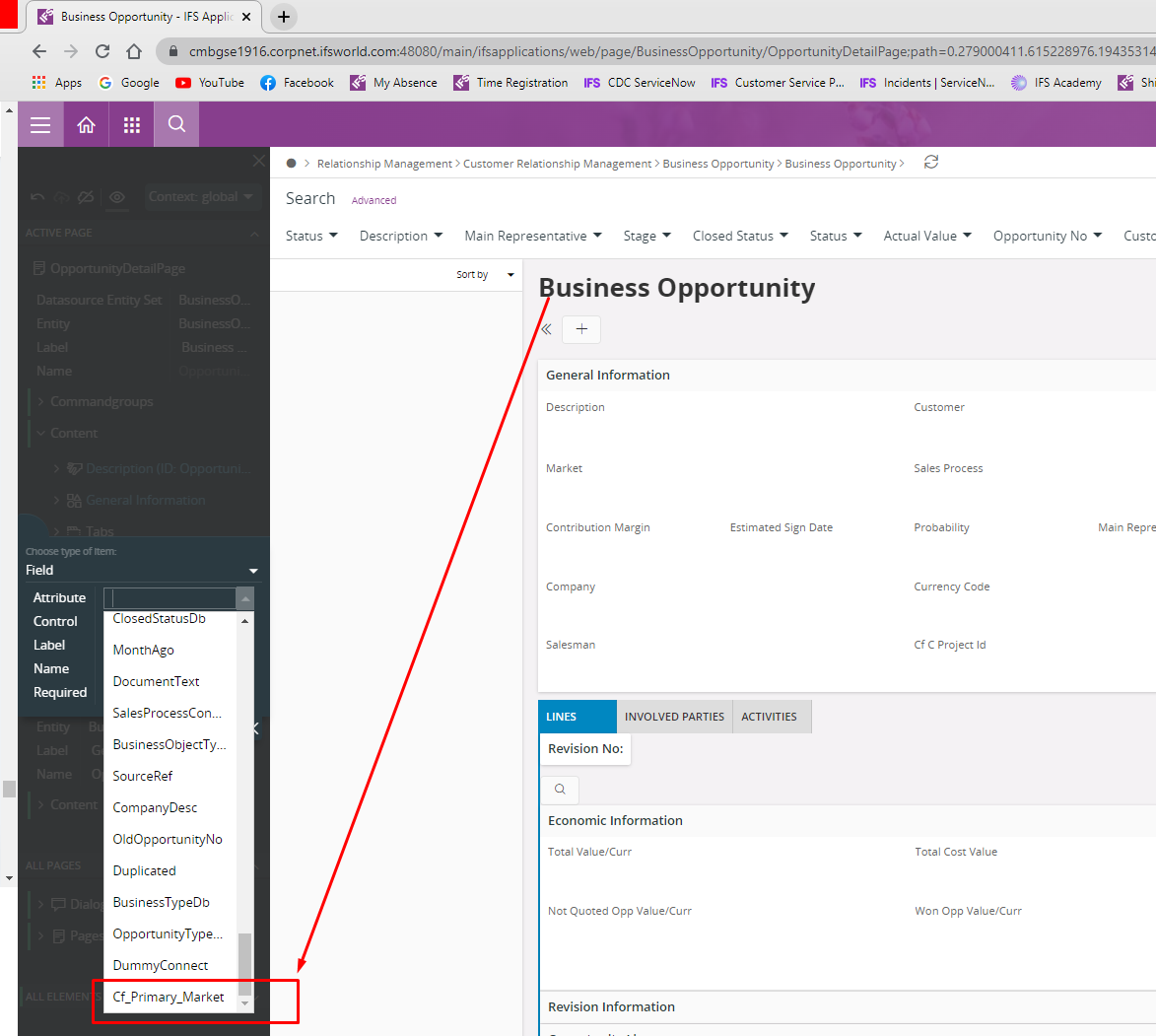
4. And select the custom field at the bottom of the list clicking on Attribute filed.


Kasun Manuranga
Superhero (Employee)
Forum|alt.badge.img+17

Hi @mick.colpitts 


Also if you have time watch this video to get an idea on how to do Aurena configurations.


Best Regards,

Kasun


Forum|alt.badge.img+6
  • Author
  • Sidekick (Partner)
  • Feb 10, 2022 12:03 PM UTC

Kasun,


again thank you very much for the help. i have created the field on the business opportunity page but how can i see it on the Business Opportunities page i cant see it in the filters to add


Kind Regards


Mick


Kasun Manuranga
Superhero (Employee)
Forum|alt.badge.img+17

@mick.colpitts 


We created the field as a Read only field and it will fetch the Value in the basic data to Business Opportunity window. i.e. the relevant value connected to the Market.

So when we added the Market Code in the Business Opportunity window, it will fetch the relevant Primary Market details.


Same function in Aurena Too. Once we selected the Market, the relevant Primary Market details will be there.




Forum|alt.badge.img+6
  • Author
  • Sidekick (Partner)
  • Feb 10, 2022 12:33 PM UTC

Thank you for all your help it has not only resolve my issue but you have added to my knowledge.


Thank you again for all your help