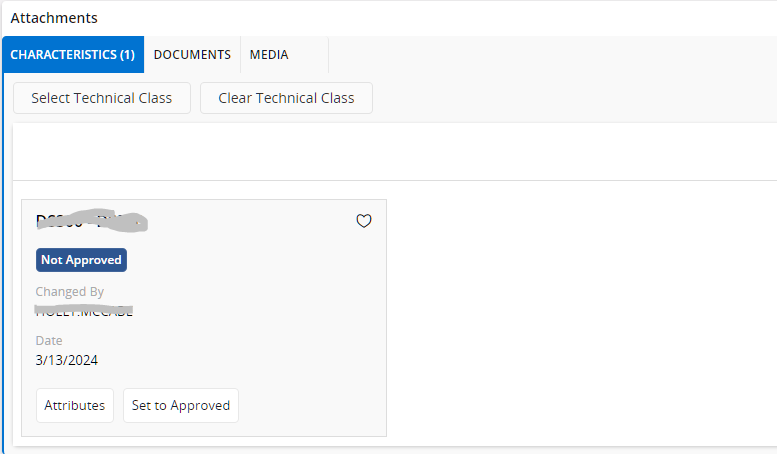
When I add a Technical Class in the Attachments Characteristics for an order or object, I can only get to the attributes by clicking on the button Attributes in a Card view. Is there a way to see the attributes in a table or list view without having to click on the button?
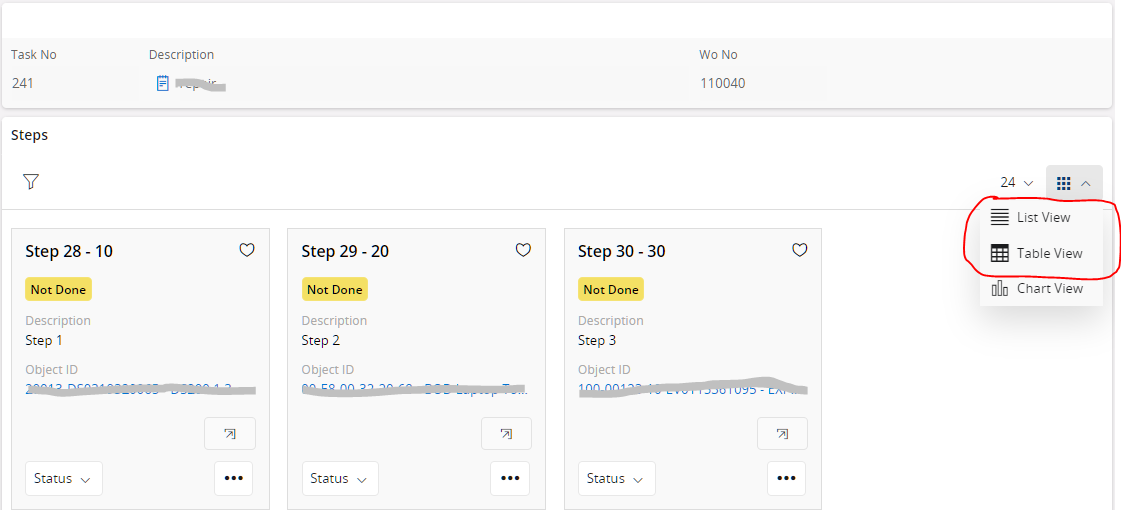
On the Execute Task Steps screen, the steps can be viewed as cards, in a table or in a list. I would like to be able to view the technical attributes in a table or list.
Best answer by Mayura Wasantha
Your user experience expectation is fair enough one. However, there is no way today to display it as a list in the core solution. This data set up is of master-detail nature, where Technical Class is the Master and Attributes are Detail. There was a technical reason which restricted to have both Master and Details data in List View within the attachment panel.
I would like you to report a community idea on this. We will revisit the technical challenges as soon as possible for to deliver a better user experience.
Your user experience expectation is fair enough one. However, there is no way today to display it as a list in the core solution. This data set up is of master-detail nature, where Technical Class is the Master and Attributes are Detail. There was a technical reason which restricted to have both Master and Details data in List View within the attachment panel.
I would like you to report a community idea on this. We will revisit the technical challenges as soon as possible for to deliver a better user experience.