


Solved

IFS Cloud DocMan Object Connection message no Access

  • March 3, 2025
  • 3 replies
  • 79 views

Forum|alt.badge.img+11

Hi, we have just gone to 24R2 and I am testing DocMan. When I go to connect an object I am getting the following error message - 
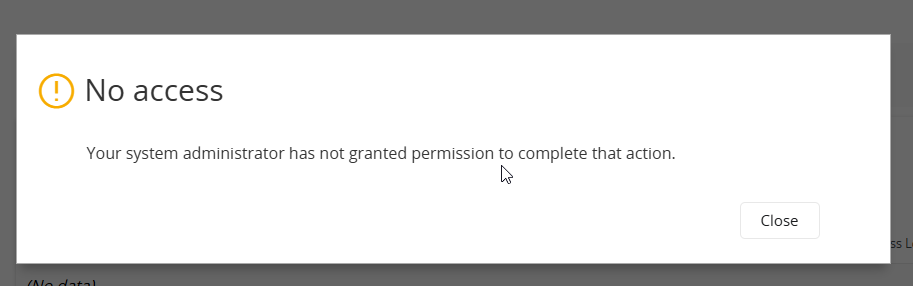
I have looked at the projections and everything appears to be granted to the permission set I am using. However I have noticed that there are no database task granted to the permission set, is that my issue and if yes does anyone one know the name of the database task I need to grant for connecting a document revision to an object in IFS Cloud?

The strange thing if I am in an object and want to attach the docman revision I can, I just can’t do it from the doc man revision, what am I doing wrong?


Best answer by AussieAnders

When you say “connect an object”, are you on e.g. the Document Revision page and want to connect an object (say a purchase order), or are you on an object page (say the Purchase Order page) and want to attach a document?

In case of the latter, make sure you have the permission set DOCUMENT_ATTACHMENT_CLOUD, which is predefined with access to the attachments panel.

3 replies

PhillBronson
Hero (Customer)
Forum|alt.badge.img+11
  • Hero (Customer)
  • March 4, 2025

@sholmes can you look at the network tab in the debugger. There should be a RED line when that message is presented. It should tell you where you are trying to navigate and that will be the projection to grant permission to.


Forum|alt.badge.img+8
  • Sidekick (Customer)
  • March 5, 2025

@sholmes also check that possible related projections have no ungranted entity/projection actions, due update etc. As you may know, some updates and upgrades might have new/modified actions which are not granted by default.


Forum|alt.badge.img+10
  • Hero (Partner)
  • Answer
  • March 13, 2025

When you say “connect an object”, are you on e.g. the Document Revision page and want to connect an object (say a purchase order), or are you on an object page (say the Purchase Order page) and want to attach a document?

In case of the latter, make sure you have the permission set DOCUMENT_ATTACHMENT_CLOUD, which is predefined with access to the attachments panel.


