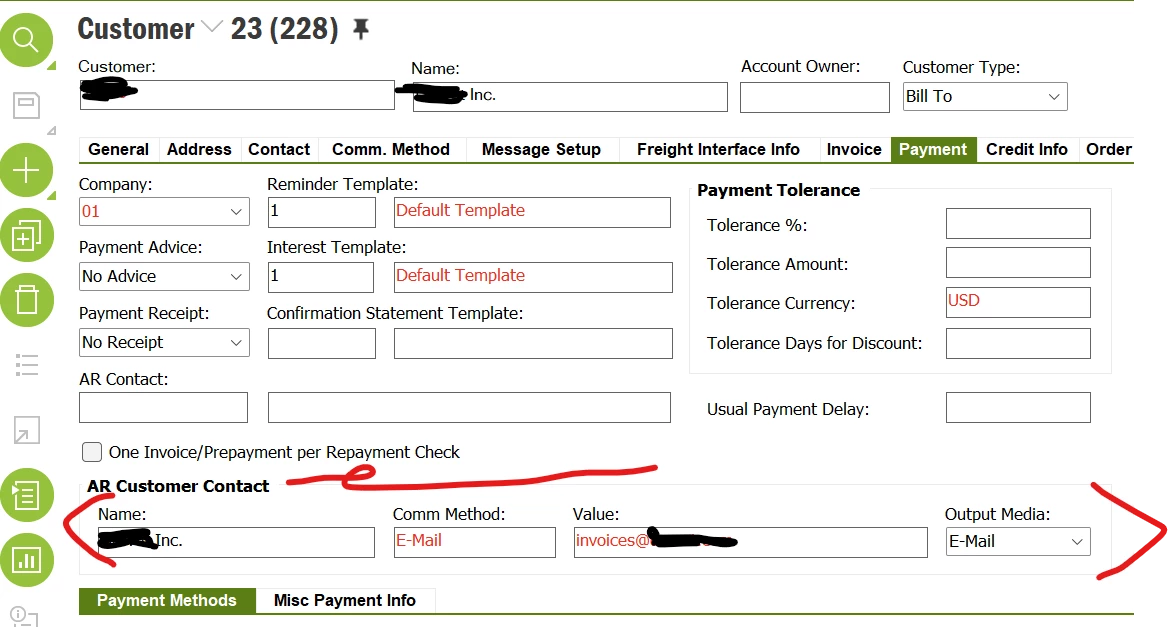
We are about to go live with Cloud and have noticed a slight change to how IFS handles whether the ‘Email Invoice’ button appears for users on the Print Customer Invoices screen.
In Apps 10 we only had to ensure that there was a person on the Contact tab of the customer who had the role ‘Invoice’, that the comm method was set to Email and that PDF_REPORT_CREATED was available for emailing the invoice. In Apps 10 this all works fine but Cloud now also wants there to be a contact selected here on the Sales Address Info tab:
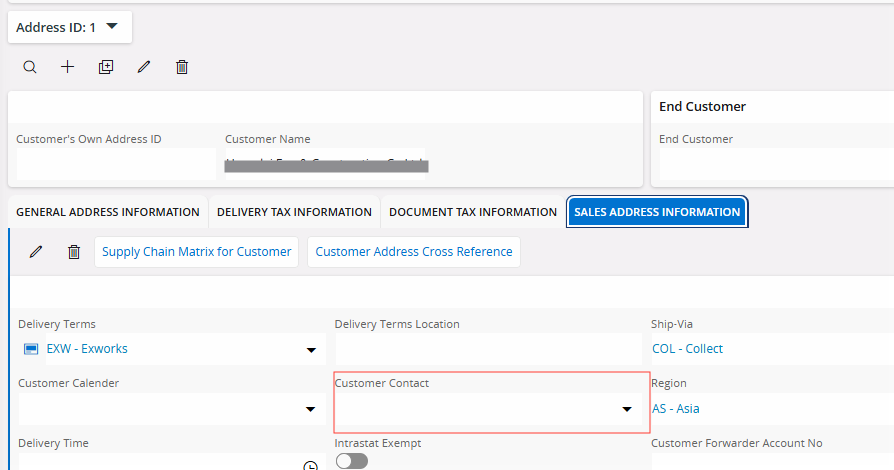
The customer should be set up the same in Apps 10 and our Cloud environment so is there some kind of setup step that we may need to switch off for it to work as in Apps 10?
Apps 10: IFS Online Documentation
Cloud: IFS Cloud Documentation
Both Apps 10 and Cloud specify “The same customer name should be given as the Customer Contact in the Customer/Address/Order Address Info tab.” as a prerequisite but only Cloud seems to enforce it. Can anyone shed any light on this or advise how we can stop this from being required?
Thanks in advance