Question

Aurena Print agent on Chrome

  • May 8, 2026
  • 2 replies
  • 27 views

paguin
Hero (Partner)
Forum|alt.badge.img+12

Hello,

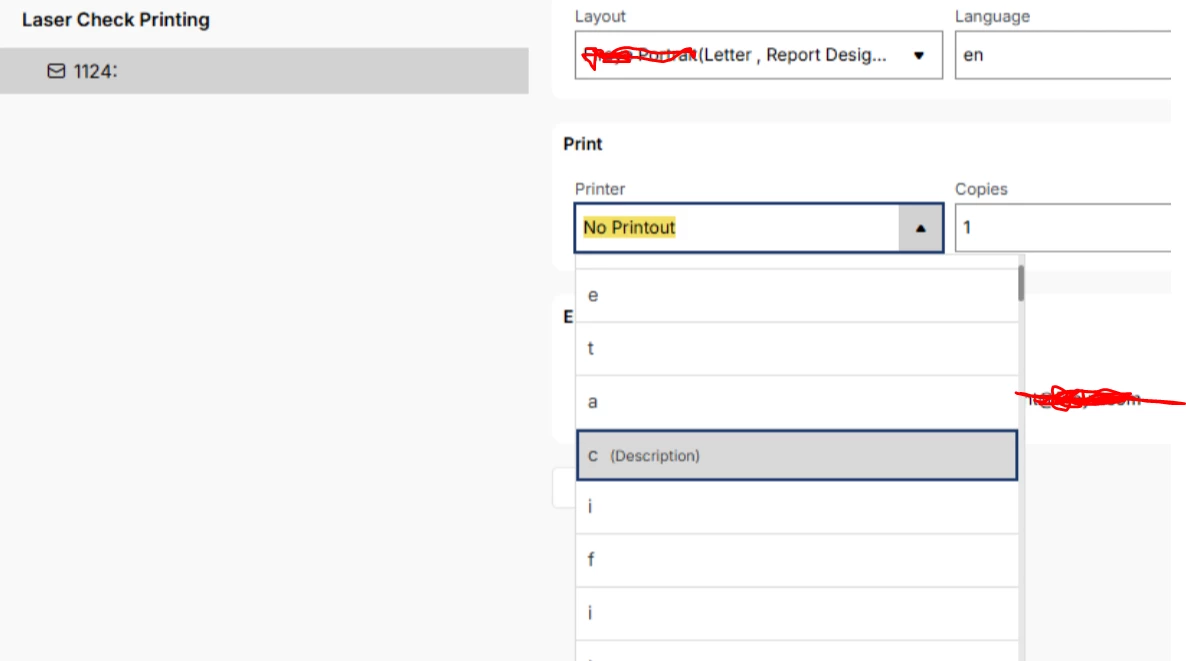
I have installed Aurena Agent on machine and while using Chrome i get following error.

If i uninstall and install it again. it works fine but then again comes back. 

Any one faced simmlar issue?

regards

Pankaj
 

2 replies

Forum|alt.badge.img+6
  • Do Gooder (Customer)
  • May 8, 2026

I have had this issue - there is a corrupt file in your APPDATA folder where the aurena agent is installed. if you delete this entire folder and re-install it should work


ashen_malaka_ranasinghe
Hero (Employee)
Forum|alt.badge.img+12

Hi ​@paguin,

This behavior is typically related to the Aurena Agent not properly communicating with the Chrome extension, which causes the printer list to appear as “No Printout” or display incorrectly. The fact that reinstalling temporarily resolves the issue suggests it could be due to cached data or extension synchronization issues rather than installation problems.

As a recommendation, please try fully removing the Aurena Agent (including deleting the folder under AppData\Local\IFS), reinstall the latest version, and verify that the Chrome extension is correctly installed and enabled. Additionally, ensure the Aurena Agent is running in the system tray and not blocked by any antivirus/firewall software.

If possible, testing the same scenario in Microsoft Edge can also help confirm if this is Chrome specific.







