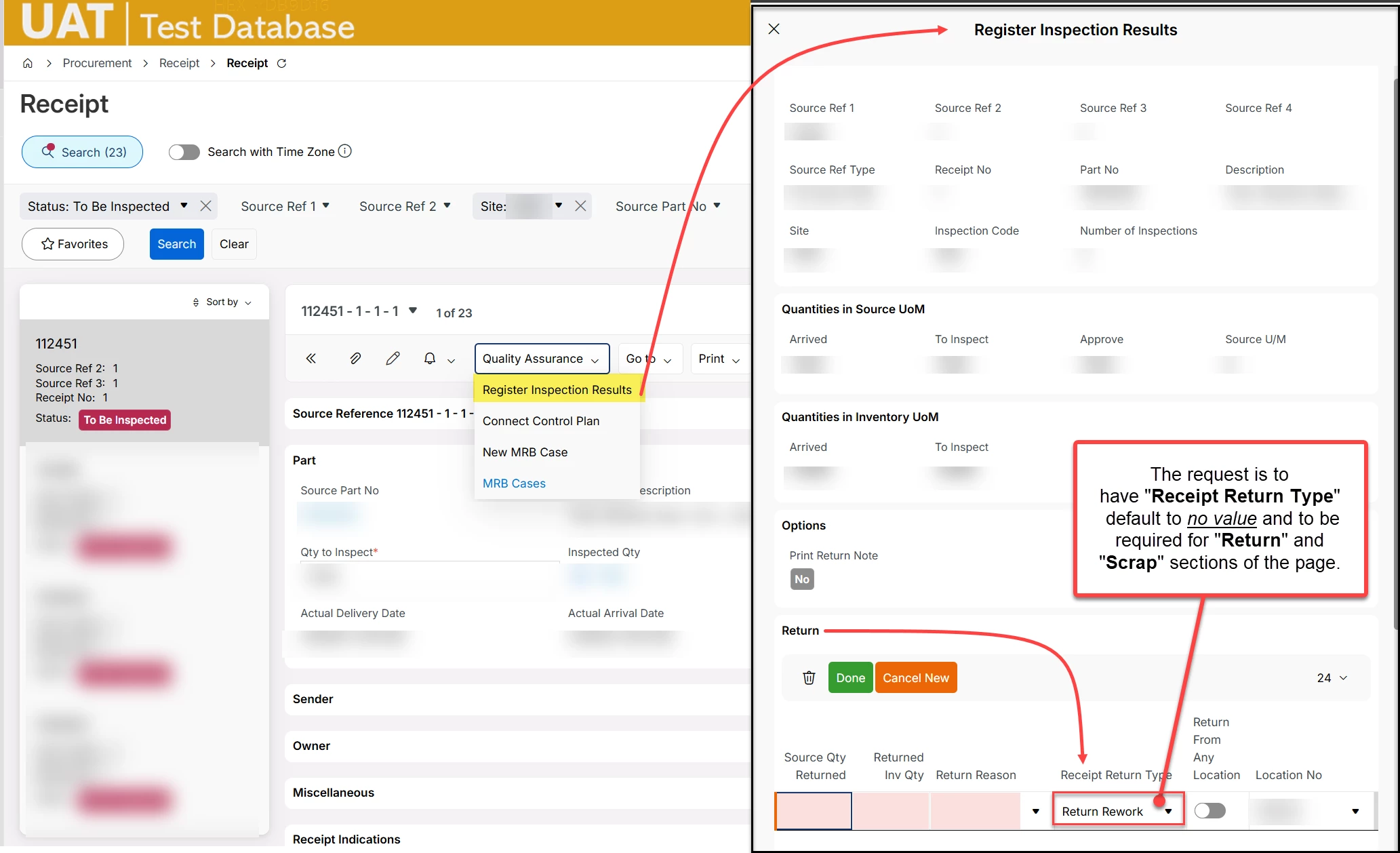
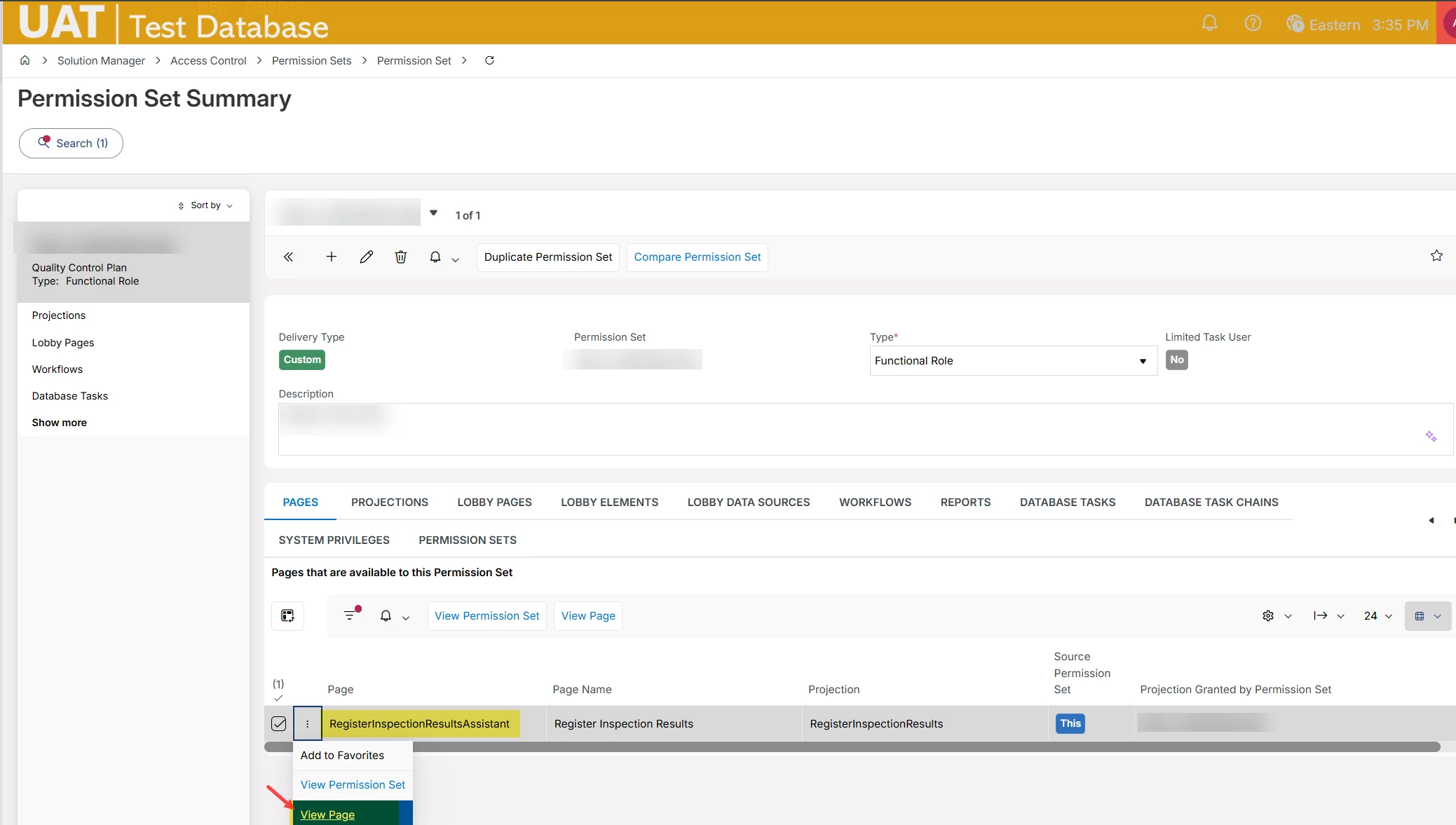
Hello. We’d like to edit a value on a slide-out panel. We’ve tried to find what “assistant” or page this might belong to, but haven’t had any luck. I changed the “default value” under several lists and groups for Return Type and none of them impact this slide out menu that I can find.
Question 1: Is there a way to edit this from the Receipt page designer, or in an assistant page?
Question 2: How do we easily pinpoint what the URL (or segment in Page Designer) is related to these slide-out panels for future reference? I’ve spent probably 45 minutes poking around page designer without success.