


Solved

Change Part Cost Level

  • Oct 29, 2025 10:02 AM UTC
  • 1 reply
  • 70 views

Forum|alt.badge.img+14

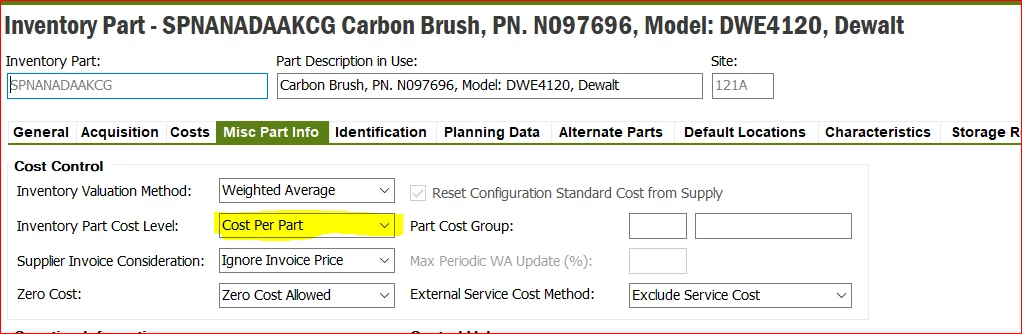
the below part was defined as cost per part in the cost level.

the costing team want to change the cost level to be “Cost Per Lot Batch” , and the mentioned part have a balance in the inventory.

is it enough to just change it in “Misc part Info” ?

do we need follow another steps?


Best answer by Abdul

Hi ​@Nagah.khaled,

Ideal approach - first Count Out all available stock for the inventory part, set desired Inventory Part Cost Level and then Count In the stock with same lot batch and cost.


Regards 

Abdul Rehman 


View original

1 reply

Abdul
Superhero (Partner)
Forum|alt.badge.img+20
  • Superhero (Partner)
  • Answer
  • Oct 29, 2025 11:53 AM UTC

Hi ​@Nagah.khaled,

Ideal approach - first Count Out all available stock for the inventory part, set desired Inventory Part Cost Level and then Count In the stock with same lot batch and cost.


Regards 

Abdul Rehman



