

Hello,
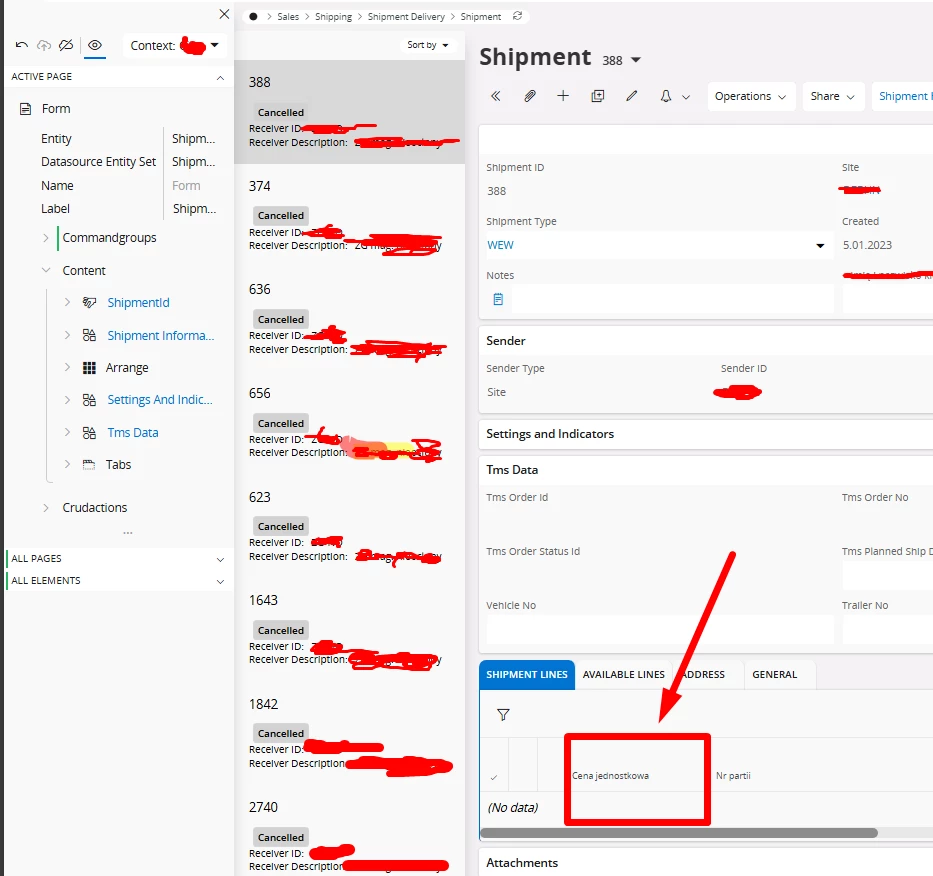
I have a problem with the translation of custom fields. I've done everything based on the documentation and posts from this forum, but unfortunately the translation I've entered doesn't work. I tried to unpublish from page designer and it didn't work either. Please support me.

Solved
Translation of custom field
Best answer by tofuse
Hi,
I think that you got some good help above, I will just add some extra details here.
When you have added a field or made label changes to some field. You navigate to ‘Translatable Texts’. You should not go to ‘Text Translations’ first, because there might be none for the item you search for. ‘Translatable Texts’ contains all items that can be translated, regardless if they have translations or not.
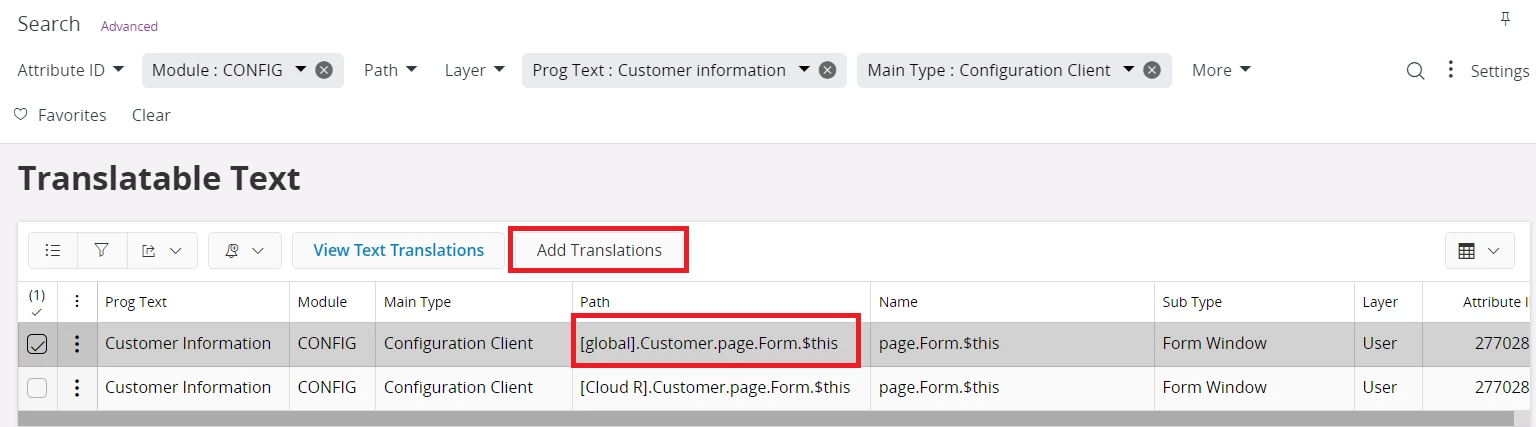
Filter Configuration Translatable Texts
-
Module: Configuration Items are always saved for module
CONFIG. -
Main Type: Client configuration items will have the main type
Configuration Client -
Layer: Configuration items are saved in the
Userlayer. -
Path: The path for the translatable item contains important components.
-
Configuration Context: The first part of the path enclosed in brackets (e.g.,
[global]) represents the 'Configuration Context'. -
Client Model: Follows the context. For example, in configurations for the client model
Customer, this part helps in filtering relevant items.
-
-
Prog Text: You can also search using a specific prog text value.
When you have identified the translatable item you want to translate. From here you can open the ‘Text Translations’ window that will filter existing translations for the item. Add translations is easiest done by invoking the ‘Add Translations’ command.
Refresh Language
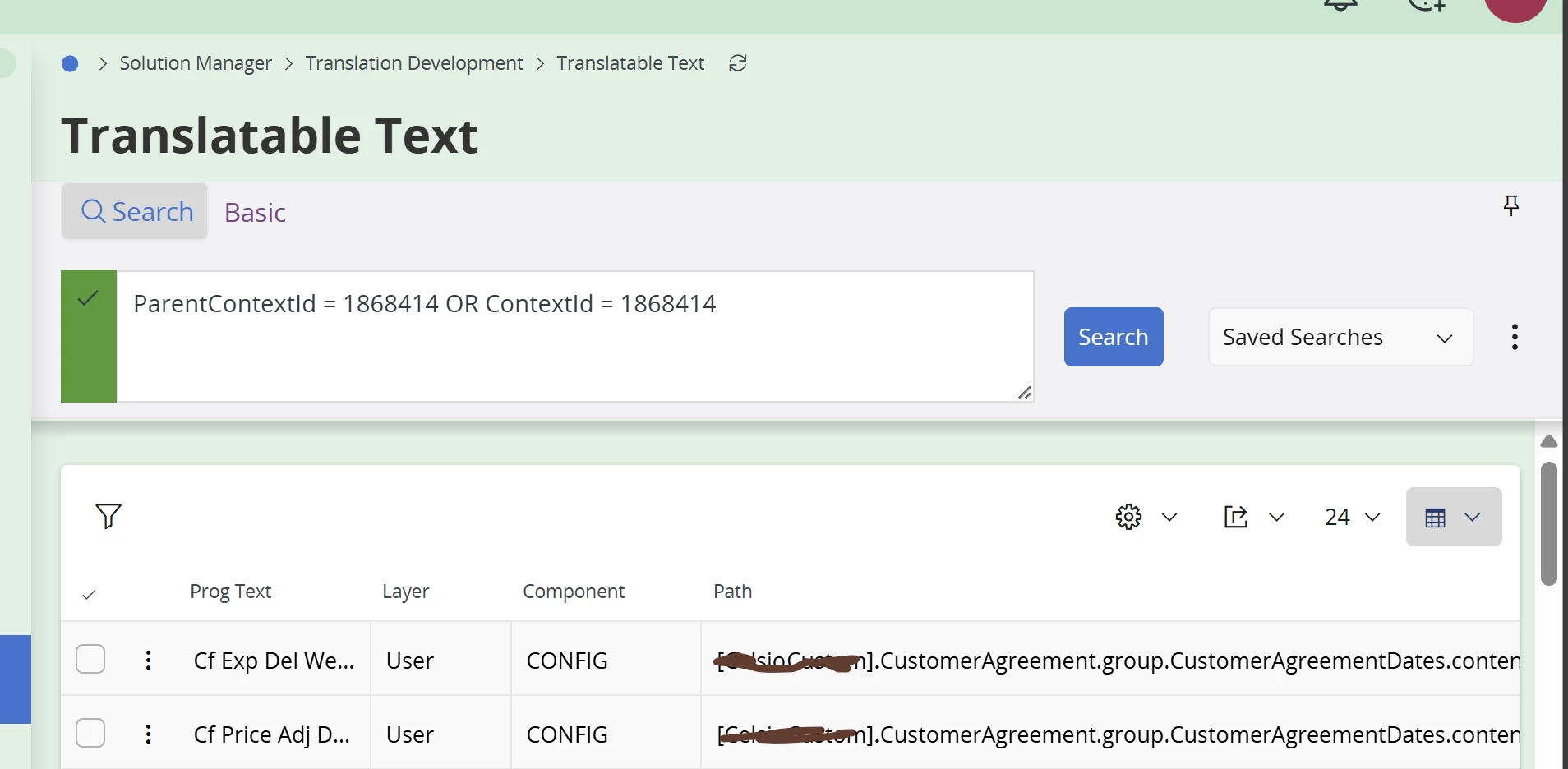
After adding or changing translations, you need to refresh the language cache for the metadata to pick up the translation changes. This is done from the ‘Text Translations’ window.
Additionally force refresh of metadata cache
Note: There is a bug in this area that can trip you. When changing configuration in Page Designer or making changes to translations. The metadata cache is invalidated. Next time you go to the page new version of metadata is built and cached, but translations is fetched from the last time the language cache was refreshed. Unfortunately, the metadata cache is not invalidating metadata cache. So you need to do this in the order. Make translation changes → refresh language cache → re-visit the page. If you or someone else is visiting the page after you did your translation changes, these changes will not be included in the page. This is why this last step in Karales info make sense. This will invalidate the metadata cache.
- Open the page in Page Designer again, unpublish and publish again












Enter your E-mail address. We'll send you an e-mail with instructions to reset your password.