Solved

Lobby | Click | Into table by clicking over element designer

  • Oct 27, 2021 3:51 PM UTC
  • 3 replies
  • 223 views

Forum|alt.badge.img+6

How can we reach into a specific request/ task by clicking  in the overview screen of the lobby ?



Best answer by Atheeq Maharoof

Hi @ATZSUMIT,

If your element designer is a list, then the following approach can be carried out. 

Initially define the data source as you wish.  
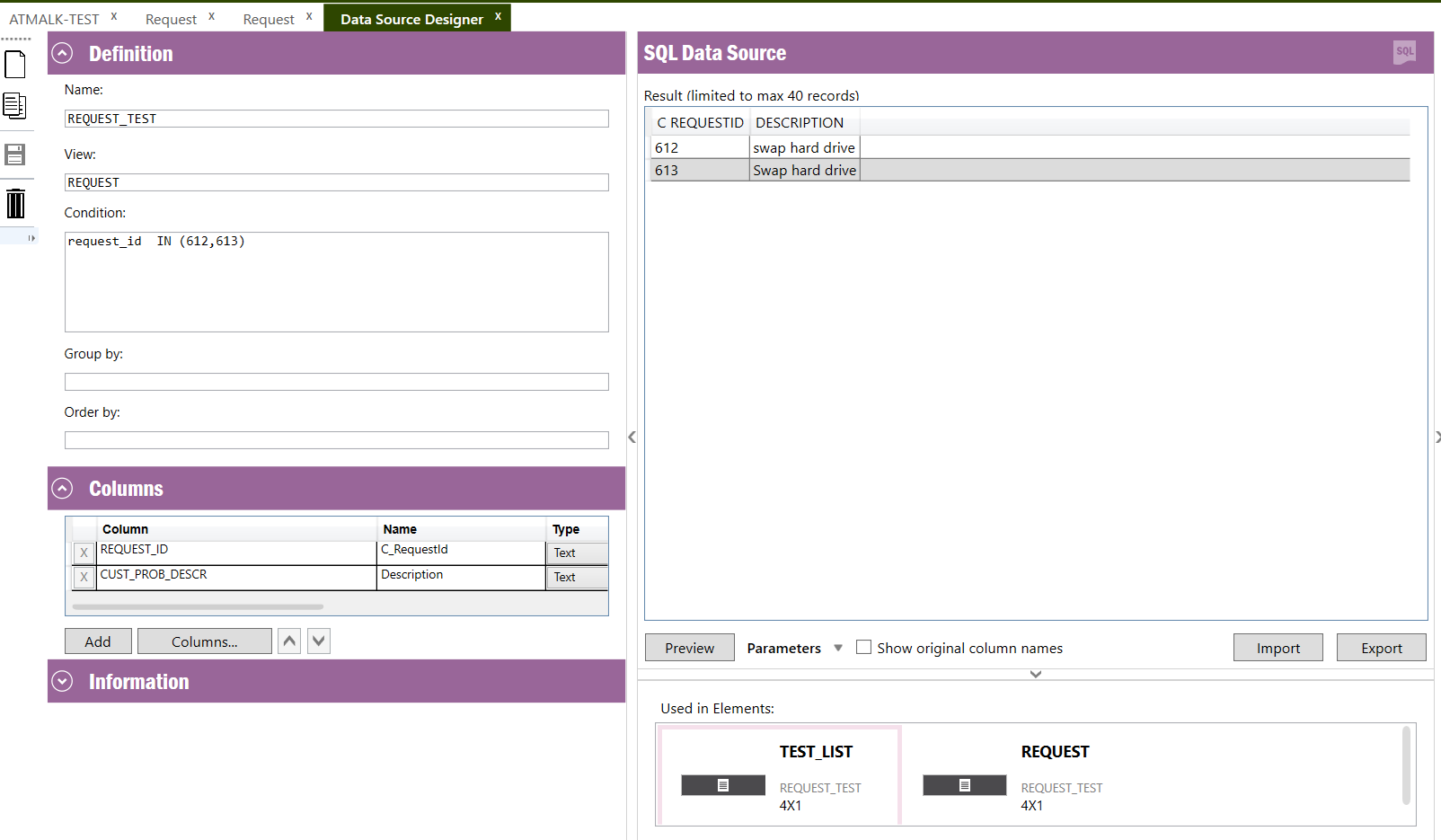
 

Retrieves 2 request

Assign it to the element designer (in this example its a list type)  and in the search criteria you can mention the column in which the data has to be filtered when navigating to the specific screen. 
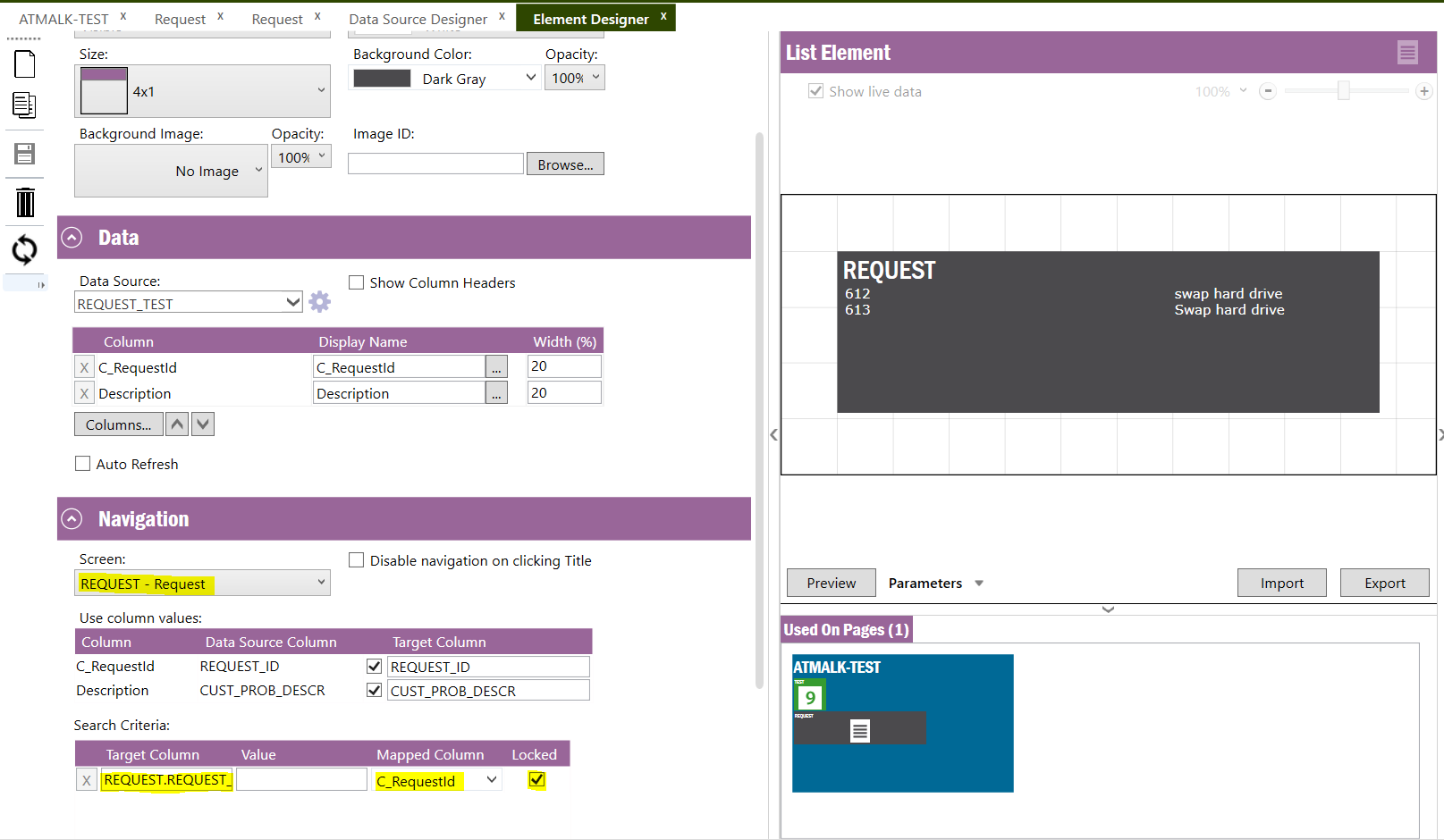
 

Navigation configuration


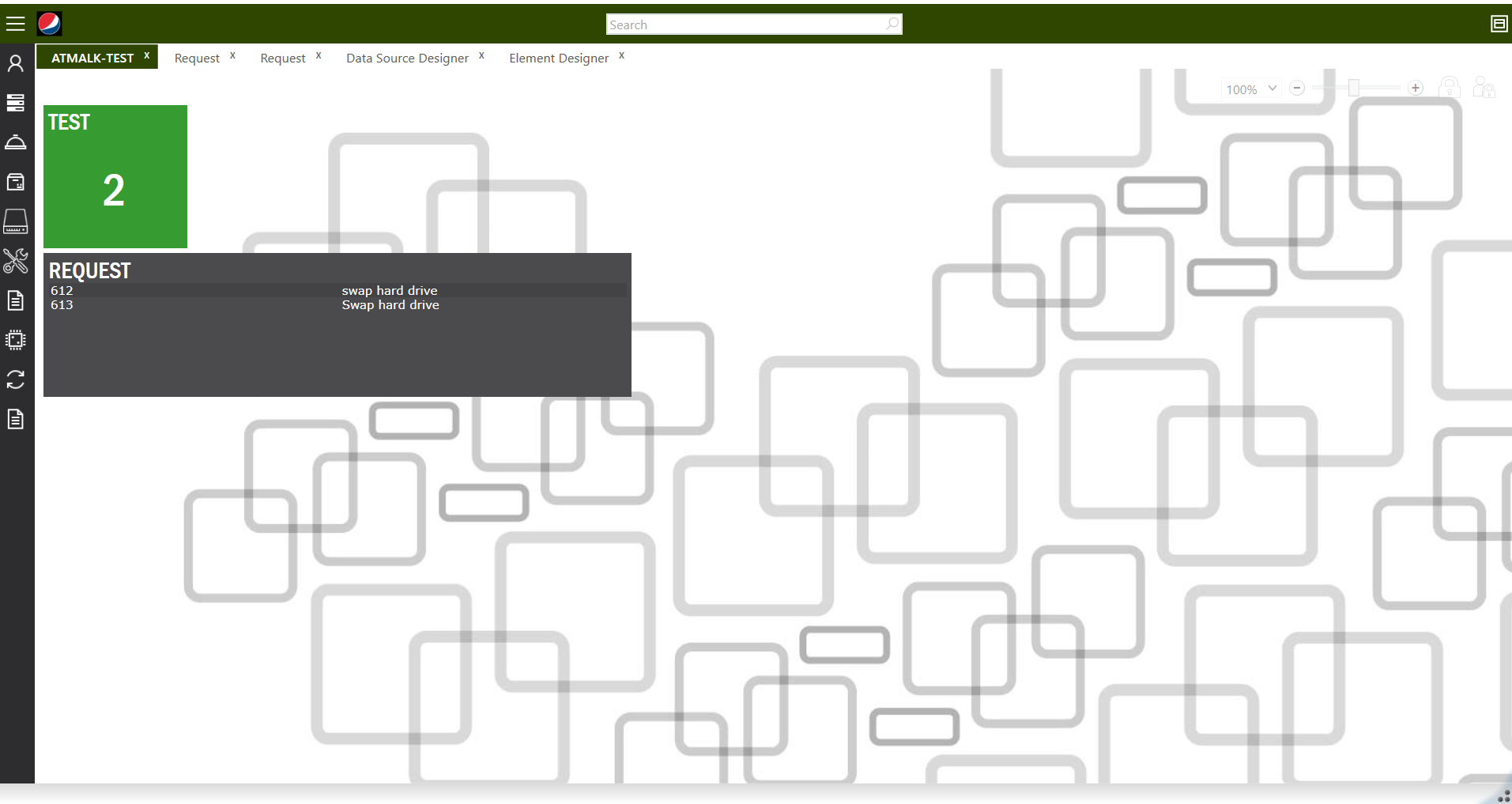
Then add the element  to a lobby and refresh the cache. In the lobby screen when you click the specific request record, it will navigate to the specific request. 
 

Selecting the 612 request from the list
Navigates to the specific record -  request_id 612


Hope this answer helps.

Best Regards,
Atheeq

View original

3 replies

Atheeq Maharoof
Superhero (Employee)
Forum|alt.badge.img+12
  • Superhero (Employee)
  • Answer
  • Oct 27, 2021 4:56 PM UTC

Hi @ATZSUMIT,

If your element designer is a list, then the following approach can be carried out. 

Initially define the data source as you wish.  
 

Retrieves 2 request

Assign it to the element designer (in this example its a list type)  and in the search criteria you can mention the column in which the data has to be filtered when navigating to the specific screen. 


Navigation configuration


Then add the element  to a lobby and refresh the cache. In the lobby screen when you click the specific request record, it will navigate to the specific request. 
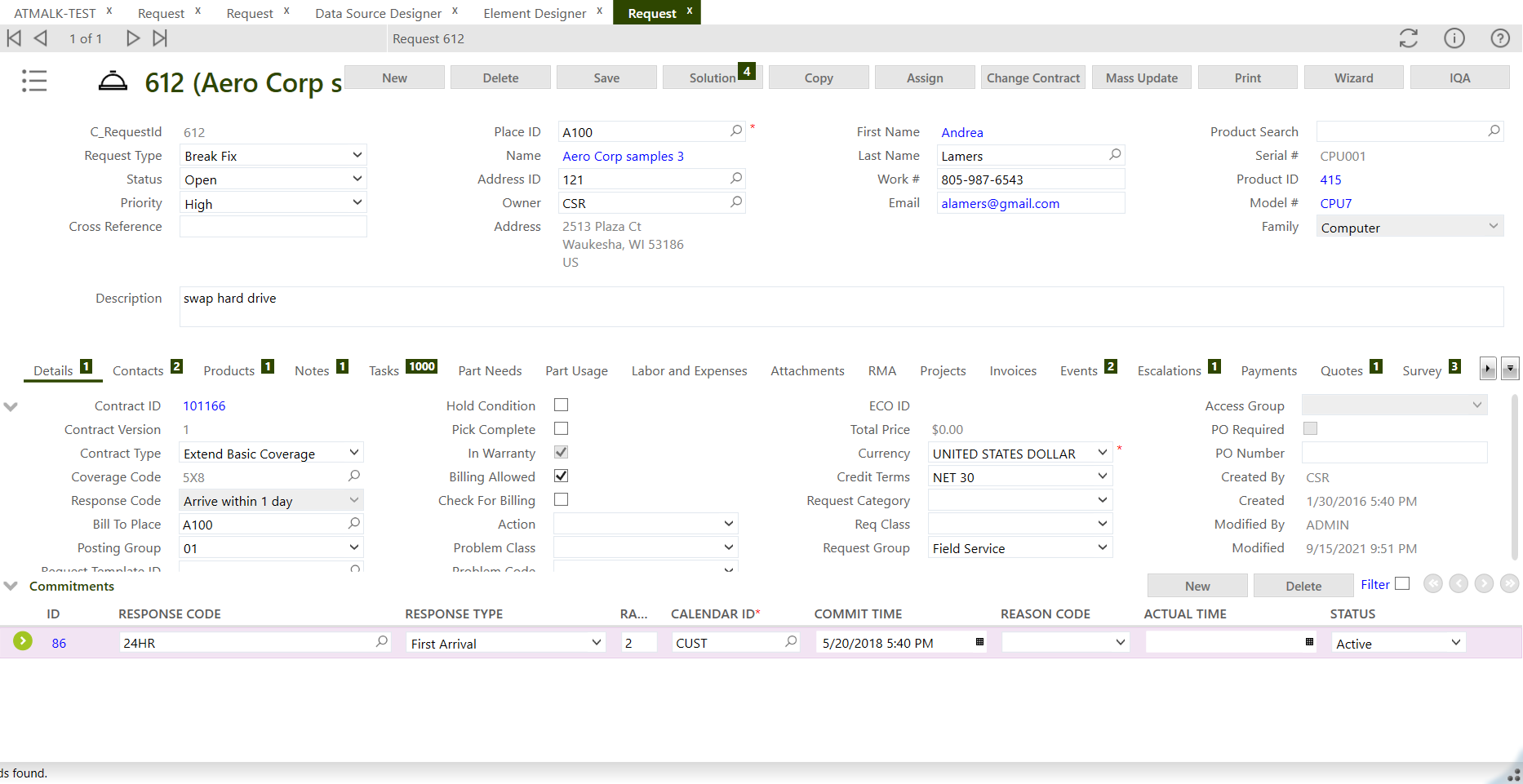
 

Selecting the 612 request from the list
Navigates to the specific record -  request_id 612


Hope this answer helps.

Best Regards,
Atheeq


Forum|alt.badge.img+6
  • Author
  • Sidekick (Customer)
  • Oct 27, 2021 5:22 PM UTC

HI @Atheeq Maharoof ,
 

   Thanks I want to use this functionality only I have one more question as i have 2 column request_id and task_id can i click on both and it will open task and request separately ?


Thanks

Sumit


Atheeq Maharoof
Superhero (Employee)
Forum|alt.badge.img+12

Hi @ATZSUMIT ,

As per my understanding you cannot navigate to 2 screens using the same element . For an element,  in the navigation dropdown only one screen can be selected. Due to this aspect you wont be able to navigate to 2 screens from the same element.

Hope this answer helps.

Best Regards,
Atheeq