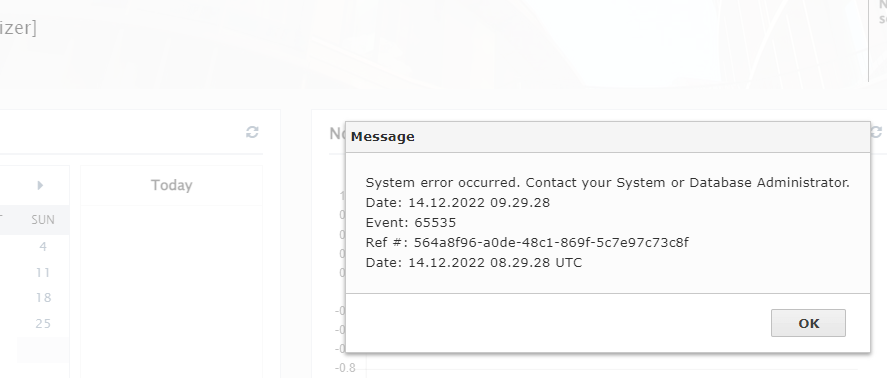
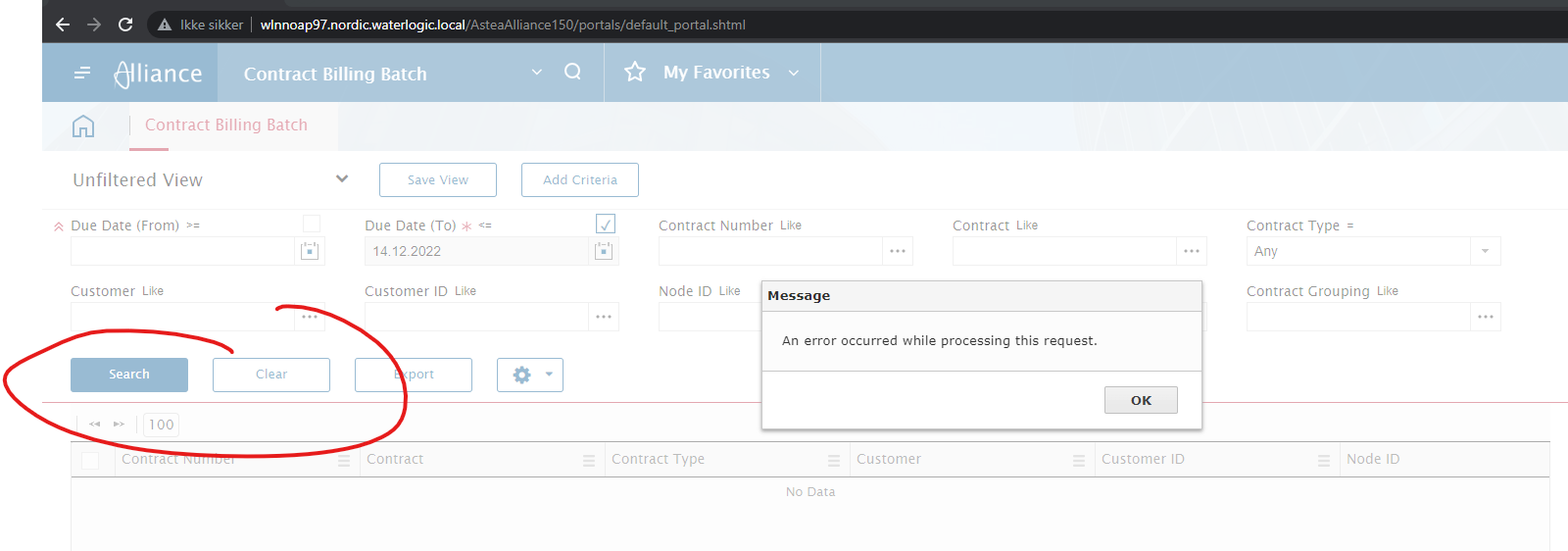
We are currently testing 15.4, and have an issue in the Web EMployee Portal. Every time we log on, we get the following error (3 times). The message pops up every 10 minutes (I assume from refreshing ). If I log on with the Employee Portal Browser (as Customizer), no errors are flagged:
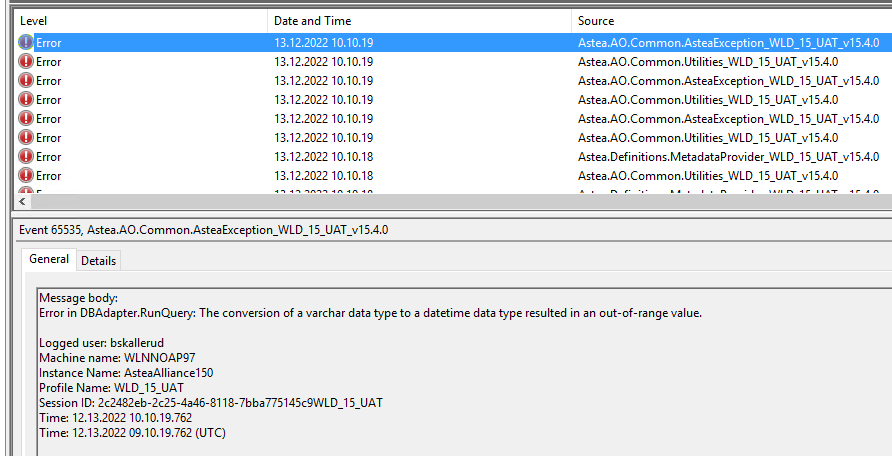
On the server we get this in the log:
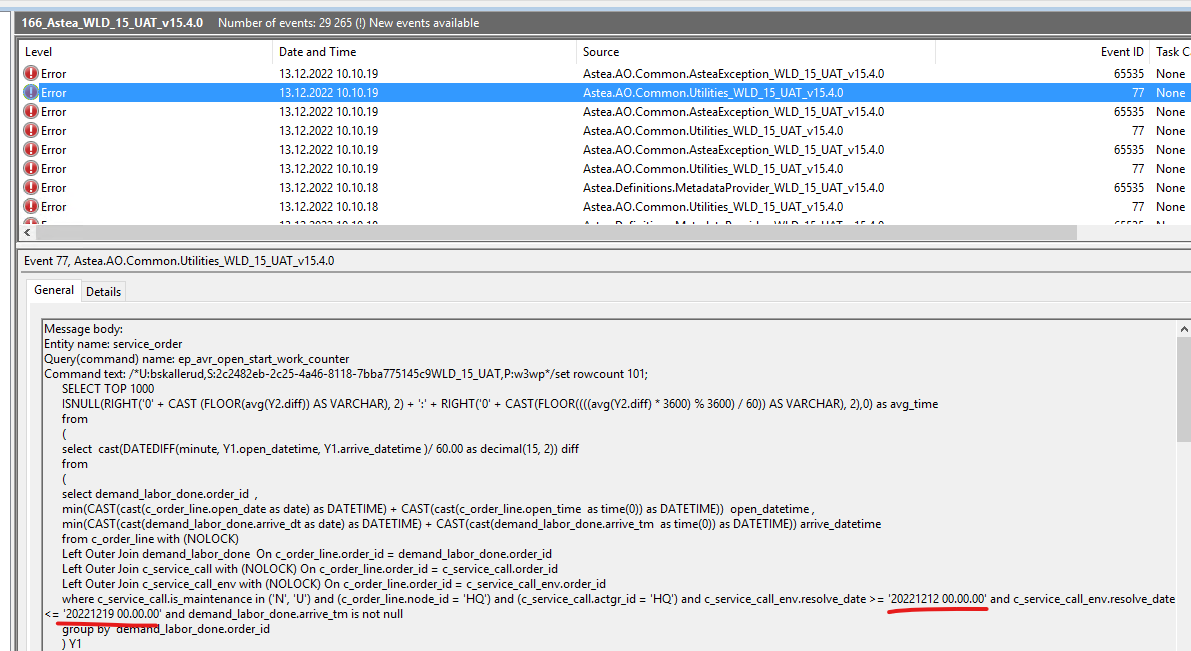
Here’s the query that fails. I think I may have found the issue. But how to fix this?
Best answer by Phil Seifert
Hi Bjørn,
Please change the regional settings for the time and date formats on the SERVER hosting the Alliance application so that they use / separators for the date and : separators for the time. MS states the Norwegian uses the full stop (period) as separators.
Make sure you keep your Chrome language setting to Norwegian so the users see the format they normally would expect.
So what should happen is the server communicate and sets up the transactions using the new separators and the users see their format as expected and no more errors, hopefully.
Do the involved users have widgets defined on their home screen which came from v15.2? If so, please remove them. I suspect this is the problem as it appears trying to do queries for for a start_work_counter.
Please change the regional settings for the time and date formats on the SERVER hosting the Alliance application so that they use / separators for the date and : separators for the time. MS states the Norwegian uses the full stop (period) as separators.
Make sure you keep your Chrome language setting to Norwegian so the users see the format they normally would expect.
So what should happen is the server communicate and sets up the transactions using the new separators and the users see their format as expected and no more errors, hopefully.