Solved

Astea: Copy Import Templates between profiles

  • November 12, 2024
  • 3 replies
  • 52 views

bskallerud
Hero (Customer)
Forum|alt.badge.img+12

Is it possible to copy an import template from one profile to another? Or will I have to manually recreate all customized imports in all profiles?

Best answer by Phil Seifert

Hi Bjørn,

From a review of the documentation, it seems you can do this from the Astea Browser:
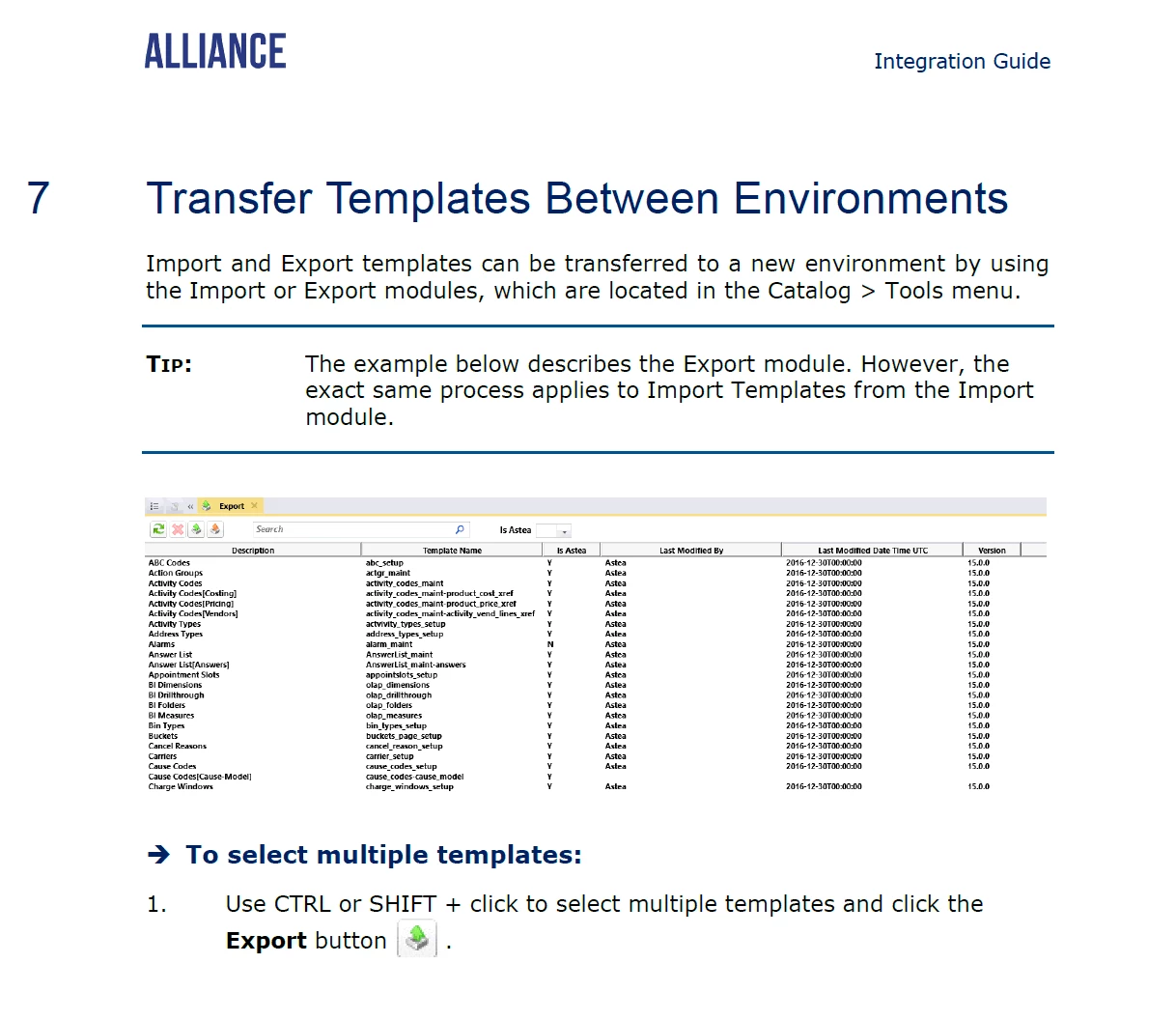


I have not tried this myself but perhaps this will do what you need.  Please note, I would not do this unless all the profiles are the same Alliance Version with the same customizations just in case the imports use fields that are not present in all profiles.


3 replies

Phil Seifert
Ultimate Hero (Employee)
Forum|alt.badge.img+24
  • Ultimate Hero (Employee)
  • Answer
  • November 12, 2024

Hi Bjørn,

From a review of the documentation, it seems you can do this from the Astea Browser:
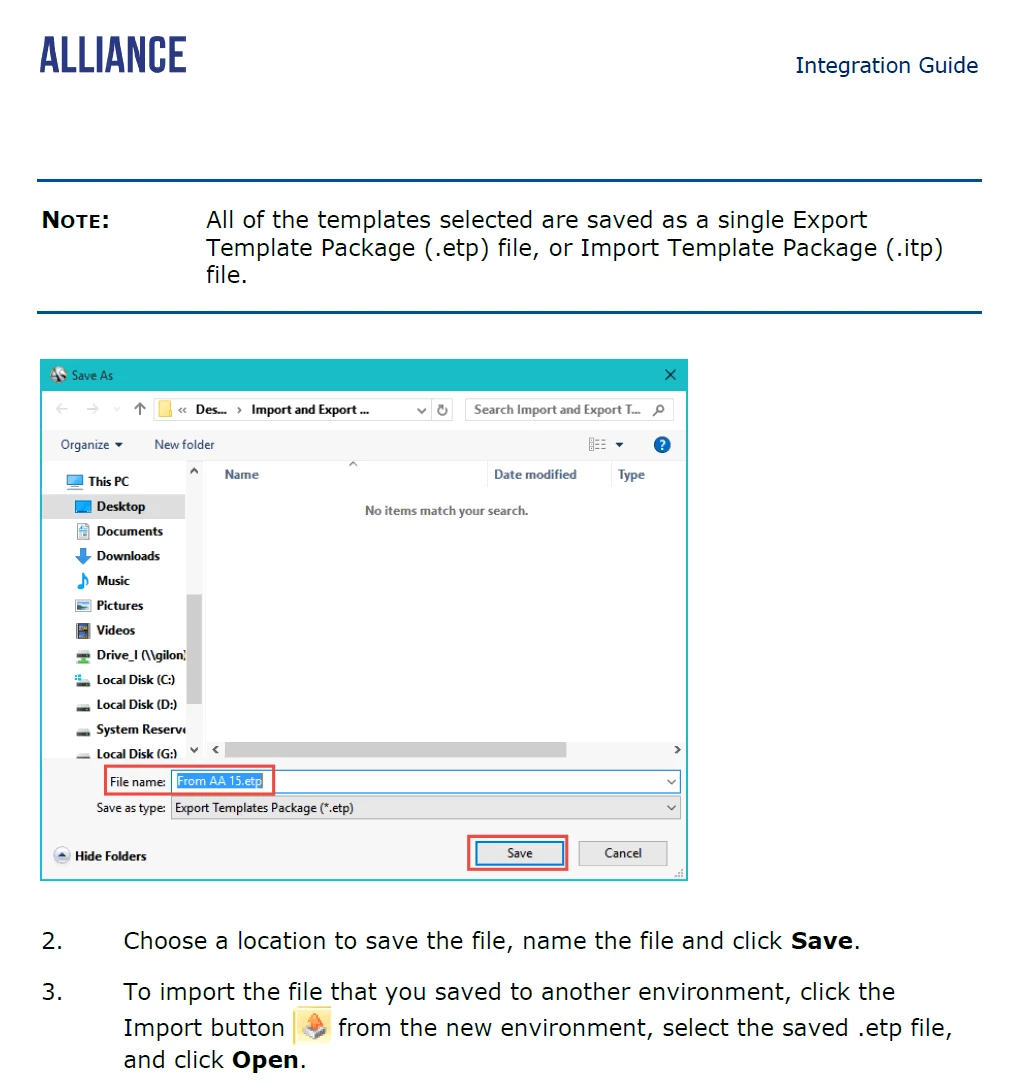


I have not tried this myself but perhaps this will do what you need.  Please note, I would not do this unless all the profiles are the same Alliance Version with the same customizations just in case the imports use fields that are not present in all profiles.




bskallerud
Hero (Customer)
Forum|alt.badge.img+12
  • Author
  • Hero (Customer)
  • November 12, 2024

Thanks, Phil - I managed to do it using the Import Template Wizard in the Astea Browser as well (your post gave me a flashback to old times). This saves us hours of tedious work


Phil Seifert
Ultimate Hero (Employee)
Forum|alt.badge.img+24
  • Ultimate Hero (Employee)
  • November 12, 2024

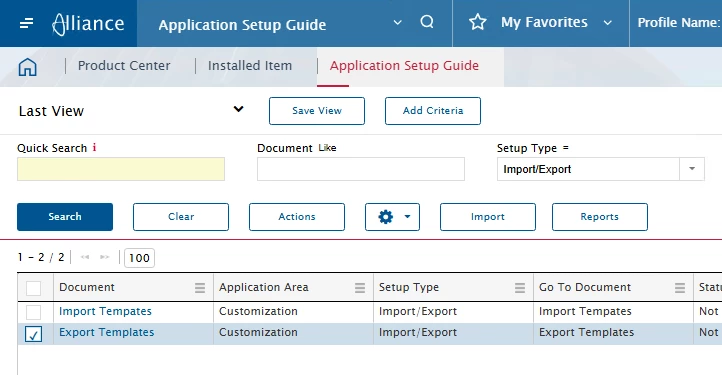
Also from the Web UI… you can use the Application Setup Guide to Import/Export


Need to do it from this search screen and select Actions to do the export.   When it completes, you should get an option to download the file.

The Import button will do the reverse from the file you generated.