Solved

Alliance 15.2: removing Allocated Product from partially invoiced order

  • October 31, 2022
  • 6 replies
  • 73 views

bskallerud
Hero (Customer)
Forum|alt.badge.img+12

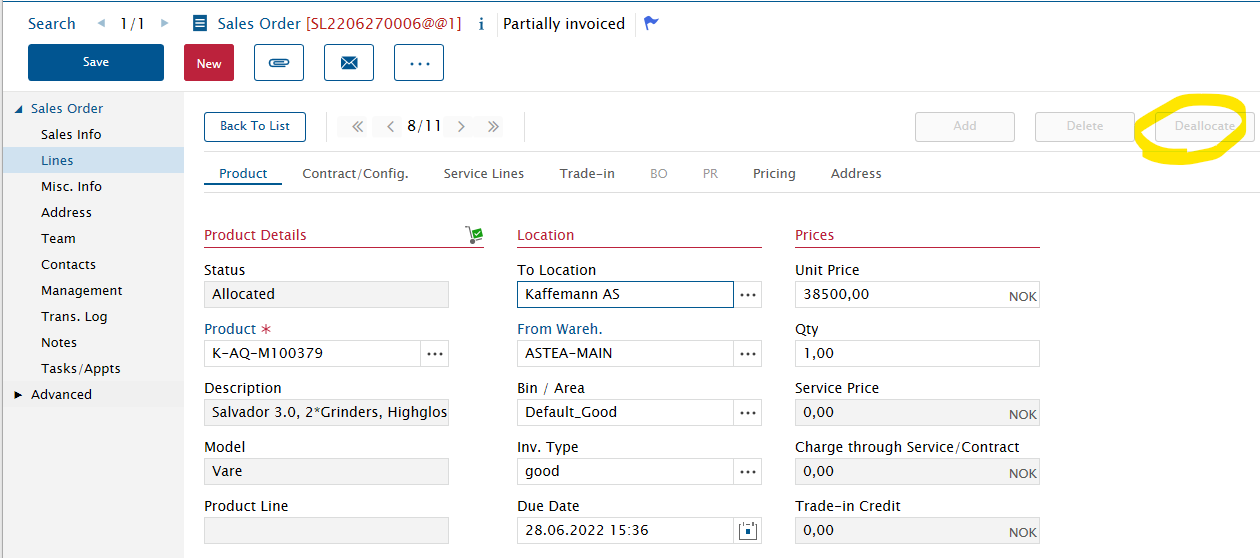
We have a partially invoiced order where we need to remove 2 lines with status Needed (closing the order will remove these, I find). But we also have one line that is Allocated, and I can’t find a way to deallocate it

Best answer by Phil Seifert

Hi Bjørn,

As you were using the Astea Browser from 15.2, in the General Queue please right click on the demand and you will have an option to deallocate.  This should work.

If you were using the Web Employee Portal, in the General Queue you would have to select the row with the select checkbox on the far left and then use the … options drop down to get the deallocate option.

This should resolve your issue.

6 replies

Phil Seifert
Ultimate Hero (Employee)
Forum|alt.badge.img+24
  • Ultimate Hero (Employee)
  • October 31, 2022

HI Bjørn,

Not seeing any details but just guessing, have you tried to use the General Queue to find the demand and then use that to de-allocate?


bskallerud
Hero (Customer)
Forum|alt.badge.img+12
  • Author
  • Hero (Customer)
  • October 31, 2022

I find it in the General Queue, but can’t see the demand: 


bskallerud
Hero (Customer)
Forum|alt.badge.img+12
  • Author
  • Hero (Customer)
  • October 31, 2022

Also: 


bskallerud
Hero (Customer)
Forum|alt.badge.img+12
  • Author
  • Hero (Customer)
  • October 31, 2022

I have found the Demand_ID - but how to unallocate? Seems to involve several tables


Phil Seifert
Ultimate Hero (Employee)
Forum|alt.badge.img+24
  • Ultimate Hero (Employee)
  • Answer
  • October 31, 2022

Hi Bjørn,

As you were using the Astea Browser from 15.2, in the General Queue please right click on the demand and you will have an option to deallocate.  This should work.

If you were using the Web Employee Portal, in the General Queue you would have to select the row with the select checkbox on the far left and then use the … options drop down to get the deallocate option.

This should resolve your issue.


bskallerud
Hero (Customer)
Forum|alt.badge.img+12
  • Author
  • Hero (Customer)
  • October 31, 2022

Thanks - worked like a charm!