Solved

search part by typing on the control

  • January 28, 2026
  • 1 reply
  • 19 views

Forum|alt.badge.img+5

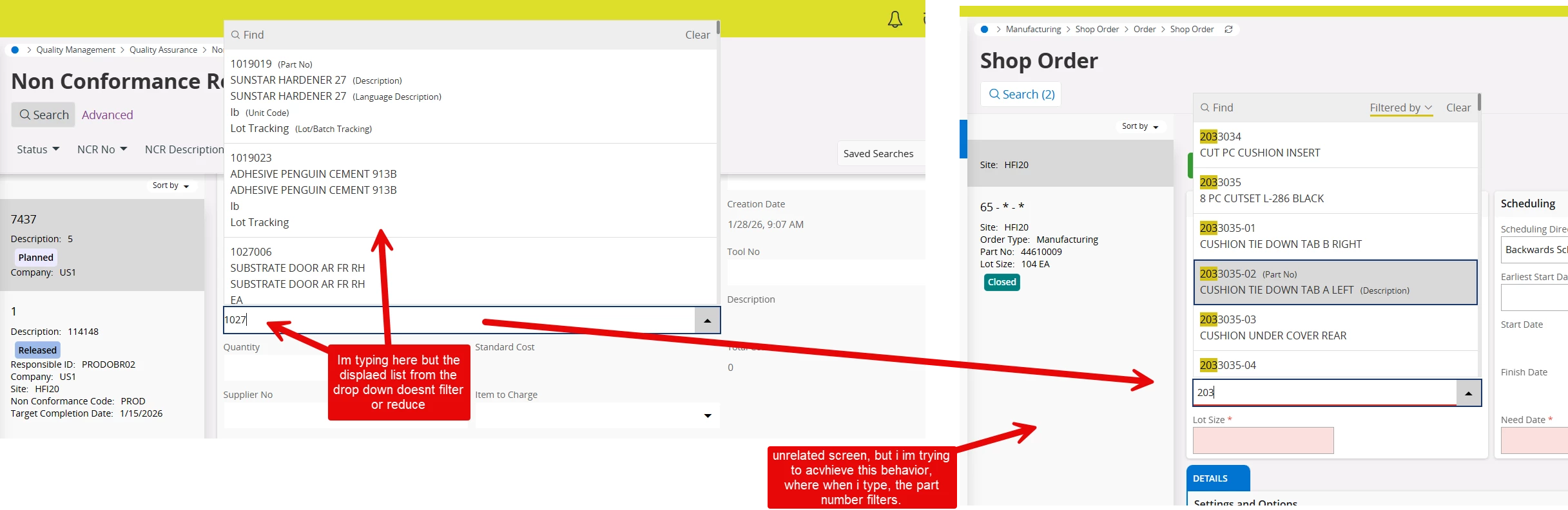
Hello IFS Community, im fairly new at using the Page Designer, i got this control added into this screen where the idea is to select a part number, if i click on the part from the list, i can select and even if i type the part number i can save it.. but when i type the part, the drop down.


here below in the picture you can see what i mean… what setting am i missing in the control in page designer, so when i type the part number, it filters the list? 


Thank you in Advance!


Best answer by QHFJESP

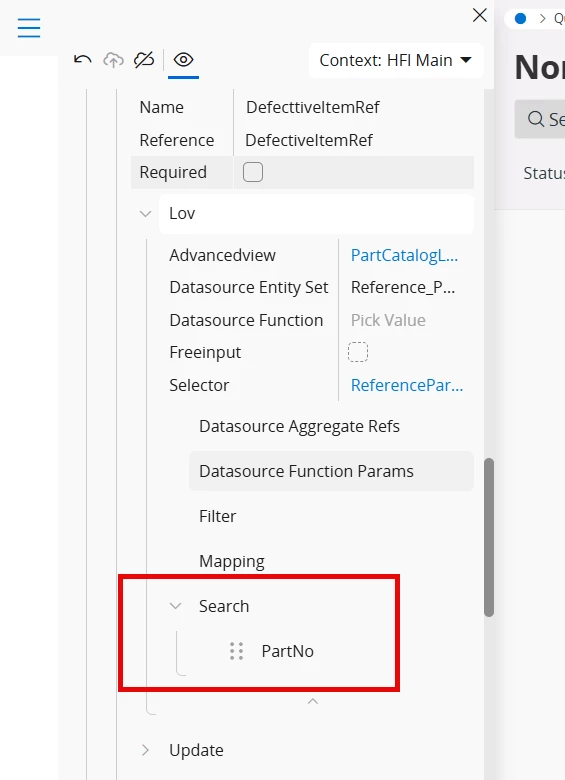
in case anybody runs into my post and needs to same help, i was able to fix my problem by adding the search source under the List of Values (LOV) that did the trick


1 reply

Forum|alt.badge.img+5
  • Author
  • Do Gooder (Customer)
  • Answer
  • January 29, 2026

in case anybody runs into my post and needs to same help, i was able to fix my problem by adding the search source under the List of Values (LOV) that did the trick