Solved

"Notes" on Inventory Part Page

  • Nov 22, 2022 9:44 PM UTC
  • 4 replies
  • 333 views

Forum|alt.badge.img+4

How do you create a note for an inventory part?

I’m using Aurena and trying to populate the “Note” field for an Inventory Part on the inventory part page.

I don’t want the document text because I don’t want it on the purchase documents, I just need a specific note for a specific part.  - Thanks.
Best answer by anmise

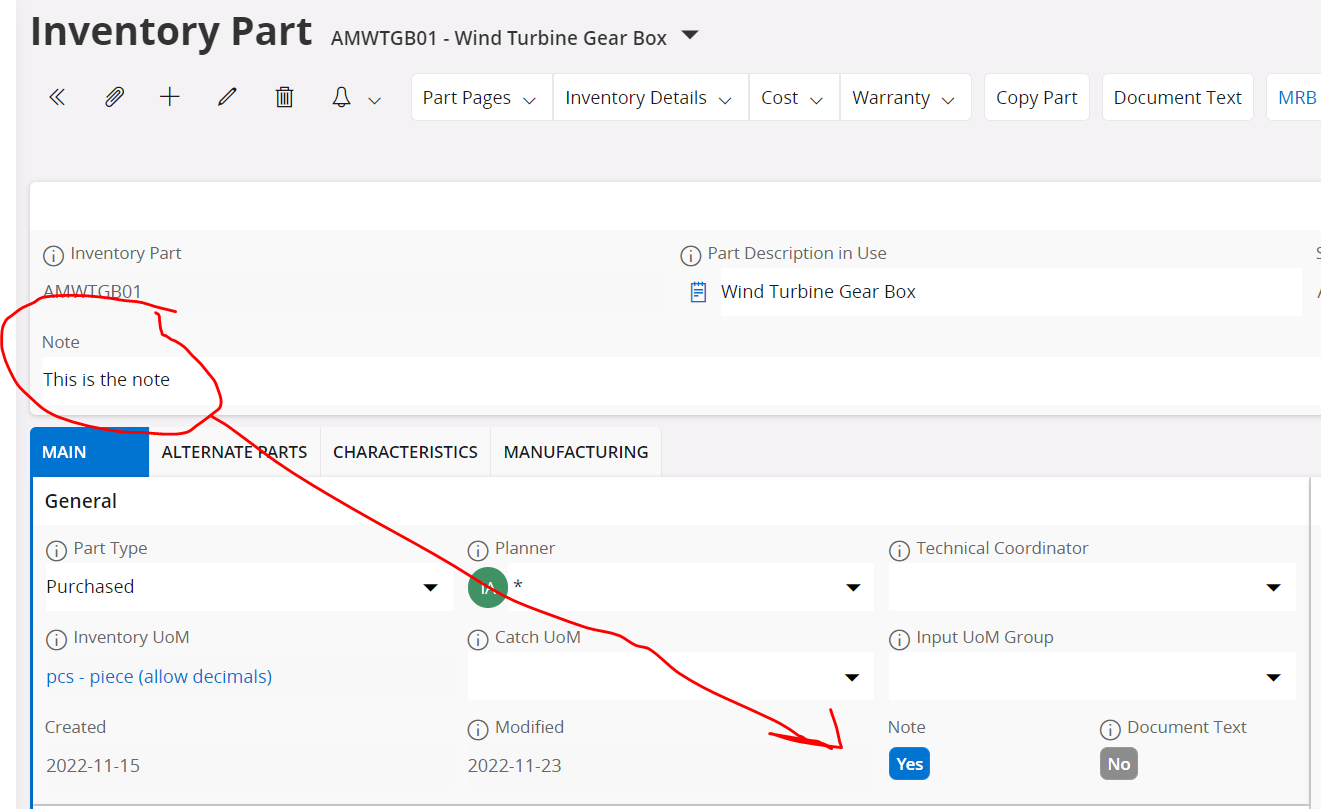
It is set to Yes when you enter a note in the header. Not entirely sure what the purpose is though. Maybe for filtering purposes?


View original

4 replies

  • Superhero (Employee)
  • Answer
  • Nov 23, 2022 7:10 AM UTC

It is set to Yes when you enter a note in the header. Not entirely sure what the purpose is though. Maybe for filtering purposes?


Forum|alt.badge.img+4
  • Author
  • Sidekick (Partner)
  • Nov 23, 2022 4:24 PM UTC

I knew it would be something simple. I just couldn’t see it. 

Thanks for the second set of eyes.


Forum|alt.badge.img+3
  • Do Gooder (Customer)
  • Jan 2, 2025 3:25 PM UTC

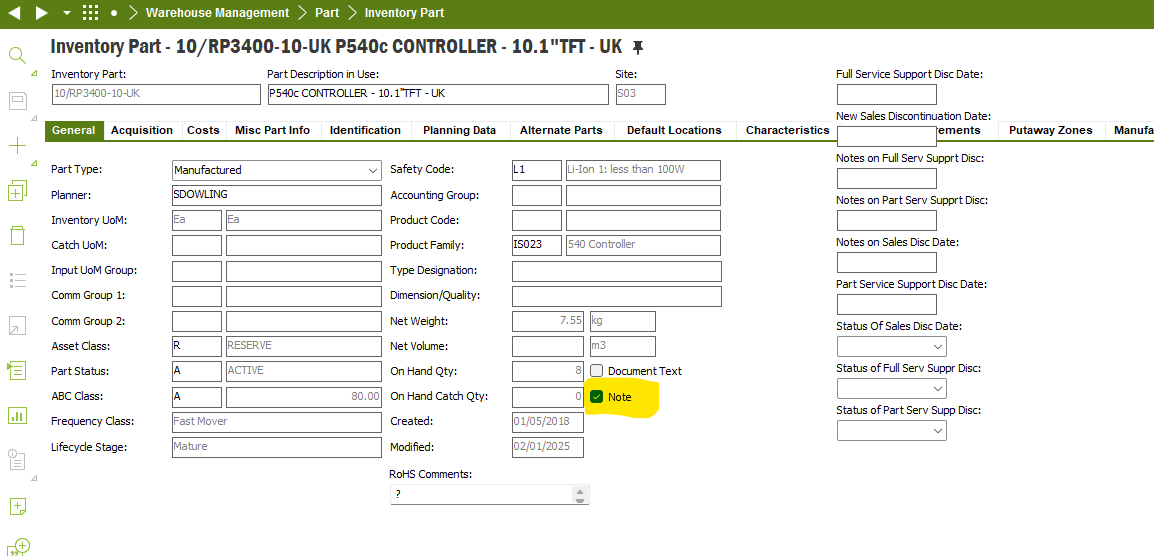
There is a field “Note” on the Inventory Part screen in Aps 10 which allows to add a text in the Editor. I have got a request from an end user to add the text of the Note to a Quick report but I cannot find any view or a a table where the text of the Note is stored. Please, could you help a location of the Note field.


Forum|alt.badge.img+3
  • Do Gooder (Customer)
  • Jan 2, 2025 3:38 PM UTC

Please, note I found a solution