Hi @ArcRolfrH,
Sharing my findings from a Cursor-assisted technical/functional search. I hope these insights are beneficial.
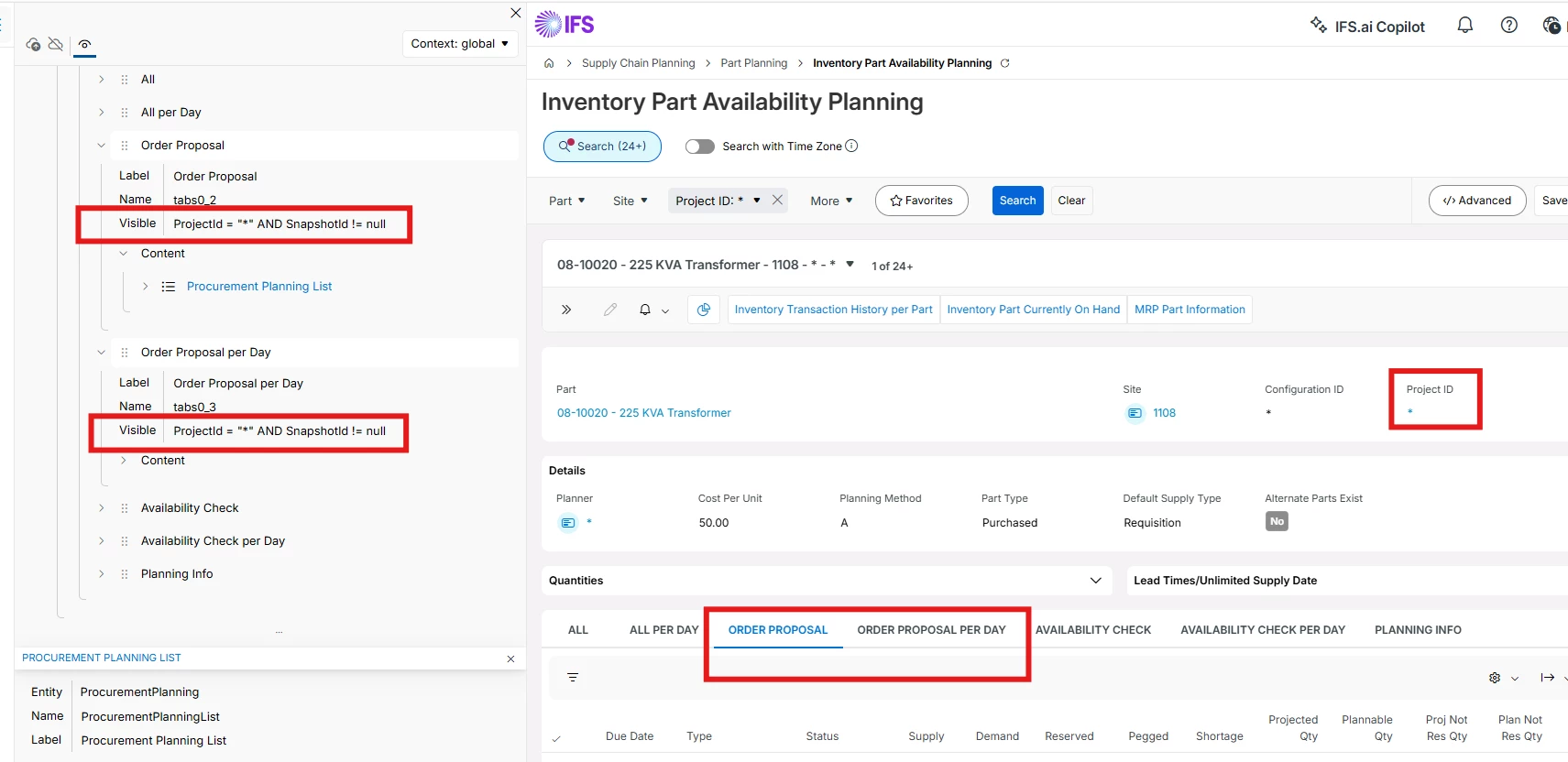
Tab visibility criteria
They are visible only when both are true:
| Condition | Meaning |
|---|
| ProjectId = "*"
| You are viewing standard (non-project) inventory for the part |
| SnapshotId != null
| A planning snapshot has been generated (after search + View Latest Details / GenerateSnapshot) |
They are hidden when:
- Project ID is a specific project (e.g.
PROJ001) - Project ID is
# (all projects + standard combined view) - Snapshot ID is still null (part not yet loaded / snapshot not generated)
Other tabs (All, All per Day, Availability Check, etc.) only require SnapshotId != null; they do not require ProjectId = "*".
Both tabs use the same underlying supply/demand source: ORDER_SUPPLY_DEMAND (standard procurement planning data). They differ in granularity.
Order Proposal tab (detail lines)
- One row per individual supply/demand record (order line, requisition, PO, etc.)
Order Proposal per Day tab (summarized lines)
- One row per due date — all orders for that part on the same date are summed into one line
The order_supply_demand view unions standard (non-extended) supply/demand sources. Depending on installed components, lines can include:
| Category | Source views (examples) |
|---|
| Always (core) | Material Requisition, Transport Task |
| Manufacturing (SHPORD) | Shop Material Allocation, Shop Order, Shop Order Proposal |
| Sales (ORDER) | Customer Order Line, Sales Quotation, Sourced Order Line |
| Purchasing (PURCH) | PO Reservation, PO Line, Purchase Requisition, Arrived PO |
| Work Orders (WO) | WO Order Line, WO Repair |
| Production Schedule (PROSCH) | Line Schedule Component, Line Schedule Supply |
| Distribution (DISORD) | Distribution Order |
| Projects (PROJ) | Project Misc Procurement |
| Maintenance (VIM) | Maintenance Order Material |
| PM (PM) | PM Material Demand |
| Shipment (SHIPOD) | Shipment Order Line |
| Customer Schedules (CUSSCH) | Customer Schedule Ship Conn |
| Repair RMA (DRBASE) | Repair RMA Line Demand |
What is not on these tabs (goes to All tab instead) The All tab uses ORDER_SUPPLY_DEMAND_EXT, which adds extended/project planning types such as: - MRP spare part forecast, Level 1 forecast
- DOP order demand/supply, DOP netted demand
- Customer/Supplier schedule plan demands
- Project deliverable demand
- Material transfer requisition
- Interim order CTP supply/demand
- Compatible unit demand
| |