Question

Sort of Values in MWo for custom attribute

  • September 15, 2026
  • 1 reply
  • 10 views

Forum|alt.badge.img+8

Dear All,

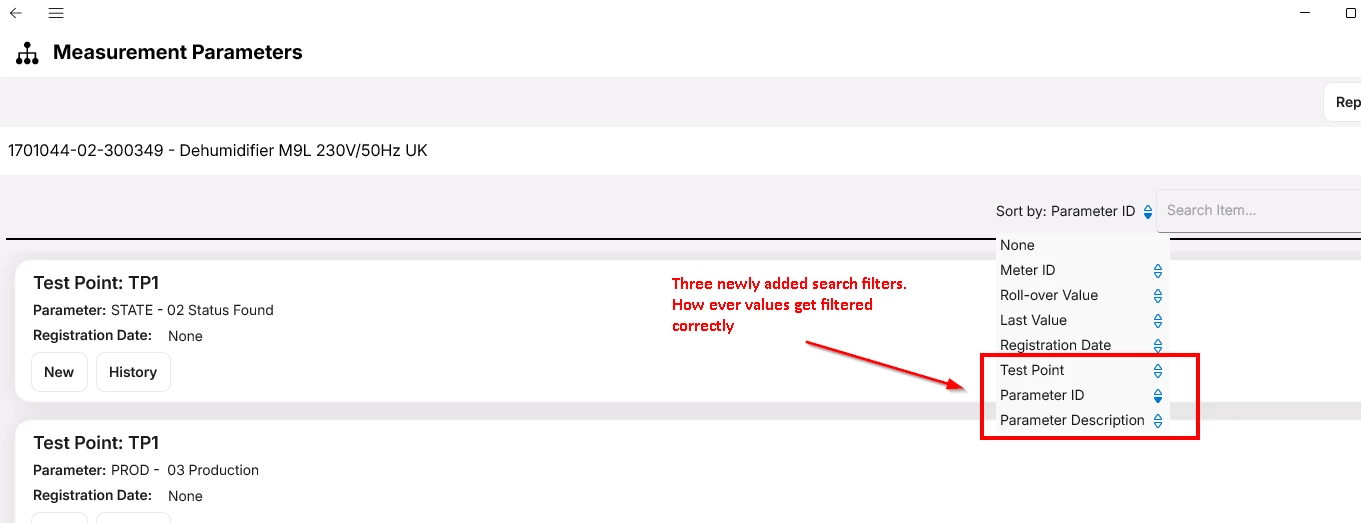
For one of the customer on 25R1 we have added additional filters on ‘Task Measurement’ like Parameter, Parameter Description and Test Point ID in MWo Service App.

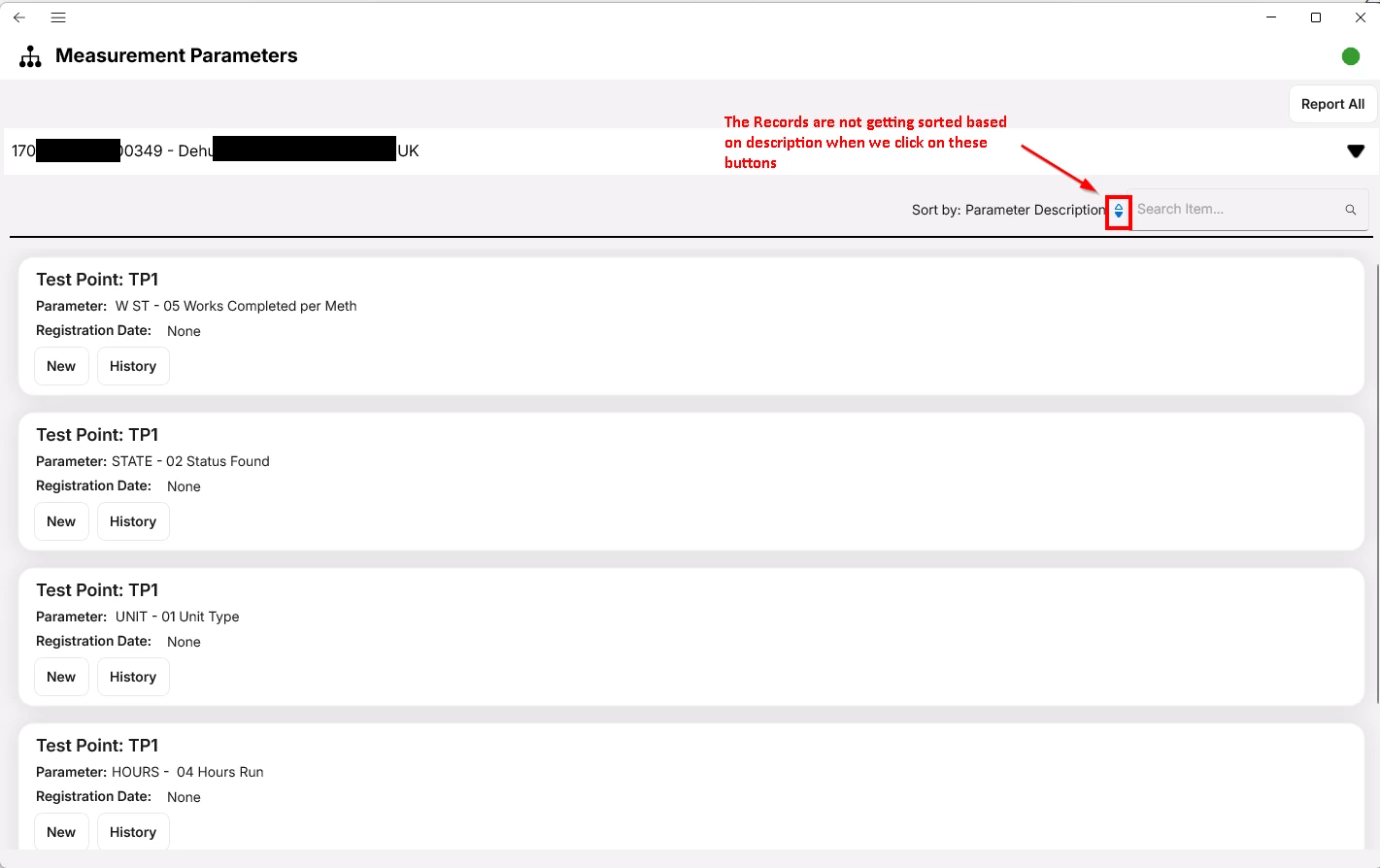
We are facing issue with Sorting values using these filters. The values will not sort in ascending or descending order how usually sorting funtionality works on the records of ‘My Work’ tile. For example, if I have 10 work task with me and when i use My Work tile to navigate to list of records there if I use work task field as filter the list gets sorted based on work task number. But same is not happening here.

Any leads on this will help. Below is the screenshot showing the button to sort.
 
​​

Thanks in advance for your valuable suggestions.

Regards,

Srinivas

1 reply

Forum|alt.badge.img+3
  • Do Gooder (Employee)
  • September 16, 2026

Hi ​@XitSriniJ,


There is probably a sync issue. The search box filters on what is rendered, so it works on anything you display. The Sort by list runs against the attribute as it is stored in the app's local database. If the attribute is not synced down to the device as its own column, the toggle flips the arrow but the list never reorders. That lines up with what you describe: filtering fine, sorting dead.


Please try these steps:

  1. Confirm the attributes are published for the app, not just added to the page. Solution Manager > Mobile Apps > Configuration > Entity Details, filter by the app and by the entity behind Measurement Parameters, then use Add Custom Attributes and Publish Custom Attributes. Adding the field in Page Designer alone does not sync it.
  2. Clear cache and reinitialize. Solution Manager > System Information and Utilities > Refresh Server Cache, then reinitialize the client rather than just running a sync.
  3. Just to make sure, on that same screen, sort by one of the standard options such as Registration Date or Last Value. If those reorder and your three do not, the problem is the attributes. If nothing on that screen reorders, the card's sort is not functioning at all and that is worth raising with support with the app and card name.
  4. Check the data varies. In your screenshot every record is Test Point TP1, so sorting by Test Point will look broken even when it is working.
  5. Sorting uses the stored value, not the card label. Your Parameter line renders as something like "W ST - 05 Works Completed per Meth", which is a combination of ID and description. Sorting by Parameter Description sorts on the description column only, so the result will not match the order of the text you see on the card.


Best,

Gleb