Solved

Print Manager Status 'waiting'

  • August 26, 2022
  • 6 replies
  • 853 views

wahelk
Hero (Former Employee)
Forum|alt.badge.img+11

Hi ,

Customer is in Cloud 22R1 SU4. 

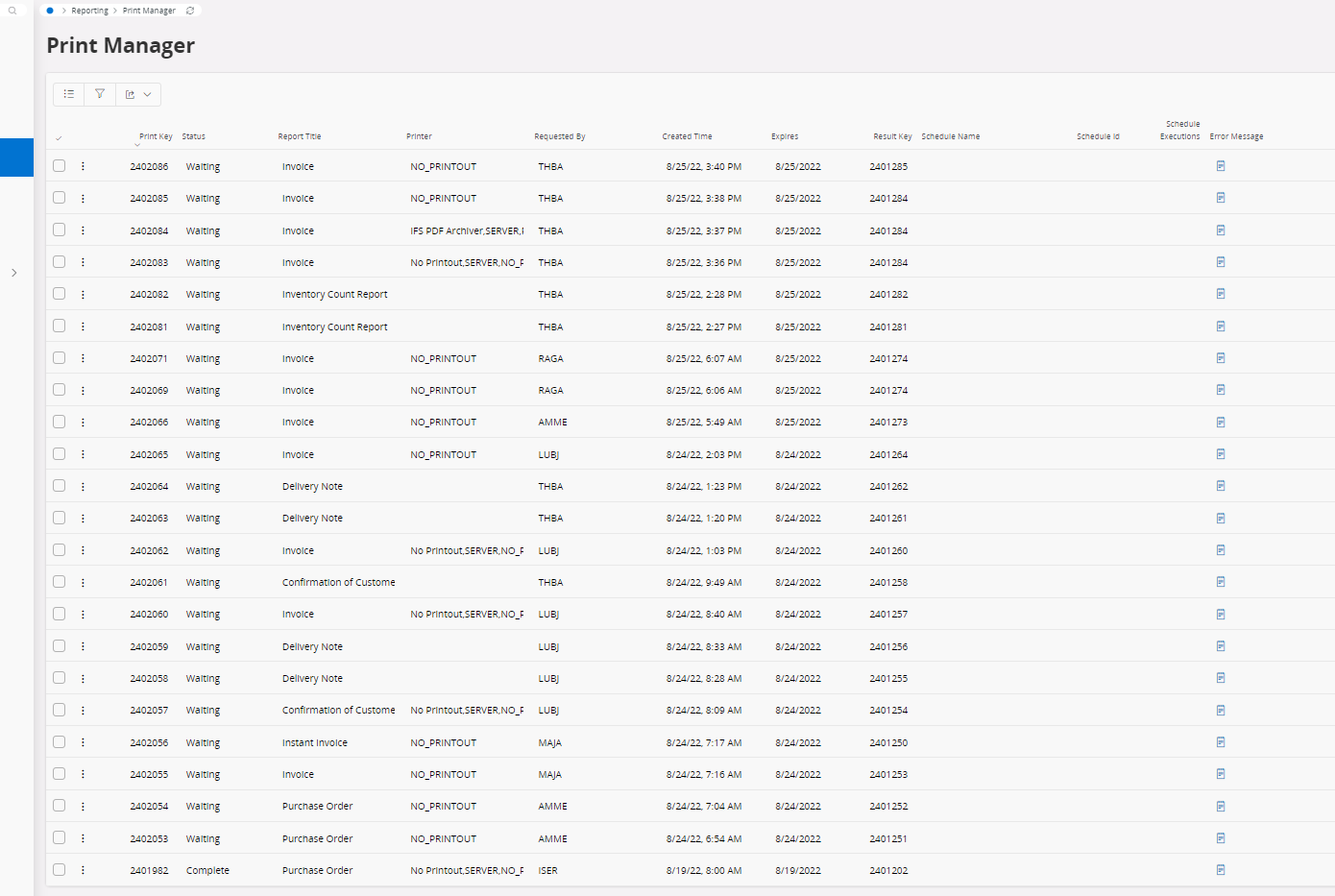
Print manager status “waiting” as below for all reports.

Any idea for reason and how to fix?


Best Regards,

Wasana

Best answer by ChanakaAmarasekara

Hi,


Check if the ifsapp-reporting and ifsapp-reporting-ren containers are running. If not start them. If these reports are Crystal Reports, then you will have to have the ifsapp-reporting-cr container and installed and configured a Crystal Web Service in the environment. 

Also, check the “Report Application Messages”. The message status for the print jobs should be Finished state normally. Check if there are any error there.

Also in the “Report Print Task Template” check the queue of the task templates. And in the ‘Report Message Queues” check if these queue are there and not stopped. If stopped, start them. If not there create the queue.

All these options are under:

Solution Manager > Reporting and Analysis > Operational Reporting > Setup Report Rendering 

Also, it would be good to check the container logs. 

Regards,


6 replies

ChanakaAmarasekara
Hero (Employee)
Forum|alt.badge.img+15

Hi,


Check if the ifsapp-reporting and ifsapp-reporting-ren containers are running. If not start them. If these reports are Crystal Reports, then you will have to have the ifsapp-reporting-cr container and installed and configured a Crystal Web Service in the environment. 

Also, check the “Report Application Messages”. The message status for the print jobs should be Finished state normally. Check if there are any error there.

Also in the “Report Print Task Template” check the queue of the task templates. And in the ‘Report Message Queues” check if these queue are there and not stopped. If stopped, start them. If not there create the queue.

All these options are under:

Solution Manager > Reporting and Analysis > Operational Reporting > Setup Report Rendering 

Also, it would be good to check the container logs. 

Regards,


wahelk
Hero (Former Employee)
Forum|alt.badge.img+11
  • Author
  • Hero (Former Employee)
  • August 26, 2022

Thank you Chanaka. We will check these points.


Best Regards,

Wasana


Forum|alt.badge.img+10
  • Sidekick (Customer)
  • June 26, 2023

@ChanakaAmarasekara 

I am facing a similar issue and trying to follow your recommendations.  I have checked all the of the settings suggested under Solution Manager > Reporting and Analysis > Operational Reporting > Setup Report Rendering.

Can you tell me where to check the containers or point me to the documentation that provides the container information?

“Check if the ifsapp-reporting and ifsapp-reporting-ren containers are running. If not start them. “


Thank you,

Joann


wahelk
Hero (Former Employee)
Forum|alt.badge.img+11
  • Author
  • Hero (Former Employee)
  • June 27, 2023

@jtobin i could solved this after restarting report containers. 


Forum|alt.badge.img+10
  • Sidekick (Customer)
  • June 27, 2023

@wahelk Thank you.  Can you provide a print screen showing where to restart the report containers?


wahelk
Hero (Former Employee)
Forum|alt.badge.img+11
  • Author
  • Hero (Former Employee)
  • June 28, 2023

@jtobin  as my customer is IFS cloud, I created a case in SNOW and got it done via cloud ops.