Solved

Not able to fille License usege and Person id during create user on IFS CLoud 21R1

  • November 21, 2021
  • 4 replies
  • 217 views

Forum|alt.badge.img+8

Dear Experts,

Can u help me why i am not able to update the License usage and Person ID in Create user screen for IFS Cloud 21R1 .

how can i do that..Please help.

 

Best answer by Shani Fernando

Hi @Sujeet Saxena,


Kindly try the below steps,

1. Click on the “Grant Permission Sets” option  under the “Direct Grants” tab,
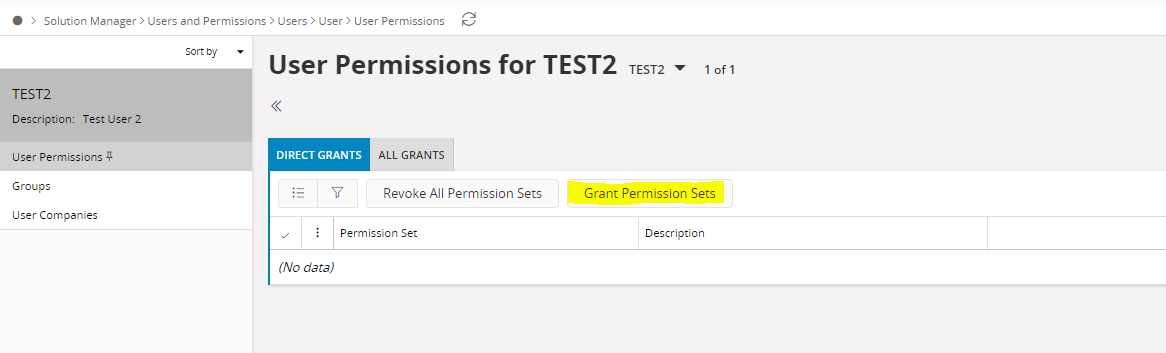

2. Then the following view will be open up > Filter out the “IFSAPP_FULL” Permission Set or click on “Show More” option and find it >  Check the checkbox belongs to the IFSAPP_FULL Permission Set as below > Click on “OK” or “Grant”.
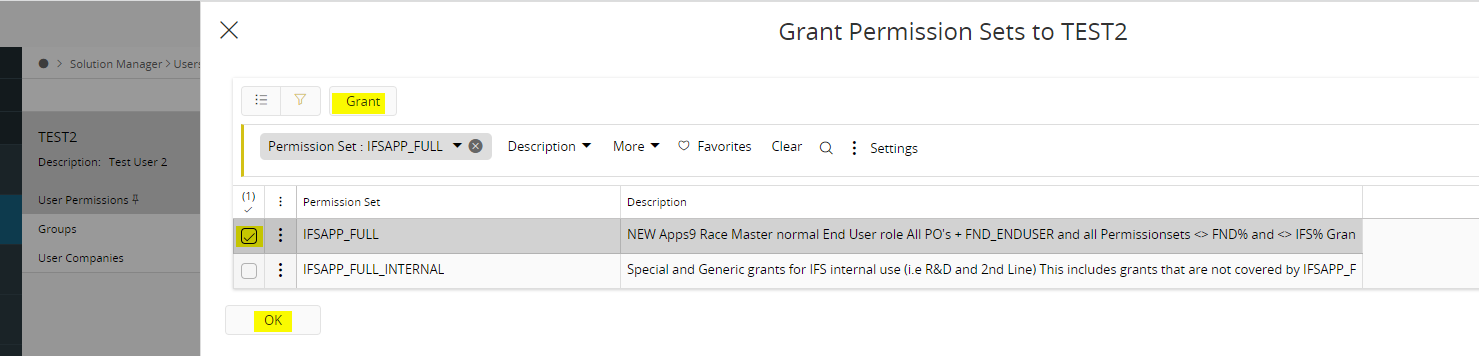


Hope this helps. :)

Best Regards,
Shani 

This topic has been closed for replies.

4 replies

Shani Fernando
Hero (Employee)
Forum|alt.badge.img+11
  • Hero (Employee)
  • November 21, 2021

Hi @Sujeet Saxena ,
 

You can grant the permission to the user by following the below steps,

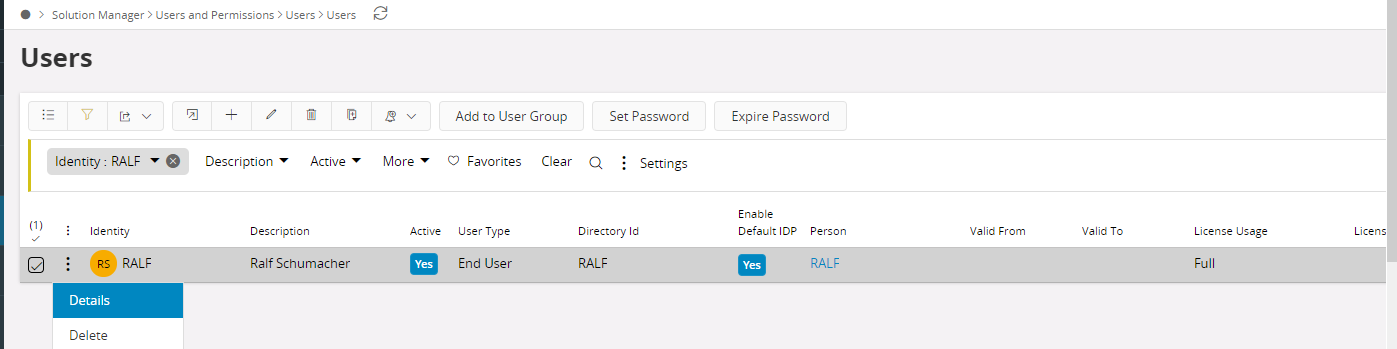
1. Navigate to “Users” screen > Search the user by “Identity” >  Click on “Details” option


​​​​​​
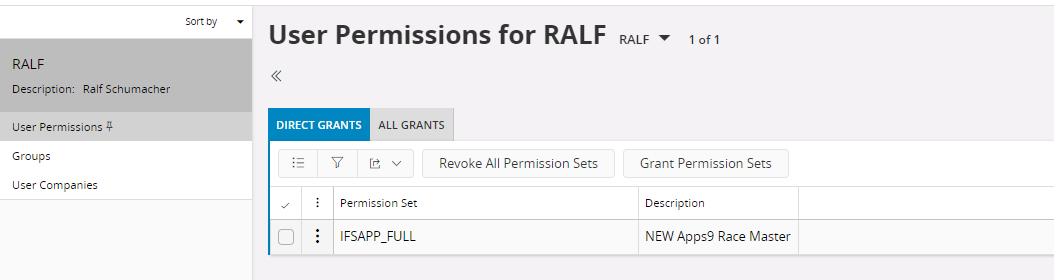
2. The “User Details” screen will be open up > Then click on “User Permissions” >  “Grant Permission Sets” and then you can grant the permission sets to the user


Hope my answer helps.

Best Regards,
Shani​​​​​​​


Shani Fernando
Hero (Employee)
Forum|alt.badge.img+11
  • Hero (Employee)
  • November 21, 2021

Hi @Sujeet Saxena ,
 

If you haven’t created a user yet, please do it first by clicking on the + icon available in the “Users” screen > Fill the required fields > Save.
Then follow the above mentioned steps.


You can get the full license usage by granting “IFSAPP_FULL” permission set.
 

Best Regards,
Shani


Forum|alt.badge.img+8
  • Author
  • Hero (Partner)
  • November 21, 2021

Thanks for your reply..Its really helpful.

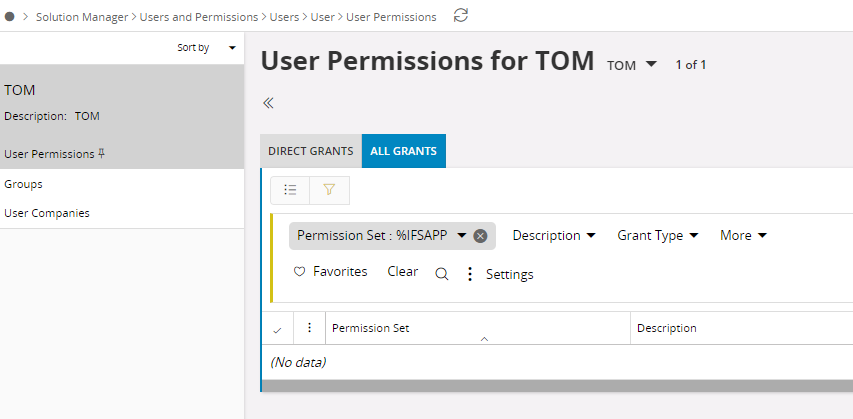
However in my case i am not able to find any permission set available ..to assign the new user..Is it Bug or am i doing anything wrong.


Shani Fernando
Hero (Employee)
Forum|alt.badge.img+11
  • Hero (Employee)
  • Answer
  • November 21, 2021

Hi @Sujeet Saxena,


Kindly try the below steps,

1. Click on the “Grant Permission Sets” option  under the “Direct Grants” tab,


2. Then the following view will be open up > Filter out the “IFSAPP_FULL” Permission Set or click on “Show More” option and find it >  Check the checkbox belongs to the IFSAPP_FULL Permission Set as below > Click on “OK” or “Grant”.


Hope this helps. :)

Best Regards,
Shani