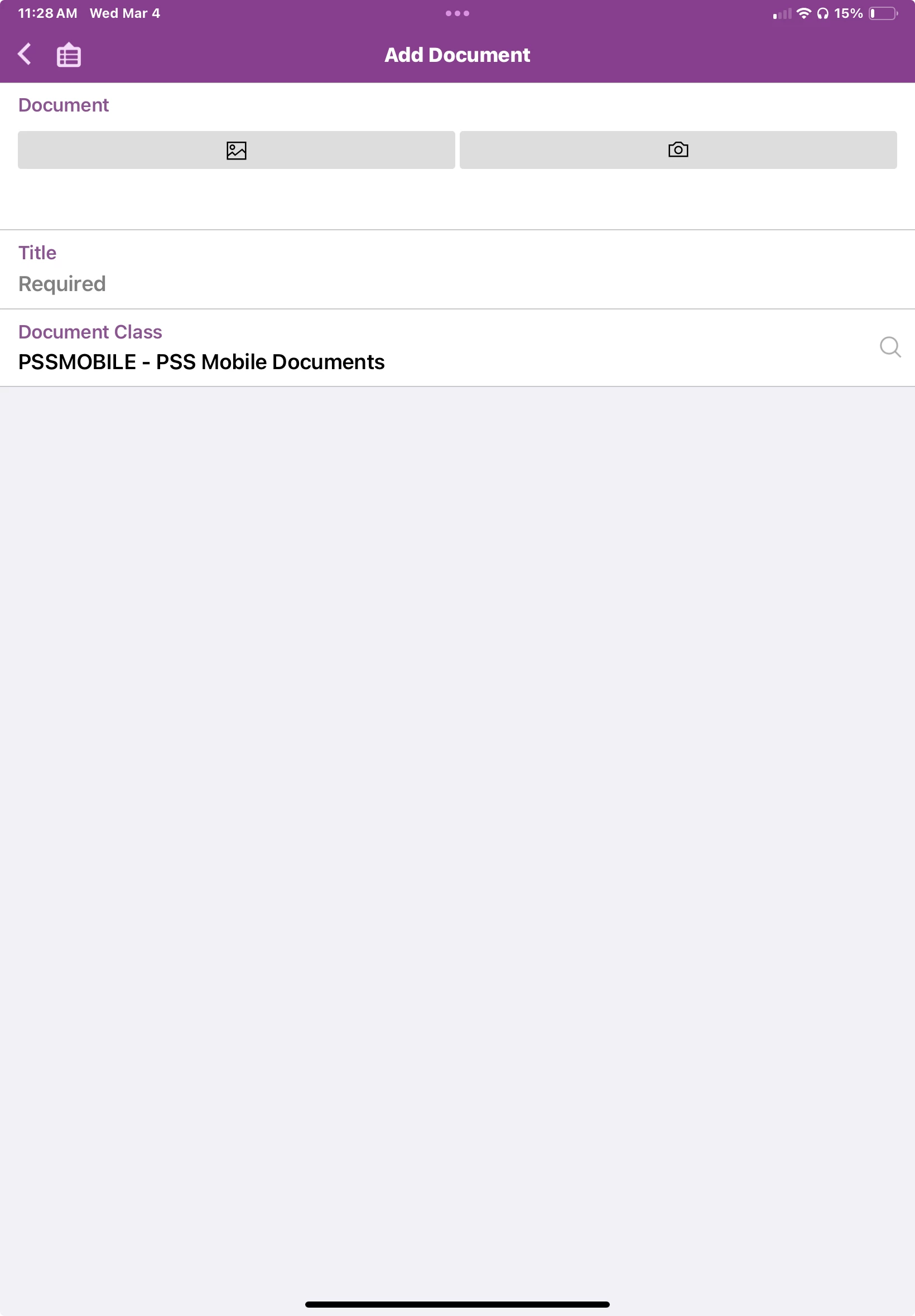
We are currently working to implement a single device policy for mWO usage since we have issues with technicians swapping to different devices in the middle of some operations, which causes sync issues.
We are attempting to use iPads, but the issue we are running into does seem to apply to iPhones, Androids, and iPads all alike.
When we implement our device policy on the iPads, then use mWO, everything seems to work ok, until we go to attach a document to a Work Assignment. We do this frequently, typically it is a file that we pull from the equipment we are working on with a laptop. We then upload that document to OneDrive and intend to attach it to the assignment that way.
But now that we are implementing Intune, the button that lets us choose which file picker to use in mWO is completely missing. It should be between the image file chooser and the camera button.
Both mWO and OneDrive are coming from our Company Portal rather than the App Store. We have attempted to adjust a number of different settings within Intune, and no small changes did the trick.
We are currently attempting to create a profile that is completely open, then go through and slowly turn settings off and test as we go, but that is going to be a slow process. Any assistance we could get would be greatly appreciated.