Question

MWO Service - Contacts Screen

  • February 17, 2026
  • 9 replies
  • 40 views

Forum|alt.badge.img+12

Hello,

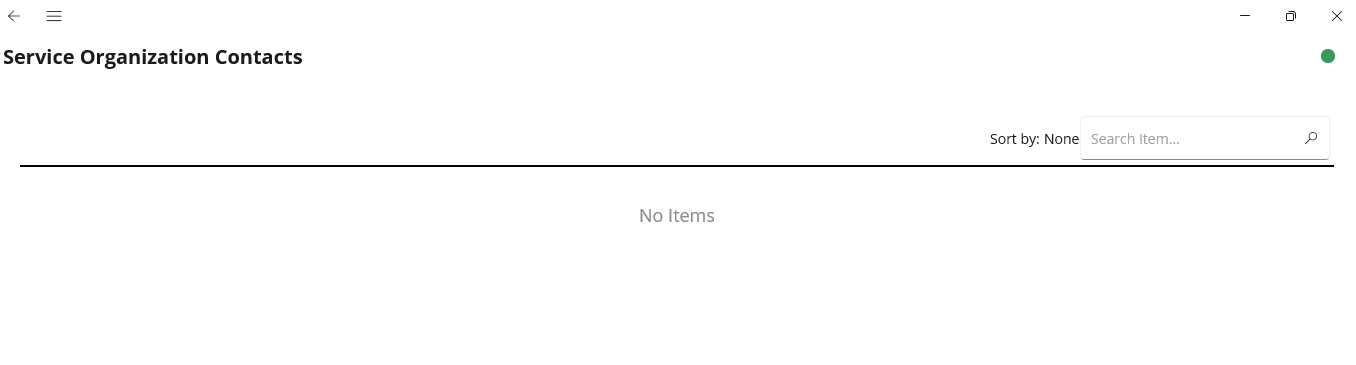
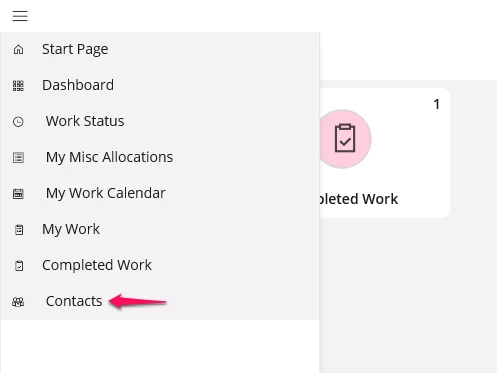
In IFS Cloud 25R2, when we remove the security group ‘ContactLists’ from the security grants by permission set for MWO permission, it should not display the ‘Contacts’ screen in MWO service. But even after removing the security group, the screen is still visible in MWO. This screen is unavailable in the Navigation designer. Is it a bug in 25R2, please let me know?



9 replies

  • Superhero (Employee)
  • February 17, 2026

The screen or just the option in the menu?


Forum|alt.badge.img+12

The screen or just the option in the menu?

I would like to hide/remove the screen from the menu.


  • Superhero (Employee)
  • February 17, 2026

I’m asking if you can actually get into the screen with the security group off or if it’s just the menu option that remains visible. 


Forum|alt.badge.img+12

I’m able to access the screen as well.


Forum|alt.badge.img+12

@anmise Can you please confirm if this is a bug or if additional configuration must be disabled to hide the Contacts screen from MWO?


  • Superhero (Employee)
  • February 18, 2026

You haven’t missed anything. It’s possibly a limitation for dynamic menus. We’re looking at it and will provide an update once we have more info.


skullk
Hero (Employee)
Forum|alt.badge.img+11
  • Hero (Employee)
  • February 19, 2026

As per the document below, the current behavior is, it only limits the data sync when the ContactList security group is not granted to the user. So the entry remains in the menu without data in it. 

But it looks like it is possible to hide the entry also when the security object is not granted. Can you please raise a support ticket for that? 

http://clouddocs/IFSCloudDocsNext/MASTER/Documentation/EN/default.htm?openpage=http://clouddocs/IFSCloudDocsNext/MASTER/Documentation/EN/MobileWorkOrder/AboutSecurityGroupService.htm


The entry is not accessible through the navigator designer due to a limitation in the dynamic menus.


Forum|alt.badge.img+12

As per the document below, the current behavior is, it only limits the data sync when the ContactList security group is not granted to the user. So the entry remains in the menu without data in it. 

But it looks like it is possible to hide the entry also when the security object is not granted. Can you please raise a support ticket for that? 

http://clouddocs/IFSCloudDocsNext/MASTER/Documentation/EN/default.htm?openpage=http://clouddocs/IFSCloudDocsNext/MASTER/Documentation/EN/MobileWorkOrder/AboutSecurityGroupService.htm


The entry is not accessible through the navigator designer due to a limitation in the dynamic menus.


@skullk Thank you, sure. I’m unable to access the link provided. Can you please share a screenshot or a different link?


  • Superhero (Employee)
  • February 19, 2026

As per the document below, the current behavior is, it only limits the data sync when the ContactList security group is not granted to the user. So the entry remains in the menu without data in it. 

But it looks like it is possible to hide the entry also when the security object is not granted. Can you please raise a support ticket for that? 

http://clouddocs/IFSCloudDocsNext/MASTER/Documentation/EN/default.htm?openpage=http://clouddocs/IFSCloudDocsNext/MASTER/Documentation/EN/MobileWorkOrder/AboutSecurityGroupService.htm


The entry is not accessible through the navigator designer due to a limitation in the dynamic menus.


@skullk Thank you, sure. I’m unable to access the link provided. Can you please share a screenshot or a different link?

Here you go 

https://docs.ifs.com/ifsclouddocs/25r2/lang/en/?openpage=https://docs.ifs.com/ifsclouddocs/25r2/lang/en/MobileWorkOrder/AboutSecurityGroupService.htm