

Solved

Mwo incomplete task comment box missing in IFS 25R2 SU4

  • April 15, 2026
  • 7 replies
  • 55 views

Tom Leenheer
Sidekick (Partner)
Forum|alt.badge.img+6

Hi, 


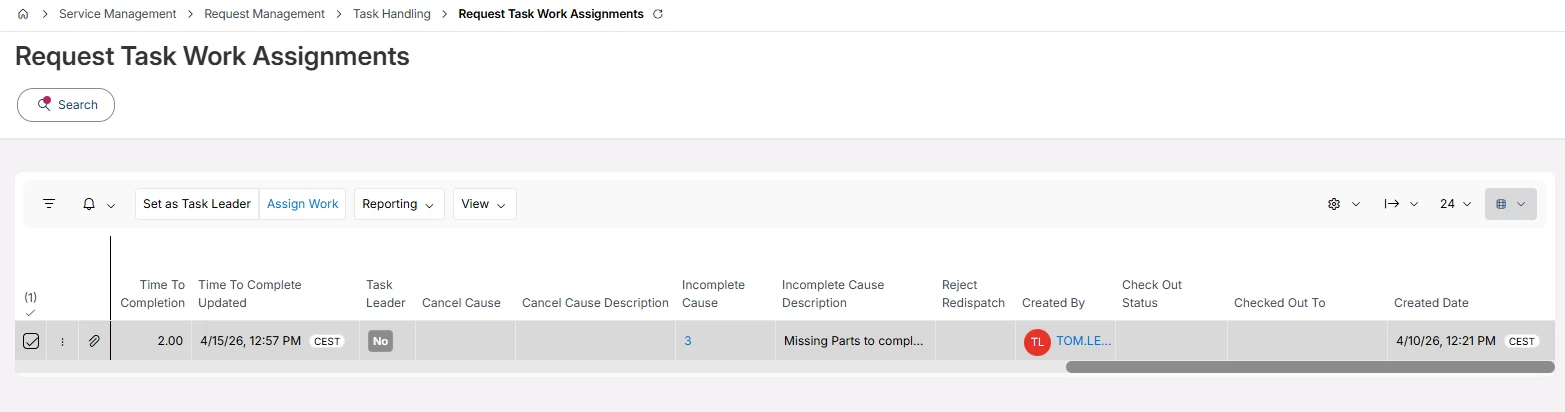
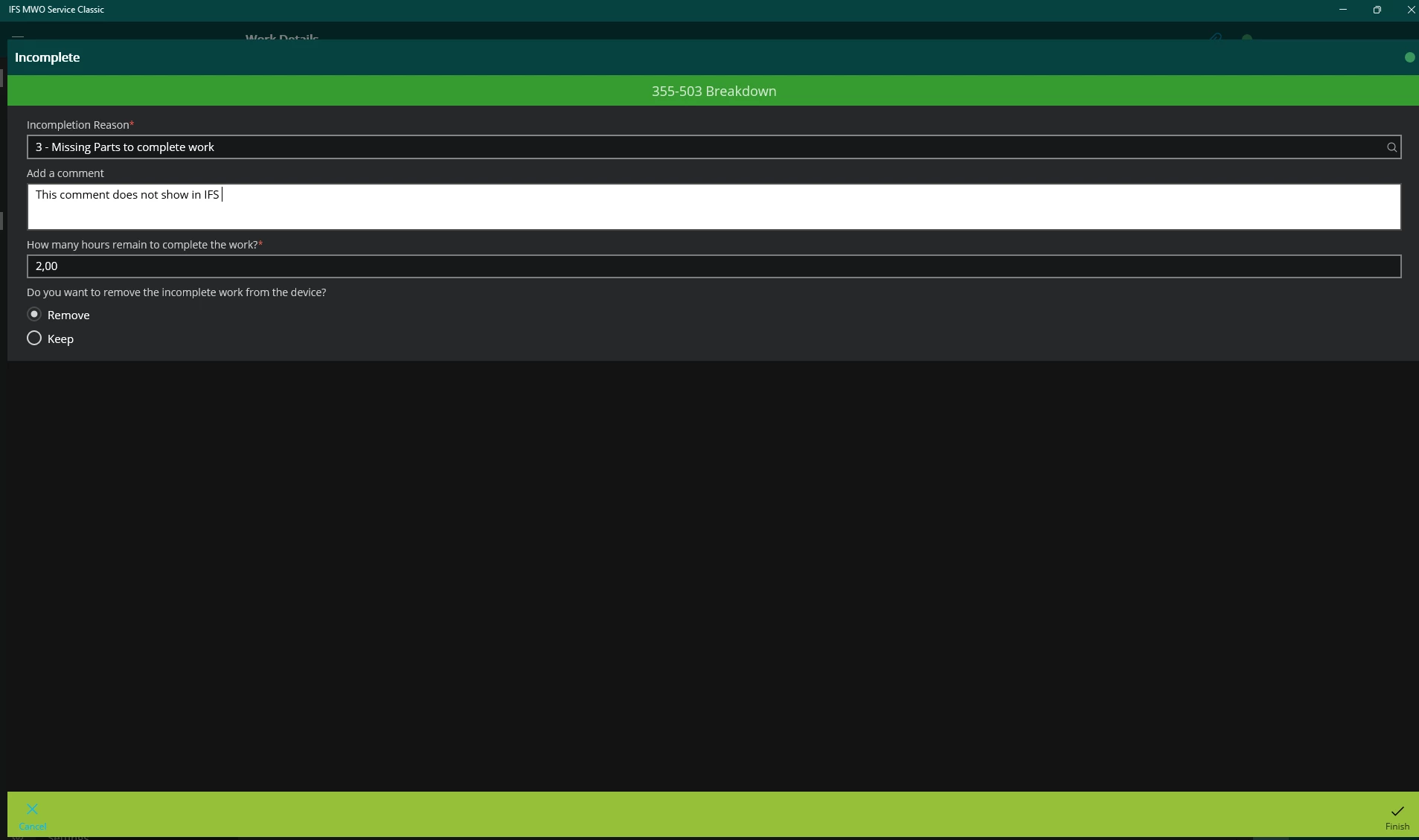
I cant seem to find the incomplete comments inserted from MWO when incomplete a Request Task. 


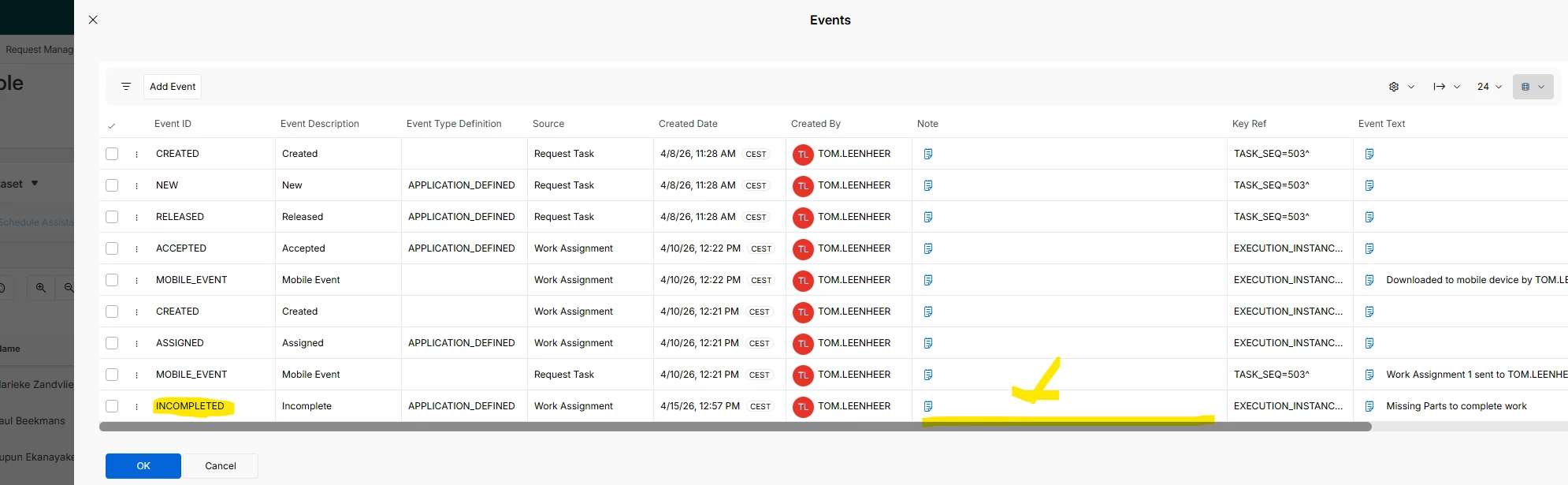
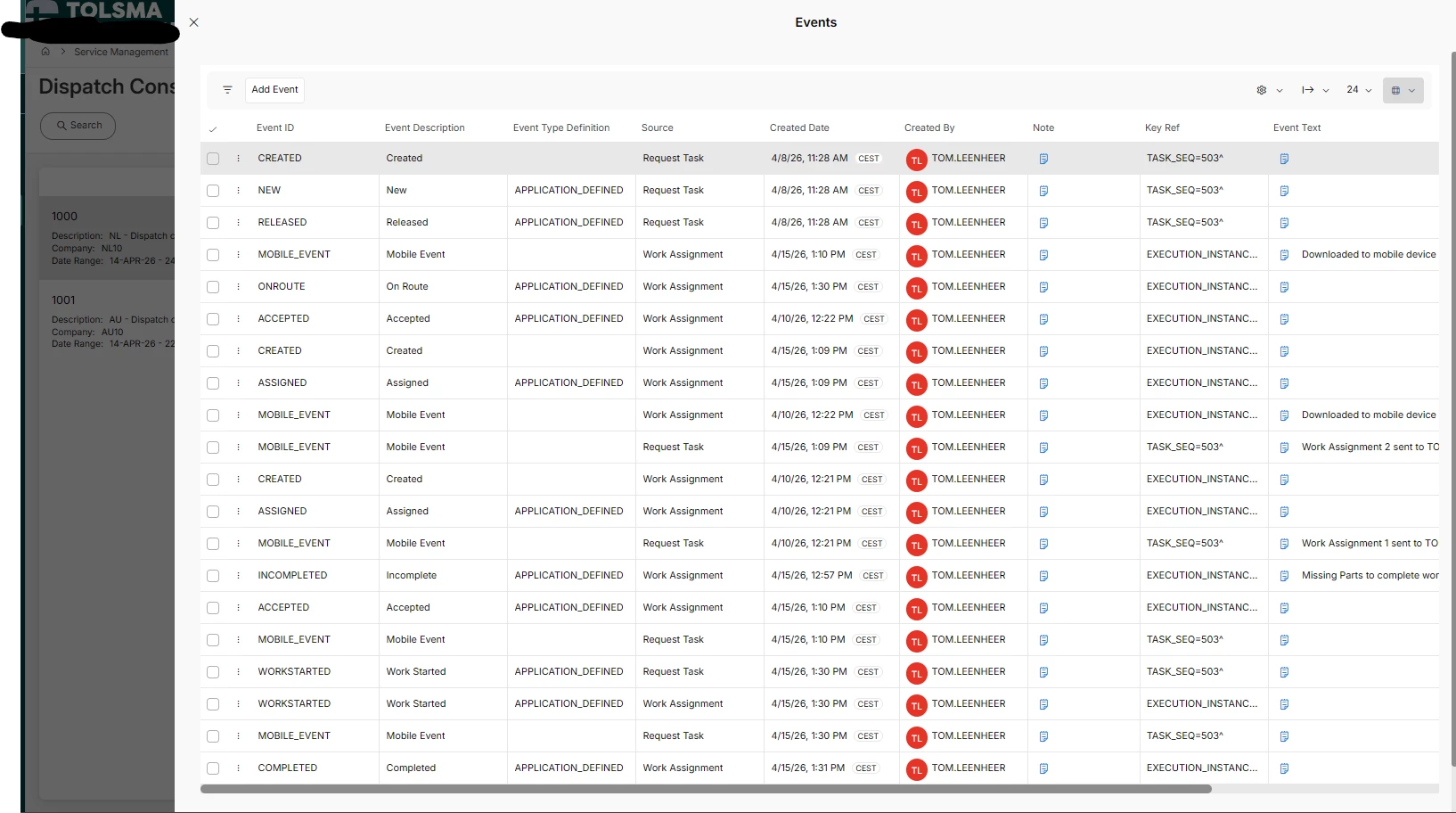
Its not shown on the Work task assignments line on the Task and also not shown when you click on the task in dispatch console and go to Events. (the notes are empty in the events log)


we are running on 25R2 SU4 
Event log on dispatch console


Best answer by anmise

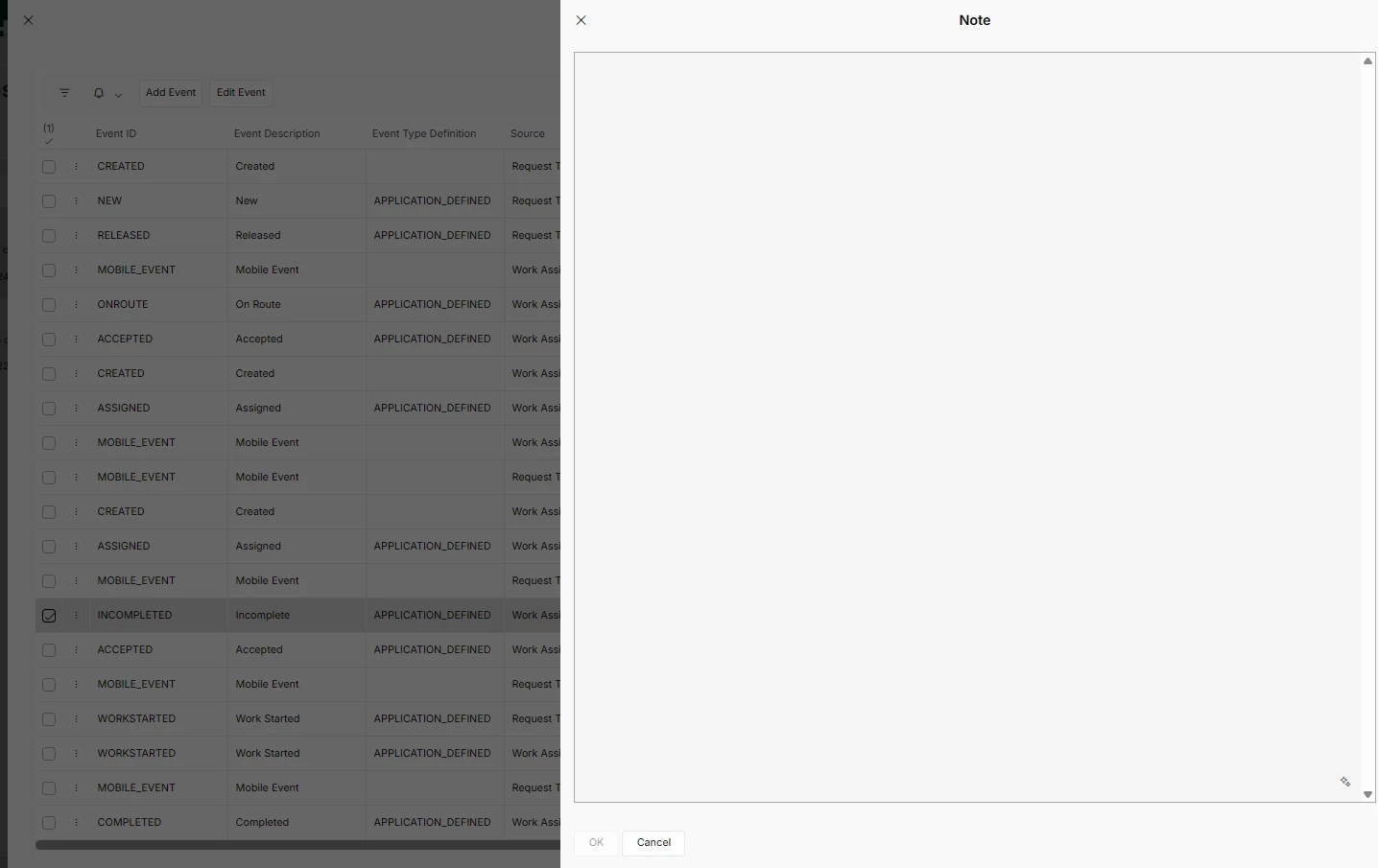
Hi ​@anmise Its empty everywhere i look. 

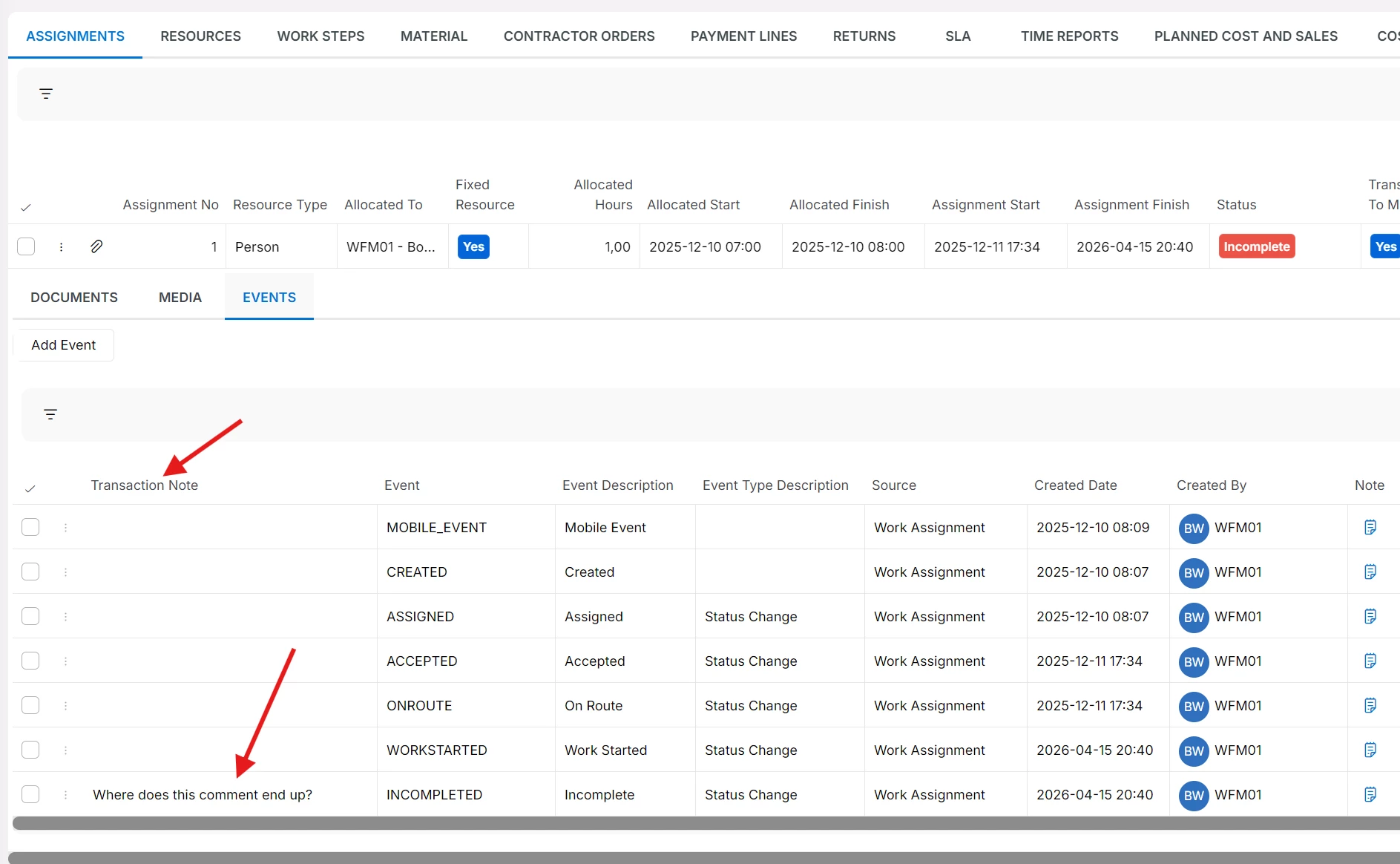
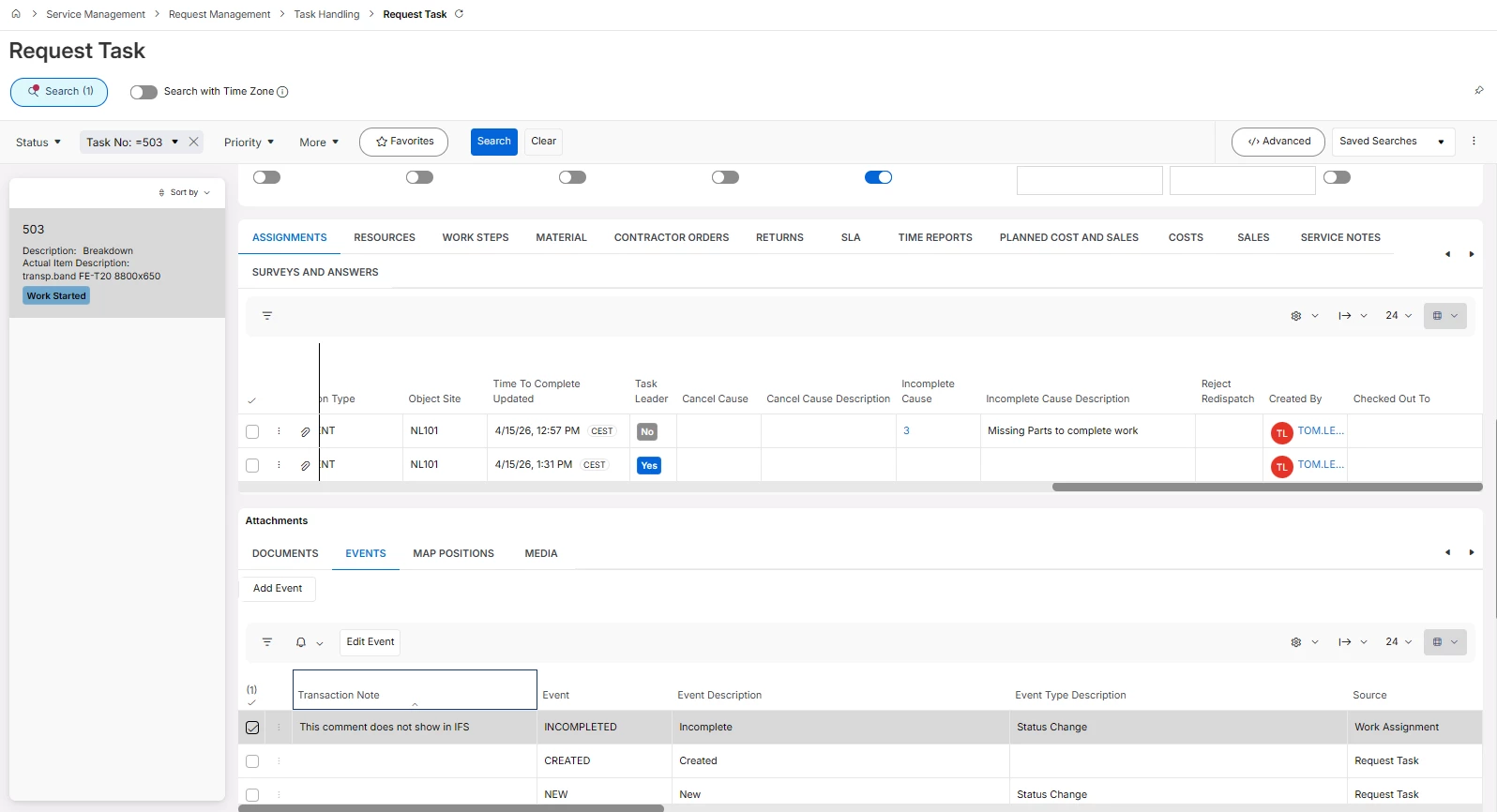
 Transaction Note 


7 replies

kasunhp
Sidekick (Partner)
Forum|alt.badge.img+9
  • Sidekick (Partner)
  • April 15, 2026

Hi ​@Tom Leenheer 

I was about to post this too. I also experience similar issue.


  • Superhero (Employee)
  • April 15, 2026

If you have a look in the “Transaction Note” field in the event log, don’t you see the comment ​@Tom Leenheer ?


Tom Leenheer
Sidekick (Partner)
Forum|alt.badge.img+6
  • Author
  • Sidekick (Partner)
  • April 15, 2026

Hi ​@anmise Its empty everywhere i look. 


  • Superhero (Employee)
  • Answer
  • April 15, 2026

Hi ​@anmise Its empty everywhere i look. 

 Transaction Note 


kasunhp
Sidekick (Partner)
Forum|alt.badge.img+9
  • Sidekick (Partner)
  • April 15, 2026

@anmise I found it. Thanks.


Tom Leenheer
Sidekick (Partner)
Forum|alt.badge.img+6
  • Author
  • Sidekick (Partner)
  • April 15, 2026

@anmise Ah Events in the Attachment panel...  Thanks for the quick response !

I was looking for a column next to incomplete cause and incomplete description where you would expect to see this kind of information, or on the request execution page or on the Dispatch console so the planner can see why its incomplete 😂 

Or the Events tab on the dispatch console page as shown on the screenshot but that events screen has no Transaction Note field. 


kasunhp
Sidekick (Partner)
Forum|alt.badge.img+9
  • Sidekick (Partner)
  • April 16, 2026

@Tom Leenheer Ideally, this should be visible under, Assignments. Then it is easy to see the comments.