Question

MWO - Remove Time Zone

  • June 6, 2025
  • 4 replies
  • 138 views

Forum|alt.badge.img+5

Hi,


I’m in IFS Cloud 24R2.5 - we are utilizing MWO for our service techs to know what assignments they have as well as to provide the end user with a service report after assignments completed.


With 24R2.5 came Time Zones.

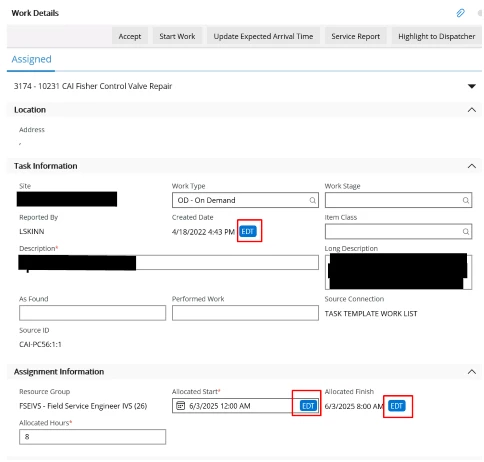
Our users cannot stand the big blue time zone call out both within MWO as well as in the service report that gets generated.


Has anyone figured out how to remove this?


4 replies

DHCRADPA
Hero (Customer)
Forum|alt.badge.img+12
  • Hero (Customer)
  • June 6, 2025

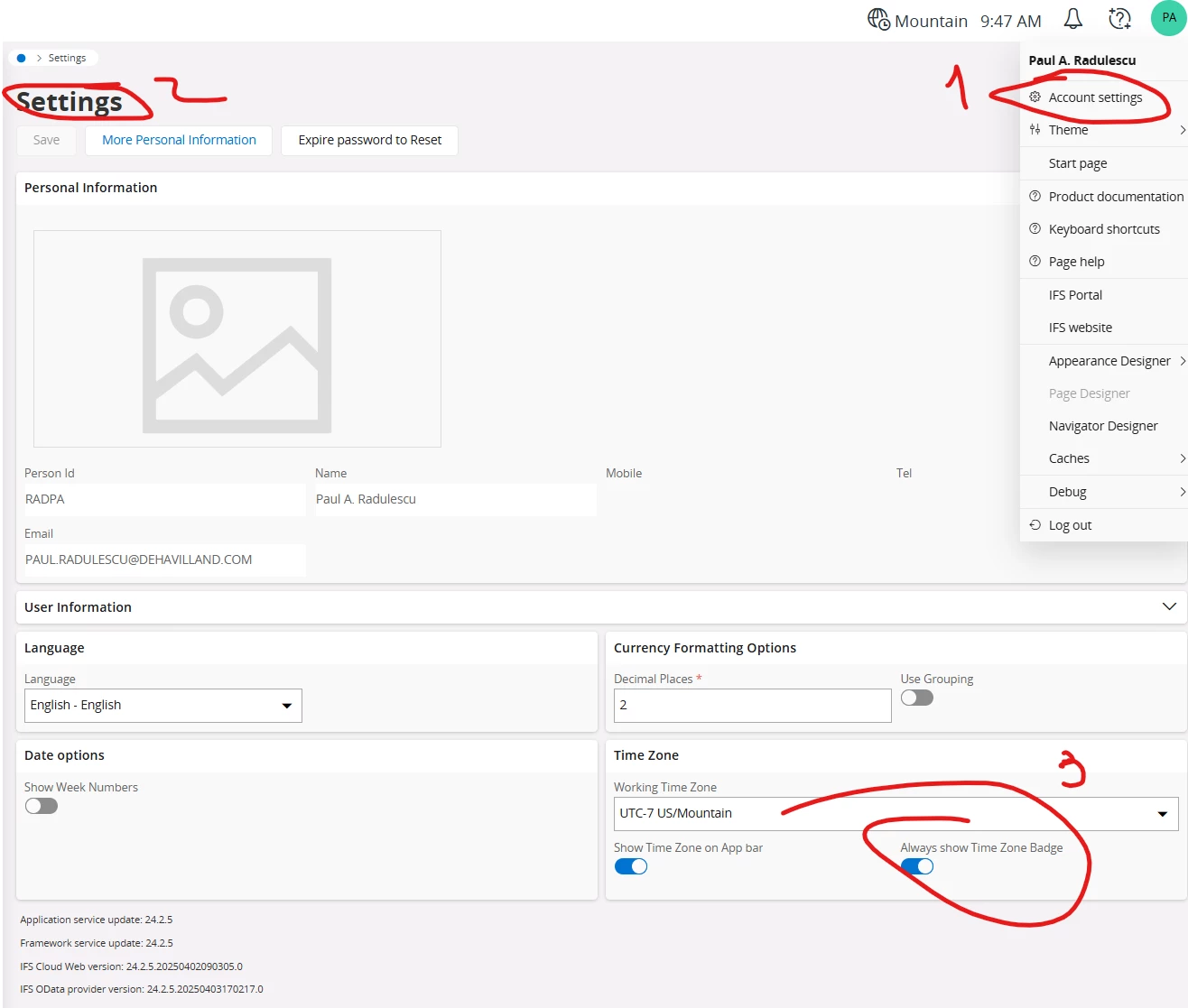
When you’re logged in, click on your name (screen top right) and select  Account settings. 

uncheck the “always show timezone badge”. This is a user-by-user setup.


Forum|alt.badge.img+5
  • Author
  • Do Gooder (Customer)
  • June 6, 2025

@DHCRADPA - that doesn’t translate into the MWO App.

Do you have a suggestion for the app?


Forum|alt.badge.img+5
  • Author
  • Do Gooder (Customer)
  • July 14, 2025

@DHCRADPA , do you have any suggestions for the MWO App?


Forum|alt.badge.img+11

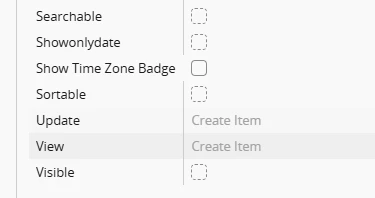
@mlambert within the page configuration against the field element there is an option called ‘Show Time Zone Badge’. Ensure this has a black box as per below, save, publish and then re-initialize MWO. 

Does this fix your issue?