Solved

Customer Order connection to Sales Contract

  • May 4, 2026
  • 5 replies
  • 58 views

AshD
Sidekick (Partner)
Forum|alt.badge.img+4
  • Sidekick (Partner)

hi IFS experts, 

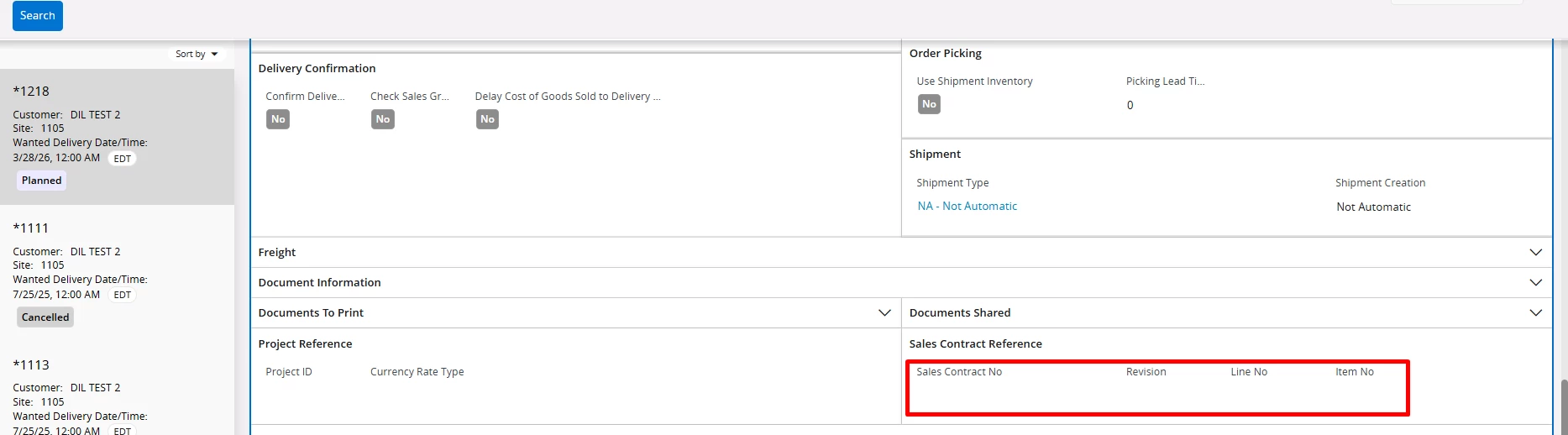
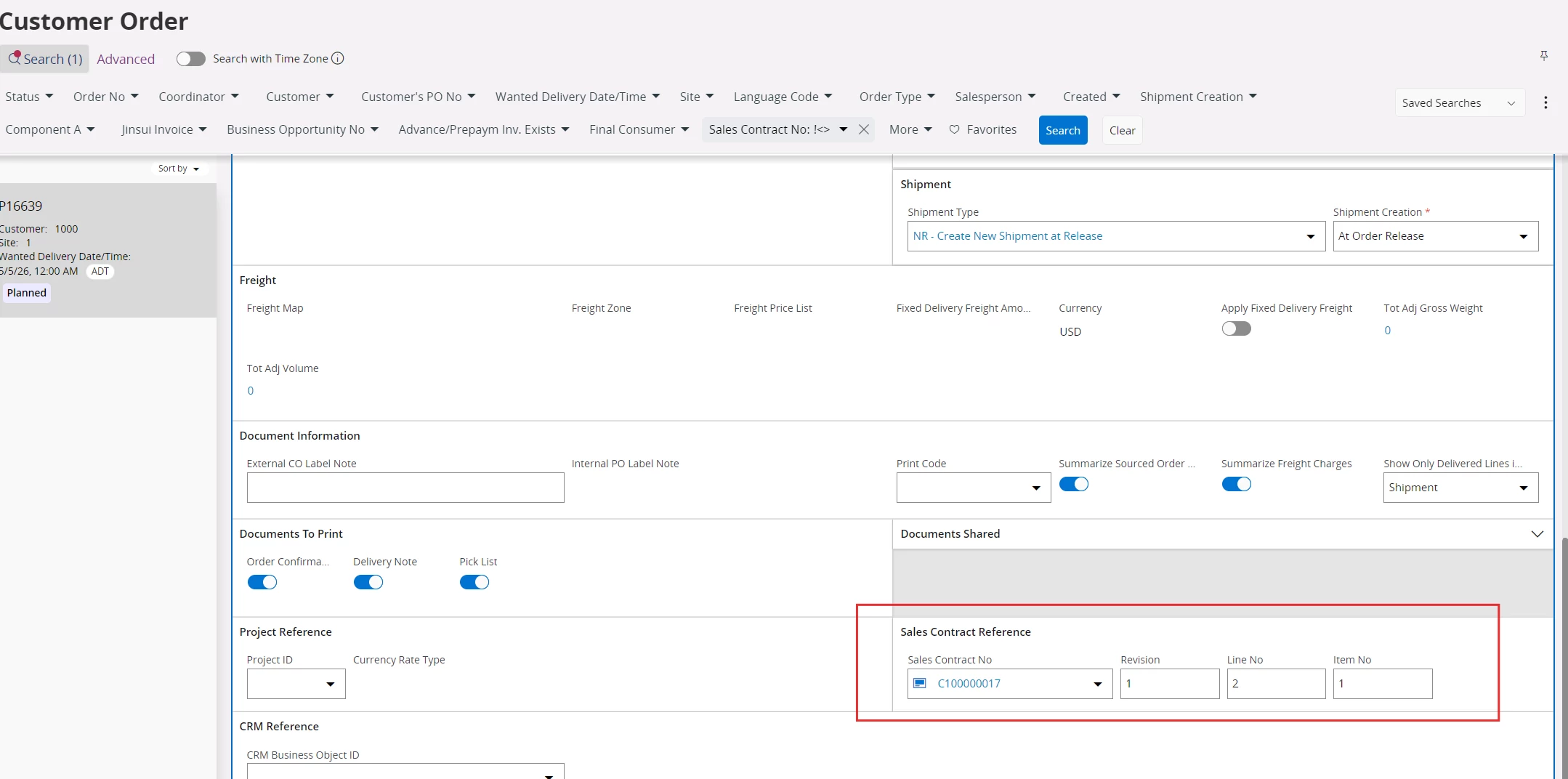
Can you please explain to me the use case of connecting a Customer Order to a Sales Contract in IFS ? I can see that there is a reference field on the Customer Order, but is this strictly for reference purposes or is there any other associated functionality with this? 


Thank you,

Ashani

Best answer by Nikila Dis

Hi ​@AshD,

As per my understanding the Sales Contract reference on a Customer Order is not purely a functional control by itself; it does not inherently drive invoicing behavior on the Customer Order. The field is primarily used to establish traceability between the Customer Order and the related Sales Contract. However, in contract-enabled setups, invoicing is controlled by the Sales Contract process rather than the Customer Order. In such cases, the Customer Order is typically used for delivery execution, while invoicing is performed through the Sales Contract or AFP process based on contractual rules. Therefore, the reference field itself does not trigger invoicing logic; instead, it simply links the documents, and the actual financial control and billing are governed by the Sales Contract configuration😊.

Regards,

Nikila Dissanayake

5 replies

Nikila Dis
Superhero (Employee)
Forum|alt.badge.img+14
  • Superhero (Employee)
  • May 4, 2026

Hi ​@AshD,

In IFS Cloud the connection between a Customer Order and a Sales Contract is specifically designed to support contract-driven business processes where financial control and delivery are managed through contractual agreements. This functionality is particularly important in contract-intensive environments because it allows organizations to manage both operational execution and financial tracking in a controlled and structured way.

A Sales Contract is used to define the commercial agreement, while the Customer Order is used to execute deliveries against that agreement. When a Customer Order is created and connected to an active Sales Contract, it ensures that deliveries are performed strictly within the agreed contractual terms, such as valid items, pricing, and conditions, while also ensuring that both documents belong to the same company and site. In this setup, invoicing is typically handled through the Sales Contract or Advanced financial process rather than directly from the Customer Order, meaning the contract becomes the financial controlling document.

The Customer Order mainly serves as the delivery mechanism, and once goods are delivered, the order can automatically move to invoiced or closed status without separate invoicing from the order itself. This approach ensures strong financial control, prevents deviations from agreed contract terms, and provides clear traceability between what is contractually agreed, what is delivered, and what is financially recognized.

Please refer to the below public document as well.

https://docs.ifs.com/ifsclouddocs/23r2/ContractManagement/AboutSalesContractManagement.htm?StandAlone=true

If this resolves your question, please mark it as the best answer. So that it will be helpful for other peers.

Regards,

Nikila Dissanayake


AshD
Sidekick (Partner)
Forum|alt.badge.img+4
  • Author
  • Sidekick (Partner)
  • May 4, 2026

Hi ​@Nikila Dis 

Thanks for your reply. 

In summary, this is purely a reference field on the customer order then ? It does not seem to drive any other functionality on the customer order related to invoicing right ? 

For invoicing, you can use the connected sales contract. Is my understanding correct ? 


Kind regards,

Ashani 


Nikila Dis
Superhero (Employee)
Forum|alt.badge.img+14
  • Superhero (Employee)
  • Answer
  • May 4, 2026

Hi ​@AshD,

As per my understanding the Sales Contract reference on a Customer Order is not purely a functional control by itself; it does not inherently drive invoicing behavior on the Customer Order. The field is primarily used to establish traceability between the Customer Order and the related Sales Contract. However, in contract-enabled setups, invoicing is controlled by the Sales Contract process rather than the Customer Order. In such cases, the Customer Order is typically used for delivery execution, while invoicing is performed through the Sales Contract or AFP process based on contractual rules. Therefore, the reference field itself does not trigger invoicing logic; instead, it simply links the documents, and the actual financial control and billing are governed by the Sales Contract configuration😊.

Regards,

Nikila Dissanayake


AshD
Sidekick (Partner)
Forum|alt.badge.img+4
  • Author
  • Sidekick (Partner)
  • May 4, 2026

Hi ​@Nikila Dis 

Ok thank you. 

One other clarification, why do you need to link the exact sales contract line/item, if the purpose is to only to link the customer order to the sales contract ? If the Sales contract has 10 line items, how can you select which one to connect here ? 

Kind regards,

Ashani 


Nikila Dis
Superhero (Employee)
Forum|alt.badge.img+14
  • Superhero (Employee)
  • May 5, 2026

Hi ​@AshD 

The reason you must link a Customer Order to a specific Sales Contract line (with revision, line number, and item number) is because the system controls pricing, quantities, and contract compliance at the line level, not at the contract header level. As you mentioned single Sales Contract can contain multiple lines with different items, prices, quantities, and terms, so simply linking to the contract header would not tell the system which specific agreement should apply to the order. By selecting the exact contract line, the system can correctly apply the agreed conditions, track consumption against that line, and ensure the order complies with the contract. When you have multiple line as the sales contract the selection is driven by the Customer Order line details. When you enter the sales part, customer, site, and dates on the Customer Order line, the system automatically filters and shows only the relevant contract lines that match those conditions (same item/part, valid date range, correct customer, and active contract). From that filtered list, you simply choose the applicable line often there will be only one valid match. If multiple lines still match (for example, same item but different prices or periods), then you select the correct one based on the business context, such as the valid period or agreed pricing.

Regards,

Nikila Dissanayake