Solved

Approve is not allowed when price is missing on any line

  • Oct 18, 2024 3:54 PM UTC
  • 3 replies
  • 84 views

Forum|alt.badge.img+8

Receive the error message  -Approve is not allowed when price is missing on any line when trying to approve the forecast.
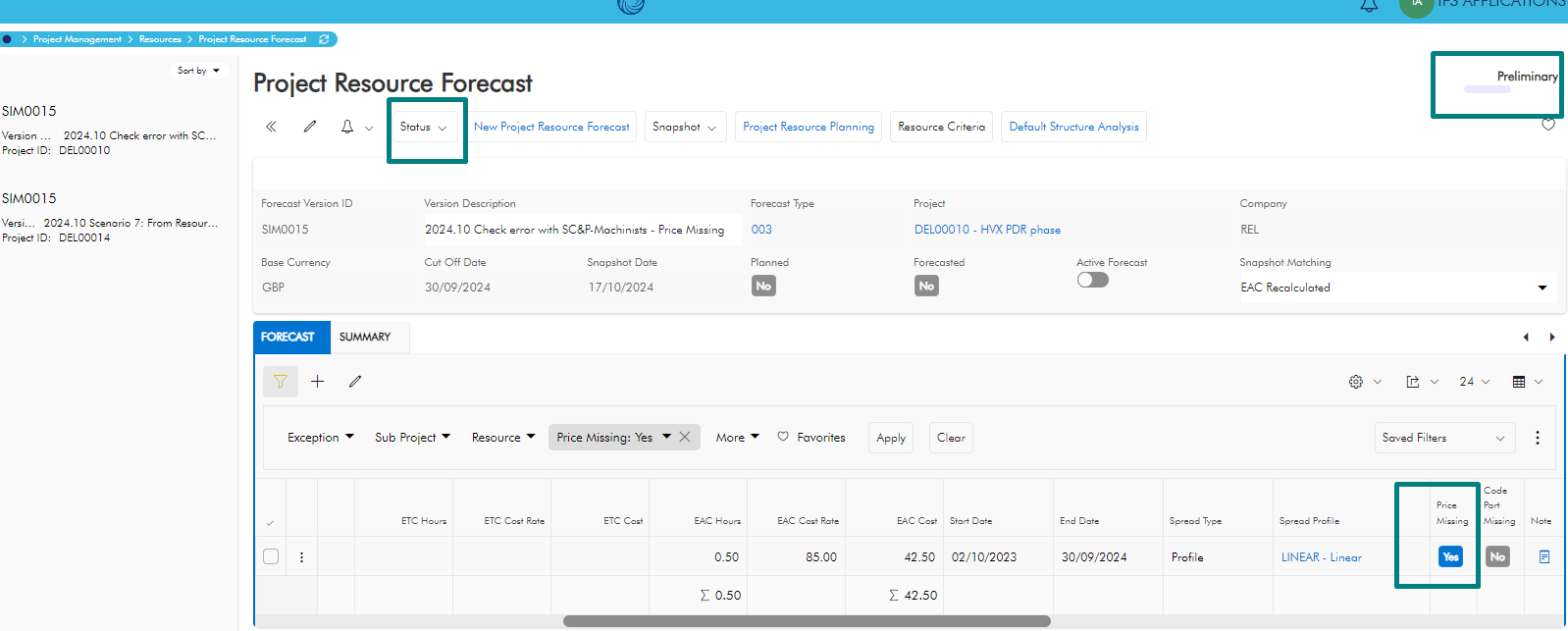
Cannot find exactly where the data is missing in the setup .Need your kind advices on what further needs to be checked.

Thanks  a lot .

Udanee 

Best answer by Hugh Batho

Hi Udanee,

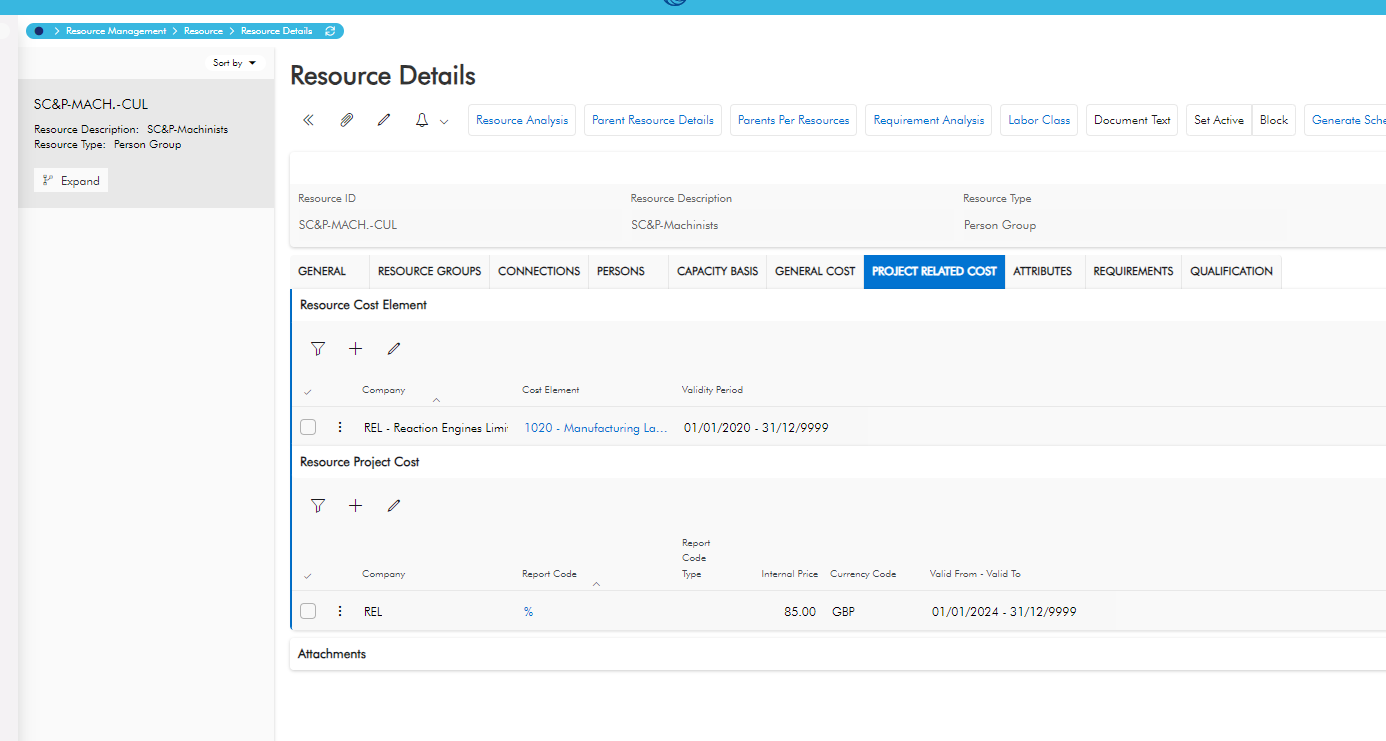
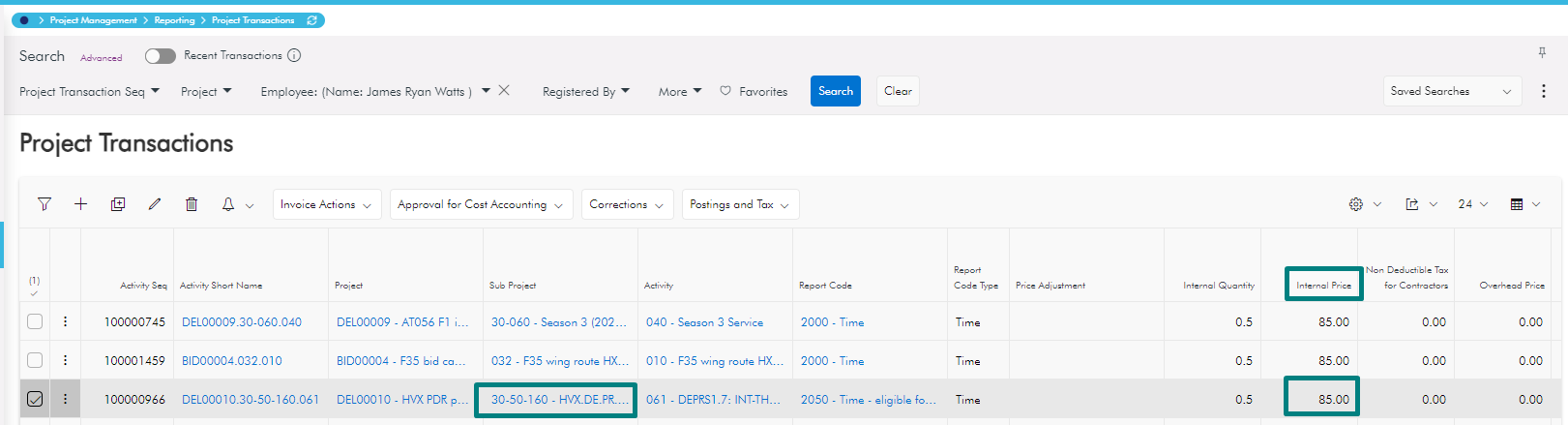
From the screenshots it looks like the forecast line covers a period from the 02/10/2023 whereas the resource's cost is set up to be from 01/01/2024. If the resource's cost is adjusted to cover the period of the forecast and then the forecast's line is selected and 'Update Cost' is run that should remove the Price Missing flag.

Hopefully that should resolve the issue.

Thanks and regards

Hugh

View original

3 replies

Forum|alt.badge.img+6
  • Hero (Employee)
  • Answer
  • Oct 18, 2024 4:26 PM UTC

Hi Udanee,

From the screenshots it looks like the forecast line covers a period from the 02/10/2023 whereas the resource's cost is set up to be from 01/01/2024. If the resource's cost is adjusted to cover the period of the forecast and then the forecast's line is selected and 'Update Cost' is run that should remove the Price Missing flag.

Hopefully that should resolve the issue.

Thanks and regards

Hugh


Forum|alt.badge.img+8
  • Author
  • Oct 18, 2024 5:25 PM UTC

Hi Hugh ,

Thanks a lot .Really grateful to you .

I will check and get back to you on this.

Kind regards,

Udanee 


Forum|alt.badge.img+8
  • Author
  • Oct 22, 2024 4:37 PM UTC

Hi Hugh,

Problem got solved .Thanks a lot.

Kind regards

Udanee