We have a purchase part with the following setup:
- Inventory part Part Type = Purchased
- Sales part Sourcing = Inventory
When the part is added to a customer order line, the Supply Code defaults to “Inventory.” However, sometimes there is a need to change the Supply Code to “Purchase Order Direct” and have a PO automatically created and pegged. However, we have been unable to do that.
Here is the scenario:
- Customer order Status is “Planned”.
- Part is added to a customer order line.
- Supply code defaults to “Inventory”.

- Change the Supply Code to “Purchase Order Direct”.
- No Supplier’s appear in the list to select.
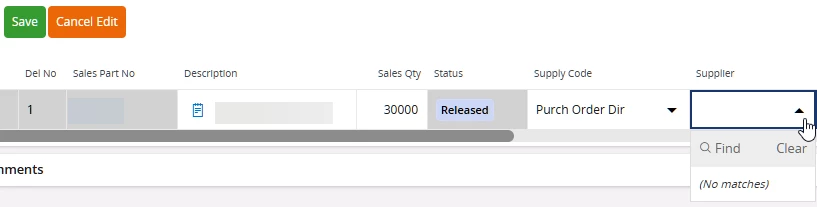
- On Save, receive the following message:
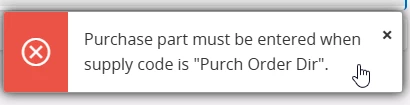
- Not allowed to save the Supply Code change to “Purchase Order Direct”.
Question:
Is there a way to change the Supply Code on the customer order line from “Inventory” to Purchase Order Direct”?
Thank you for your assistance.