Solved

keep IFS Cloud always online

  • May 8, 2026
  • 5 replies
  • 99 views

Forum|alt.badge.img+2

We want to use IFS Cloud for a dashboard display, but it automatically logs out after a period of inactivity, requiring us to log in again. Is there a way to keep it always online?

Best answer by a.hutchings

Hi Henry,

We also had this need. As others have mentioned there is no native IFS Solution, plus extending Sessions and Tokens is generally not a great idea.

We instead went down the custom programming route and created a WebView2 component in a dedicated application. This application automatically manages the authentication session for the device allowing for your above use-case.


5 replies

asanka1055
Hero (Partner)
Forum|alt.badge.img+9
  • Hero (Partner)
  • May 8, 2026

We want to use IFS Cloud for a dashboard display, but it automatically logs out after a period of inactivity, requiring us to log in again. Is there a way to keep it always online?

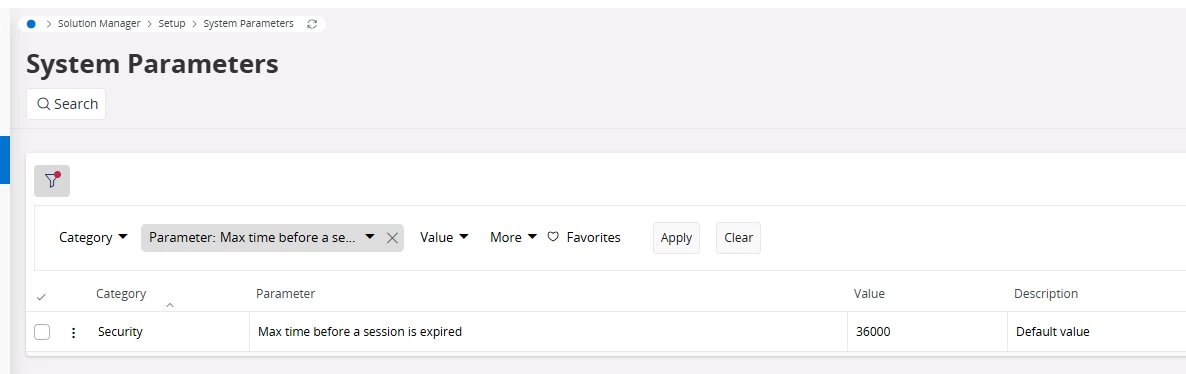
That’s a security feature. You cannot change it. Default it set to 3600.


ashen_malaka_ranasinghe
Hero (Employee)
Forum|alt.badge.img+14

Hi ​@henry.sunhb,

IFS Cloud enforces automatic session timeouts as part of its security model, and there is no supported way to keep a session permanently active. For dashboard style use cases, it is recommended to either extend the session timeout within allowed limits or use alternative approaches such as embedded dashboards (e.g., Power BI) or periodic auto refresh mechanisms to maintain activity.


Forum|alt.badge.img+12
  • Hero (Partner)
  • May 8, 2026

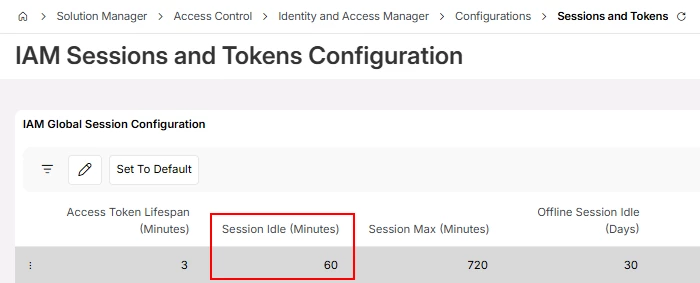
Session Idle time controls how long you can be logged in without interacting with the system. This is defined as per the below screen.


NOTE: I strongly suggest not to increase the session idle time to a bigger value as it can be a security issue, the longer you leave it open, you are open to more exposure.


Having said that, rather than directly showcasing IFS as your dashboard I would be looking at a different tool such as Power BI or, extracting the data on a schedule and reporting it and publishing it in your company website / intranet etc.


Forum|alt.badge.img+7
  • Do Gooder (Customer)
  • Answer
  • May 8, 2026

Hi Henry,

We also had this need. As others have mentioned there is no native IFS Solution, plus extending Sessions and Tokens is generally not a great idea.

We instead went down the custom programming route and created a WebView2 component in a dedicated application. This application automatically manages the authentication session for the device allowing for your above use-case.



Forum|alt.badge.img+2
  • Author
  • Do Gooder
  • May 11, 2026

Thanks for the suggestion. Power BI seems like a great fit for our needs.