Solved

Inventory Part - Product Category - Where does the base data for this field go? IFS Cloud 24R2

  • August 20, 2026
  • 3 replies
  • 94 views

Forum|alt.badge.img+13

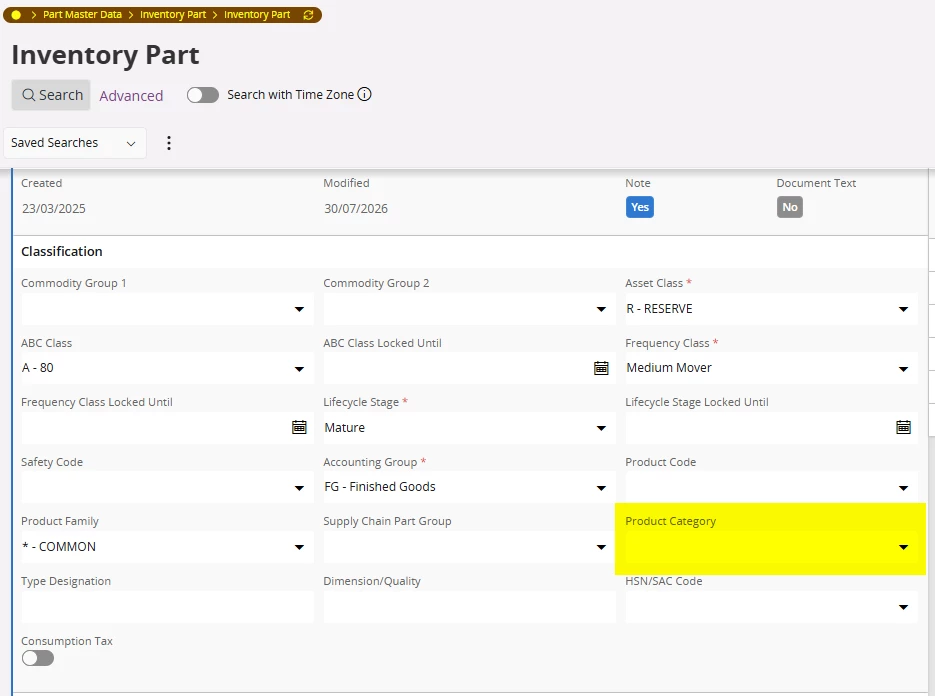
All, hope someone can help me as I can’t find it at all. IFS Cloud 24R2 U19. I want to start exploring the use of the Product Category field on the Inventory Part which appears to need basic data in it to use. I’ve searched what I think are the obvious areas but can not find the page I need to fill in this basic data, any help much appreciated on where I find it.

 

Best answer by CMOMKIR

Hi,


I guess this is similar in all IFS Cloud versions, 

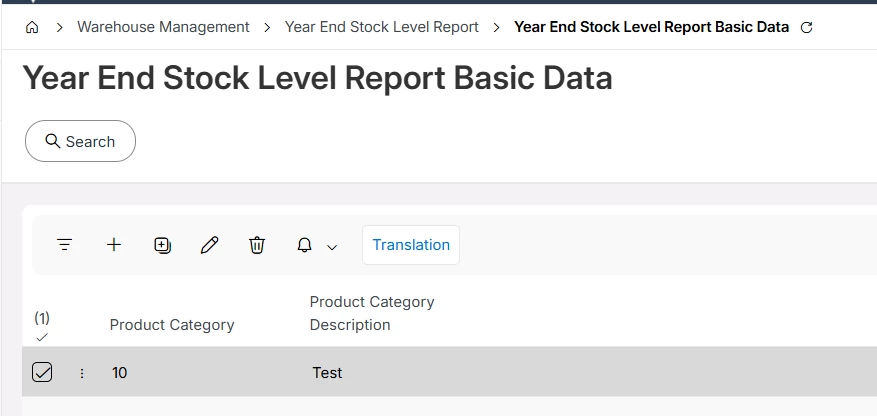
  • Navigating to the Year End Stock Level Report Basic Data page in the Inventory/Warehouse or localization-related menu.
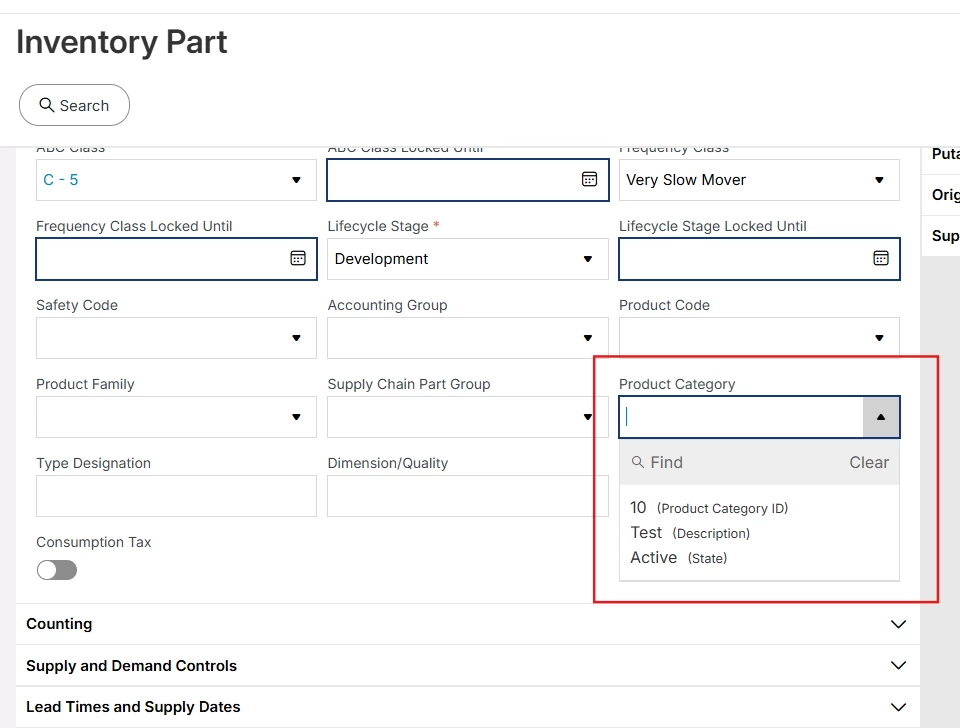
  • Define the Product Category values there, then return to Inventory Part and use the dropdown.

Hope this help,

regards

Miia

3 replies

Forum|alt.badge.img+6
  • Sidekick (Customer)
  • Answer
  • August 20, 2026

Hi,


I guess this is similar in all IFS Cloud versions, 

  • Navigating to the Year End Stock Level Report Basic Data page in the Inventory/Warehouse or localization-related menu.
  • Define the Product Category values there, then return to Inventory Part and use the dropdown.

Hope this help,

regards

Miia


Mikko K.
Hero (Employee)
Forum|alt.badge.img+9
  • Hero (Employee)
  • August 20, 2026

Yeah, it’s an LOV which refers to a page/table that is named very differently in the navigator.


Please ​@sholmes take a look here for more info: 


Br,

Mikko


tashah
Do Gooder (Partner)
Forum|alt.badge.img+2
  • Do Gooder (Partner)
  • August 23, 2026

Hi


Here the answer of your question:


Here you can define basic data for Product category