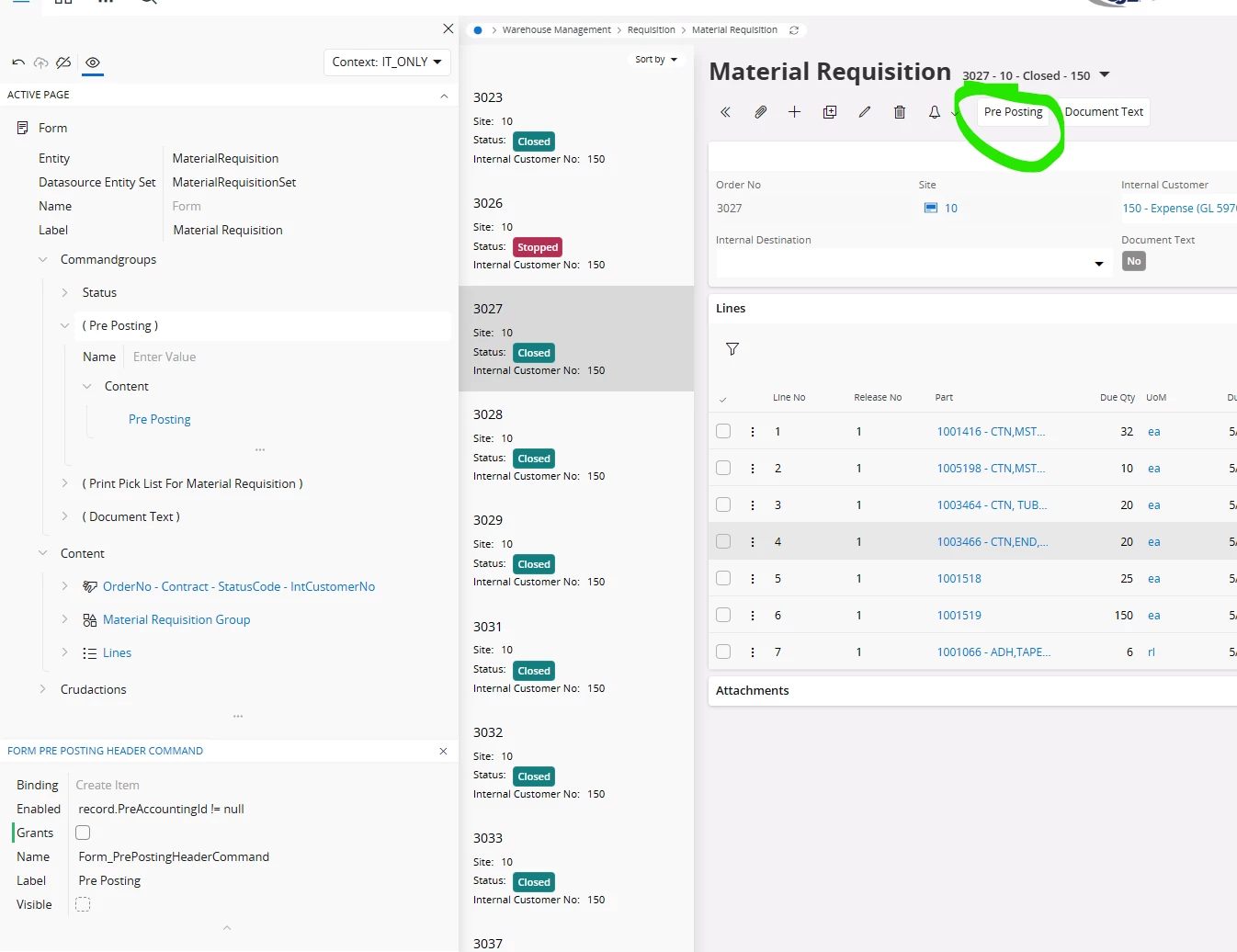
From the Material Requisition page, I am trying to make the pre posting assistant read only so that users cannot make edits.
How can I configure this?
Thanks,

From the Material Requisition page, I am trying to make the pre posting assistant read only so that users cannot make edits.
How can I configure this?
Thanks,
Best answer by SureshBandara
Hi Blake,
If you don't want users to access this button, simply set its visibility to false — this will hide the button, preventing users from opening the Pre Posting Assistant. If you intend to restrict access for a specific group of users or sites, you can achieve this by using a custom context.

Or,
If you need to make the fields read-only in the Populate Assistant window, follow the steps below:
Inside the page designer click on All Pages → Assistants → Pre Posting with Source Assistant → Steps → Step1 → Single Pre Accounting List → Crudactions → Edit → Enabled false (un check).
(IFS Applications - 24.2.6)


Thank you.
Enter your E-mail address. We'll send you an e-mail with instructions to reset your password.