We’re trying to create an Event Action that will automatically email suppliers with the Payment Advice PDF attached, but I’m not sure how to configure it correctly.
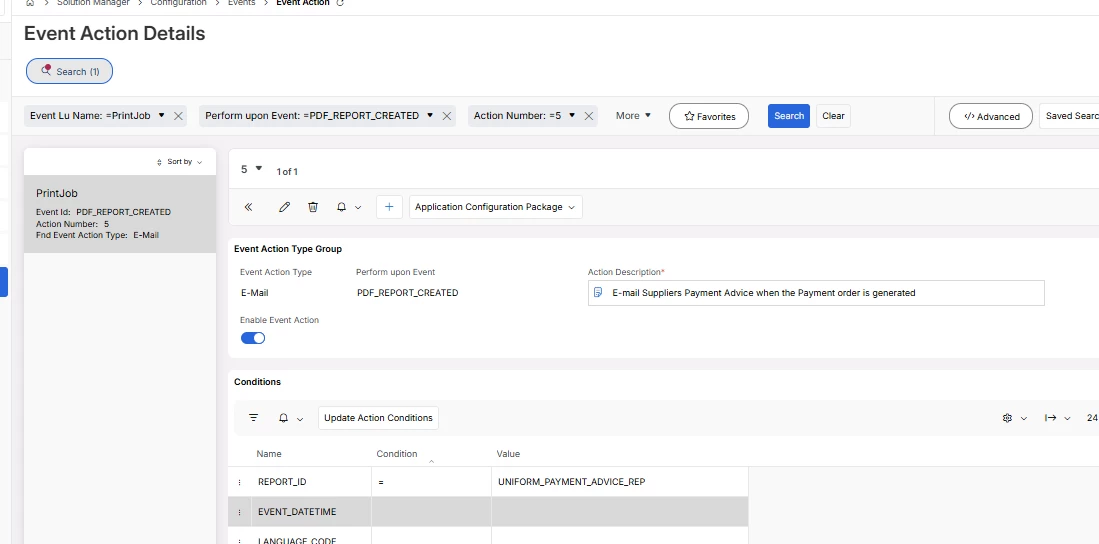
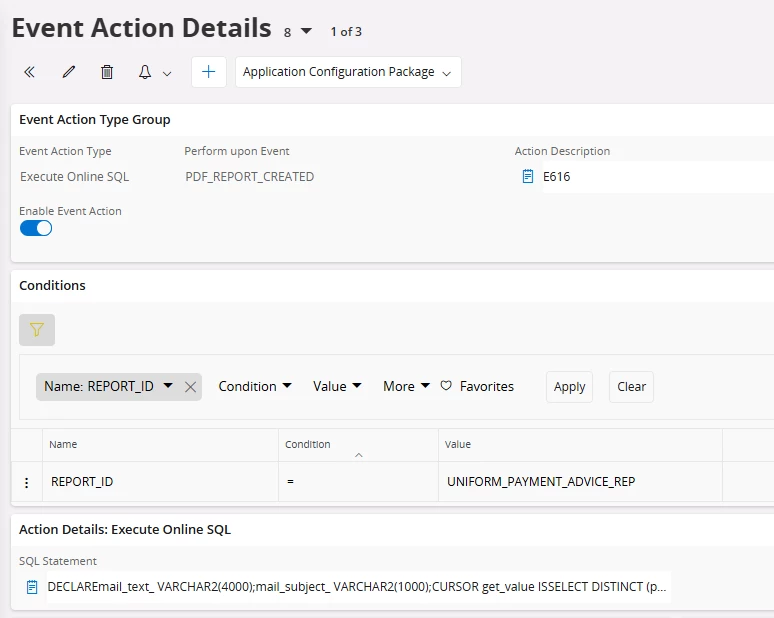
I’ve started creating this Event Action as shown below:
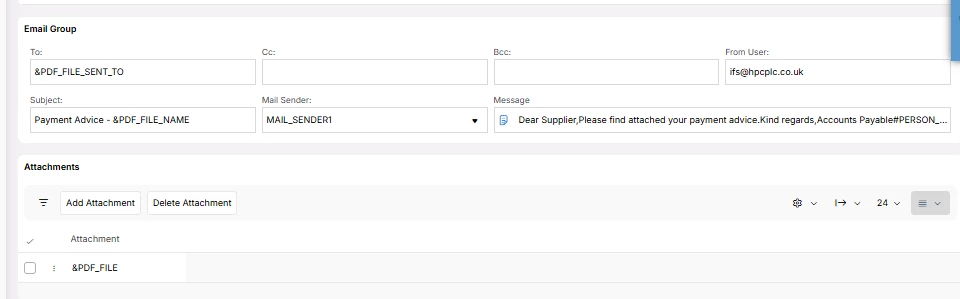
I have then filled in the Email requirements using what I thought were the appropriate fields, but I’m unsure how to correctly populate the supplier’s email address. I’m also not sure what the PDF_PARAMETER_1 through to PDF_PARAMETER_15 references are used for. Could their purpose be explained?
Any guidance would be appreciated,
Thank you
Ash
Best answer by sholmes
HIi @ashleigh.russ
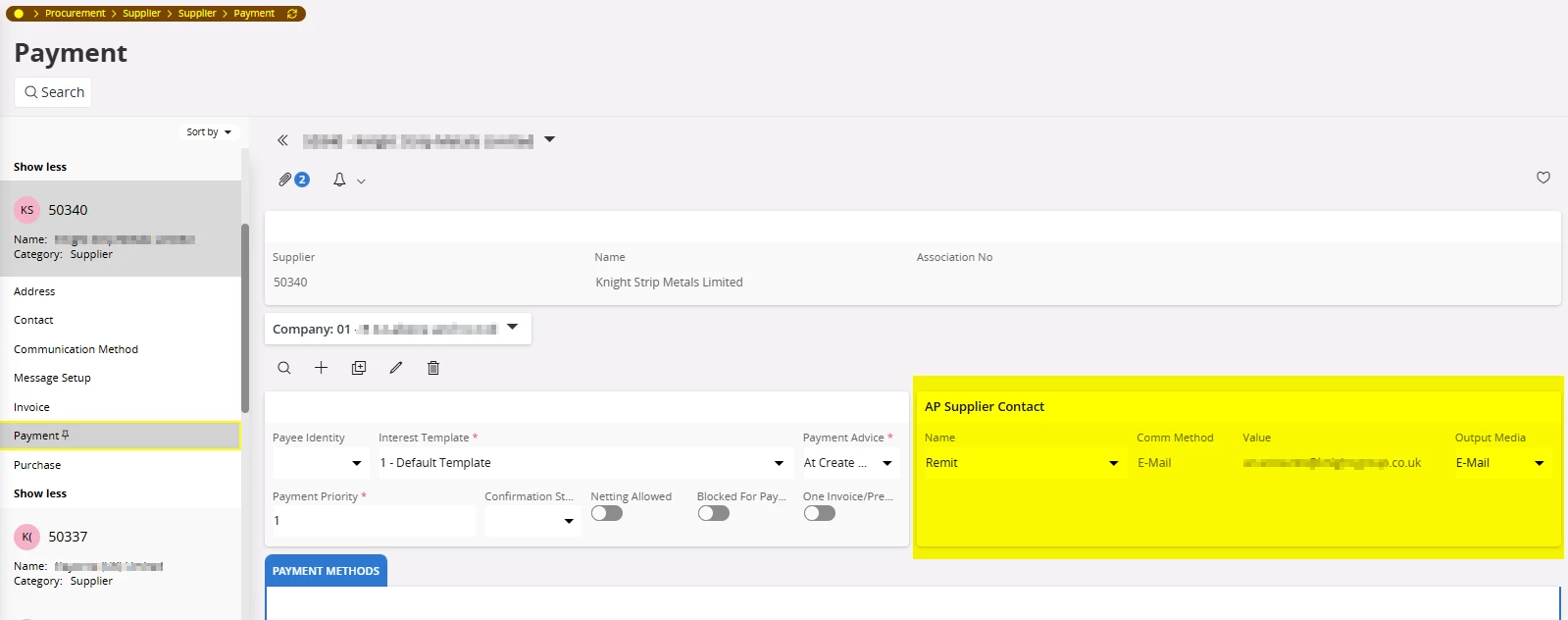
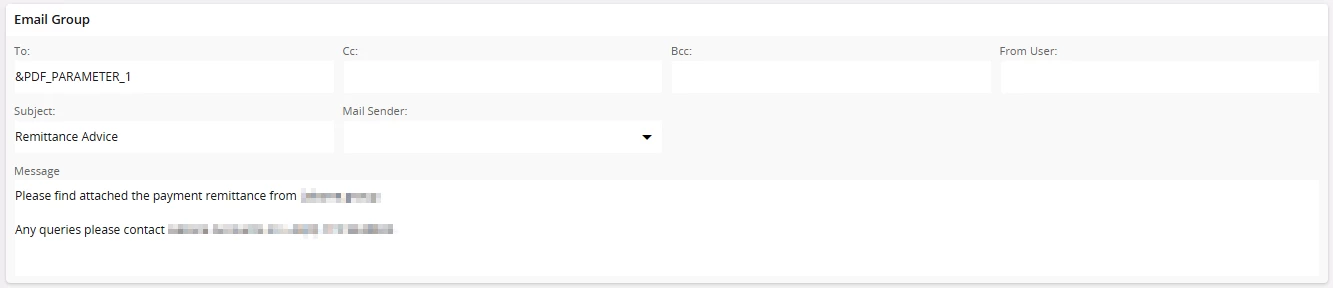
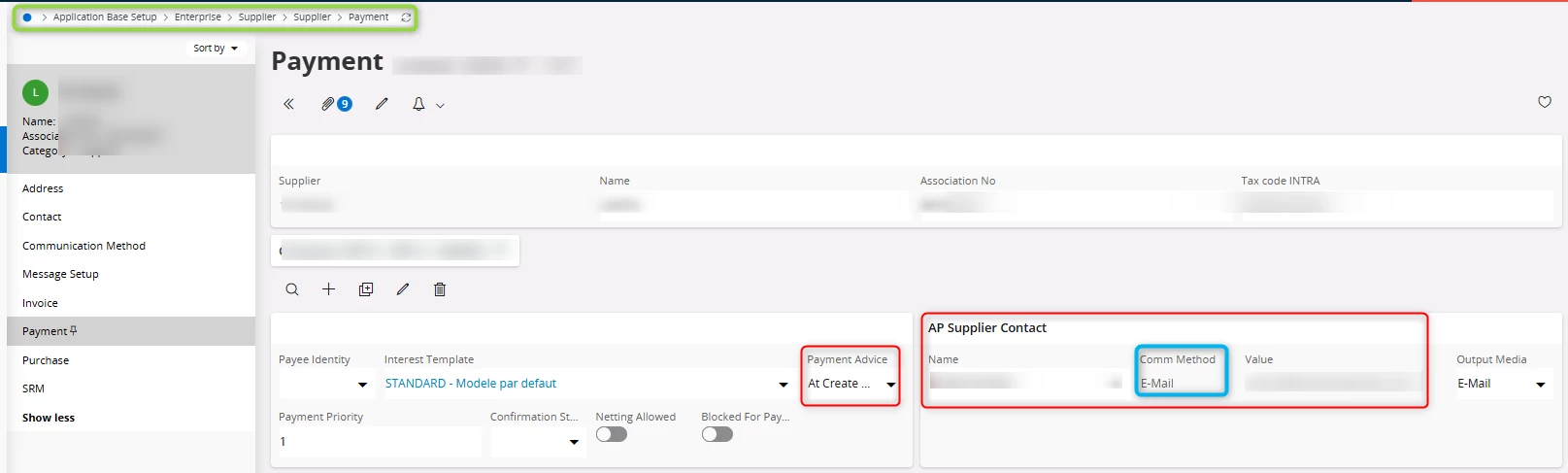
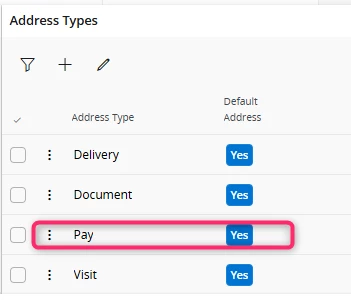
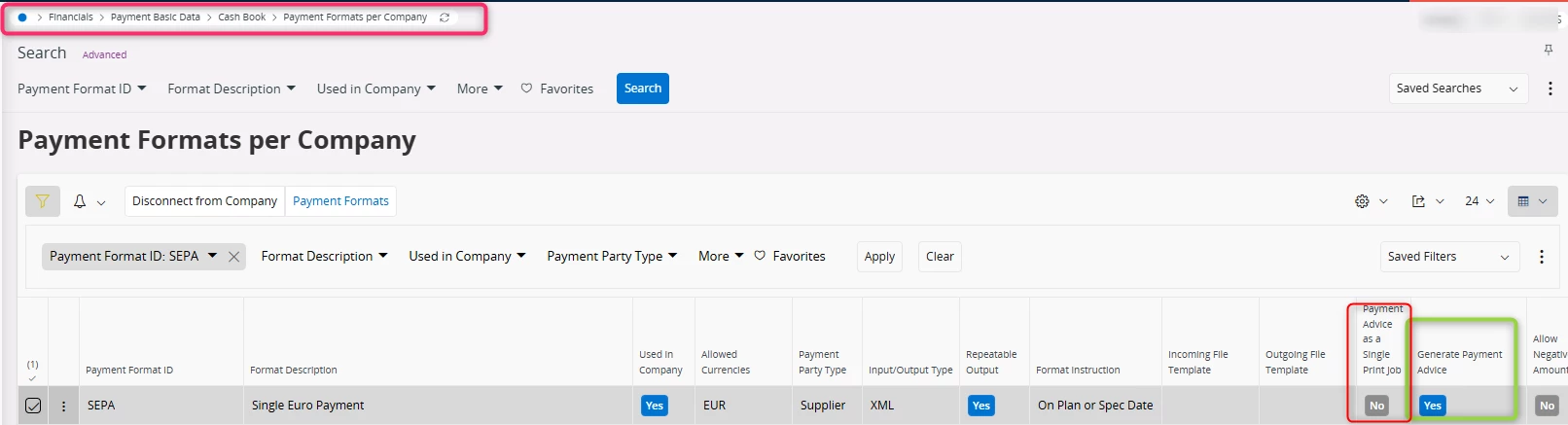
Set the To as pdf_parameter1, however you do need to ensure you have set the supplier payment page up. The AP Supplier Contact needs to be set up as follows too so that it picks up the correct email address. Name is what you set on the correspondent page - we use remit so we know. Value is the email address you are sending the remit to.
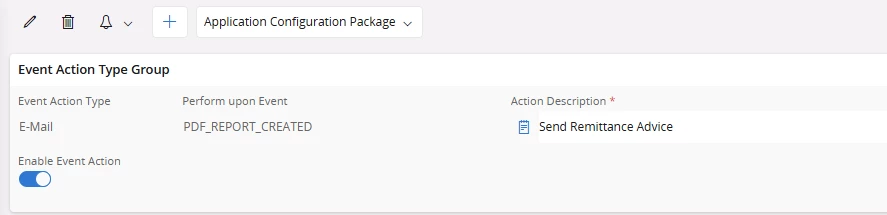
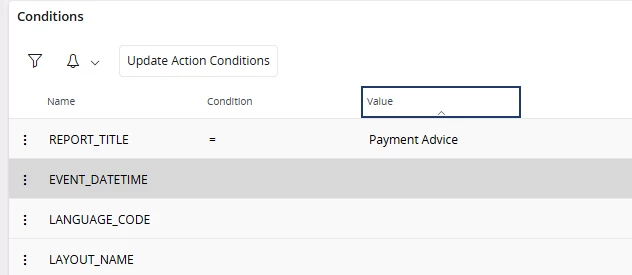
I also found setting the condition to REPORT_TITLE = Payment Advice worked better than REPORT_ID for some reason in 24R2. See below how we have set up the event action
Also on the attachments sections we have the following set up that is different to your screen shots
Set the To as pdf_parameter1, however you do need to ensure you have set the supplier payment page up. The AP Supplier Contact needs to be set up as follows too so that it picks up the correct email address. Name is what you set on the correspondent page - we use remit so we know. Value is the email address you are sending the remit to.
I also found setting the condition to REPORT_TITLE = Payment Advice worked better than REPORT_ID for some reason in 24R2. See below how we have set up the event action
Also on the attachments sections we have the following set up that is different to your screen shots