Solved

How to Add Connected Vouchers page in Navigation Designer

  • June 18, 2025
  • 6 replies
  • 48 views

Forum|alt.badge.img+5

All,


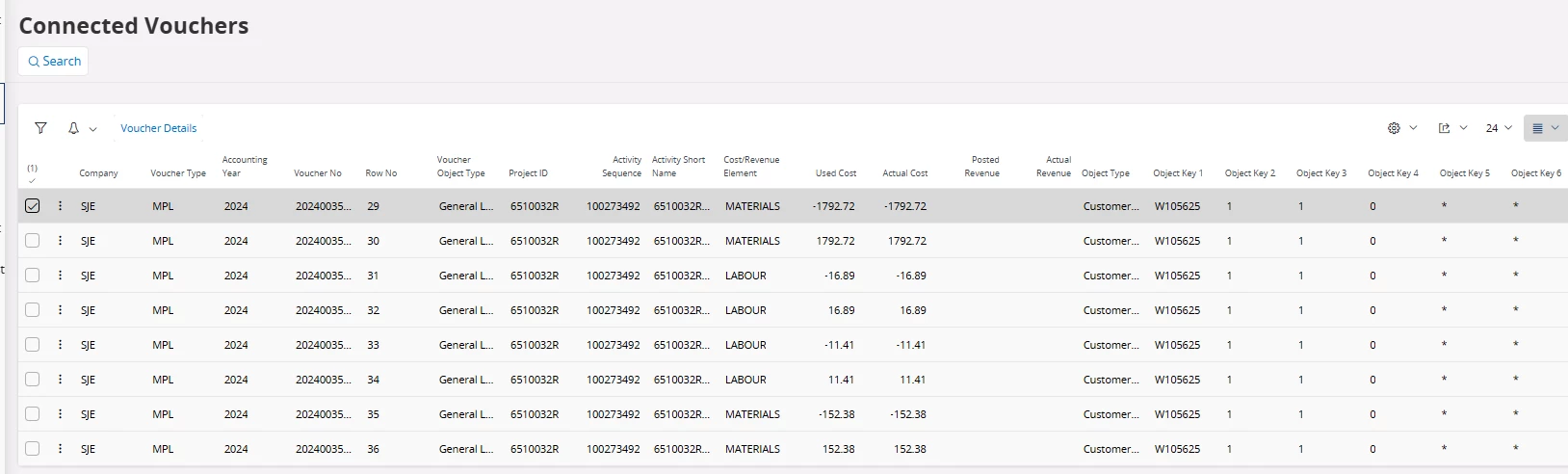
I have access to ConnectedVouchersHandling. But do not see the page when searching in the navigator.

How do I configure the navigation designer for Connected Vouchers Page in IFS?
 

Best answer by blake.hamlin

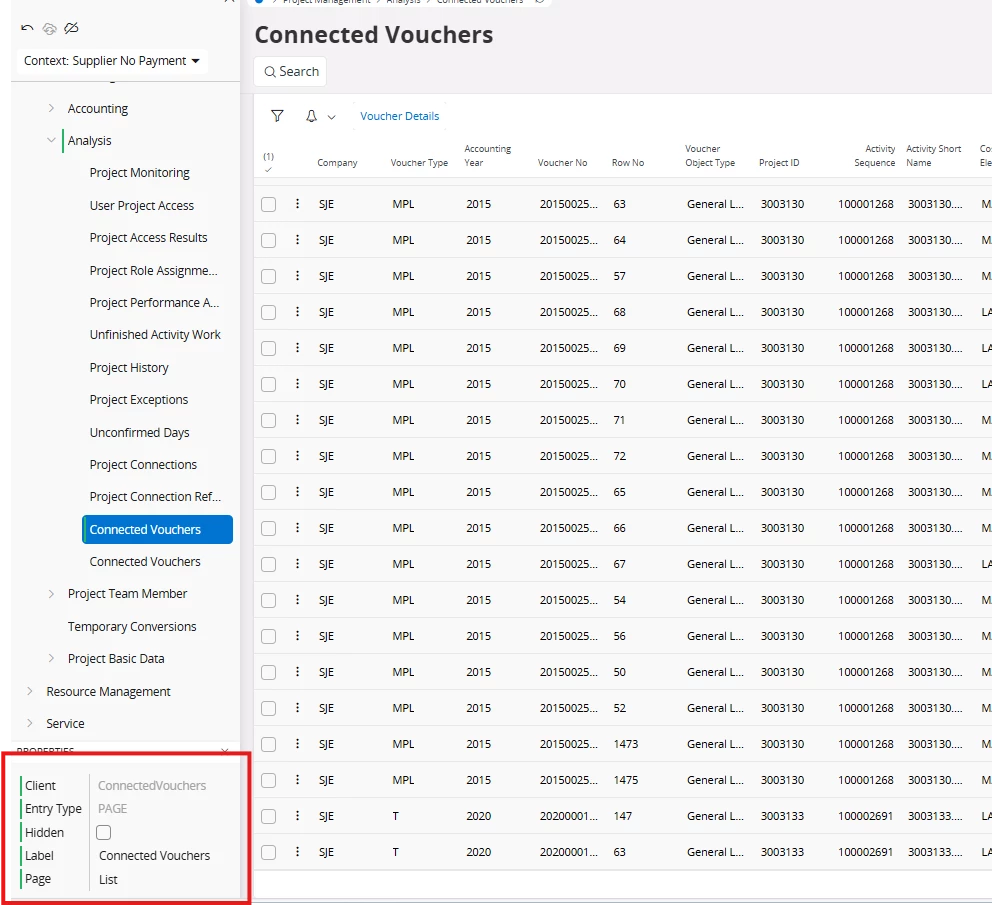
solution:
 

6 replies

Forum|alt.badge.img+8
  • Hero (Customer)
  • June 18, 2025

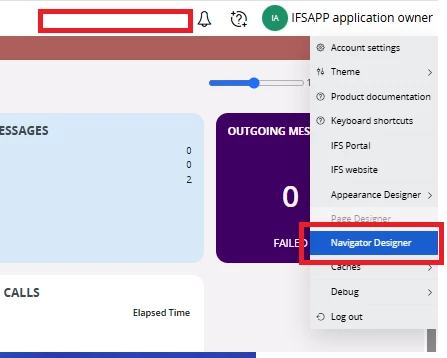
Not sure if it would have changed in 24R2 (We are on 24R1) but the navigator designer can be accessed here in the dropdown at the top right of the screen 

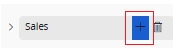
In the navigator designer you can use the plus button to add node links to pages, external URLs etc 

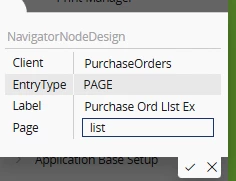
From there you can configure where the addition will take you. You’ll need to add the client and page identifiers, and can label the entry in the navigator however you like.

Documentation:

https://docs.ifs.com/techdocs/24r2/040_tailoring/225_configuration/250_navigator_configurations/

LEdwards


Forum|alt.badge.img+5
  • Author
  • Do Gooder (Customer)
  • June 18, 2025


Abdul
Superhero (Partner)
Forum|alt.badge.img+20
  • Superhero (Partner)
  • June 18, 2025

Hi ​@blake.hamlin,

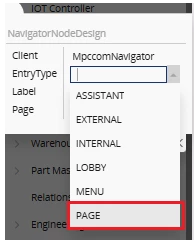
Please refer to the screenshot below.

Please create a navigator node this way and check. 


Regards

Abdul Rehman


Forum|alt.badge.img+8
  • Hero (Customer)
  • June 18, 2025

Hello,


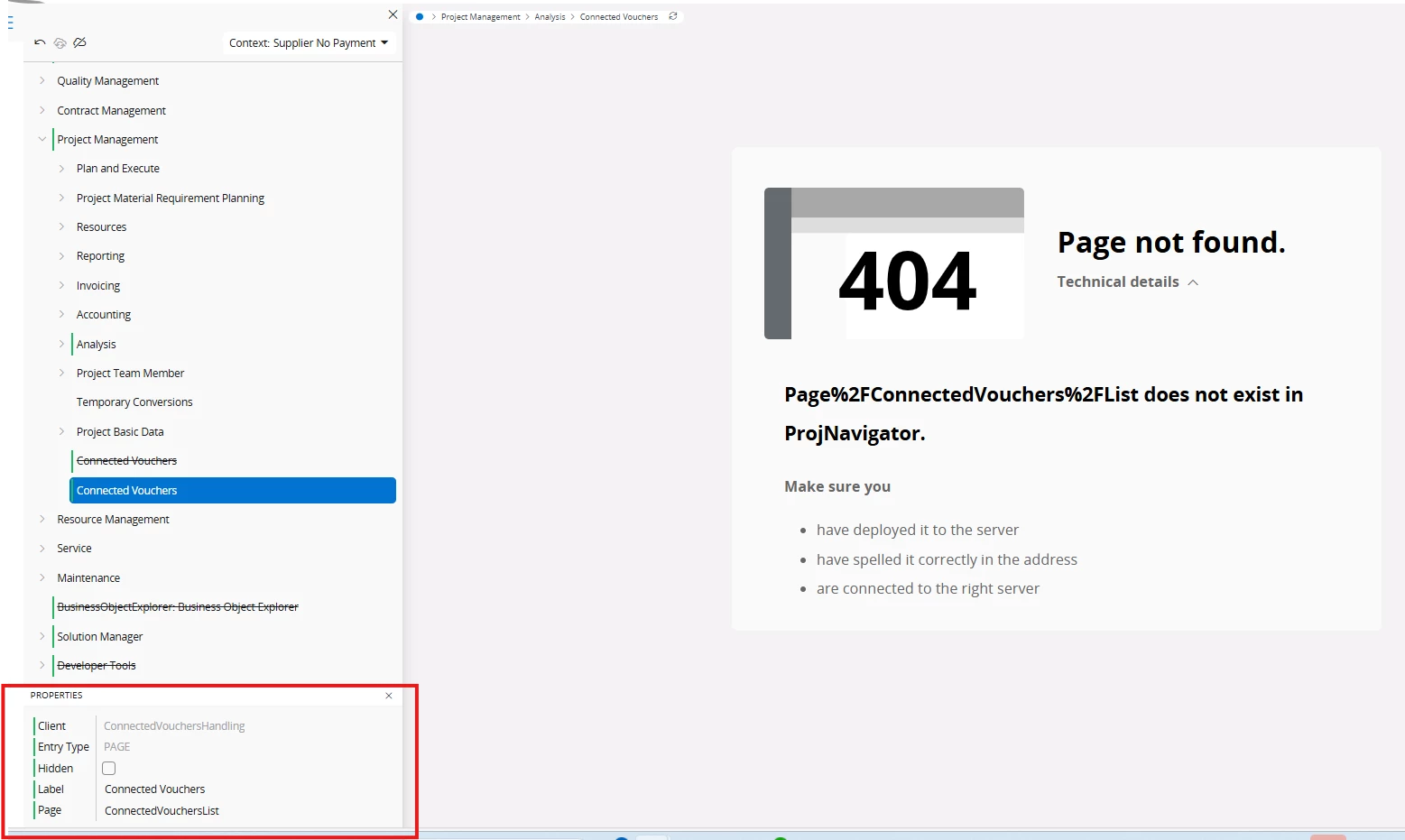
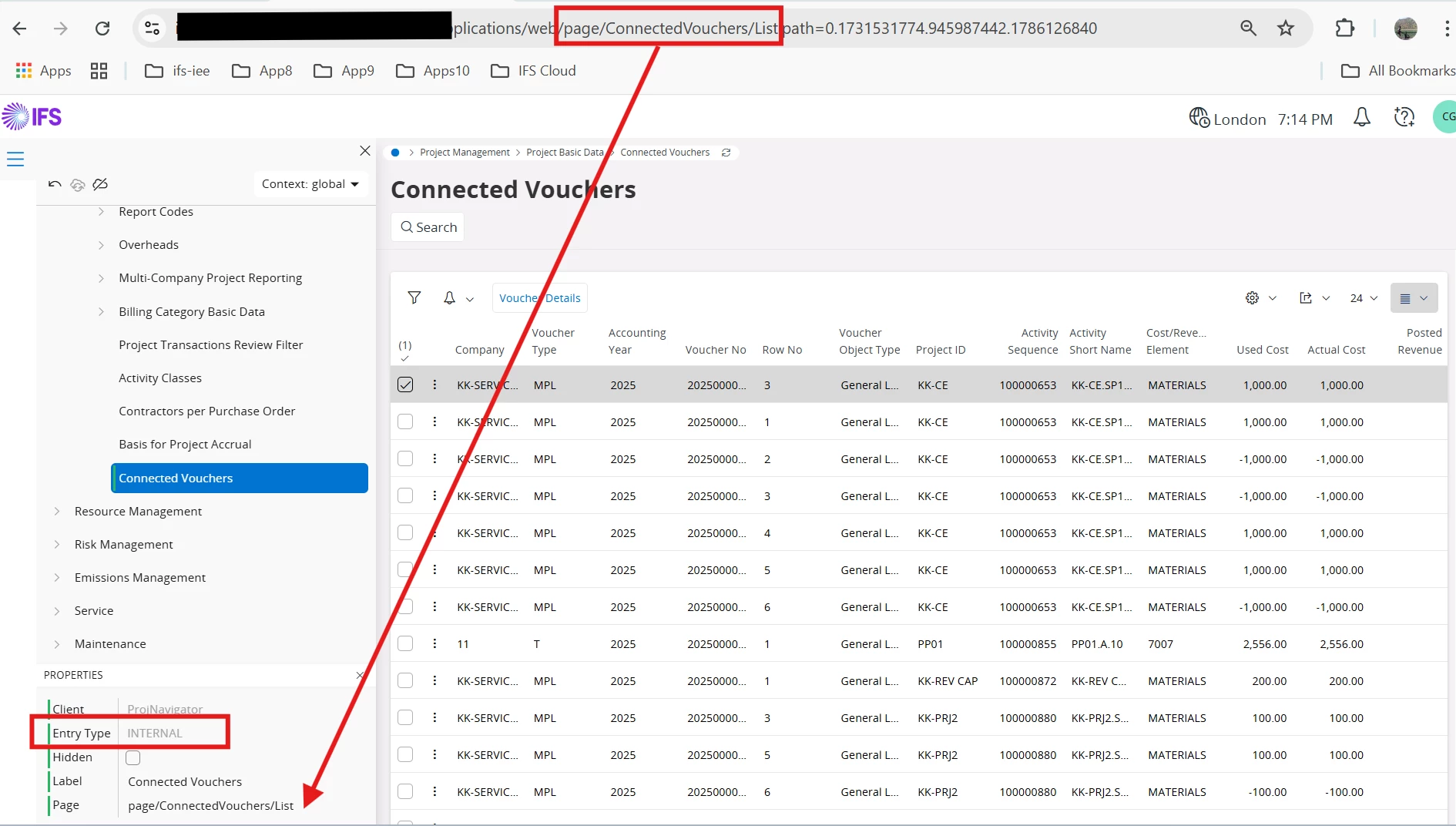
you have the projection name as the client value in your above example. One way I like to configure these is go to the page, and look at the URL in your browser.


For example, to add a link to the Purchase Orders list form, we would configure the link as so using the URL :

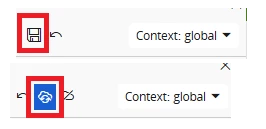
Then after selecting save and then publish at the top of the navigator designer, you should be able to navigate to it


Forum|alt.badge.img+5
  • Author
  • Do Gooder (Customer)
  • Answer
  • June 18, 2025

solution:


Forum|alt.badge.img+8
  • Hero (Customer)
  • June 18, 2025

@Abdul just tried your way as well and this works too. Thanks for sharing this method


LEdwards