There is a requirement for an order report to be generated in Excel format. I came across an IFS document mentioning that this can be achieved via Report Plug-ins (Excel Plugin). Could someone help with this or share any documentation on how to proceed with the development?
Thanks in advance.
Regards
Best answer by Edwards
Hello,
I don’t have access to version 25R1 (using 24R1), but presuming its the same you should be able to look in the report definitions of an order report that already has the excel plugin layout definition, export it, and copy it to the report that you need to make exportable to excel.
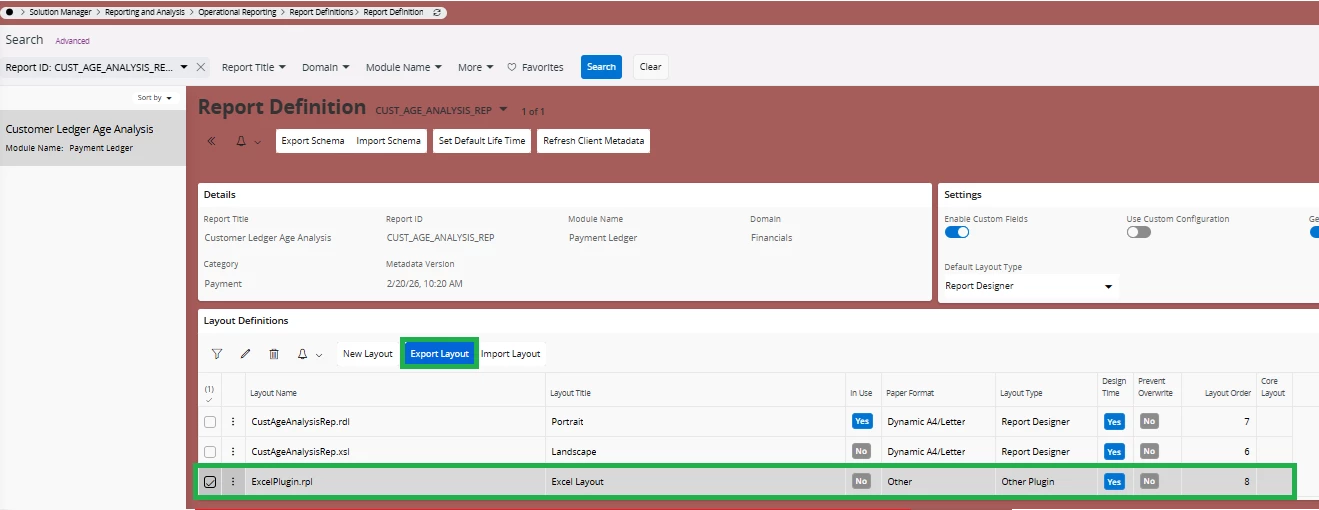
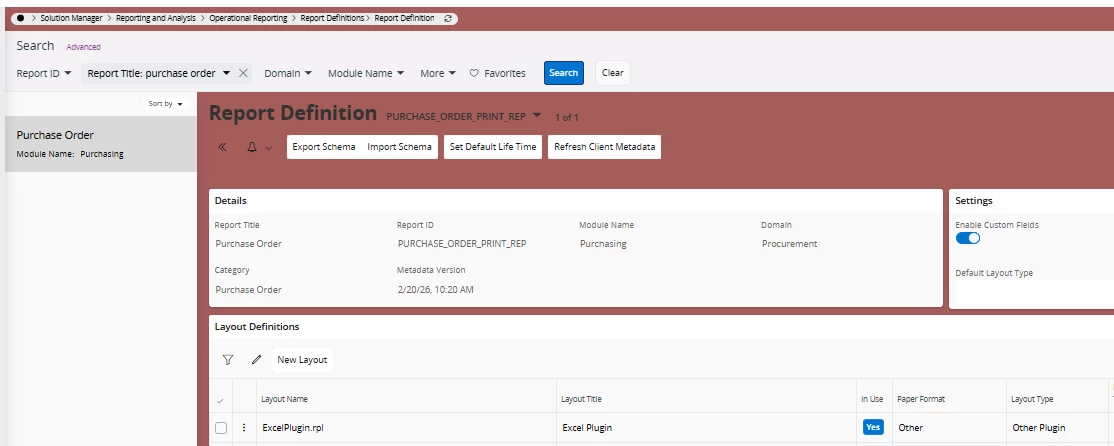
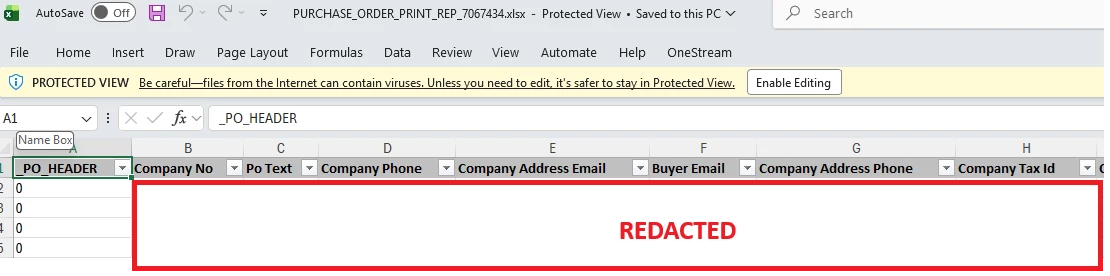
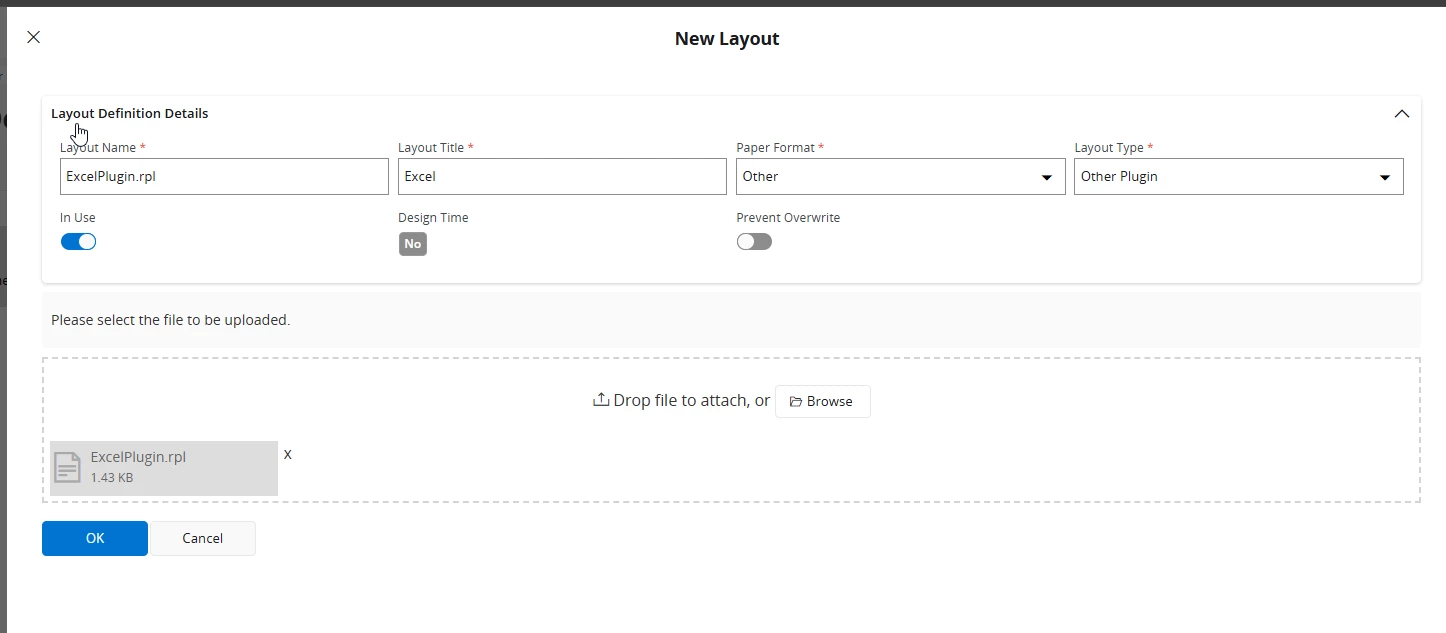
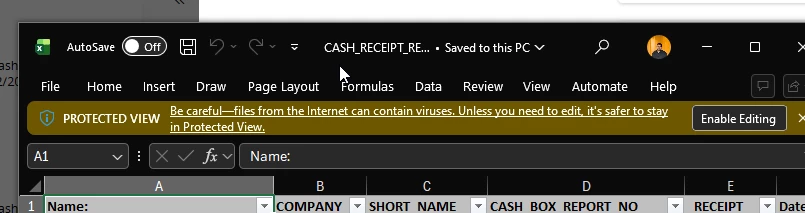
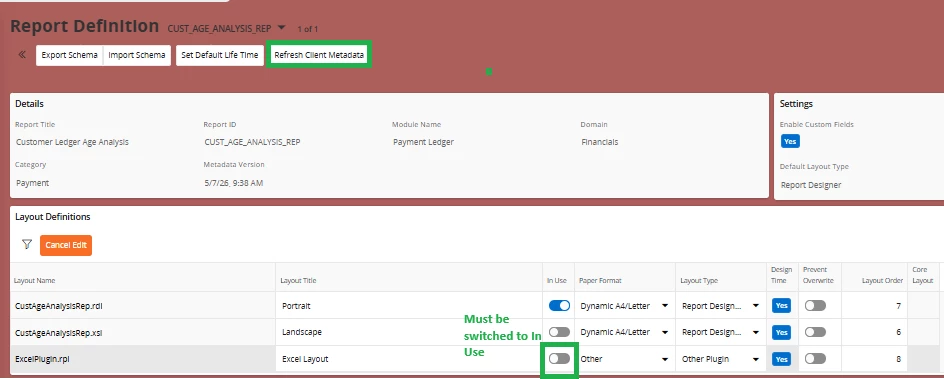
For example, I exported the “ExcelPlugin.rpl” from the Customer Ledger Age Analysis report that already had the excel plugin layout in our environment, copied it to the purchase order report, and then when printing purchase order report it would create an excel file with the columns matching the report schema
Hope that helps. below are some images from my environment to showcase.
I don’t have access to version 25R1 (using 24R1), but presuming its the same you should be able to look in the report definitions of an order report that already has the excel plugin layout definition, export it, and copy it to the report that you need to make exportable to excel.
For example, I exported the “ExcelPlugin.rpl” from the Customer Ledger Age Analysis report that already had the excel plugin layout in our environment, copied it to the purchase order report, and then when printing purchase order report it would create an excel file with the columns matching the report schema
Hope that helps. below are some images from my environment to showcase.
my customer also has the same requirement: taking customer age analysis report in Excel. this already has the plugin in report definition. but I do not get any excel output when I rrun.
Just wanted to check if how did you achieve this and if there is any setup prior to above steps?
There is no additional work involved. You just need to download the plugin and add a new layout to whichever report you want, but make sure to set the layout type to Other Plugin.
Hi there @Imalka , please also confirm that “In Use” in the layout definition is set to yes (edited with pencil icon) and not sure it would help, but to refresh the client meta data.
If the layout isn’t listed as in use it won’t be accessible when printing the report.
Thank you @Tharshan SM and @Edwards. It worked out as expected. Appreciate it.
By any chance, do you know if there is a way to format the report? it seems like this export the schema. customer requires the customer age analysis report in excel. I am looking for a way to get it done without creating a BR report from scratch as age analysis is a complex query.
Sorry, not familiar with any way to do that unless you are willing to do some report development in the IFS developer studio to maybe duplicate the report and tweak the query, or copy the logic and create a quick report that can format it the way you need.
Quick reports have the annoying quirk that it needs to run the query both to preview and then export it (at least in the current version I’m on) otherwise I’d just recommend that. If thats an OK trade off and you have the development resources its an option though