Solved

Custom Attribute error message 24R2 U16

  • Jul 1, 2026 9:27 AM UTC
  • 11 replies
  • 122 views

Forum|alt.badge.img+13

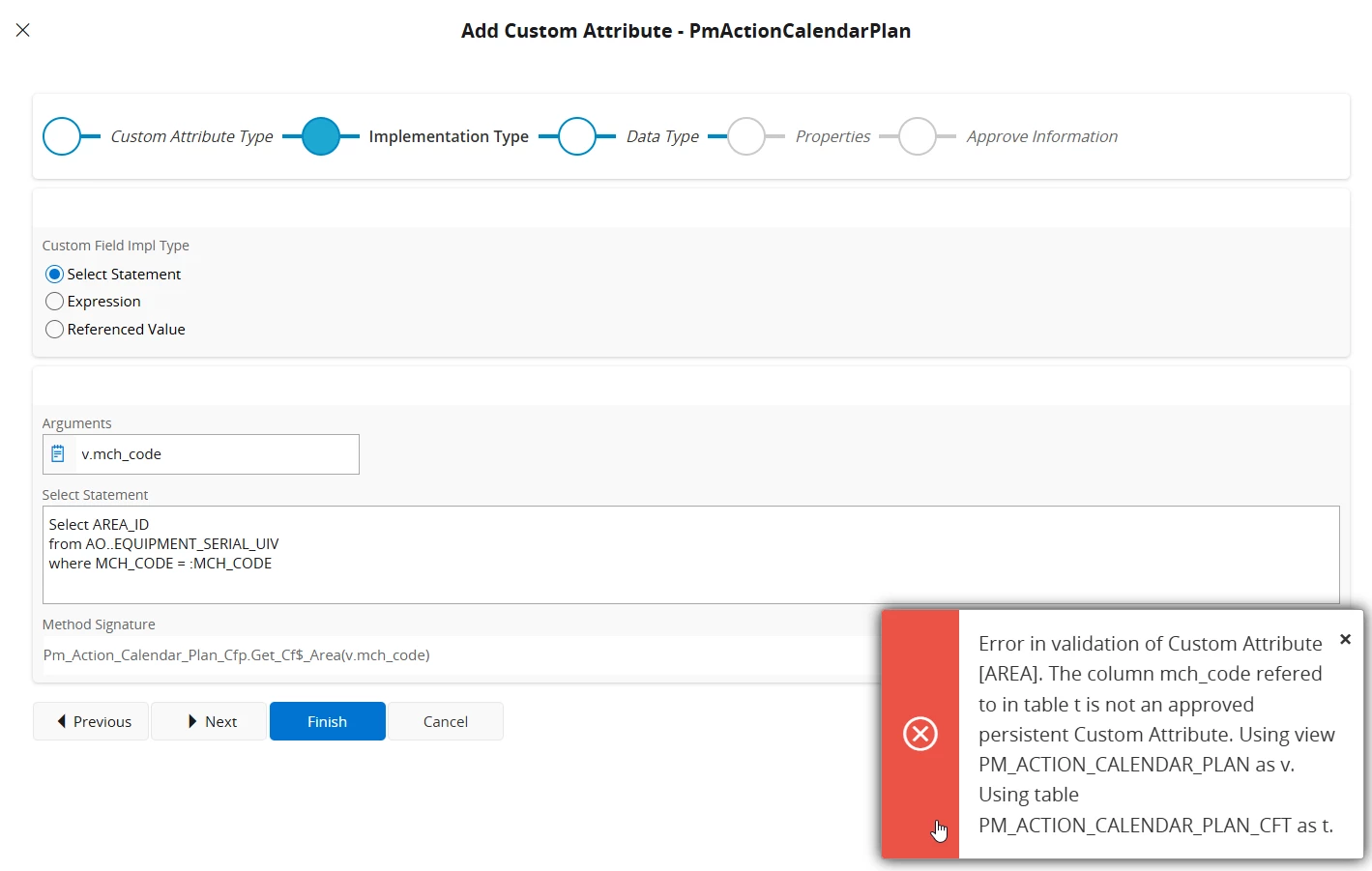
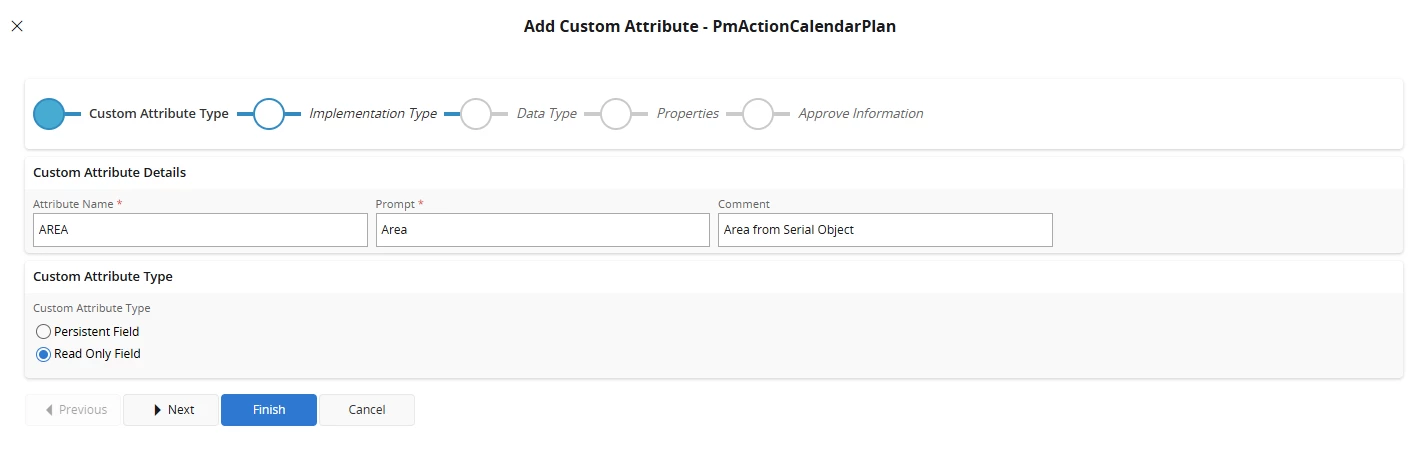
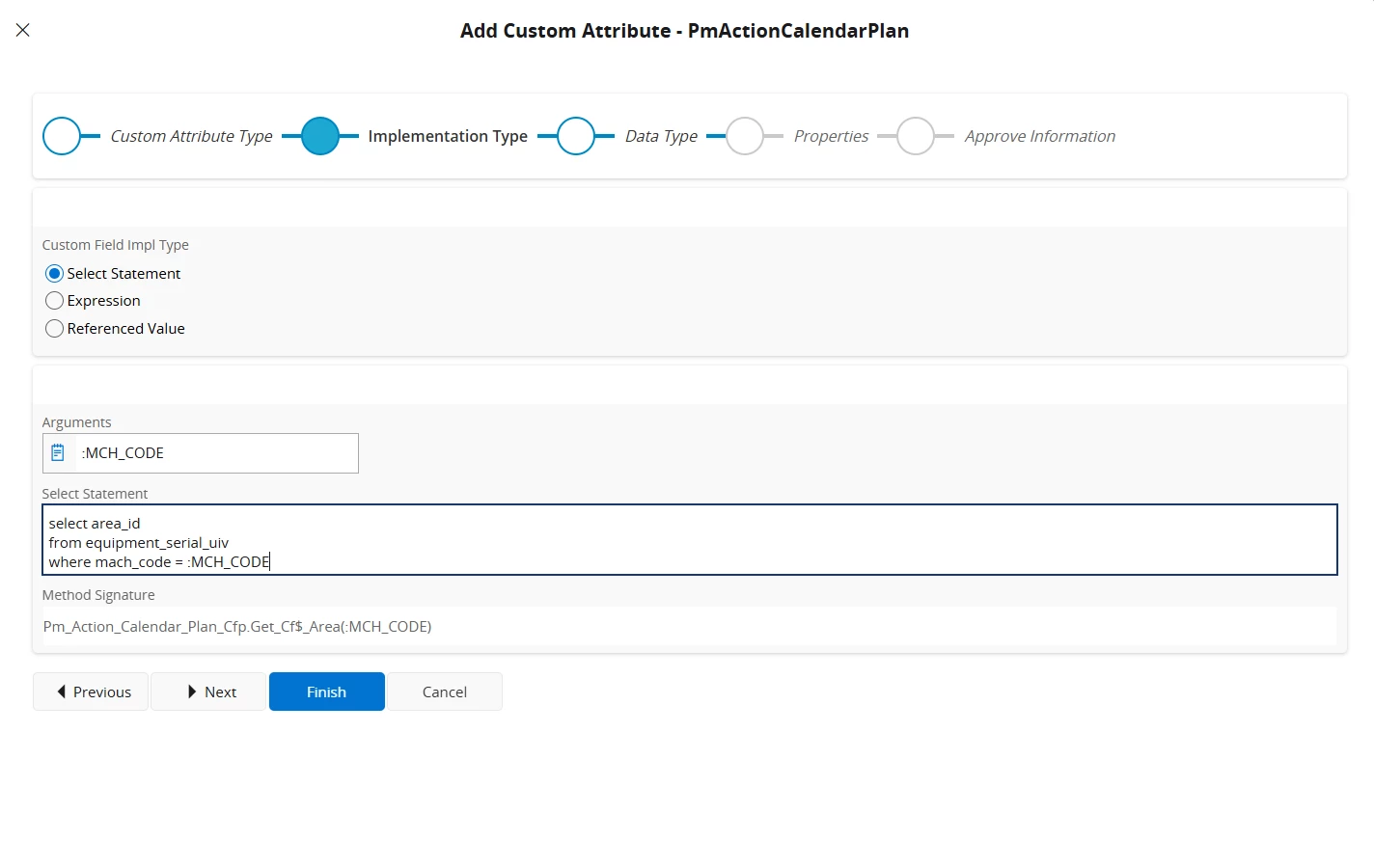
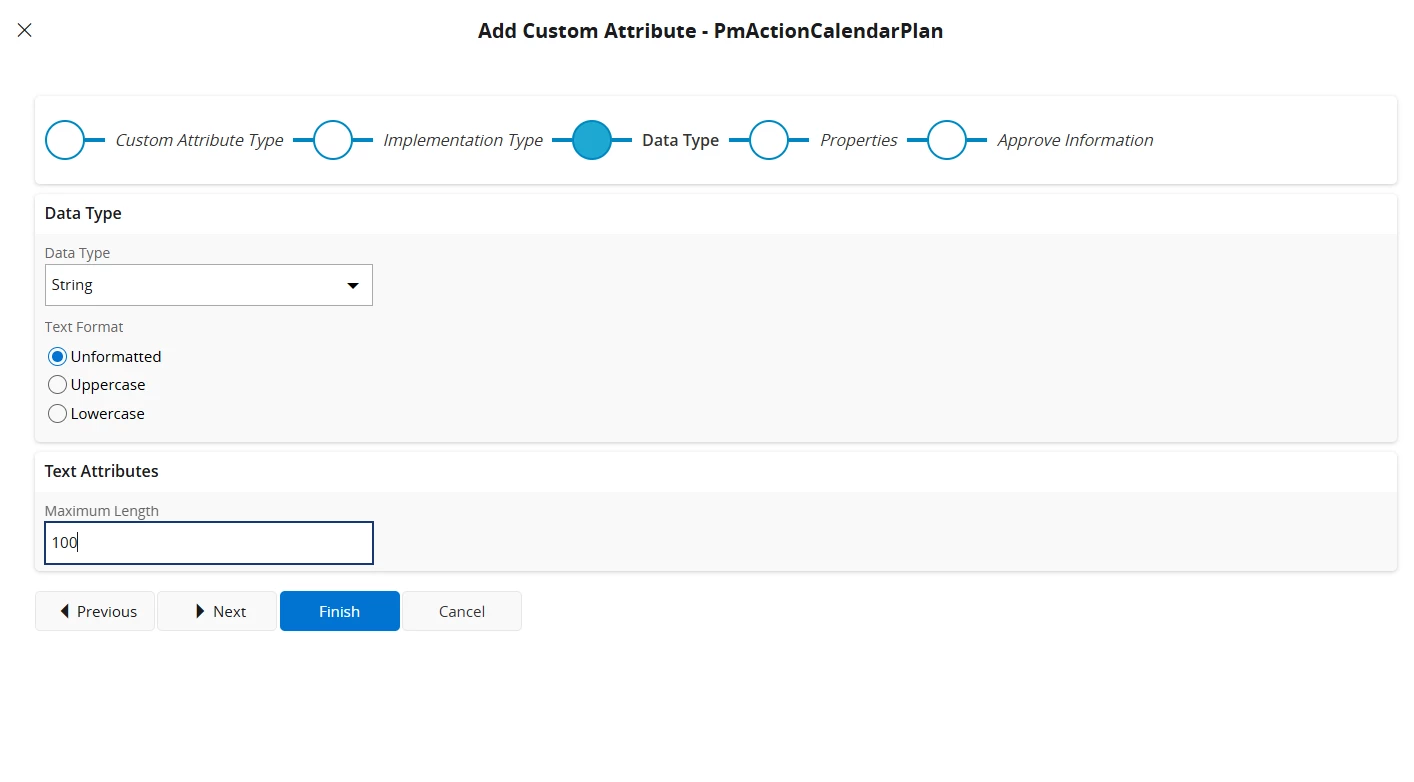
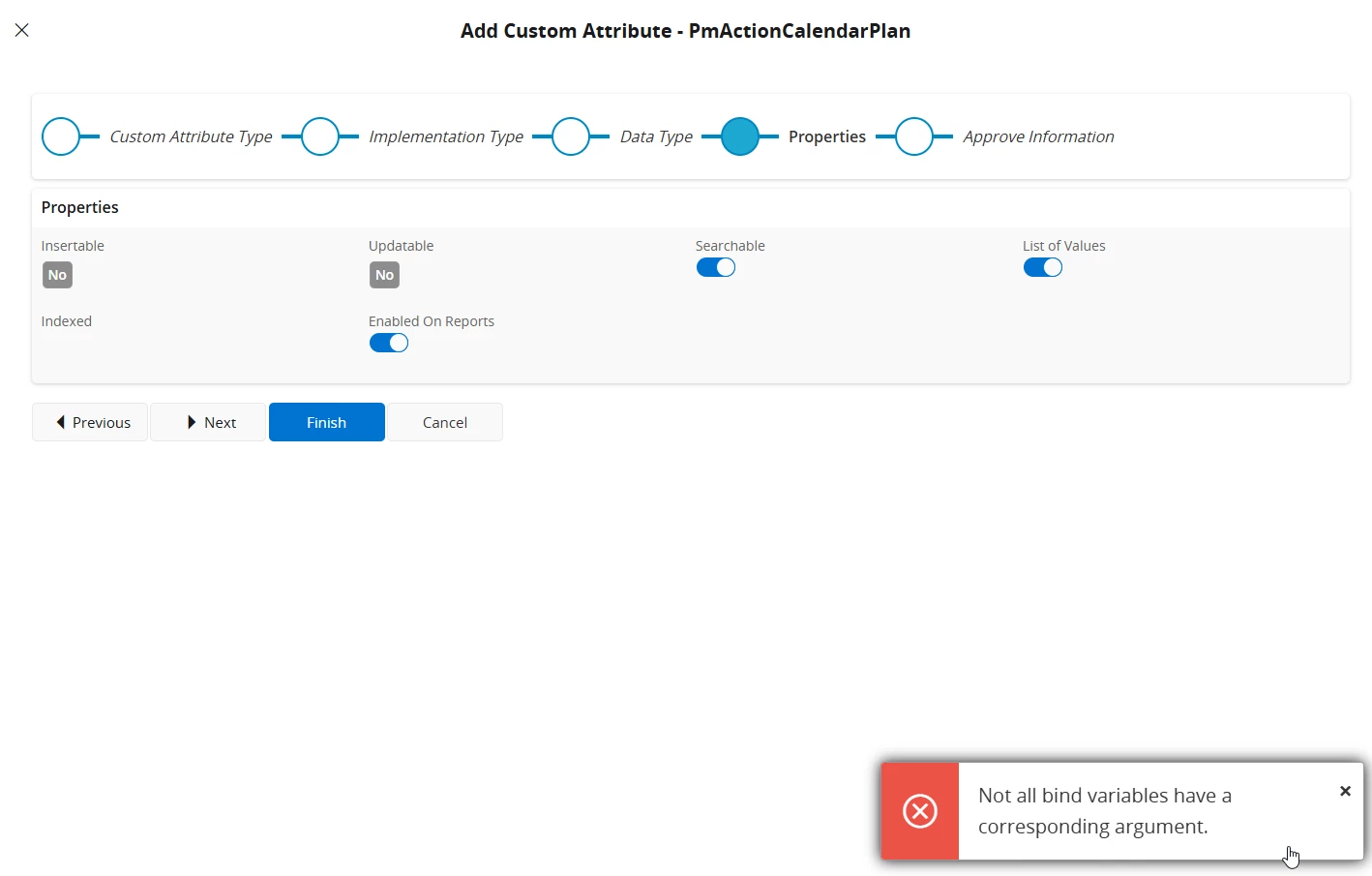
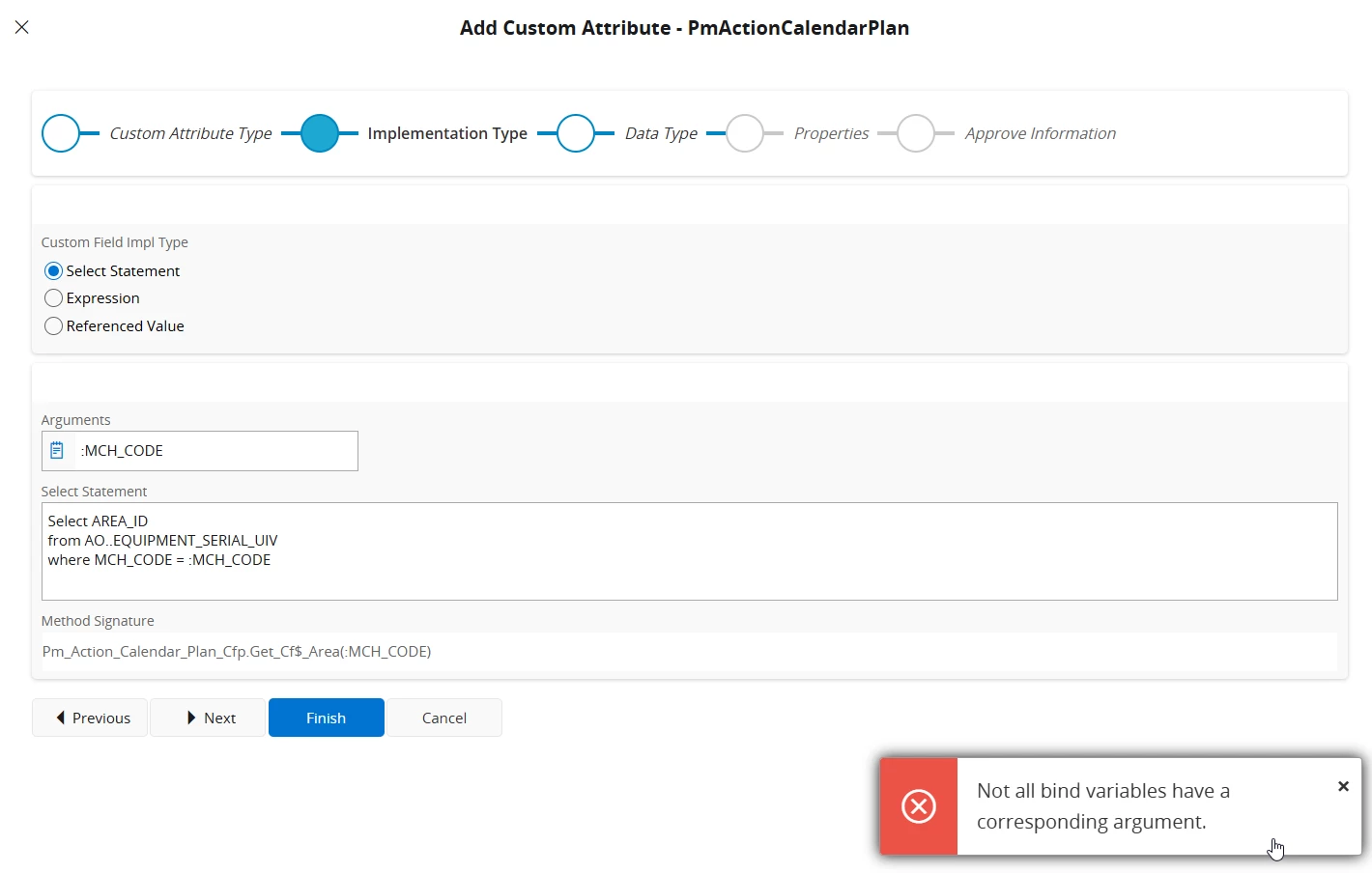
All, hope someone here can correct the mistake I’ve made. I’m wanting to pull through a field from the serial object as read only to the maintenance plan analysis page. The field is not there as a reference so I am having to use a select statement and I’m getting the below error. I’m not a tech preson so not sure what I’ve done incorrectly, all help appreciated.
 

Best answer by PhillBronson

​@sholmes thanks

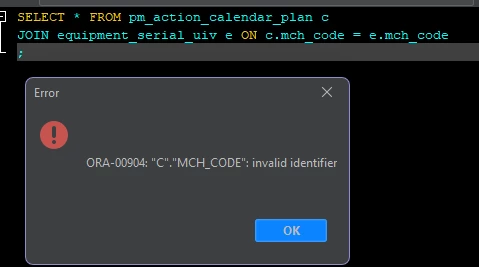
`MCH_CODE` is not on this entity so you can lookup `area_id` by that criterion.

very similar to why this doesn’t work:


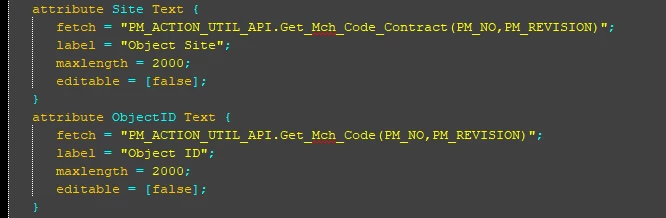
The MaintenancePlanAnalysis projection has the attributes


which you could use to get to the equipment object


but I have no clue how to use the reference value in the CalendarPlanList with a configuration


in developer studio it would be something like this
```
field EquipmentObjectRef.AreaId;
```


you may be able to use the API’s from `pm_action_util_api` (shown earlier) to get the value you are looking for in the entity configuration.

View original

11 replies

Forum|alt.badge.img+4
  • Sidekick (Partner)
  • Jul 1, 2026 9:34 AM UTC

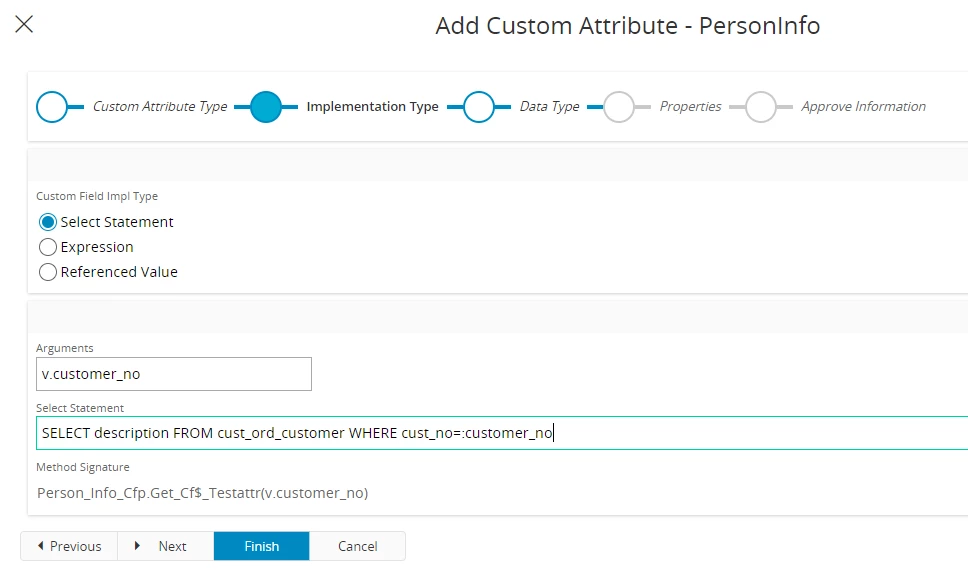
Try to remove the : in the “Arguments” field and keep in the “Select statement” field


ashenfdo
Sidekick (Customer)
Forum|alt.badge.img+8
  • Sidekick (Customer)
  • Jul 1, 2026 9:35 AM UTC


ashenfdo
Sidekick (Customer)
Forum|alt.badge.img+8
  • Sidekick (Customer)
  • Jul 1, 2026 9:35 AM UTC

Forum|alt.badge.img+13
  • Author
  • Hero (Customer)
  • Jul 1, 2026 9:36 AM UTC

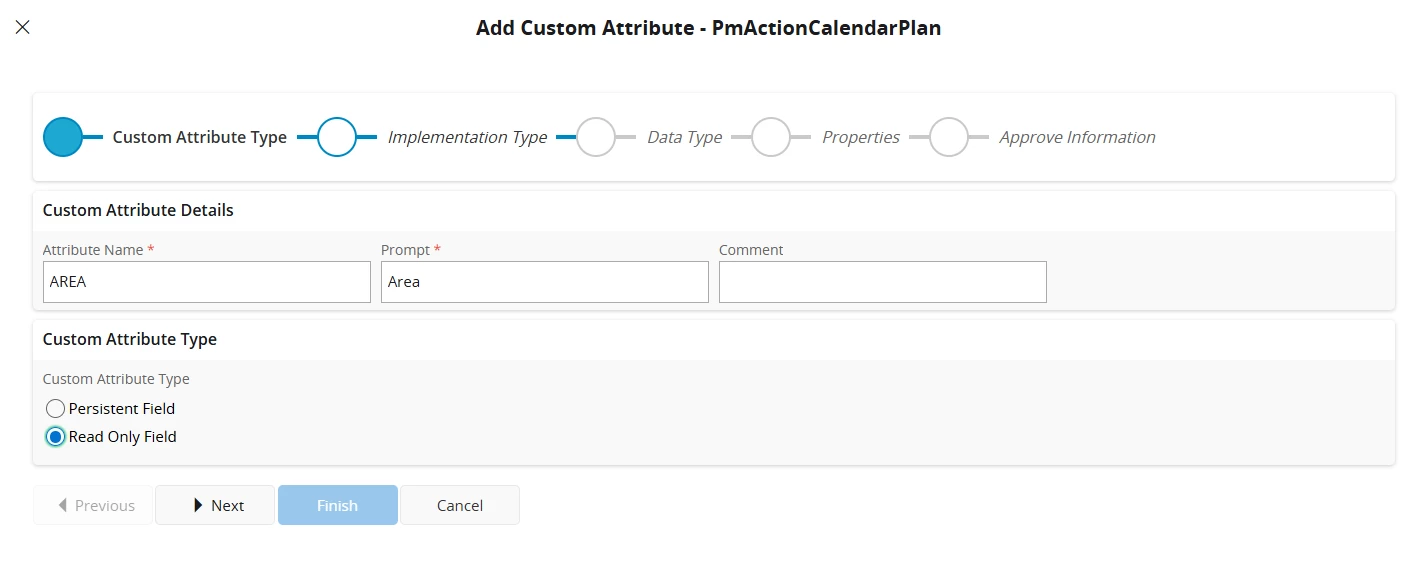
​@jorlin - if I remove an argument I can not finish the process the system is wanting data in the argument field.


Forum|alt.badge.img+13
  • Author
  • Hero (Customer)
  • Jul 1, 2026 10:23 AM UTC

​@ashenfdo I now get this error if I refer the argument to a view


PhillBronson
Hero (Customer)
Forum|alt.badge.img+13
  • Hero (Customer)
  • Jul 1, 2026 12:37 PM UTC

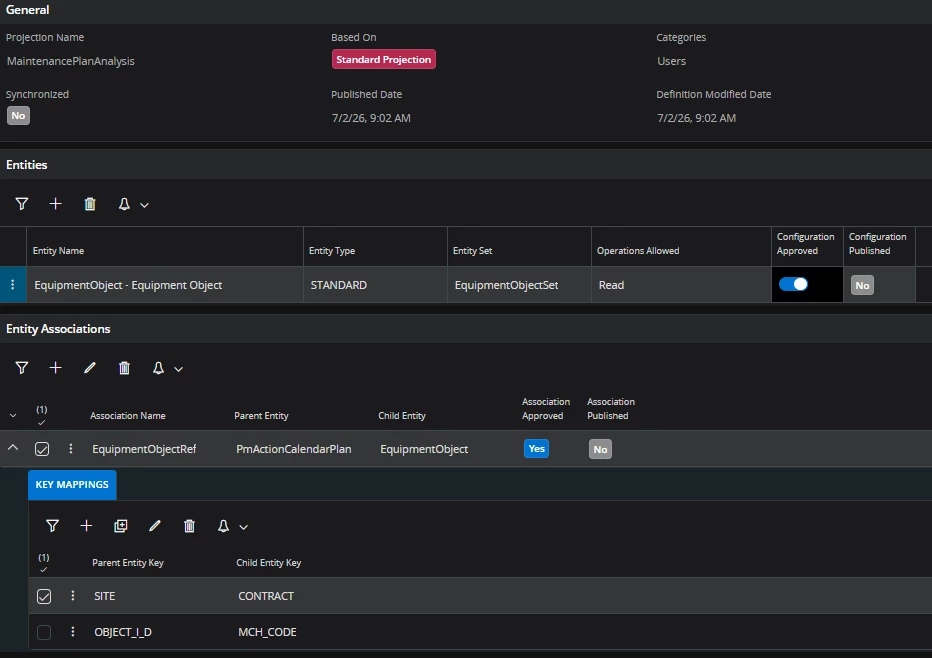
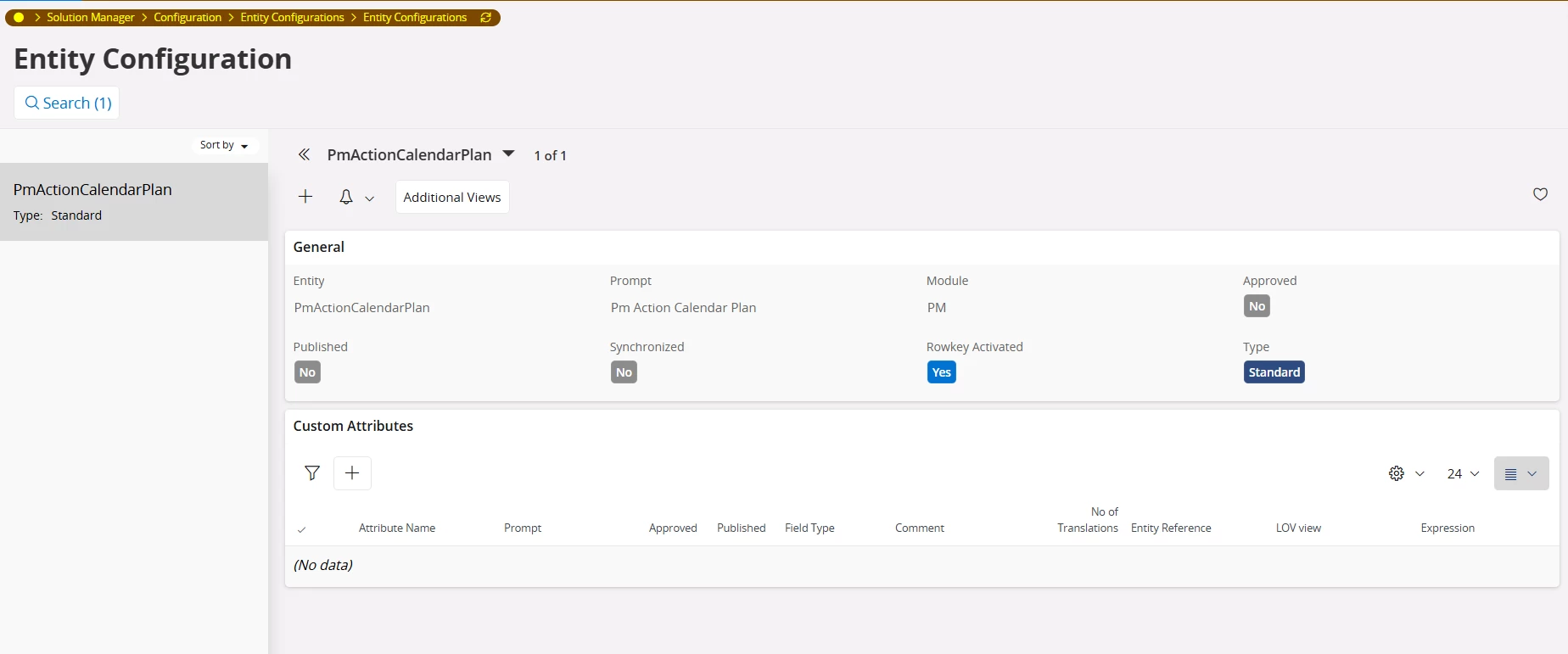
​@sholmes can you show the rest of your configurations on this entity?


Forum|alt.badge.img+13
  • Author
  • Hero (Customer)
  • Jul 1, 2026 1:03 PM UTC

​@PhillBronson - hope below helps - there are no additional views to add.


PhillBronson
Hero (Customer)
Forum|alt.badge.img+13
  • Hero (Customer)
  • Jul 2, 2026 9:46 AM UTC

​@sholmes not quite, I’m referring to the page “Entity Configuration”. 


Forum|alt.badge.img+13
  • Author
  • Hero (Customer)
  • Jul 2, 2026 10:25 AM UTC

​@PhillBronson  - please see below - I had loaded this previously but some reason not there!


PhillBronson
Hero (Customer)
Forum|alt.badge.img+13
  • Hero (Customer)
  • Answer
  • Jul 2, 2026 1:58 PM UTC

​@sholmes thanks

`MCH_CODE` is not on this entity so you can lookup `area_id` by that criterion.

very similar to why this doesn’t work:


The MaintenancePlanAnalysis projection has the attributes


which you could use to get to the equipment object


but I have no clue how to use the reference value in the CalendarPlanList with a configuration


in developer studio it would be something like this
```
field EquipmentObjectRef.AreaId;
```


you may be able to use the API’s from `pm_action_util_api` (shown earlier) to get the value you are looking for in the entity configuration.


Forum|alt.badge.img+13
  • Author
  • Hero (Customer)
  • Jul 2, 2026 2:18 PM UTC

​@PhillBronson - thanks for that - the view in the db does have that field so find it strange that the enity doesn’t but hey ho at least I know why it isn’t working. Again thank you for your time replying to me.