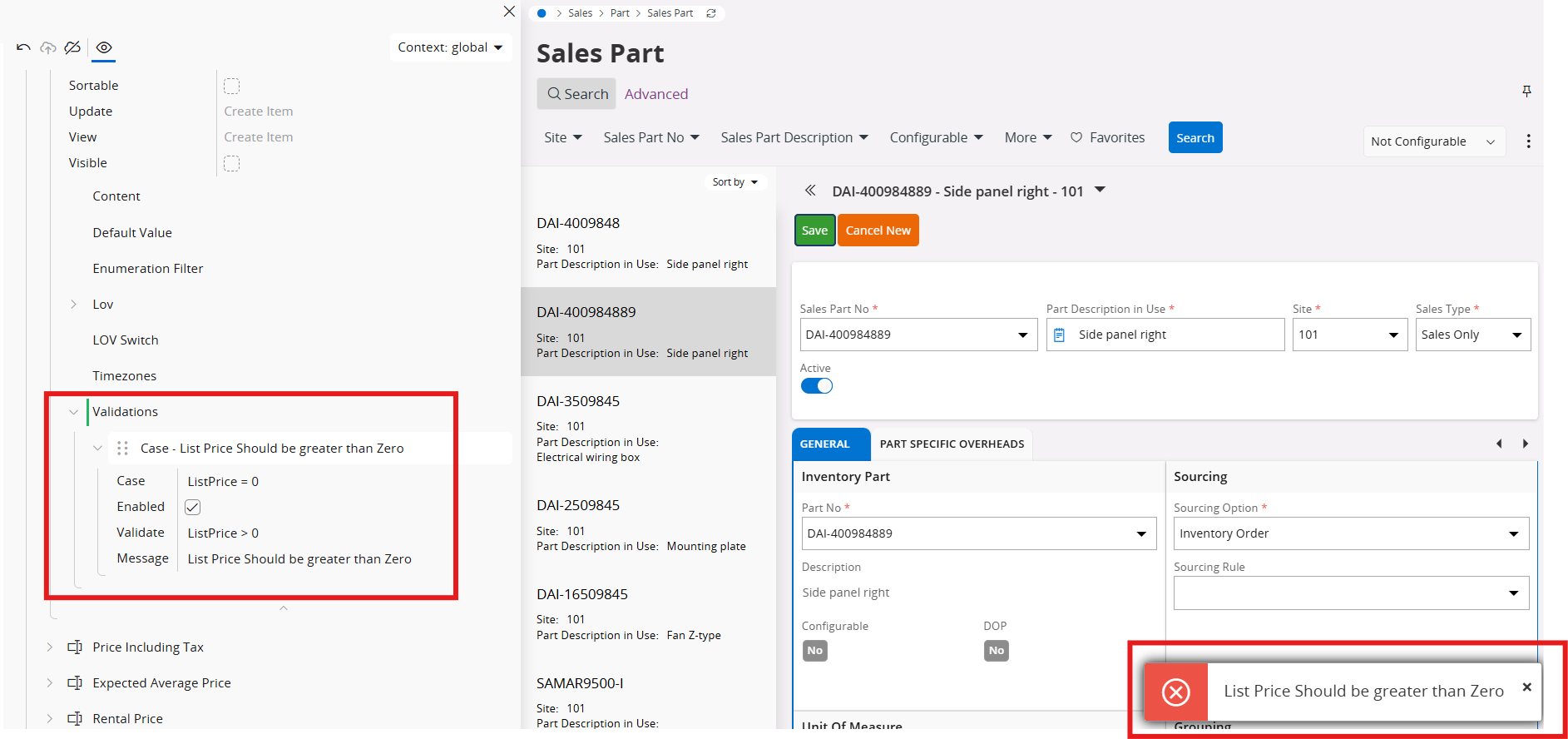


Answer

Conditional Validation

  • February 25, 2025
  • 3 replies
  • 123 views

ryans
Do Gooder (Customer)
Forum|alt.badge.img+4
  • Do Gooder (Customer)

Hello,

      I am attempting to use the conditional validation option in Page Designer and can’t seem to get the option to save when I fill it out. Each time I enter in values and click the check mark to save it blinks a few times and never saves the settings. Any ideas? 
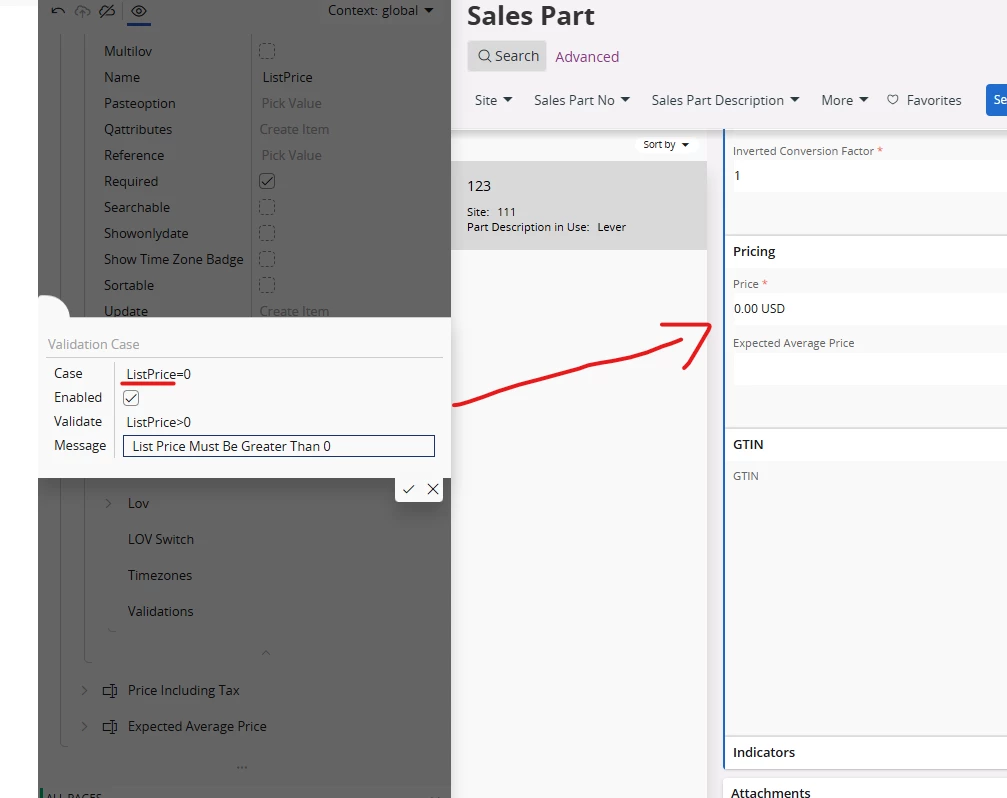


Thanks,
Ryan

Best answer by Alexander Heinze

As Abdul suggested, try clearing cache first. All example use spaces before and after the comparison operator, so that’s also worth a try. Third option: Since you ALWAYS want a sales price > 0, you can remove the condition behind “case” and just always enable it (using the check box).


3 replies

Abdul
Superhero (Partner)
Forum|alt.badge.img+20
  • Superhero (Partner)
  • February 25, 2025

Hi ​@ryans,

Working perfectly at my end. Might be some cache issue. Please try after relogin.


Regards

Abdul Rehman


Alexander Heinze
Ultimate Hero (Employee)
Forum|alt.badge.img+23
  • Ultimate Hero (Employee)
  • Answer
  • February 25, 2025

As Abdul suggested, try clearing cache first. All example use spaces before and after the comparison operator, so that’s also worth a try. Third option: Since you ALWAYS want a sales price > 0, you can remove the condition behind “case” and just always enable it (using the check box).


Alexander Heinze
Ultimate Hero (Employee)
Forum|alt.badge.img+23
  • Ultimate Hero (Employee)
  • February 27, 2025

Hi ​@ryans just curious: Which of the steps above ultimately resolved your issue?