While I was closing old Work Orders, I had to close old Work tasks inside them. I noticed that I can close the Work Tasks without closing the Work Assignments inside it which seemed to be easy as the assignments were sent to mobile and cannot be closed from cloud.
Is it a good practice to close the Work Task without closing the assignments as the end target is to close the Work Order to “Work Done” status? If not, then is there a way to close the assignments which are sent/transferred to mobile?
Thanks in advance for the help.
Regards,
Mani
Best answer by Edwards
Hi Mani,
Which version of IFS Cloud are you on? We are currently on 24R1 so its possible its just a version mismatch . . .
There are also some rules I can see for when the buttons appear based on the page configuration for the version I’m using.
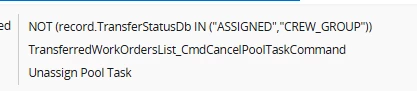
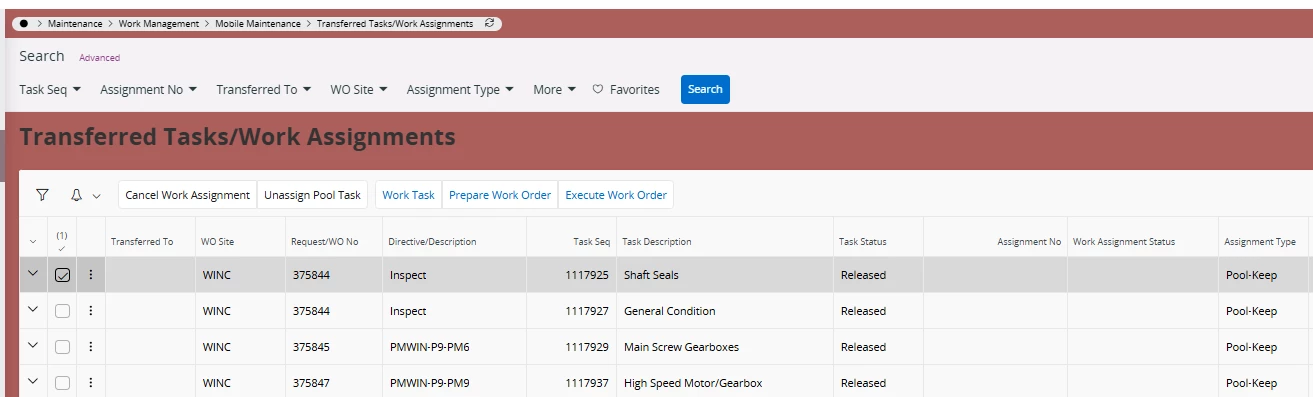
Unassign pool task button will only appear if the task isn’t explicitly assigned to anyone and is not in crew group.
Cancel work assignment can not be used if the assignment has clockings or transactions
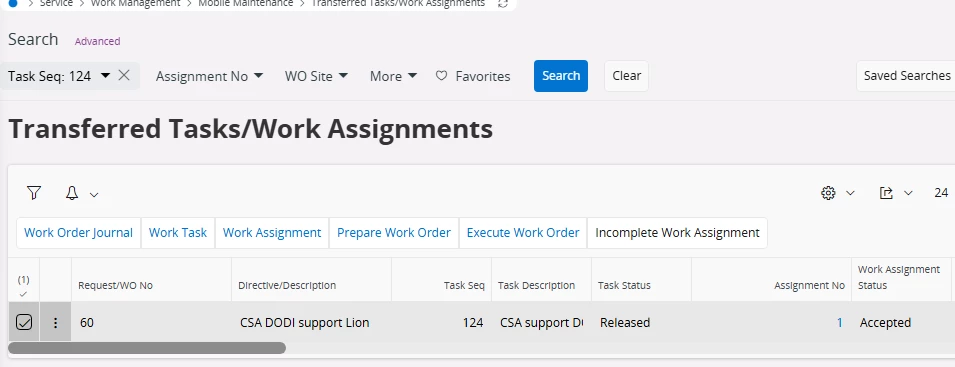
If those are the case I guess your only option would be to incomplete the work assignment to pull it back . . .
Are you familiar with the Transferred tasks / work assignments form? You can cancel work assignments or return from pool using this form in relation to the MWO application.
We’ve seen that completing work tasks while things are still pushed to MWO can make things work kind of weird so we try to instruct people to ensure theres nothing in this form connected to the work task prior to completing them.
We are currently at 23R1, currently I am deleting the Transactions from work task clockings, marking the assignment as cancelled and then finishing the Work Task. But this brings the work task back for ready for assignment (unassigned tasks) in Dispatch Console. So, I re-open the task, delete the demand and close back again.