Solved

BPA Workflow – How to filter by multiple values for the same key in ifsBpaProjectionParameters

  • April 2, 2026
  • 3 replies
  • 69 views

Forum|alt.badge.img+9

In a BPA Workflow service task, I need to read data from a projection and filter by multiple values for the same field (OR condition). The obvious approach of using duplicate keys in ifsBpaProjectionParameters does not work:

<camunda:entry key="Role">IFSFULL</camunda:entry>
<camunda:entry key="Role">ABC</camunda:entry>  
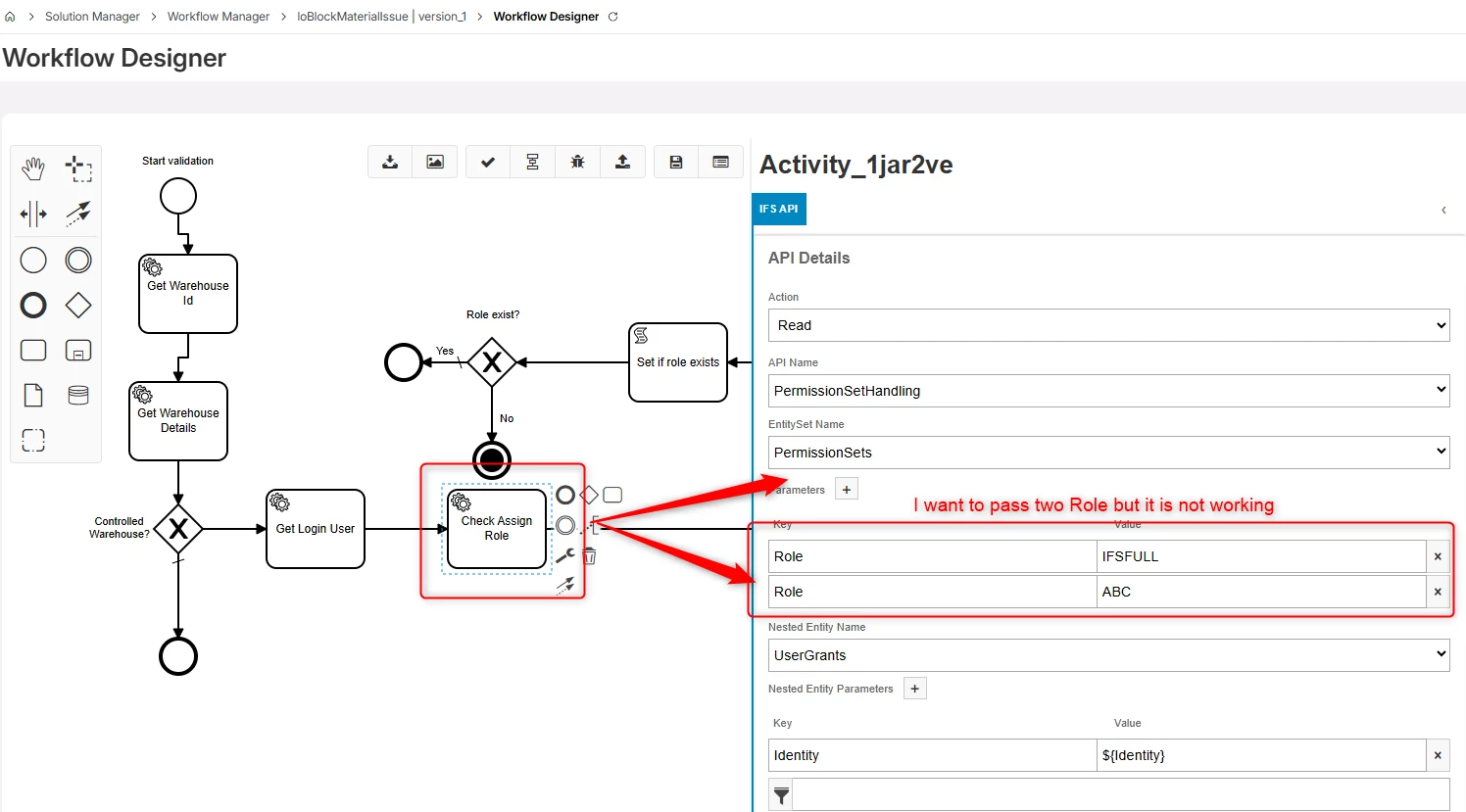


My workaround is to create one service task per value and combine results in a script task, but this gets messy with three or more values.

Has anyone found a cleaner solution? For example:
- A supported multi-value syntax in ifsBpaProjectionParameters?
- Using ifsBpaFilterQuery with an OData OR expression like: Field eq 'Value1' or Field eq 'Value2'?


Thanks!
Best answer by dritter

Hi Shoeb,


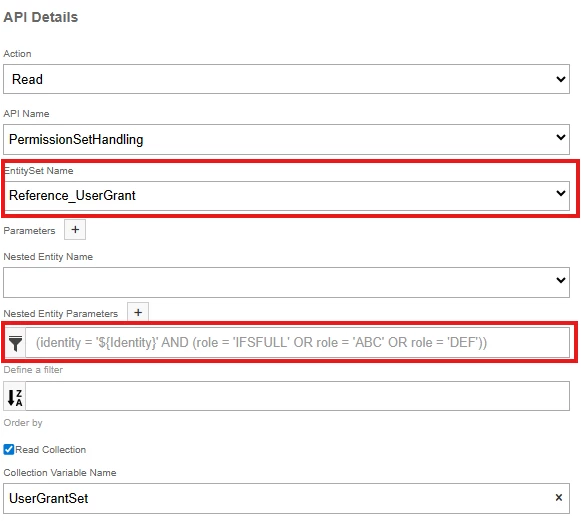
You can use the filter rather than passing key values as parameters, but there are some limitations. You cannot use both parameters and the filter, and in your case the parameters are required since you are using a nested entity. My suggestion would be to change your entity set to Reference_UserGrant, which will then allow you to use the filter:
 

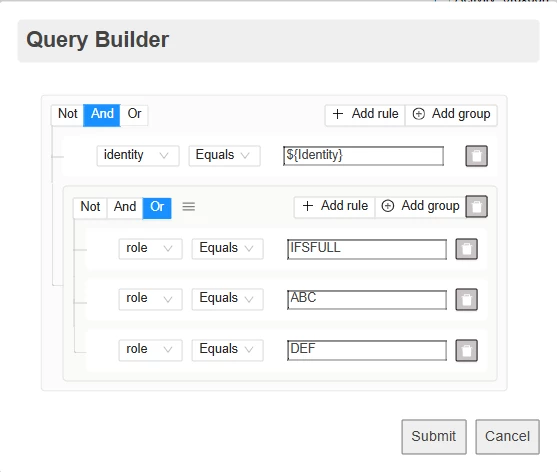
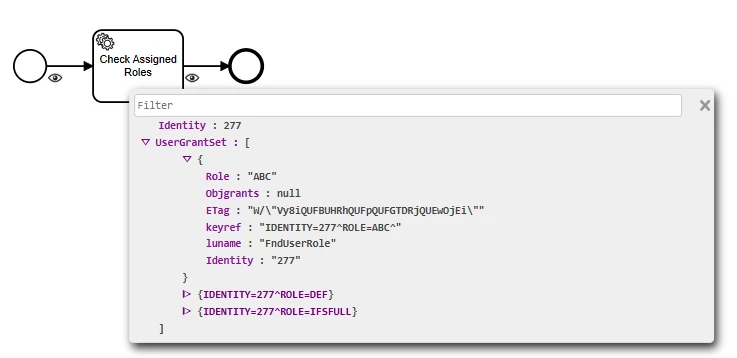
To set the filter, just click on the filter icon and a “Query Builder” modal will pull up. Add your criteria using groups for your AND and OR criteria, then hit submit. Process Variables can be accessed in the filter the same as when using parameters with the ${VariableName} syntax.
 

While I would prefer the ability to write out an OData string, I don’t believe this is available currently, but I think this will give you what you need.


3 replies

Forum|alt.badge.img+2
  • Do Gooder (Customer)
  • April 2, 2026

Hi, 


Use Filters rather using the Parameters. 


Forum|alt.badge.img+7
  • Sidekick (Customer)
  • Answer
  • April 2, 2026

Hi Shoeb,


You can use the filter rather than passing key values as parameters, but there are some limitations. You cannot use both parameters and the filter, and in your case the parameters are required since you are using a nested entity. My suggestion would be to change your entity set to Reference_UserGrant, which will then allow you to use the filter:
 

To set the filter, just click on the filter icon and a “Query Builder” modal will pull up. Add your criteria using groups for your AND and OR criteria, then hit submit. Process Variables can be accessed in the filter the same as when using parameters with the ${VariableName} syntax.
 

While I would prefer the ability to write out an OData string, I don’t believe this is available currently, but I think this will give you what you need.


Forum|alt.badge.img+9
  • Author
  • Sidekick (Customer)
  • April 3, 2026

Hi Shoeb,


You can use the filter rather than passing key values as parameters, but there are some limitations. You cannot use both parameters and the filter, and in your case the parameters are required since you are using a nested entity. My suggestion would be to change your entity set to Reference_UserGrant, which will then allow you to use the filter:
 

To set the filter, just click on the filter icon and a “Query Builder” modal will pull up. Add your criteria using groups for your AND and OR criteria, then hit submit. Process Variables can be accessed in the filter the same as when using parameters with the ${VariableName} syntax.
 

While I would prefer the ability to write out an OData string, I don’t believe this is available currently, but I think this will give you what you need.


Yes this is another solution but I was hoping we can get something on the key level.

But this workaround also we can use. Thank you for your answer.