Solved

Some active employees are not showing Supervisor

  • Oct 10, 2021 10:00 AM UTC
  • 3 replies
  • 539 views

saiful
Sidekick
Forum|alt.badge.img+6


Hi,

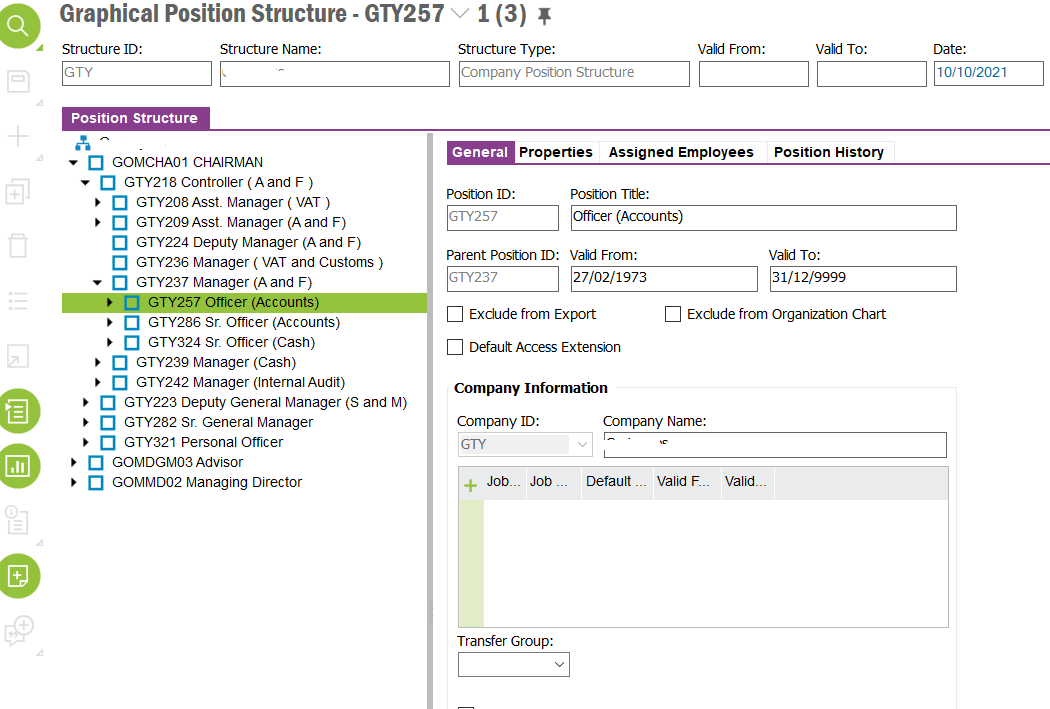
Some active employees are not showing Supervisor.  how can I resolve it guys?


Thanks in Advance

Saiful

Best answer by ADDMARIAE

Hi,


This also depends on the employee’s and manager’s organization assignments.

Does the manager / supervisor belong to the same organization as the employee? 

If the manager is assigned an organization unit above the employee’s - have you ticked the “Default Access Extension” on the supervisor’s position?


Regards,

Maria


View original
This topic has been closed for replies.

3 replies

ADDMARIAE
Superhero (Partner)
Forum|alt.badge.img+14
  • Superhero (Partner)
  • Answer
  • Oct 10, 2021 3:22 PM UTC

Hi,


This also depends on the employee’s and manager’s organization assignments.

Does the manager / supervisor belong to the same organization as the employee? 

If the manager is assigned an organization unit above the employee’s - have you ticked the “Default Access Extension” on the supervisor’s position?


Regards,

Maria


Forum|alt.badge.img+6
  • Do Gooder
  • Oct 11, 2021 6:14 AM UTC

Hi Saiful, 


Which Version of IFS that you are using? 

If it is IFS10, Check Supervisor - Access Set Up verify the Valid from and valid to Dates, also there is a background job  Refresh Access Cache Check the same it uses the method “Business_Unit_Relation_API.Refresh_Access_Cache”.


Do hide the SSN number as well, It is confidential. 


Thanks 

L P Reddy 


Dhananga Jayatilake
Hero (Employee)
Forum|alt.badge.img+7

Hi @saiful

In addition to position access, organizational structure too considered when supervisor is displayed in Employee File.

Supervisor should be assigned to an organization unit higher or in same level as the employee you are referring in (graphical) organizational structure.