Solved

Quick Absence- Status as Authorized

  • Jul 17, 2024 9:52 AM UTC
  • 5 replies
  • 114 views

Forum|alt.badge.img+8

Please advice whenever we are raising a quick absence is there any chance of keeping the status as Authorized?

 

Best answer by ADDMARIAE

HI,

Not sure if I understand 100% what you want to achieve but using Quick Absence with an absence type that is of “Requested type” means that you want to create an absence request that a manager should Approve / Authorize.

There is no setting that can make a request to go directly to Authorized state, it always requires approval. It can go directly to Authorized when Approved.

Do you mean you want to enter an absence directly - without approval by the manager?

In that case I would suggest either of the two:

  • Use an absence type that is not a requested one
  • Enter absence directly in Time Card / Absence instead of using “Quick absence”

Regards,

Maria


View original

5 replies

ADDMARIAE
Superhero (Partner)
Forum|alt.badge.img+14
  • Superhero (Partner)
  • Answer
  • Jul 17, 2024 11:58 AM UTC

HI,

Not sure if I understand 100% what you want to achieve but using Quick Absence with an absence type that is of “Requested type” means that you want to create an absence request that a manager should Approve / Authorize.

There is no setting that can make a request to go directly to Authorized state, it always requires approval. It can go directly to Authorized when Approved.

Do you mean you want to enter an absence directly - without approval by the manager?

In that case I would suggest either of the two:

  • Use an absence type that is not a requested one
  • Enter absence directly in Time Card / Absence instead of using “Quick absence”

Regards,

Maria


Forum|alt.badge.img+8
  • Author
  • Sidekick (Partner)
  • Jul 17, 2024 2:20 PM UTC

Thanks @ma13855 


It was Very helpful 

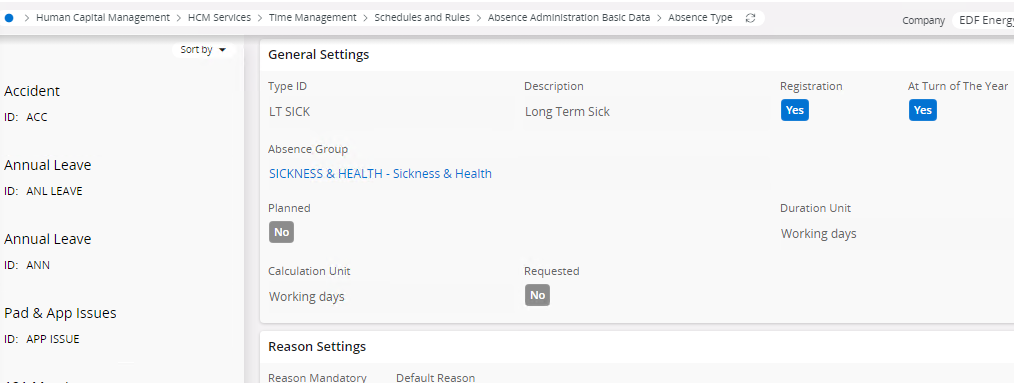
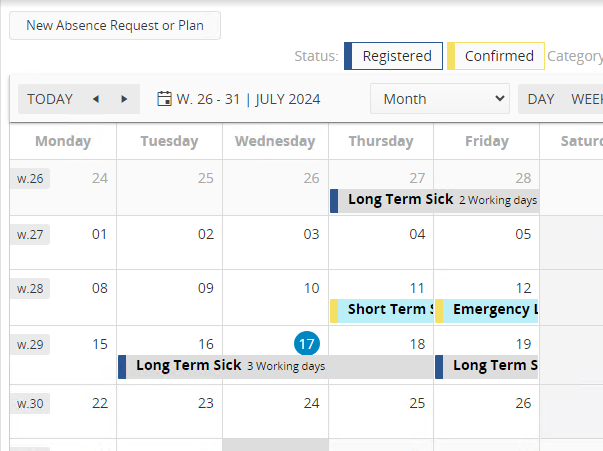
Here in my scenario i have created my absence type as “not requested” -- But when i apply leave using this absence type in quick absence my status is coming under Registered


Is Registered Status = Authorized status or Do need to do any kind of manual approval for making it Authorized 


ADDMARIAE
Superhero (Partner)
Forum|alt.badge.img+14
  • Superhero (Partner)
  • Jul 18, 2024 5:45 AM UTC

Hi,


Yes, then it is registered as an absence. Authorized only applies to Absence requests  (and of course in Time Card / Time registration when you Authorize the result there, but that’s not specifically for absence)

IF you have Time and Attendance association this should now also be in the employee’s time card / time registration


Regards,

Maria


Forum|alt.badge.img+8
  • Author
  • Sidekick (Partner)
  • Jul 18, 2024 9:12 AM UTC

@ADDMARIAE  Thanks a lot 


Forum|alt.badge.img+8
  • Author
  • Sidekick (Partner)
  • Sep 4, 2024 12:54 PM UTC

Thanks @ADDMARIAE 


How Can delete an absence when i applied Via Quick absence which is registered state how can i delete the absence or how can i stop the on going absence