Purchase Order Date Fields – Unexpected Date Changes

  • October 8, 2026
  • 1 reply
  • 52 views

Forum|alt.badge.img

Hello,

I am trying to understand the standard date logic in the Purchase Order screen.

In our Purchase Order Line screen, we have the following date fields:

  • "Wanted Delivery Date"
  • "Planned Receipt Date"
  • "Planned Delivery Date"
  • "Promised Delivery Date"

I noticed the following behavior:

  • When I change "Wanted Delivery Date", "Planned Receipt Date", "Planned Delivery Date", and "Promised Delivery Date" also change.
  • When I change "Planned Receipt Date", "Planned Delivery Date", "Wanted Delivery Date", and "Promised Delivery Date" also change.
  • When I change "Planned Delivery Date", "Planned Receipt Date" changes.

As far as I understand, these are standard IFS fields, and there does not appear to be any conditional field/customization causing this behavior.

My main question is: Why does changing "Planned Receipt Date" cause "Wanted Delivery Date" to change as well? What is the standard IFS logic or calculation behind the relationship between these dates?

This creates a problem for our purchasing process because "Wanted Delivery Date" represents the date requested by the planning/user, and we would like to preserve that original requested date. If a purchaser changes the planned date based on supplier information, we do not want the planning/requested date to be changed automatically.

Is this standard behavior in IFS? If so, is there a standard configuration or parameter that controls this relationship, or would this require customization?

Thank you.

1 reply

Forum|alt.badge.img+10
  • Hero (Employee)
  • October 8, 2026

Hi ​@furkancelik  I created a Purchase Order in a CORE APP10 environment.  I changed the different dates to confirm that I’m seeing the same results that you’re seeing.


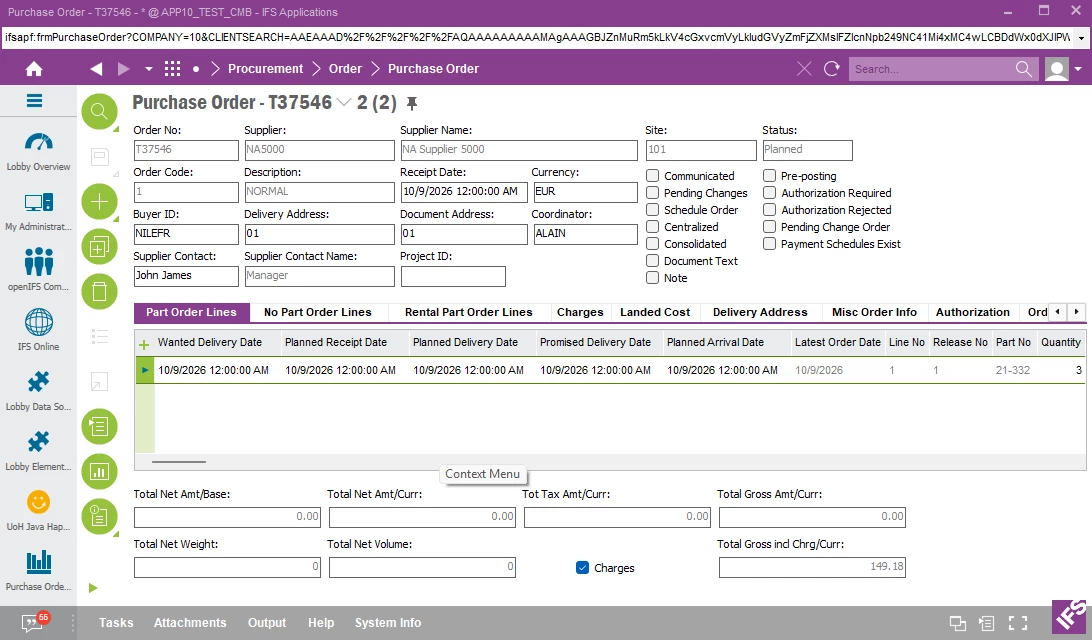
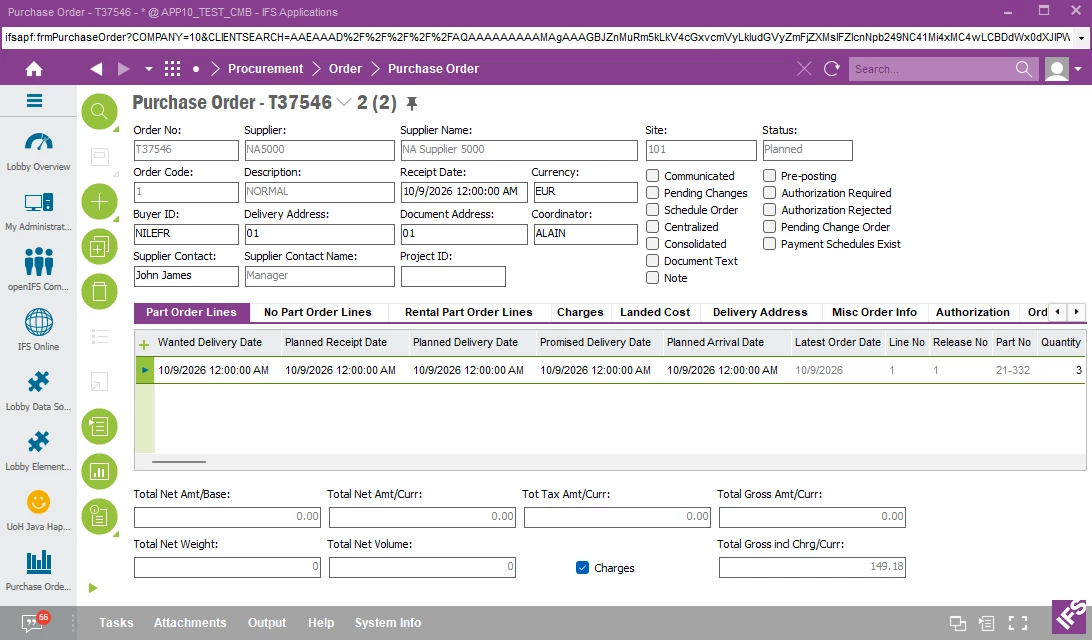
The Header Receipt Date is showing 10/9/2026.  All of the Line Dates are pulled from the Header Date.


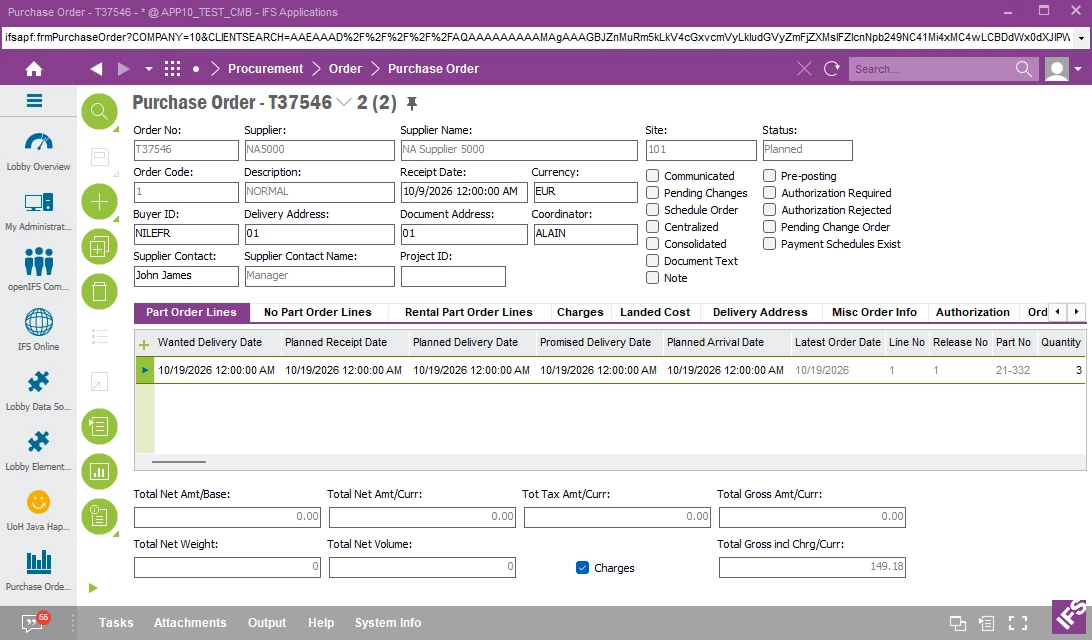
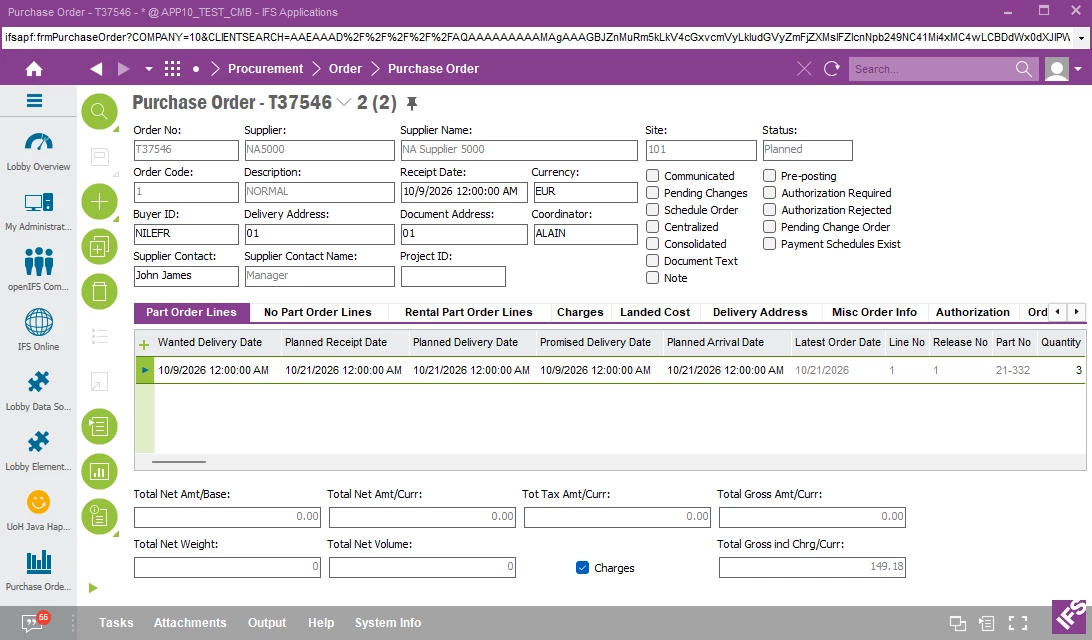
Changing the Wanted Delivery Date on the Line, changes all of the other dates on the line.


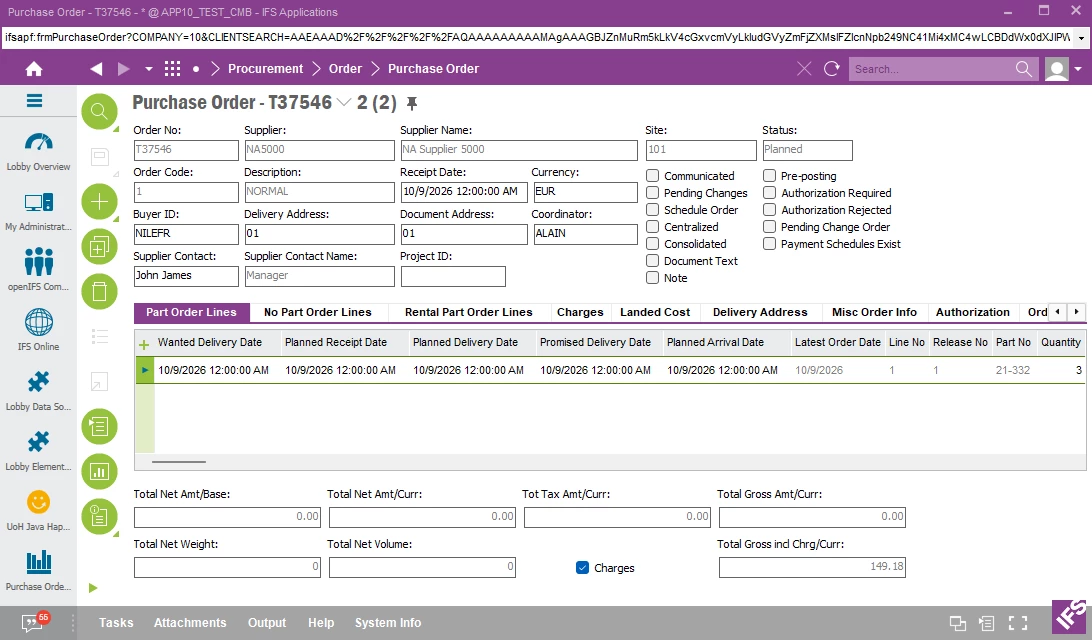
Before changing the Planned Receipt Date, I’m going to change the Wanted Delivery Date back to 10/9/2026.  All dates are showing 10/9/2026.


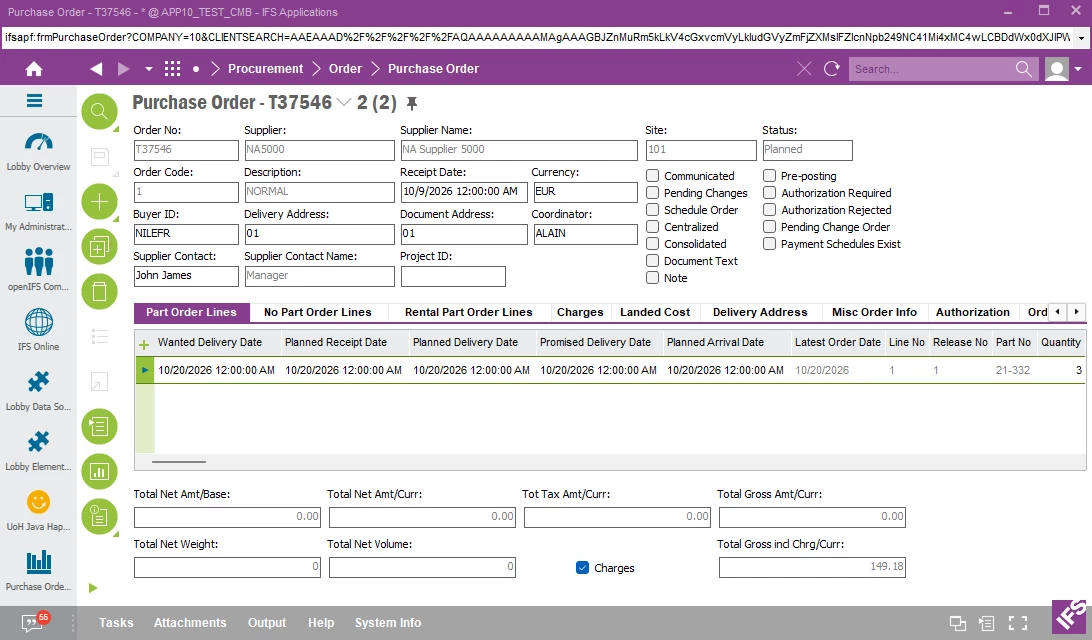
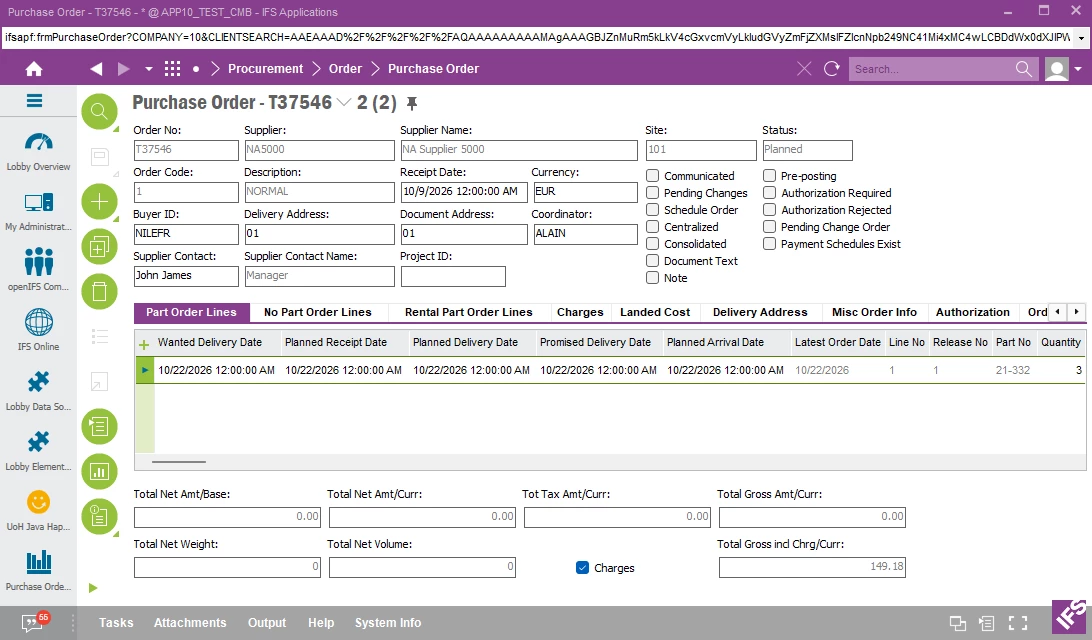
Changing the Planned Receipt Date on the Line, changes all of the other dates on the line.


Before changing the Planned Delivery Date, I’m going to change the Planned Receipt Date back to 10/9/2026.  All dates are showing 10/9/2026.


Changing the Planned Delivery Date on the Line, changes the Planned Receipt Date and the Planned Arrival Date.


The Promised Delivery Date - You cannot manually change the value in this field. To change the value, use the menu option Confirm with Differences in the order header.


Changing the Planned Arrival Date on the Line, changes all of the other dates on the line.


I searched in our knowledge database and received the following response -


“

Based on the IFS content I found, the most likely explanation is that the Wanted Delivery Date and Planned Receipt Date are not independent dates. They participate in IFS date recalculation logic that uses purchasing lead times and transportation times to keep supply and demand dates synchronized..


Additional procurement documentation states that the various lead time elements (supplier manufacturing lead time, external transport lead time, internal transport lead time, and inspection lead time) are used by IFS to automatically calculate dates when Purchase Requisitions and Purchase Orders are entered.

Why the Wanted Delivery Date changes

If the PO line is connected to demand (for example MRP, a requisition, direct delivery, internal supply, etc.), changing the Planned Receipt Date can trigger a recalculation of related dates. During that recalculation, IFS uses the configured lead times and attempts to keep the supply chain dates consistent.


Based on my testing and the information I found, the system is working by design.  Instead of a MOD to not have the Wanted Delivery Date updated when the Planned Receipt Date is updated, I would suggest using a Custom Field to hold the original Wanted Delivery Date.


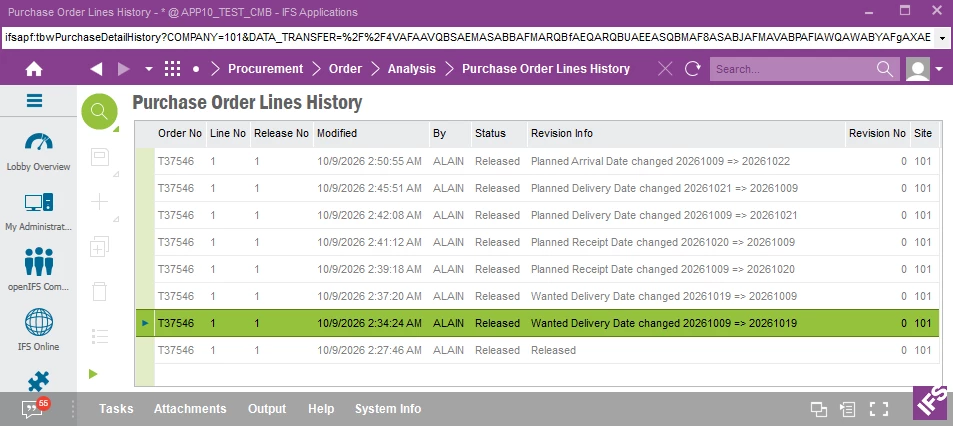
This is also maintained in the Purchase Order Lines History.  The highlighted line is the first time that the Wanted Delivery Date was changed.


I hope this information helps.  Please advise if you have any questions.  Thanks!  Jane