



Solved

Issue Loading Files into IFS Configuration Analyzer

  • July 31, 2025
  • 1 reply
  • 45 views

JHOKORREC
Do Gooder (Customer)
Forum|alt.badge.img+2

Hi, I want to perform a Configuration Analysis to identify impacted configurations. I have followed the official guidance and successfully installed the Configuration Analyzer. I have also downloaded the InterfaceReports.ifr file and connected it to the tool.

I ran the Configuration Extractor and saved the exported files locally on my PC without making any changes to them.
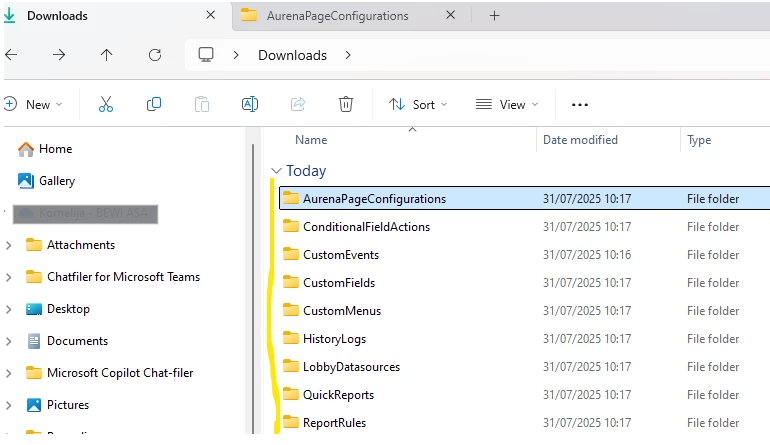
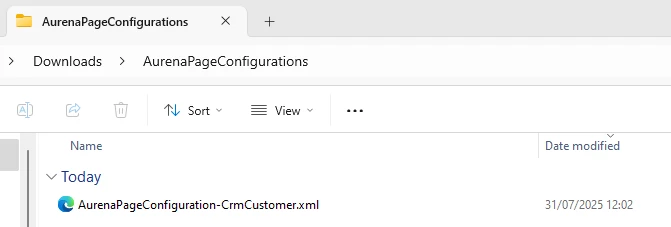
However, I am unable to load these files into the Configuration Analyzer.

Each time I try, I receive the following error messages:

 

What is required in order to successfully load the exported files from IFS into the Configuration Analyzer?

Best answer by JHOKORREC

Case Update – Issue Resolved

I managed to resolve the issue. The problem was that I had not created a dedicated folder to contain all the exported subfolders from the Configuration Extractor. Once I placed all the configuration folders inside a single parent folder and selected that directory (not a ZIP file), I was able to successfully load the files into the Configuration Analyzer.

The case can now be closed.

1 reply

JHOKORREC
Do Gooder (Customer)
Forum|alt.badge.img+2
  • Author
  • Do Gooder (Customer)
  • Answer
  • July 31, 2025

Case Update – Issue Resolved

I managed to resolve the issue. The problem was that I had not created a dedicated folder to contain all the exported subfolders from the Configuration Extractor. Once I placed all the configuration folders inside a single parent folder and selected that directory (not a ZIP file), I was able to successfully load the files into the Configuration Analyzer.

The case can now be closed.