Solved

Is it possible to Change Customer on Supplier Purchase Tab?

  • April 6, 2026
  • 4 replies
  • 49 views

Forum|alt.badge.img+10

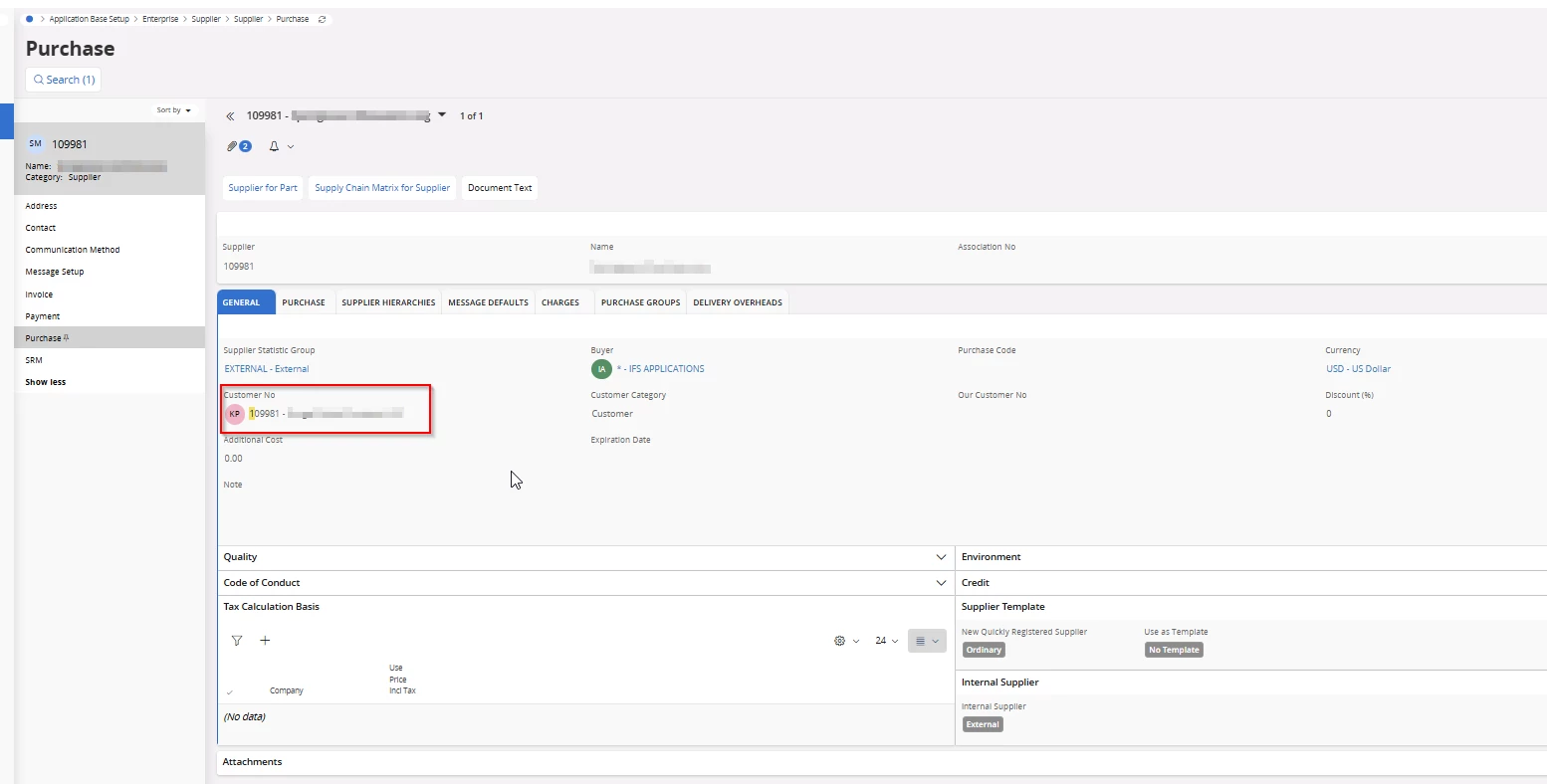
We need to change the Customer No on the Supplier Purchase General tab.

Not seeing the edit on there.

Is is possible and If so what are the steps to do this?
 

Best answer by KethakaG

Hi ​@chajash ,

If you are using App Owner profile and still cannot edit the Customer No field, there could be a possibility that a customization is involved.

Please check with a different Supplier and also please check whether you can change any other field in this tab, for example, Buyer or Supplier Statistic Group.

Regards,
Kethaka

4 replies

KethakaG
Superhero (Employee)
Forum|alt.badge.img+14
  • Superhero (Employee)
  • April 7, 2026

Hi ​@chajash ,

Looking at your screenshot, I believe you were referring to IFS Cloud even though the post is tagged under IFSAPP10.

I have checked in standard reference environments of both Apps 10 Aurena and IFS Cloud (latest track) and found that the ‘Customer No’ could be edited without an issue. However, the selected Customer must not be connected to another Supplier and the Customer record must contain delivery address with order specific attributes specified.

If you do not see the edit option or the Customer No cannot be changed directly from its field, I suspect it is due to the lack of permission for your user. Kindly contact a super-user (a user with high level of access) or a system administrator and check the behaviour from their profile. If that is the case, you may have to request the necessary permission to be added to your profile.

Regards,
Kethaka


Forum|alt.badge.img+10
  • Author
  • Hero (Customer)
  • April 7, 2026

@KethakaG 


Sorry yes, chose the wrong tag...it is Cloud 24r2

I am using AppOwner and still not able to change.  I will check the customer and see if there is an address...etc.


KethakaG
Superhero (Employee)
Forum|alt.badge.img+14
  • Superhero (Employee)
  • Answer
  • April 10, 2026

Hi ​@chajash ,

If you are using App Owner profile and still cannot edit the Customer No field, there could be a possibility that a customization is involved.

Please check with a different Supplier and also please check whether you can change any other field in this tab, for example, Buyer or Supplier Statistic Group.

Regards,
Kethaka


Forum|alt.badge.img+10
  • Author
  • Hero (Customer)
  • April 16, 2026

@KethakaG Yes there was some Crudactions made for that tab.  Edit was not enabled.


Thanks for your help.