Question

Integrate a csv file of movement of stock in IFS using IFS connect

  • May 6, 2026
  • 3 replies
  • 29 views

Forum|alt.badge.img+8

Hi,

Is is possible to integrate a csv file with using IFSconnect to import in ifs

stock entry movement and stock issue movement ?

Br,

Julien.

 

3 replies

Forum|alt.badge.img+12
  • Hero (Partner)
  • May 7, 2026

IFS Connect is a really broad terminology. Within IFS Connect there are multiple different functionality.

Ex: FTP Readers/Senders, Mail Readers / Senders etc.

If your requirement is to simply automate a .csv file to perform a stock entry, stock issue, yes it is possible.
The simplest form to automate is to create scheduled migration job/s where the file is picked from a server location (note: the file name should be fixed). And your .csv file needs to be dropped (saved) in to the said server location (you may need FTP to do this).

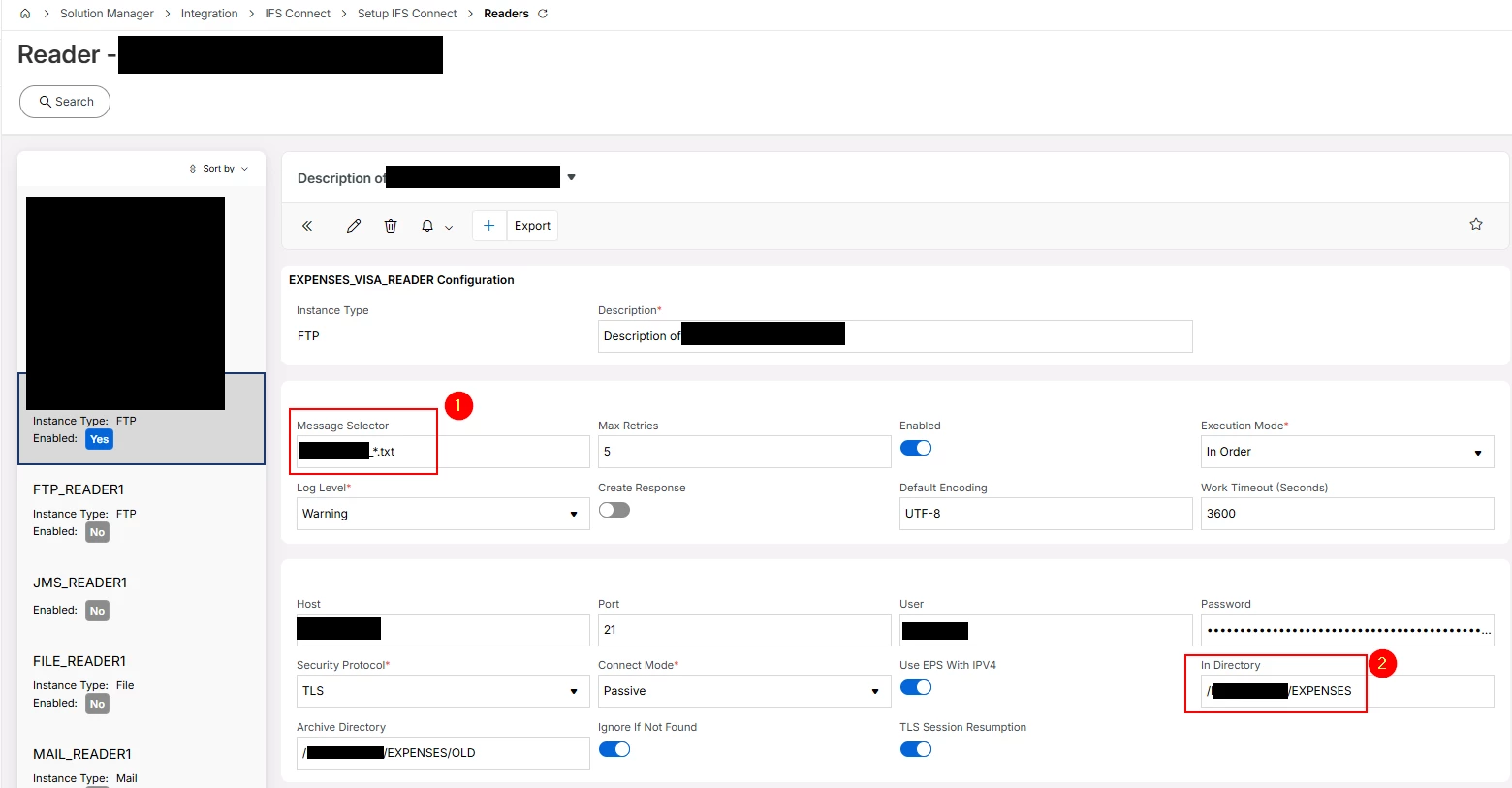
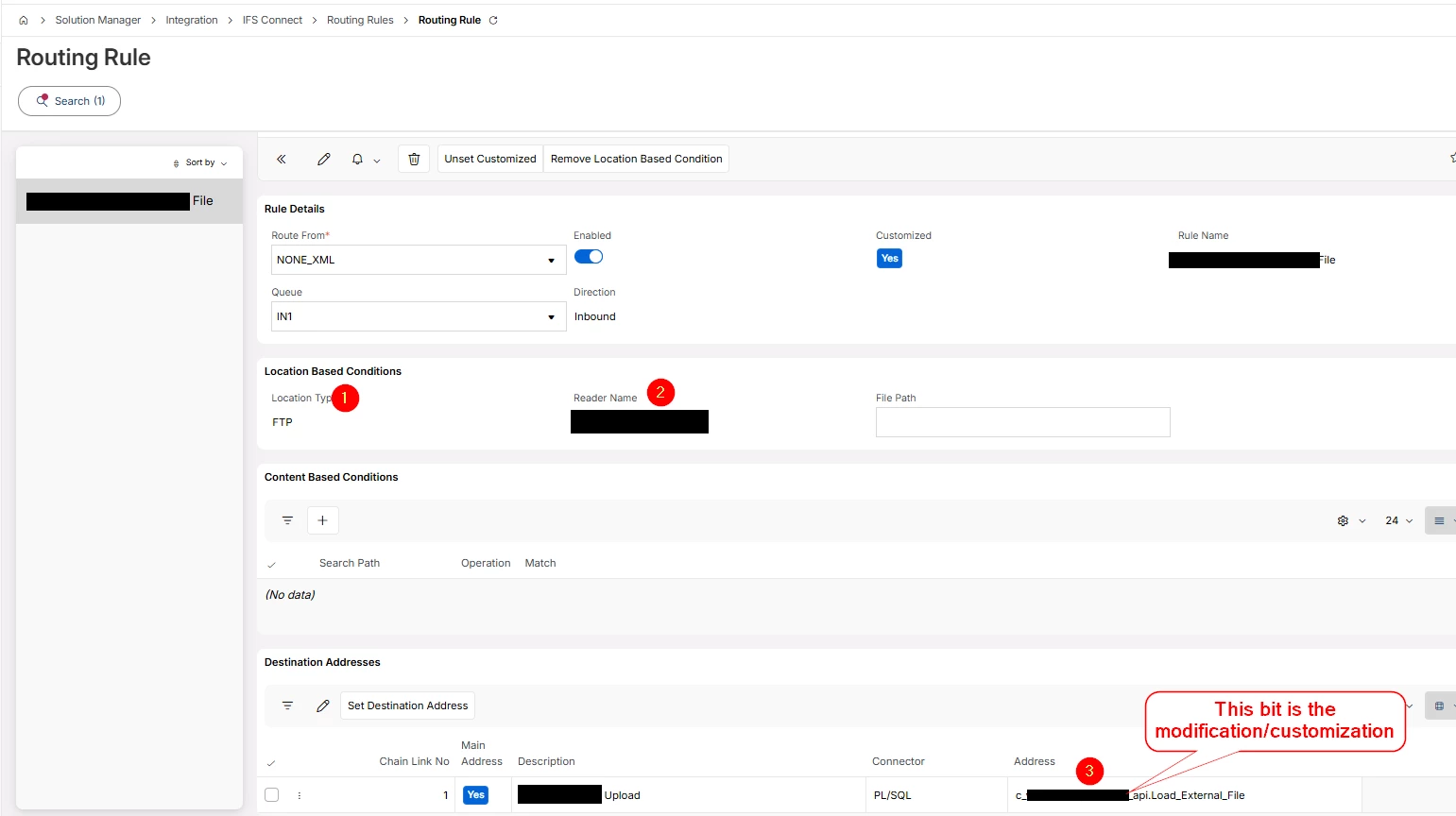
Else, if you create an FTP reader (IFS Connect), the .csv file can be read by the FTP reader and will be loaded to IFS as an application message, now you would need a Routing Rule which will filter out and read the application message and perform the routing. At this point you will need to (most likely) a customized API to perform the Stock Entry or Stock Issue.

Direct Message me if you need more info.


Cheers!


Malik


Forum|alt.badge.img+8
  • Author
  • Sidekick (Customer)
  • May 7, 2026

Hi ​@malik.sally ,

Thnak you for your answer.

If i retain the second way you proprose by “IFS connect” and application message, where can I describe the csv file ?


Forum|alt.badge.img+12
  • Hero (Partner)
  • May 7, 2026

You will have to define an FTP reader.


Which will create an application message.


Then you have to create the Routing Rule