Solved

I would like to identify the cause of an issue where an Incoming Customer Order is not created after sending a Purchase Order.

  • August 7, 2026
  • 9 replies
  • 106 views

Forum|alt.badge.img+1

【Issue】
I executed "Send Order" for a released Purchase Order.

The following behavior was confirmed:

  • The Send Order process completes successfully.
  • "Order Sent" is recorded in the Purchase Order history.
  • However, no data is displayed in the Incoming Customer Order screen.

In addition, I confirmed that no Application Message is created after sending the order.

【Environment】
IFS Cloud 26R1

【Background】
The same inter-site purchase order flow works correctly in another environment, and the Incoming Customer Order is created successfully.

The current environment was newly built, so I suspect that some fundamental configuration or prerequisite setting may be missing.

【Settings already checked】
The following settings have already been verified:

  • System Parameters
  • Connectivity Installation Site settings
  • Connectivity Message Receiver settings
  • Customer settings
  • Supplier settings
  • Site-to-Site Supply Chain Parameters

【Question】
If an Application Message is not generated, are there any additional settings or prerequisites that should be checked?

In particular, I would appreciate any information regarding the required configuration for generating an Application Message when sending an inter-site Purchase Order.

Best answer by Marcel.Ausan

@akahirat you need to enable the inbox/outbox connectivity processes. These processes are responsible for kicking off the background jobs that would process inbox/outbox messages that get created during the interco process.


9 replies

Marcel.Ausan
Ultimate Hero (Partner)
Forum|alt.badge.img+22
  • Ultimate Hero (Partner)
  • Answer
  • August 7, 2026

@akahirat you need to enable the inbox/outbox connectivity processes. These processes are responsible for kicking off the background jobs that would process inbox/outbox messages that get created during the interco process.


PRODQ
Superhero (Customer)
Forum|alt.badge.img+18
  • Superhero (Customer)
  • August 7, 2026

It’s likely something more technical (not my forte) but if it’s working for other sites that would suggest not? Have you checked the Background Jobs?  Is the part set up on both sites?  Are the sites set up with the respective Inter-Site settings?

Message Defaults?

Message setup on customer/supplier?


Forum|alt.badge.img+1
  • Author
  • Do Gooder (Partner)
  • August 7, 2026

@akahirat you need to enable the inbox/outbox connectivity processes. These processes are responsible for kicking off the background jobs that would process inbox/outbox messages that get created during the interco process.


Thank you for your reply.
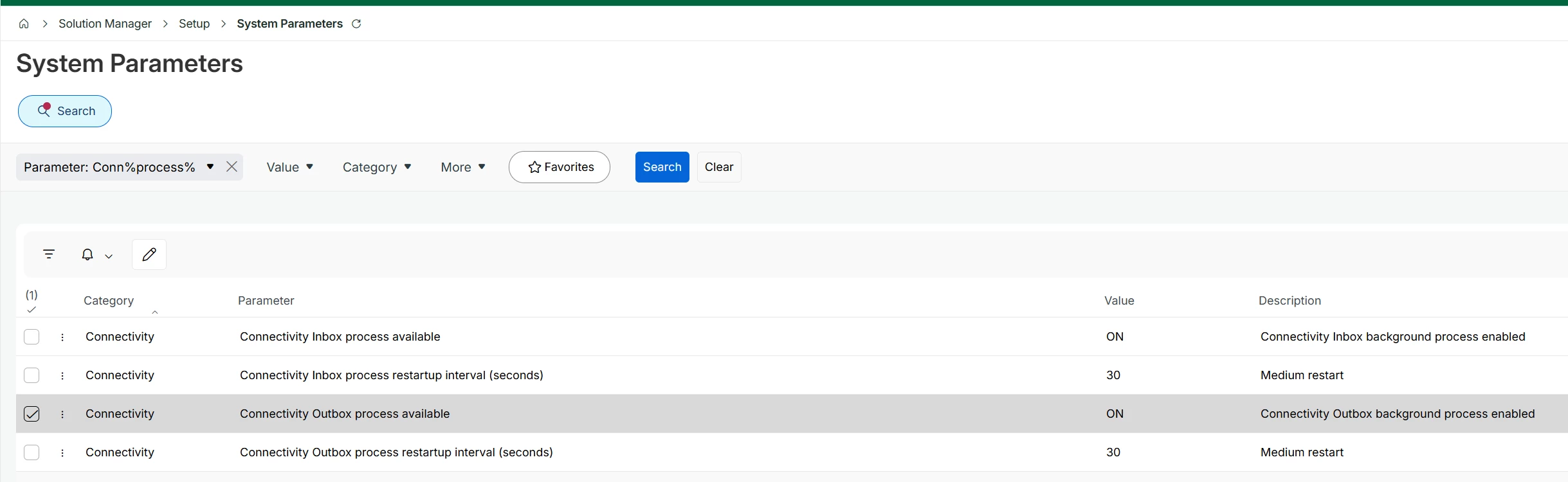
The issue occurred while the relevant system parameter setting was already set to ON.


Forum|alt.badge.img+1
  • Author
  • Do Gooder (Partner)
  • August 7, 2026

It’s likely something more technical (not my forte) but if it’s working for other sites that would suggest not? Have you checked the Background Jobs?  Is the part set up on both sites?  Are the sites set up with the respective Inter-Site settings?

Message Defaults?

Message setup on customer/supplier?


Thank you for your reply.

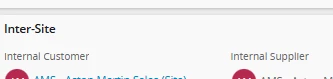
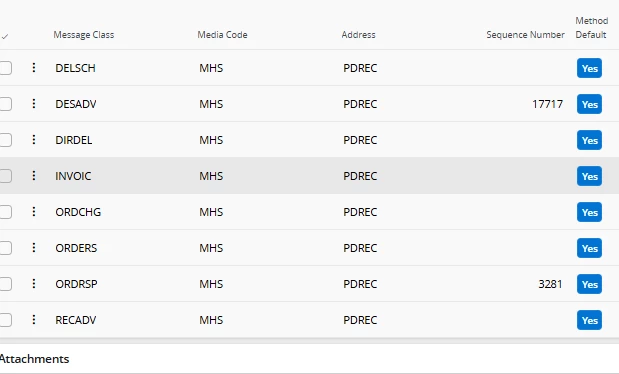
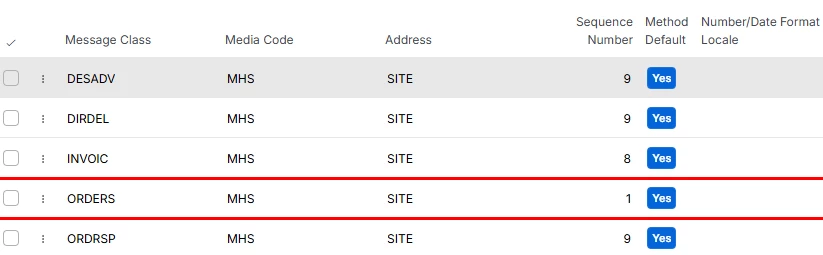
Even with the following settings, when I execute "Send Order" from a released purchase order, no data is created in Incoming Customer Orders.

I checked the Background Jobs, but there were no relevant records.

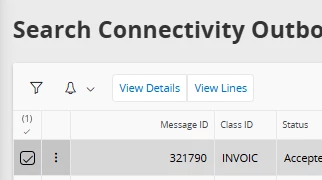
However, there is a record in the Connectivity Outbox Message Search, and the status is shown as "Posted".

The part is correctly registered and enabled on both the ordering site and the receiving site.

I have also checked the Inter-Site settings, and there were no issues.


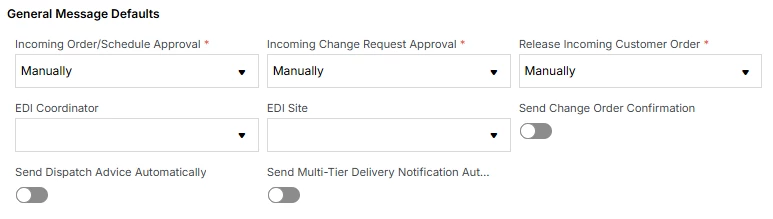
The default message settings are as follows:


The customer message has already been configured.


Marcel.Ausan
Ultimate Hero (Partner)
Forum|alt.badge.img+22
  • Ultimate Hero (Partner)
  • August 7, 2026

@akahirat so the flow is the following:


Send PO → Outbox Message created → Background job processing the Oubox Message → Application Message is created → Connectivity Inbox Message created for Incoming CO


So, if the Outbox message is created, and the connectivity outbox/inbox processes are enabled, you need to check the Background Job. I bet there is an error in the background job that is trying to process the Outbox Message.


PRODQ
Superhero (Customer)
Forum|alt.badge.img+18
  • Superhero (Customer)
  • August 7, 2026

Are there any clues on the Details/Lines of the Posted message in Connectivity Outbox Msg?  


Forum|alt.badge.img+1
  • Author
  • Do Gooder (Partner)
  • August 17, 2026

Are there any clues on the Details/Lines of the Posted message in Connectivity Outbox Msg?  


Thank you for your reply.

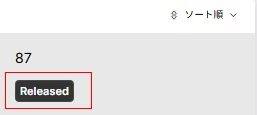
When we click “Details”, the status is displayed as Released, and the line items are in the Transferred status with no errors.


Forum|alt.badge.img+1
  • Author
  • Do Gooder (Partner)
  • August 17, 2026

@akahirat so the flow is the following:


Send PO → Outbox Message created → Background job processing the Oubox Message → Application Message is created → Connectivity Inbox Message created for Incoming CO


So, if the Outbox message is created, and the connectivity outbox/inbox processes are enabled, you need to check the Background Job. I bet there is an error in the background job that is trying to process the Outbox Message.

Thank you for your reply.

I checked the background jobs, but there were no errors, and there was no data related to the transaction in question.


PRODQ
Superhero (Customer)
Forum|alt.badge.img+18
  • Superhero (Customer)
  • August 17, 2026

@akahirat so the flow is the following:


Send PO → Outbox Message created → Background job processing the Oubox Message → Application Message is created → Connectivity Inbox Message created for Incoming CO


So, if the Outbox message is created, and the connectivity outbox/inbox processes are enabled, you need to check the Background Job. I bet there is an error in the background job that is trying to process the Outbox Message.

Thank you for your reply.

I checked the background jobs, but there were no errors, and there was no data related to the transaction in question.

You may have done this already but did you make sure three were no other filters when you queried the Background Jobs.  I’ve been caught out a number of times thinking there were no records only to find I had a date filter on...