How to restrict Visibility of Requisitions in IFS based on User/Department?

  • September 24, 2026
  • 3 replies
  • 37 views

Forum|alt.badge.img

Hi Everyone,


We want to restrict the visibility of Purchase Requisitions / Material Requests created in IFS so that they are not accessible by every department. Currently, users across different departments can view requests created by others, which we want to prevent.


Could you please advise on the best practice or recommended approach to achieve this in IFS Applications / IFS Cloud?


Any guidance, documentation, or examples on how you have configured similar department-level restrictions would be greatly appreciated.


Thanks in advance!

3 replies

Forum|alt.badge.img+12
  • Hero (Customer)
  • September 24, 2026

Out of the box I do not believe there is a way so would be interested to hear if any other customers have found a solution or if IFS will do an enhancement in the future.   We are on 24R1.  This would also apply for purchase orders/po lines forms.  Would be a nice option in security to further refine Site access.     My only thought would be by a custom mod in the code to restrict seeing purchase requisition, purchase requisitions, purchase requisition lines where user’s requisitioner “DEPT” <> “DEPT” on the req but that’s 3 mods having to maintain through updates/releases.  Not ideal. Also note, you may be concerned with preposting too.   Account/ cc is not “Site” based.   We have custom events in place to prevent preposting to other cost cent’s the user shouldn’t be coding to. ie: The “combination rule” form set up doesn’t stop the user early enough in the process and results in “clean up” after the fact,  so we have a custom event to hard stop them to avoid this.  


Forum|alt.badge.img+1
  • Do Gooder (Partner)
  • September 24, 2026

​@Rcoubrou this happens to be a common use case for our Novacura Flow customers. Basically instead of a custom mod you would just re-draw your process in Flow and assign permissions / visibility there. I haven’t seen another solution besides custom code. 


Abdul
Superhero (Partner)
Forum|alt.badge.img+20
  • Superhero (Partner)
  • September 24, 2026

Hi all,

I believe Access Control List has potential to fulfill this requirement.

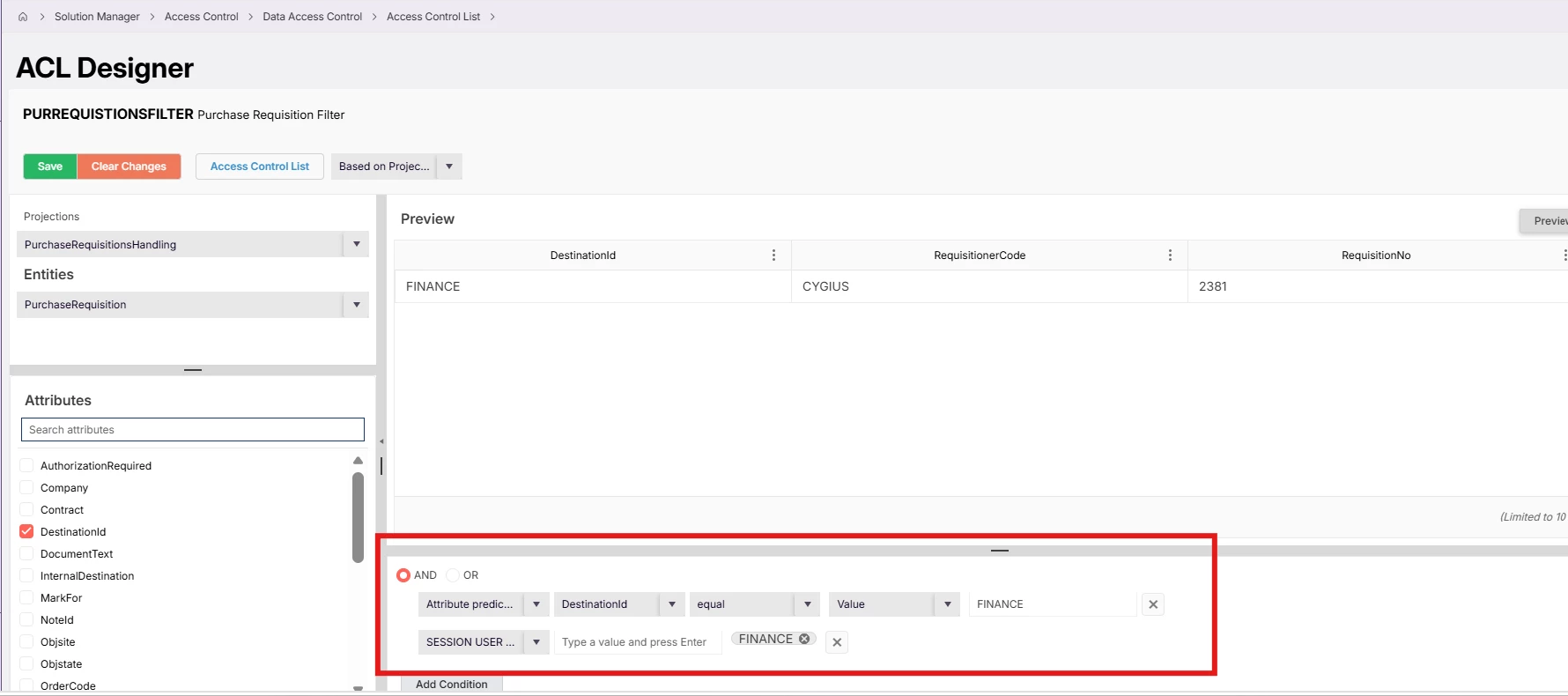
Configured a Projection based ACL for Purchase Requisitions screen with two conditions, though, some challenges are there for Purchase Requisition screen.

Create Destination Id and User Group (not Finance User Group) for each department.

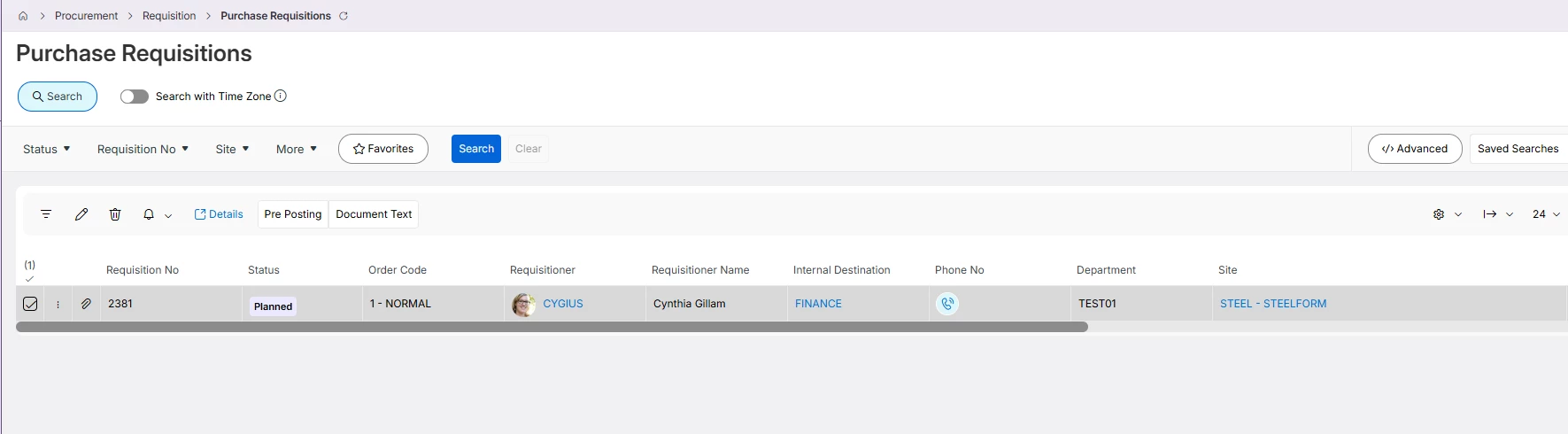
Once ACL Published, Finance User Group users will only have access for Purchase Requisition having Destination set to Finance.

likewise, multiple ACLs can be configured for each Department based on Destination and User Group.

Same setup is not working for Purchase Requisition screen since PurchaseRequisition entity is not available for PurchaseRequisitionHandling, not sure why.