

Solved

Doc Attachment Aurena

  • November 7, 2023
  • 4 replies
  • 192 views

MIMLFULK
Hero (Customer)
Forum|alt.badge.img+8

I am struggling finding exactly how to grant document attachemtnt o a permissions set in Aurena.


I personally have the option as I have Full access in Aurena


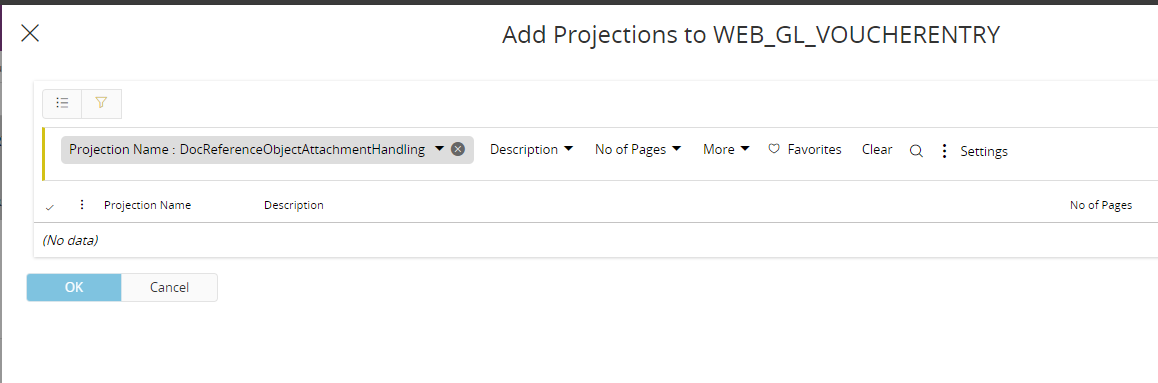
I have read articles that indicate the need to add the DocReferenceObjectAttachmentHandling projection. for Document attachments and for media grant the MediaLibraryAttachmentHandling projection; however, when I search for this specific projection to add to the permission set in question I get a result of (No Data)


Any help on this bit would be greatly appreciated.

Best answer by MIMLFULK

@Marcel.Ausan - I think the issue is I’m in Aurena and not on Cloud yet. I have a feeling I have to have the Object Connections set up in IEE first

4 replies

debber24
Do Gooder (Customer)
Forum|alt.badge.img+1
  • Do Gooder (Customer)
  • November 7, 2023

Have you tried DocRequirementObjectAttachmentHandling? 


MIMLFULK
Hero (Customer)
Forum|alt.badge.img+8
  • Author
  • Hero (Customer)
  • November 7, 2023

@debber24 that still didn’t work - I’ve event tried to confirm Object Connections in Aurena are the same but I dont even have that page (Solutions Manager - Object Connections - Object Connections) in my navigation options for granting permissions.


Marcel.Ausan
Ultimate Hero (Partner)
Forum|alt.badge.img+22
  • Ultimate Hero (Partner)
  • November 8, 2023

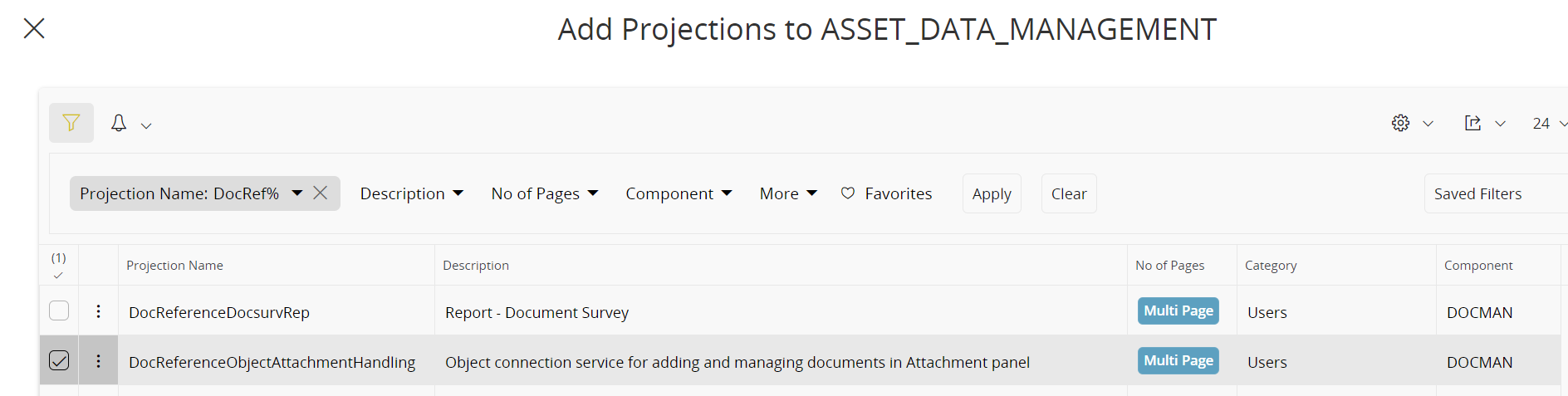
@MIMLFULK when I debugged this in Cloud 23R1 SU4 I can see that the projection used is 

  • DocReferenceObjectAttachmentHandling

And indeed it’s available to be assigned:


MIMLFULK
Hero (Customer)
Forum|alt.badge.img+8
  • Author
  • Hero (Customer)
  • Answer
  • November 10, 2023

@Marcel.Ausan - I think the issue is I’m in Aurena and not on Cloud yet. I have a feeling I have to have the Object Connections set up in IEE first