Answer

Change Application 10 Language

  • June 22, 2024
  • 5 replies
  • 236 views

Forum|alt.badge.img+1


Hello everyone 

I’m fairly new to IFS and I was wondering if I could change the IFS Language so I did some digging and followed kind people's instructions.

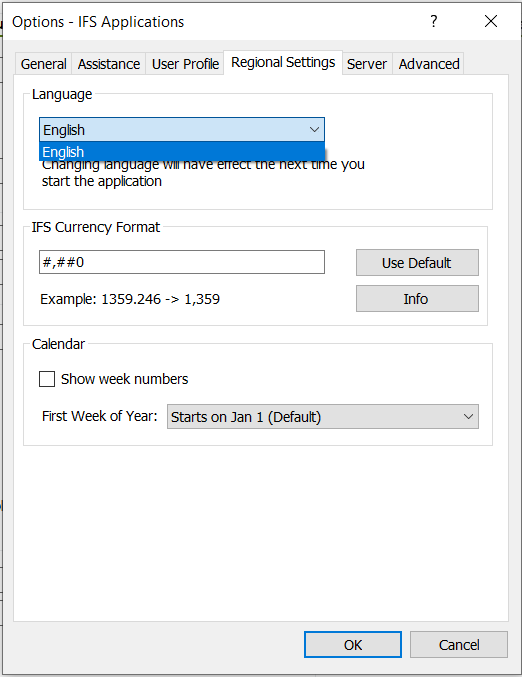
after making some changes, I could change the language in Aurena and translate the text accordingly. Still, in the application in the “option > Regional setting,” I only have the English option. 

i cant find the solution on the web so please help me in this regard .

Aurena

Application 10 
 

Best answer by Eugene Wager

To add to what @andjor has correctly stated, the language pack(s) for desired language(s) may be requested as a delivery from IFS.  When this delivery has been received it can be deployed in the same manner as any other Apps 10 delivery.  Once deployed your IFS instance should then be ready to do as @samila has previously mentioned.

Eugene Wager, IFS Unified Support

5 replies

Forum|alt.badge.img+4
  • Sidekick (Partner)
  • June 24, 2024

Hi,

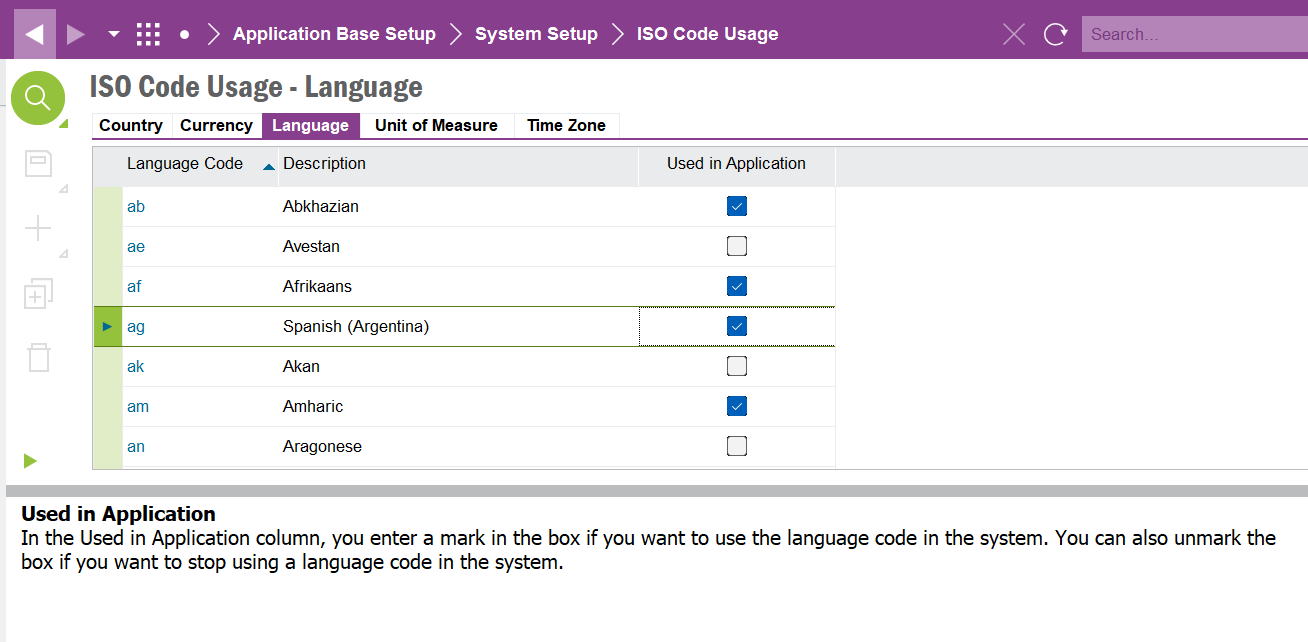
You may try enabling those languages in ISO code usage. Refer below screen preview for easy reference. 


  • June 24, 2024

The language pack must be also installed, that you can change the language.


Forum|alt.badge.img+7
  • Sidekick (Employee)
  • Answer
  • June 24, 2024

To add to what @andjor has correctly stated, the language pack(s) for desired language(s) may be requested as a delivery from IFS.  When this delivery has been received it can be deployed in the same manner as any other Apps 10 delivery.  Once deployed your IFS instance should then be ready to do as @samila has previously mentioned.

Eugene Wager, IFS Unified Support


Forum|alt.badge.img
  • Do Gooder (Customer)
  • November 18, 2025

hi all! thank you for sharing this. is this sensitive to update in a live environment or does it not have a direct impact during operation hours?


Forum|alt.badge.img+7
  • Sidekick (Employee)
  • November 19, 2025

Adding of additional language translations should be done during an application outage, i.e. during a maintenance window.  This applies to the delivery installation instructions mentioned above.  Once the delivery(ies) has / have ben deployed it may be possible to do the enabling mentioned in the above reply by @samila in real time.  The user would need to have access to the ISO Code Usage - Language screen and tab, of course.

After such changes have been made have users log out and then log back in to allow them to “see” the changes for languages.