Solved

API to create items in a sales contract from a CRM

  • April 1, 2026
  • 15 replies
  • 128 views

Forum|alt.badge.img+8

Is there an API that allow to create items in a sales contract ?

I search in the API explorer but I don’t find anything.

BR.

Julien.

Best answer by Tharshan SM

Hi ​@Julien T. ,

You need to navigate to the API Doc Viewer page.
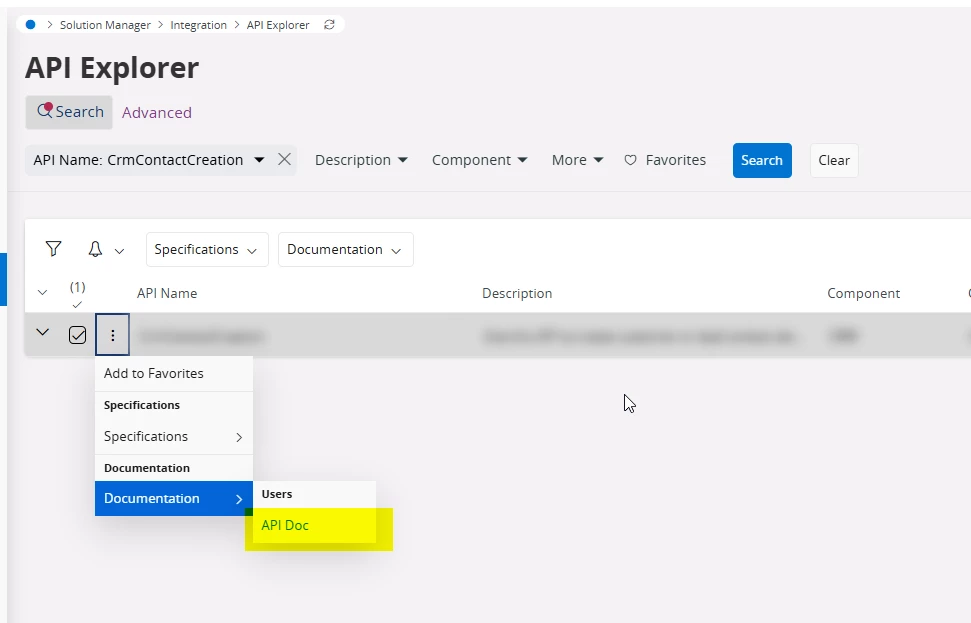
 

Regards

15 replies

Tharshan SM
Do Gooder (Customer)
Forum|alt.badge.img+4
  • Do Gooder (Customer)
  • April 2, 2026

Hi ​@Julien T. ,

All the business operations performed in IFS Cloud are executed through REST API calls. Sometimes it can be tricky to find the exact API endpoint using the API Explorer. The best method is to open the browser's debug console, navigate to the IFS Cloud Add-on tab, and monitor the corresponding API calls while performing the operation in IFS Cloud.

Regards


Forum|alt.badge.img+8
  • Author
  • Sidekick (Customer)
  • April 7, 2026

Hi ​@Tharshan SM,

I am working with IFS V10. 

Do you have an idea how i can create items in a sales contract using REST API ?

I am looking in sqldevelopper and in API Explorer but i don’t find.

BR.

Julien.


Tharshan SM
Do Gooder (Customer)
Forum|alt.badge.img+4
  • Do Gooder (Customer)
  • April 8, 2026

Hi ​@Julien T. ,

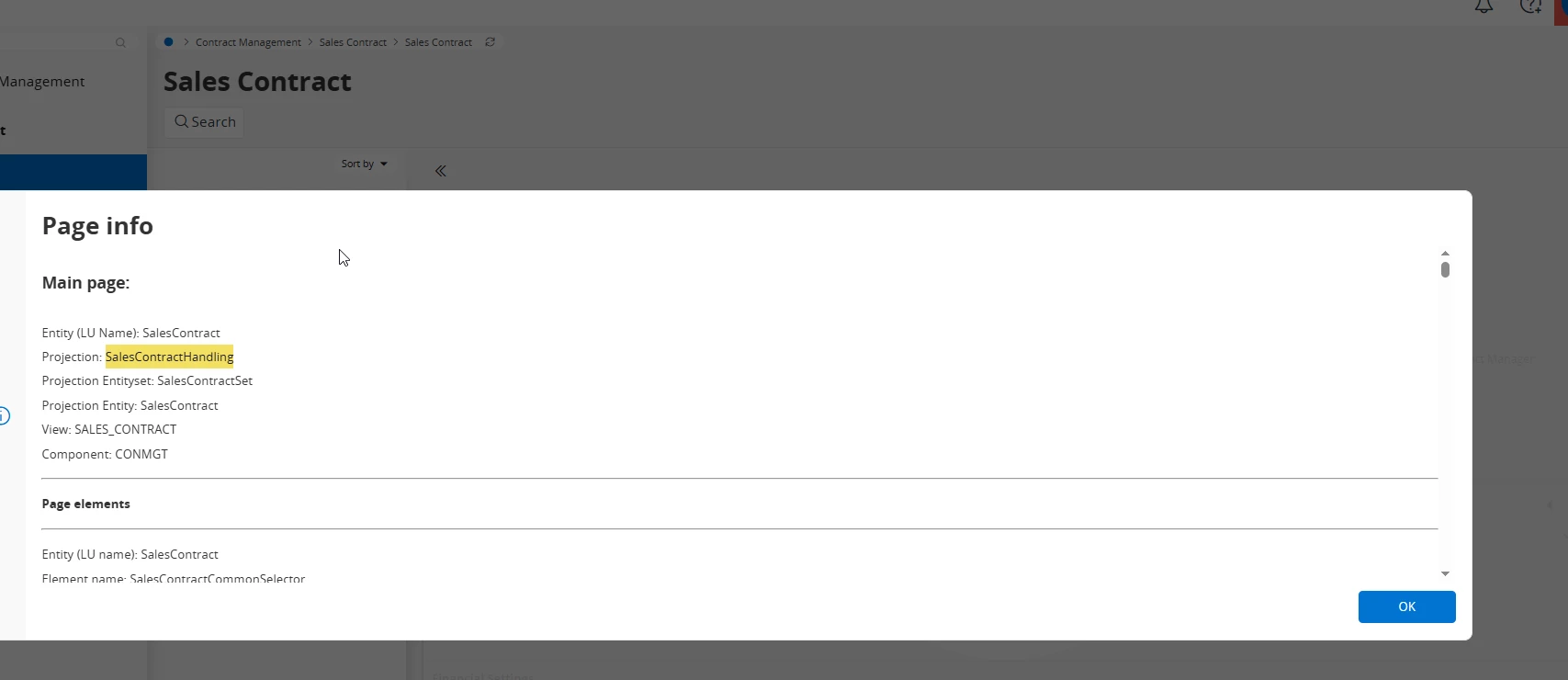
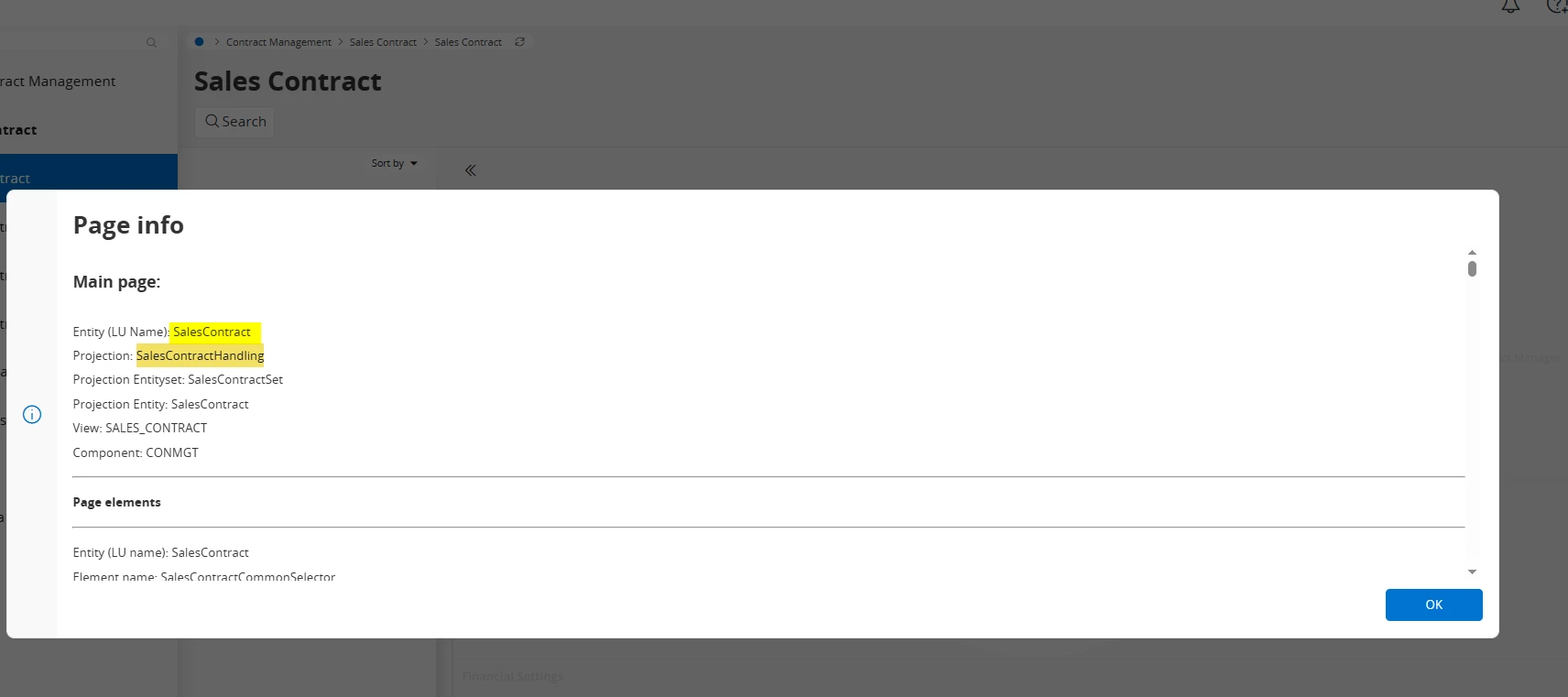
Please find the details below. Since my IFS version is 25R1, hopefully the page will be the same for you as well. First you need to find the projection and check it in the API Explorer.

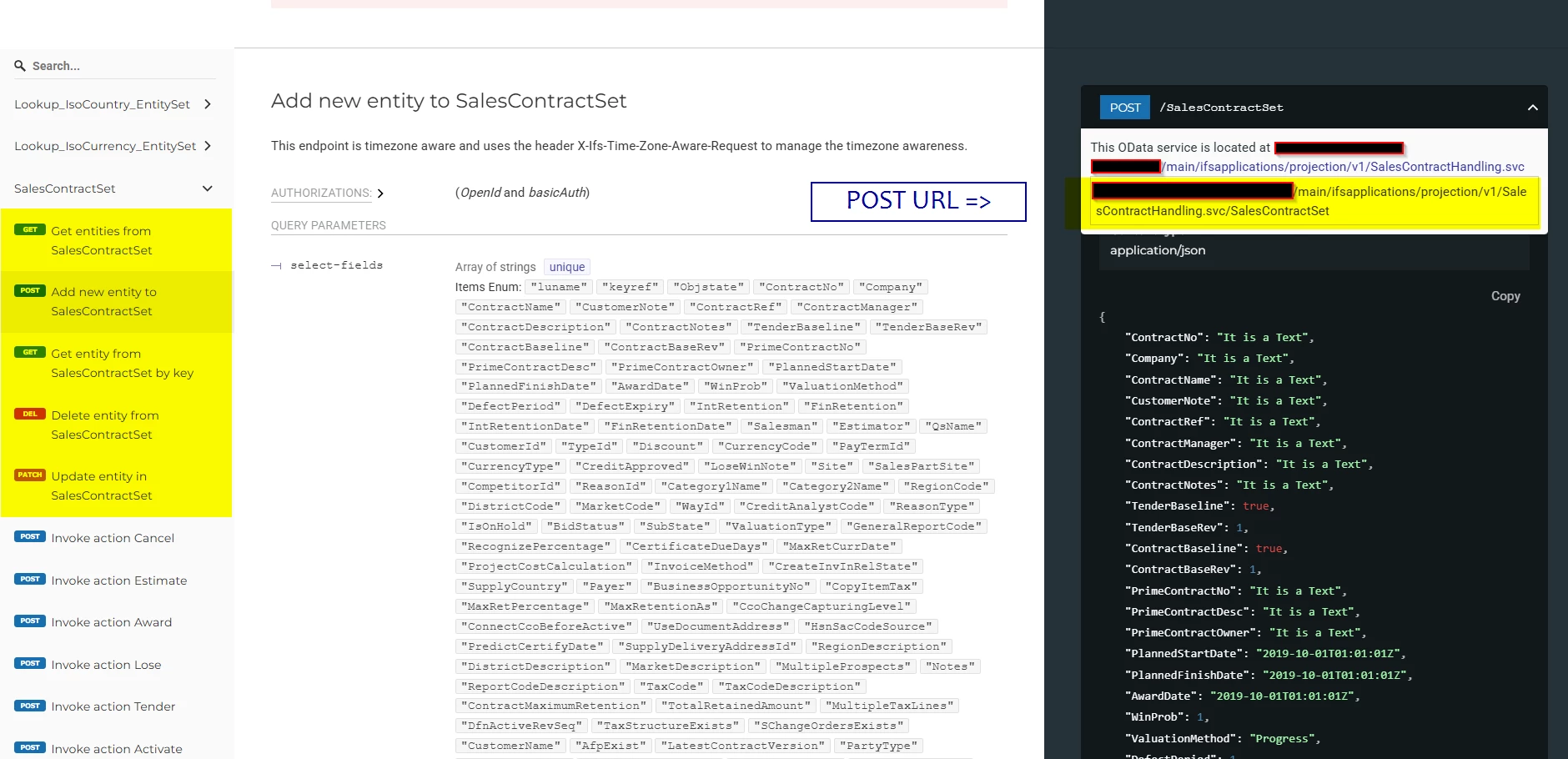
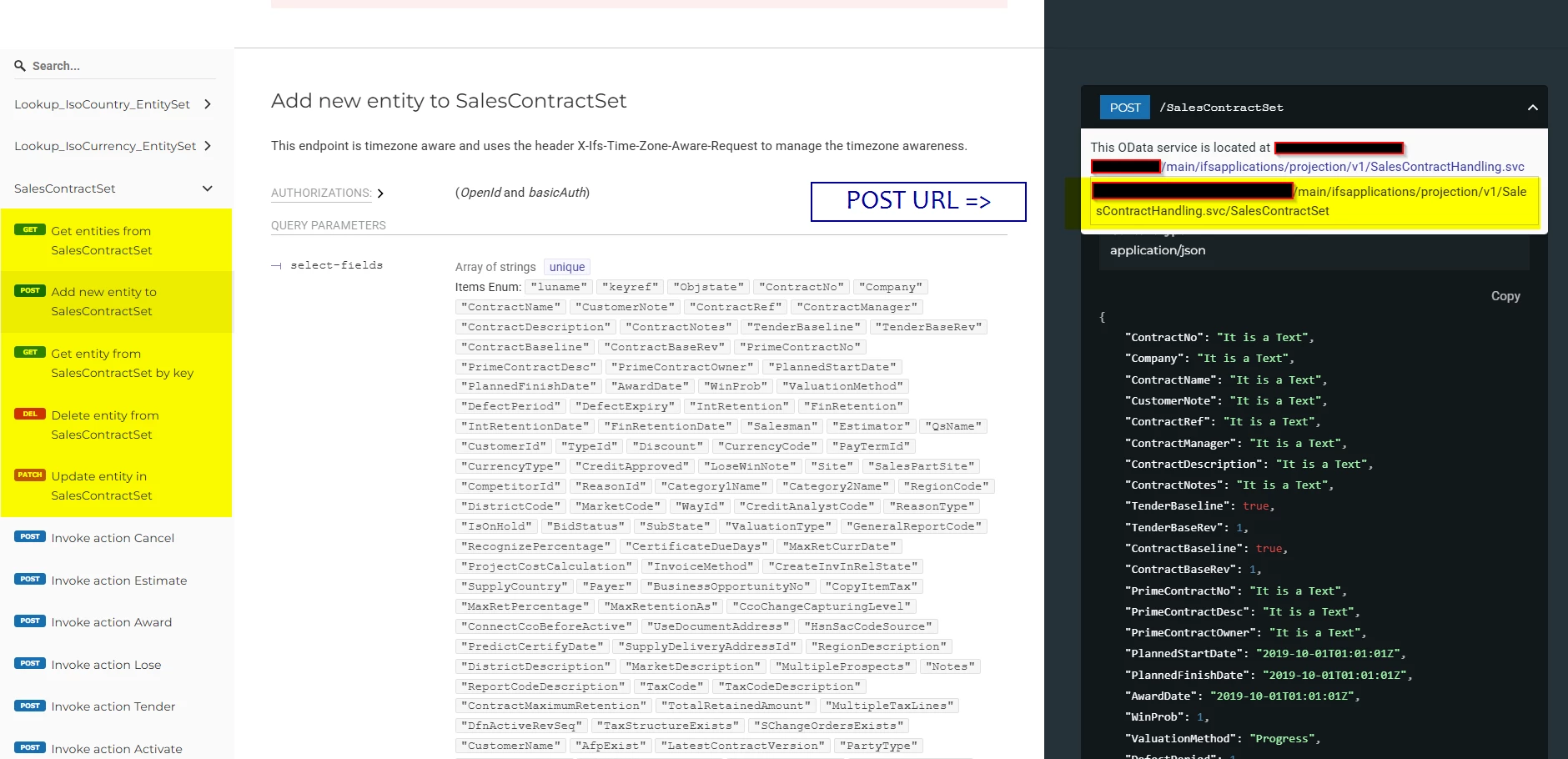
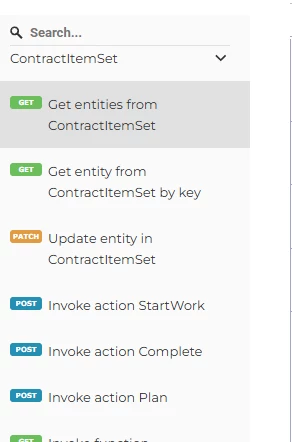
In that case you can see the Entity (LU Name) as SalesContract, which is used to perform all the CRUD operations for the sales contract. In the API documentation it usually has a postfix called "Set", so it will be SalesContractSet and you can see all the operations in there.


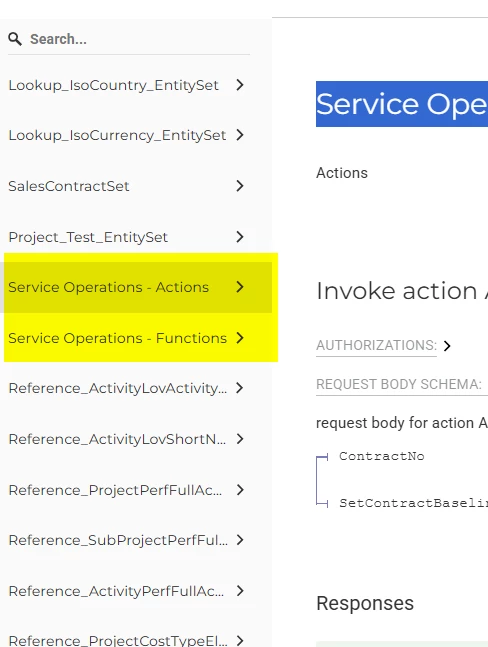
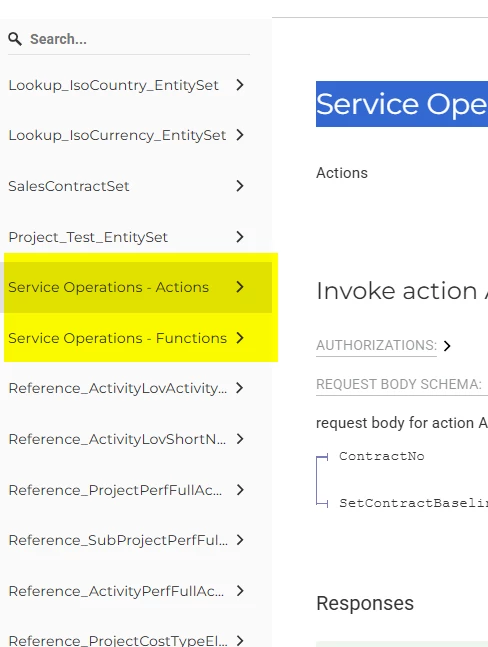
Also, if you want to find any business operations you can usually find them under Service Operations - Actions and Service Operations - Functions dropdowns.


Additionally, if you want to test these APIs through any third party applications like Postman or others, you will have to set up the IAM client in IFS and get the token or set up OAuth for that third party application. If you need that information you can find it in my Medium article.


Link - https://medium.com/@TharshanSM/access-ifs-restful-services-using-postman-f66c06ea5878


Regards


Tharshan SM
Do Gooder (Customer)
Forum|alt.badge.img+4
  • Do Gooder (Customer)
  • April 8, 2026

Hi ​@Julien T.,

Please find the details below. Since my IFS version is 25R1, hopefully the page will be the same for you as well. First you need to find the projection and check it in the API Explorer.

In that case you can see the Entity (LU Name) as SalesContract, which is used to perform all the CRUD operations for the sales contract. In the API documentation it usually has a postfix called "Set", so it will be SalesContractSet and you can see all the operations in there.

Also, if you want to find any business operations you can usually find them under Service Operations - Actions and Service Operations - Functions dropdowns.

Additionally, if you want to test these APIs through any third party applications like Postman or others, you will have to set up the IAM client in IFS and get the token or set up OAuth for that third party application. If you need that information you can find it in my Medium article.

Link - https://medium.com/@TharshanSM/access-ifs-restful-services-using-postman-f66c06ea5878?source=social.linkedin

Regards


Forum|alt.badge.img+8
  • Author
  • Sidekick (Customer)
  • April 10, 2026

Hi ​@Tharshan SM :

Do you know where I can find the name of the API Rest and the method and the input parameter in API Explorer ?


Tharshan SM
Do Gooder (Customer)
Forum|alt.badge.img+4
  • Do Gooder (Customer)
  • Answer
  • April 10, 2026

Hi ​@Julien T. ,

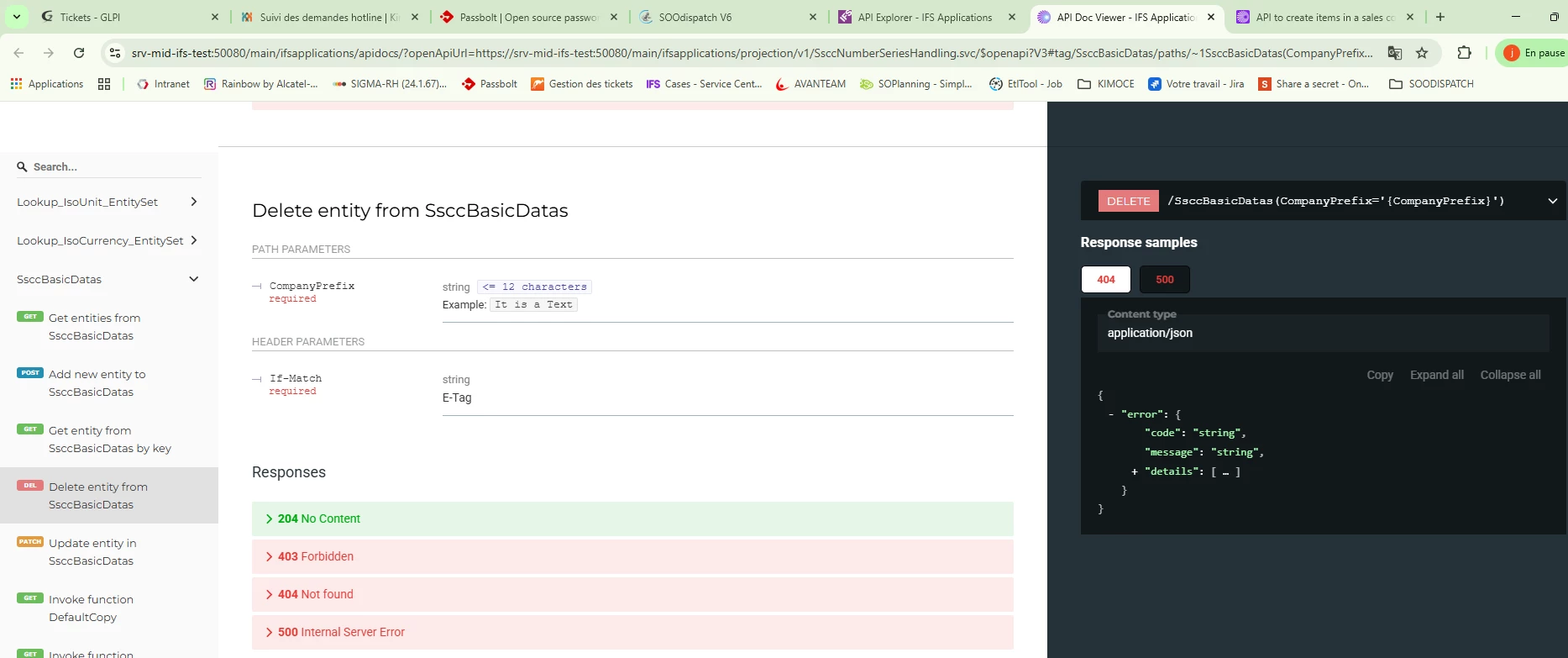
You need to navigate to the API Doc Viewer page.


Regards


Forum|alt.badge.img+8
  • Author
  • Sidekick (Customer)
  • April 10, 2026

Hi ​@Tharshan SM :


I don’t see clearly the name of the API and the method in the API explorer.


Tharshan SM
Do Gooder (Customer)
Forum|alt.badge.img+4
  • Do Gooder (Customer)
  • April 13, 2026

Hi ​@Julien T.,

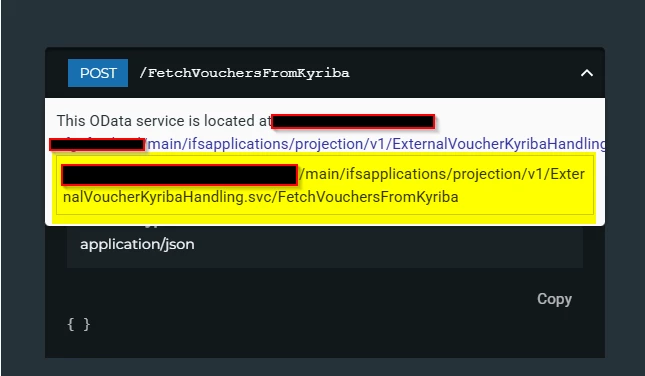
I didn’t get your point exactly, but if I am not mistaken you can find the API call URL in the header section when you click the dropdown.


Forum|alt.badge.img+8
  • Author
  • Sidekick (Customer)
  • April 13, 2026

@Tharshan SM : Thank you for your previous answer.


Do you know if there is API REST to create contract line (module CONMGT) ? I don’t find anything about this subject on the API explorer.


Tharshan SM
Do Gooder (Customer)
Forum|alt.badge.img+4
  • Do Gooder (Customer)
  • April 14, 2026

Hi ​@Julien T.,

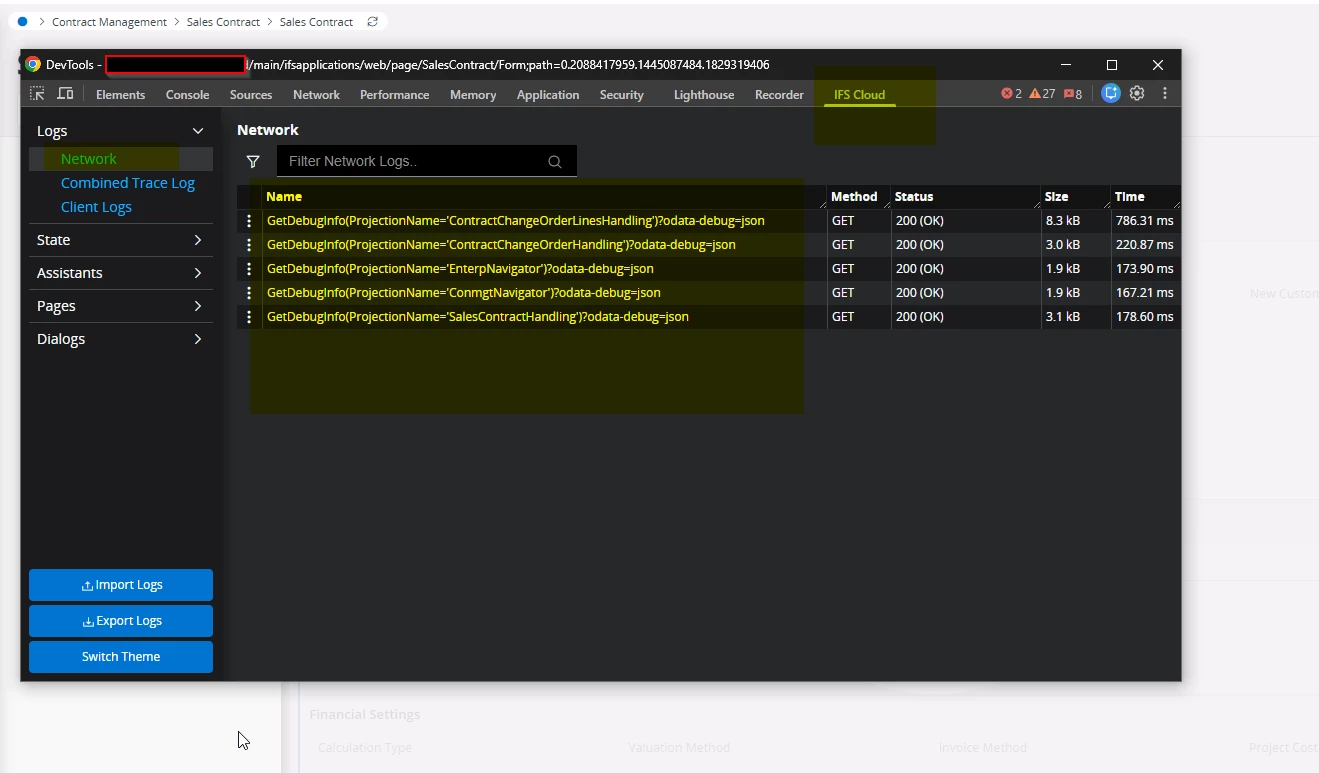
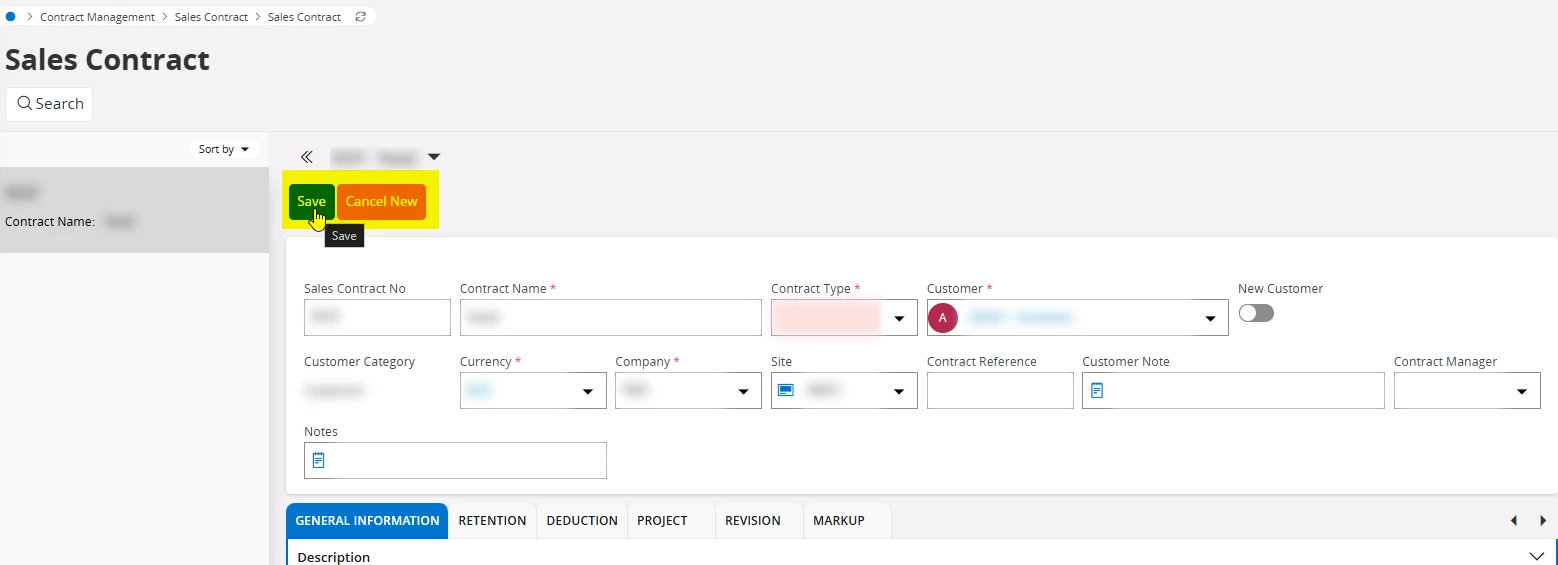
As I mentioned earlier, finding the exact API through the API documentation viewer can sometimes be tricky. So let me show you how you can find the correct API using the browser's debug console instead.


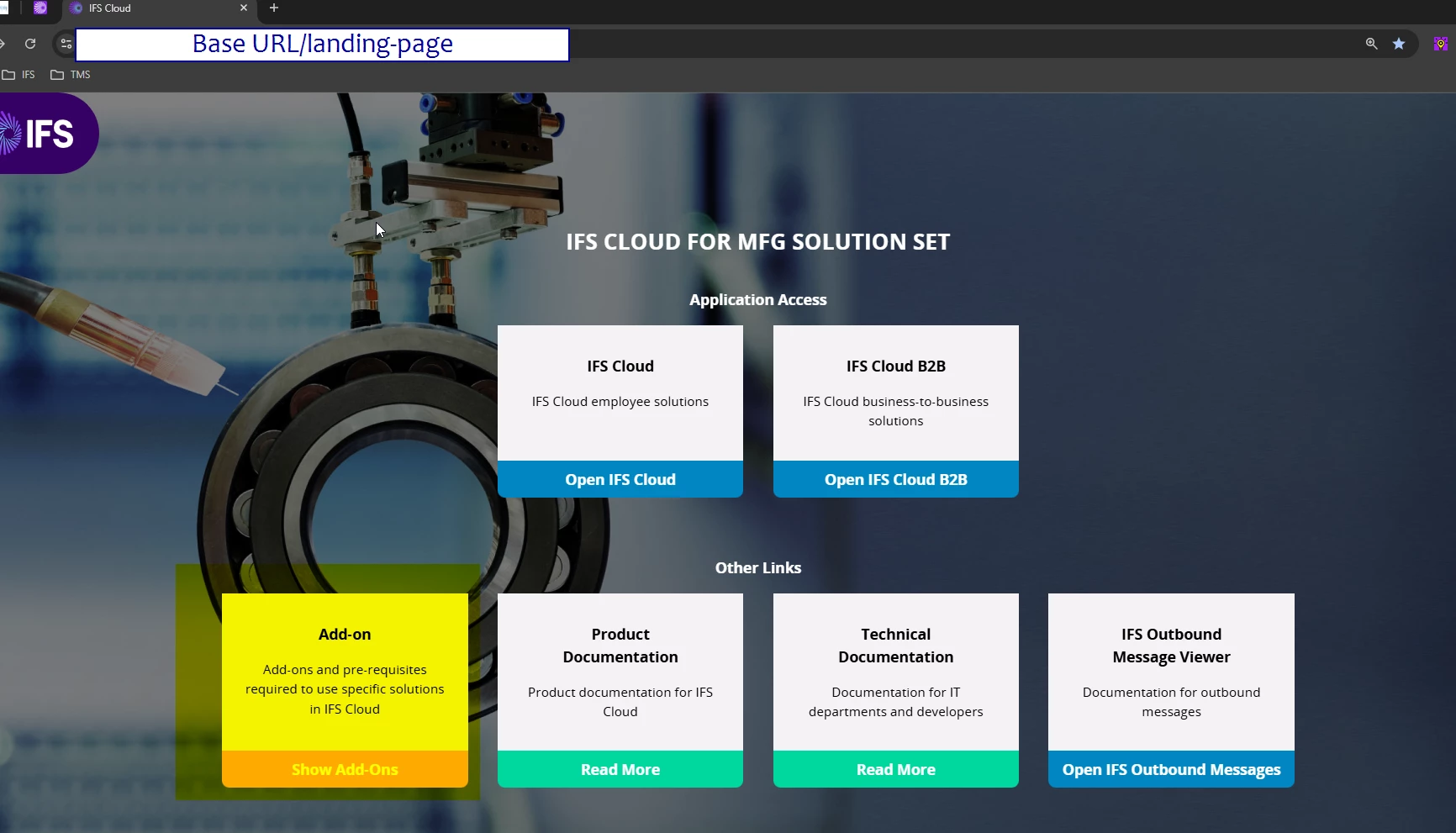
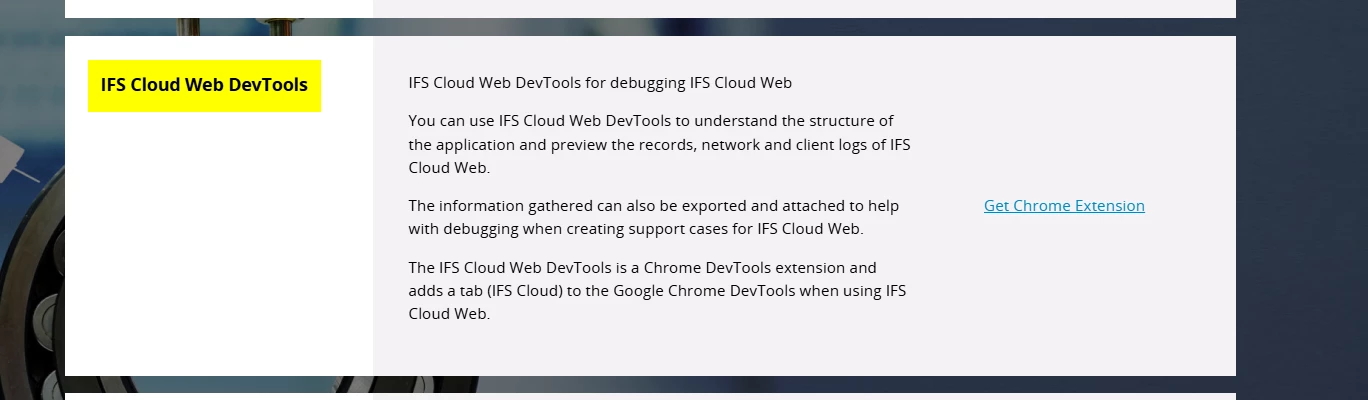
First, you need to get the IFS Cloud Web DevTools via the IFS Landing Page add-on.


Once the extension is installed, it will be activated automatically when you are on the IFS page. To open the debug console, press Ctrl + Shift + I

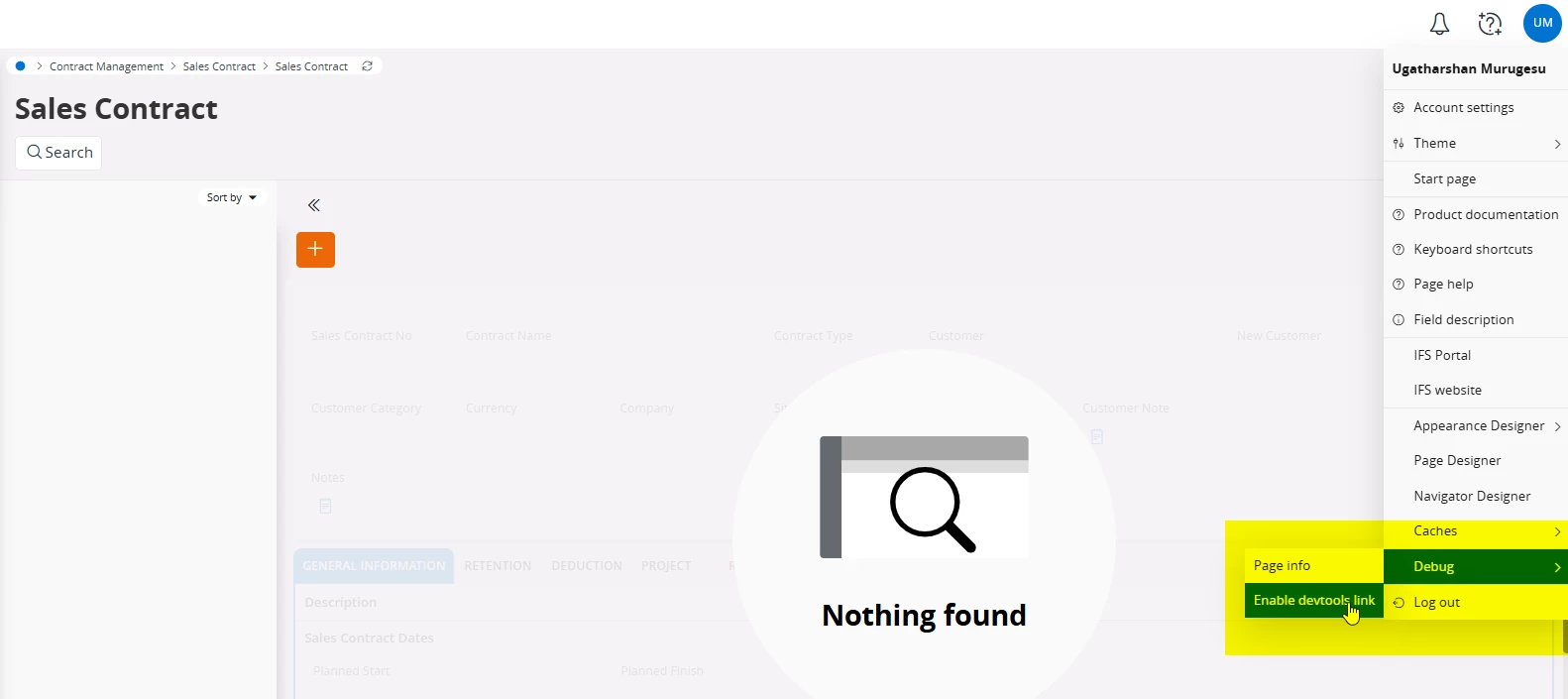
Also, make sure to enable the devtools link, as this will allow you to keep track of database traces as well.


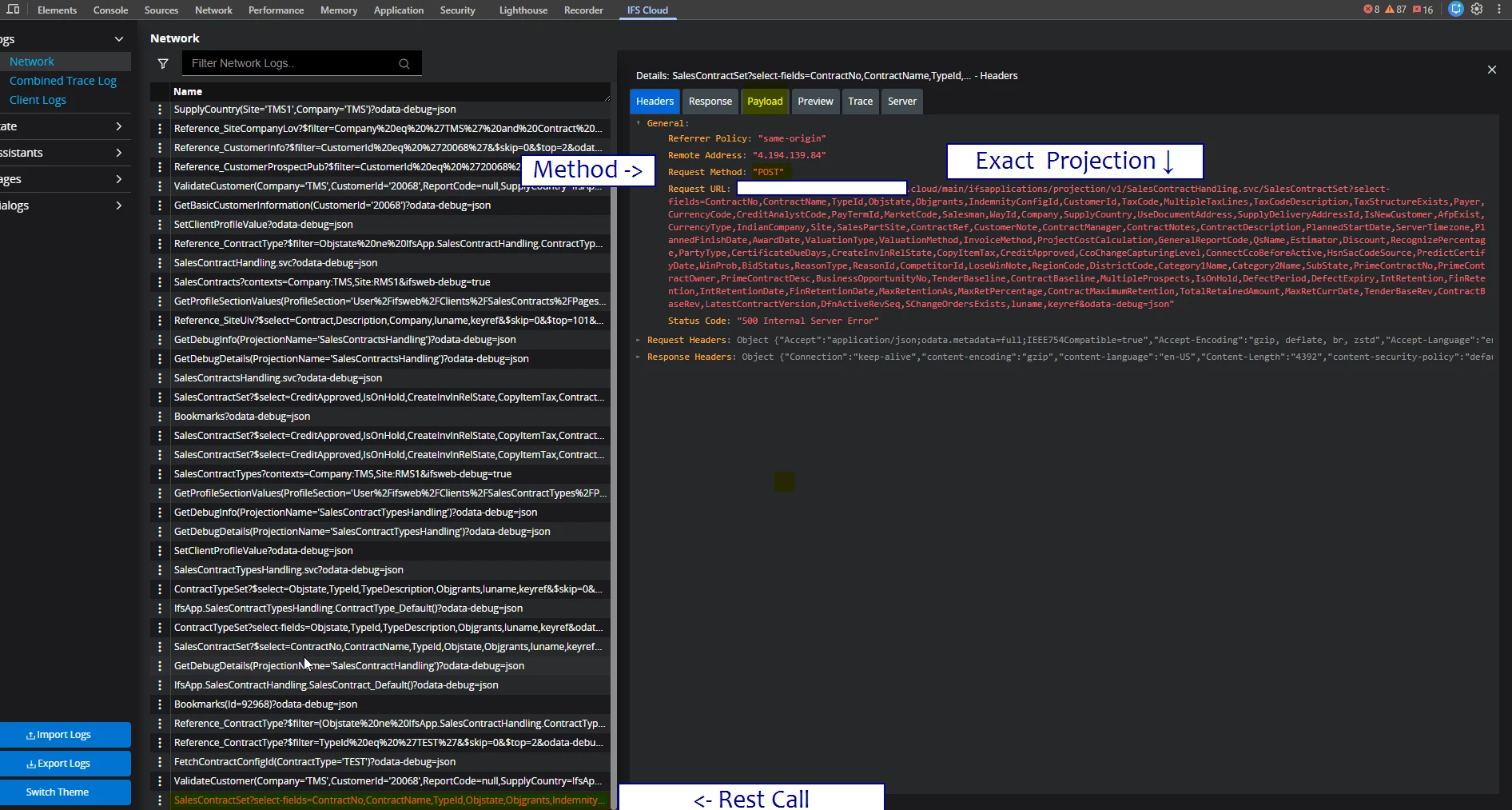
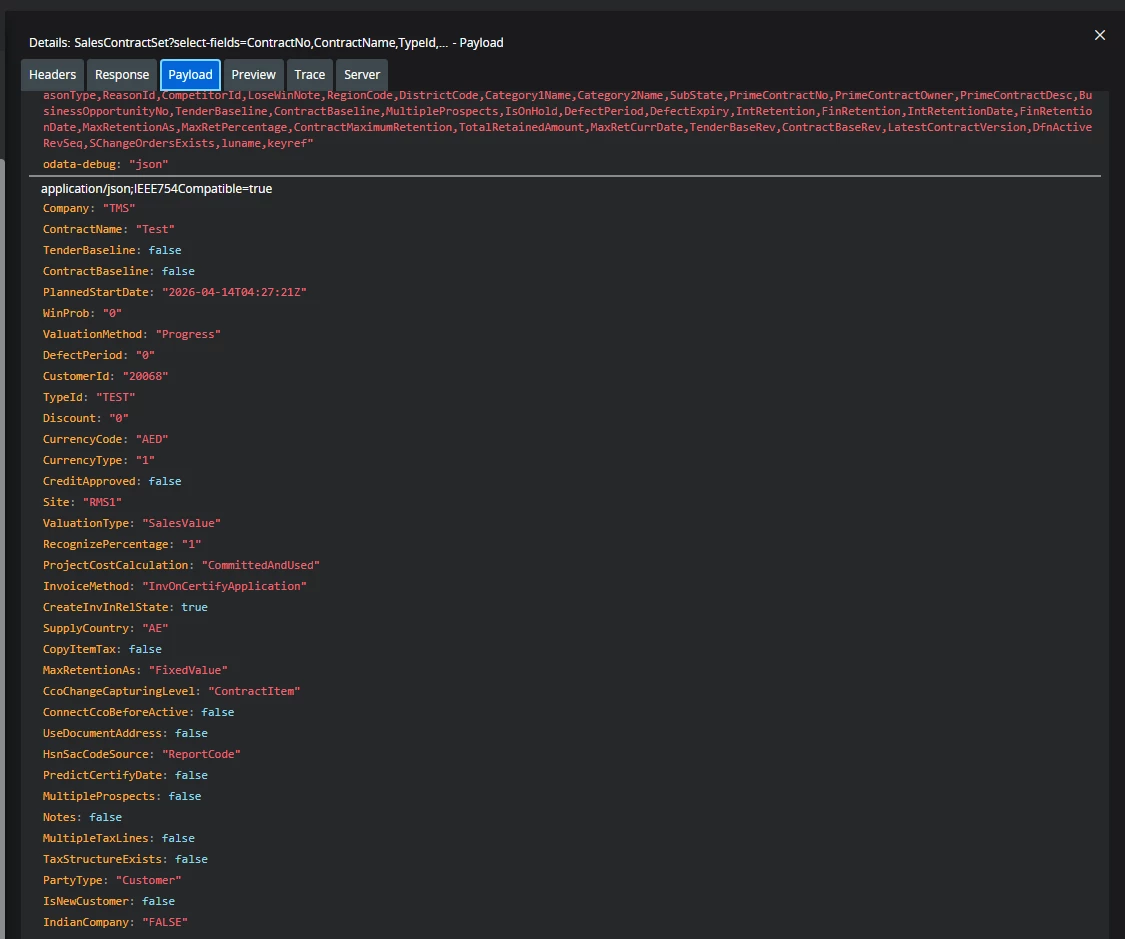
When you perform any business operation on the IFS page, it will be traced through the IFS add-on's Network tab. This allows you to identify the exact API call that is triggered for that specific operation.


Sometimes it can be a bit tricky to find the exact API, as it traces all network calls. However, with practice you will get used to it. Once you identify the correct API projection name, you can go to the API Explorer and find the matching API.

I hope this is clear to you

Regards


Forum|alt.badge.img+8
  • Author
  • Sidekick (Customer)
  • April 14, 2026

Hi ​@Tharshan SM : Thank’s a lot for your explications.

I am in IFS V10 on premise (not cloud).

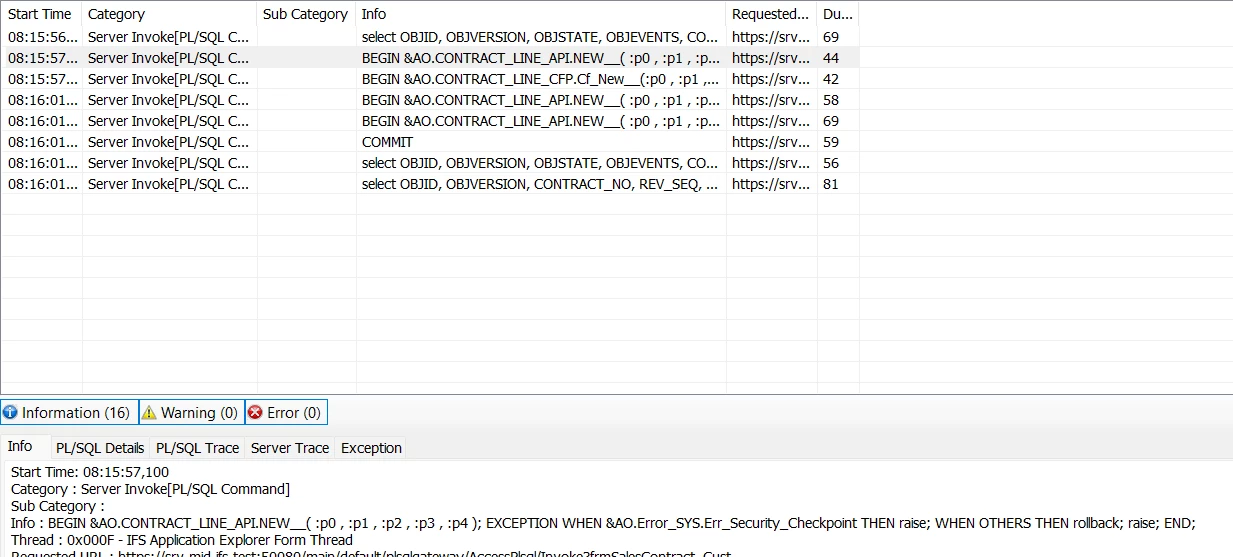
When i try to create a line of sales contract, i can see this with the debugging mode:


Tharshan SM
Do Gooder (Customer)
Forum|alt.badge.img+4
  • Do Gooder (Customer)
  • April 14, 2026

Hi,

The IEE one debug console will only show you the PL/SQL scripts because IEE doesn't use REST. Aurena is the version built completely on REST APIs. If you want to find the exact REST call for that screen, you have to open the Aurena version and check the debug console

Also, I am not sure whether that add-on is available in Application 10, but if it is not there then you have to check it in the network tab in the debug console.

Regards


Forum|alt.badge.img+8
  • Author
  • Sidekick (Customer)
  • April 14, 2026

@Tharshan SM : thank you for your answer.


Do you know how i can put the debugging mode in Aurena ?


Tharshan SM
Do Gooder (Customer)
Forum|alt.badge.img+4
  • Do Gooder (Customer)
  • April 14, 2026

@Tharshan SM : thank you for your answer.


Do you know how i can put the debugging mode in Aurena ?

Hi, Please check this 


Forum|alt.badge.img+8
  • Author
  • Sidekick (Customer)
  • April 14, 2026

Thank