when we use Rest call API in worlflow if there are some error we get just the error code, we dont get the message error,
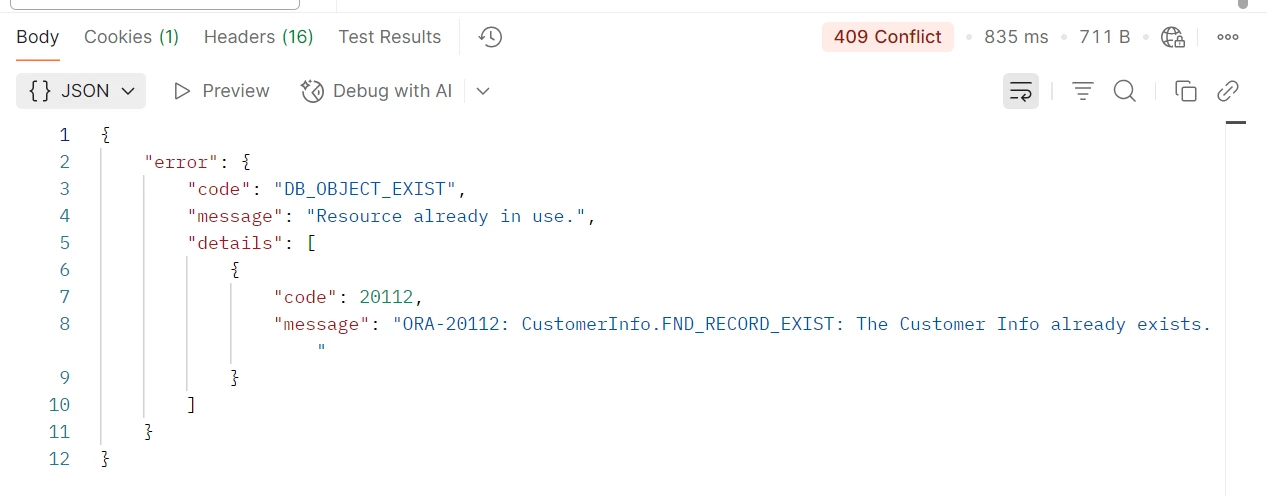
but the same call if we use it in Postman we get all details : code error, message error and details,
if it’s possible to get the same thing in workflow ?
Regards.
Best answer by pdollk
Hi @ZinT ,
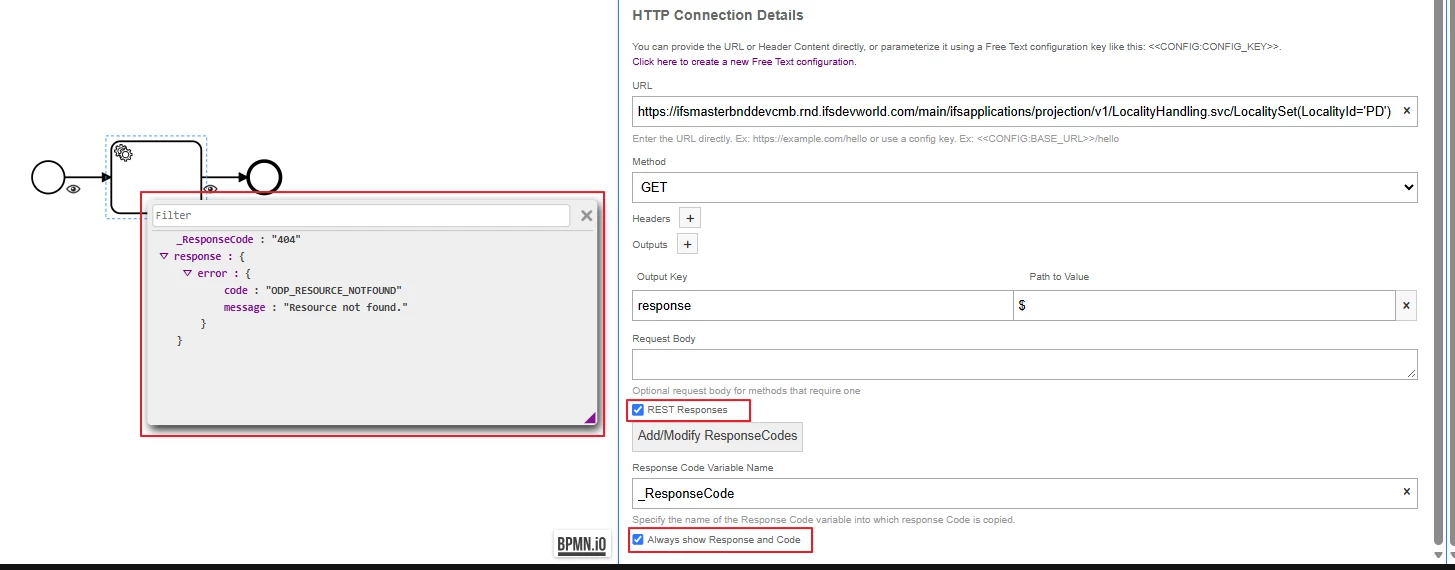
Before 26R2, the behavior you experienced was the expected behavior. From 26R2 onward, this behavior has been improved. This enhancement addresses the community request to return both the response body and the HTTP status for successful and failed REST calls.
Previous behavior
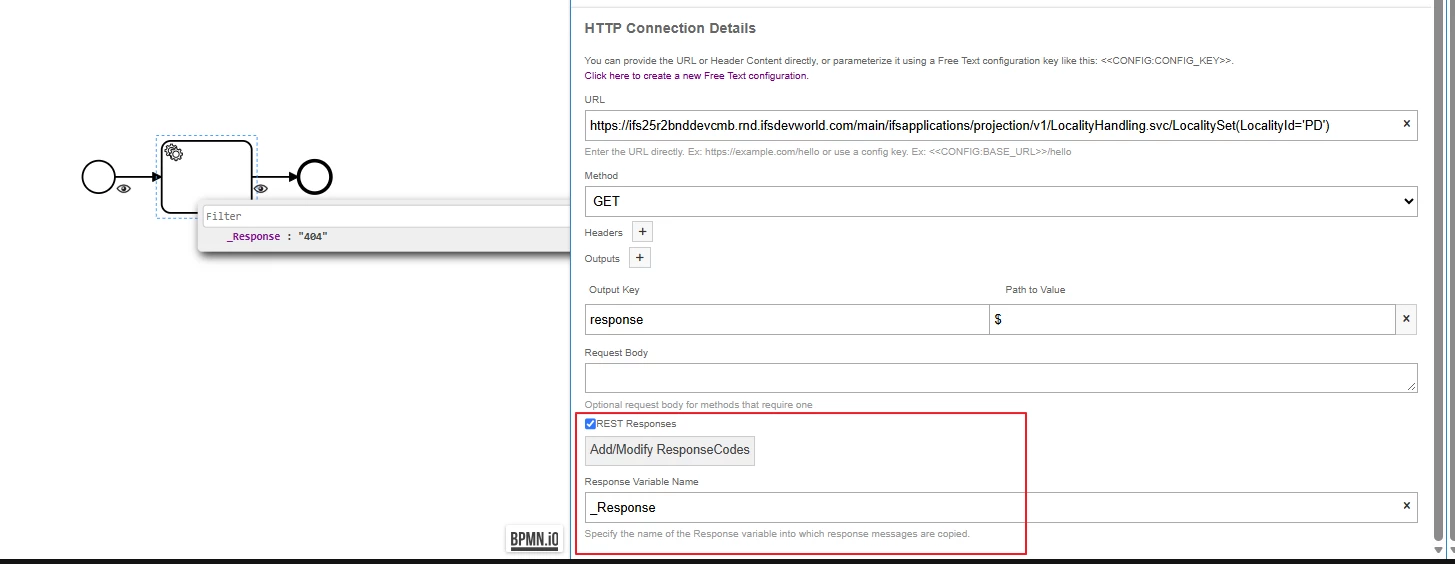
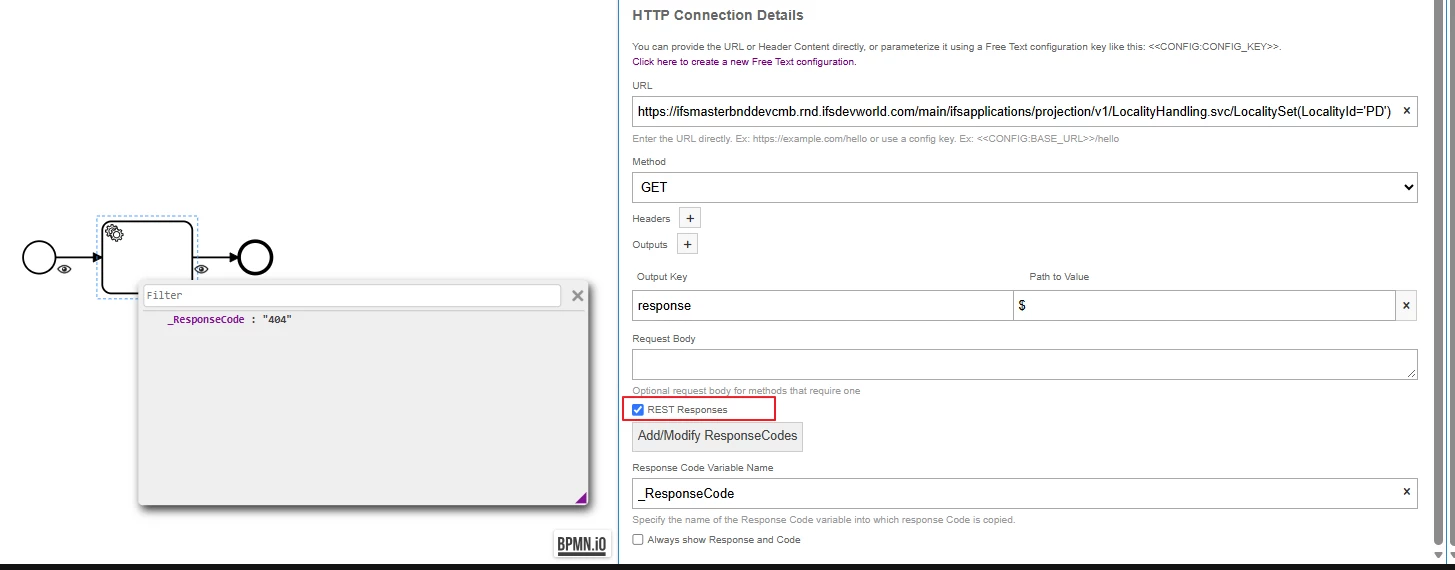
When the REST Response checkbox was selected, only the HTTP status code was available.
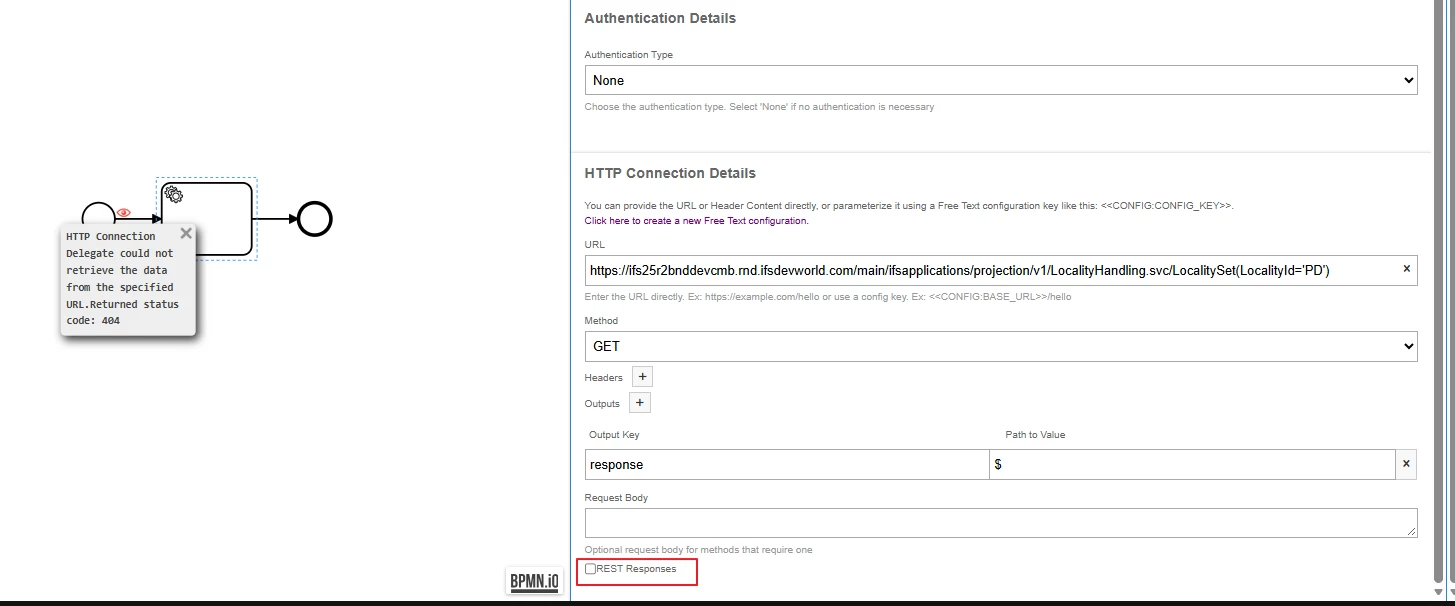
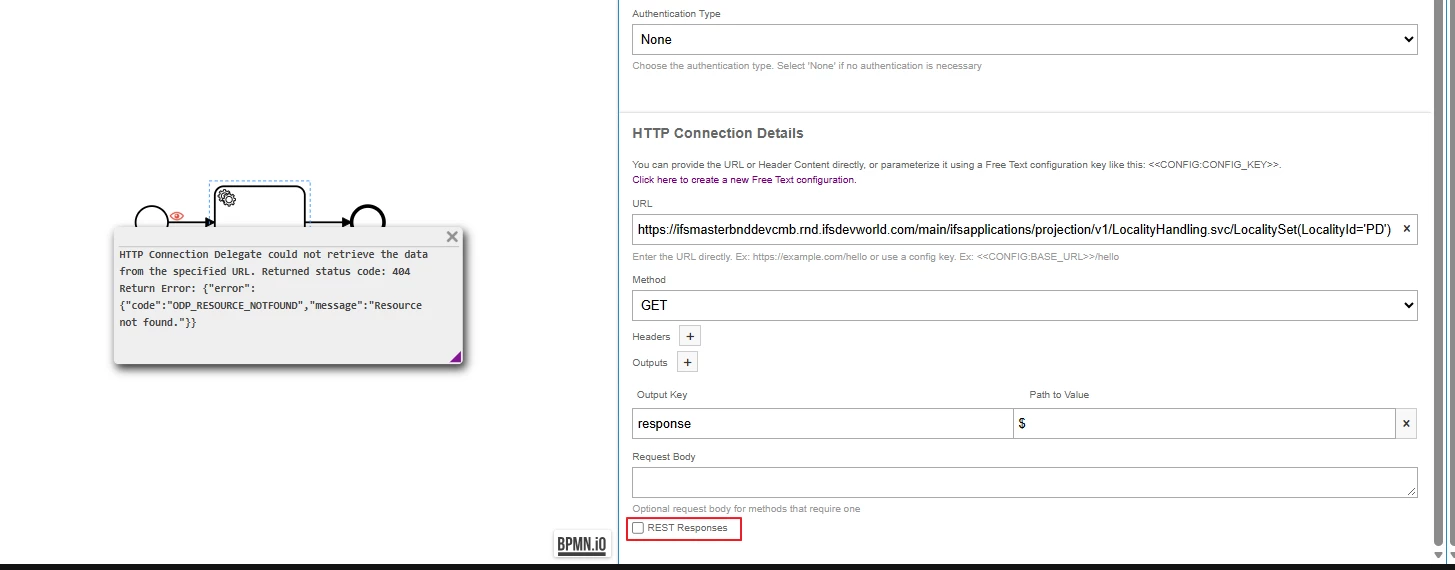
When the REST Response checkbox was not selected, only a generic error message, including the HTTP status code, was shown.
I found a several internal articles about the issue - you can't really get it from the IFS REST Call task, it's a known limitation:
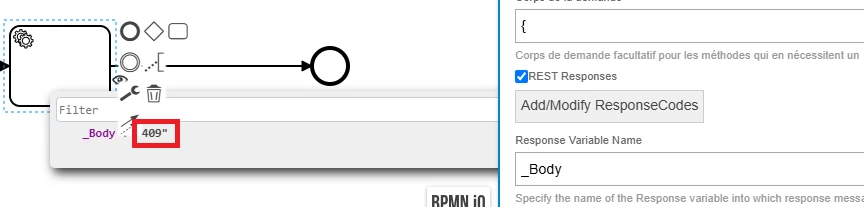
-When the call returns an error (status 300 and up), the REST task only puts the HTTP status code in the Response Variable. That's the "409" you see in _Body. The body with the code, message and details isn't stored in any variable. -Outputs (JSONPath) are only parsed when the call succeeds, so you can't map the error body that way either.
Try to use the IFS API task instead of the REST task you are currently using:
1.Set it up with the same API and action you're calling now. 2.Tick Log Errors and give it an Error Log Variable Name, e.g. ApiName_Error_Log. 3.If the call fails, the error message gets copied into that variable and the workflow keeps going instead of rolling back. 4.Add a gateway after the task and branch on that variable. It only exists when there was an error, so check that it exists before you read it.
The REST task runs outside the workflow transaction, but the API task runs inside it. If you chose REST for that reason, or because the API task can't reach the entity you need, this switch won't work for you. If you're calling an external (non-IFS) endpoint, there's no really a standard way to get the error body.
I am currently placing a call for an external webservice to IFS and I wanted to set up a solution to handle the errors; the code is not sufficient, I need the details.
in this case, how are errors handled for interfaces done with REST Call ??
Before 26R2, the behavior you experienced was the expected behavior. From 26R2 onward, this behavior has been improved. This enhancement addresses the community request to return both the response body and the HTTP status for successful and failed REST calls.
Previous behavior
When the REST Response checkbox was selected, only the HTTP status code was available.
When the REST Response checkbox was not selected, only a generic error message, including the HTTP status code, was shown.