Question

Report Studio Image Functions Media() and DBImage() Not Working?

  • January 14, 2026
  • 13 replies
  • 184 views

Forum|alt.badge.img+15

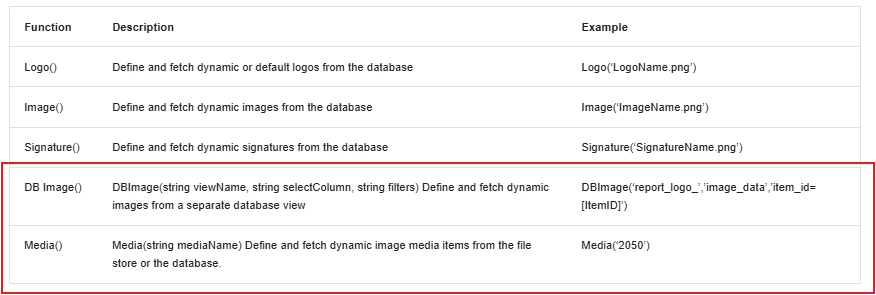
In Report Studio there are five Dynamic Images functions.  Image, Logo, and Signature all work without issue.  I have not been able to get DBImage and Media to work.  Has anybody successfully used these two functions in Report Studio? (I know there are workarounds, I’m specifically asking about the functionality in Report Studio)
 

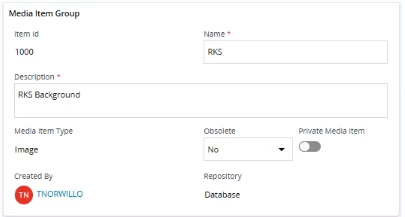
To test, I put a single image in the Media Item.
Following the syntax in the Tech Docs, I have tried the following:

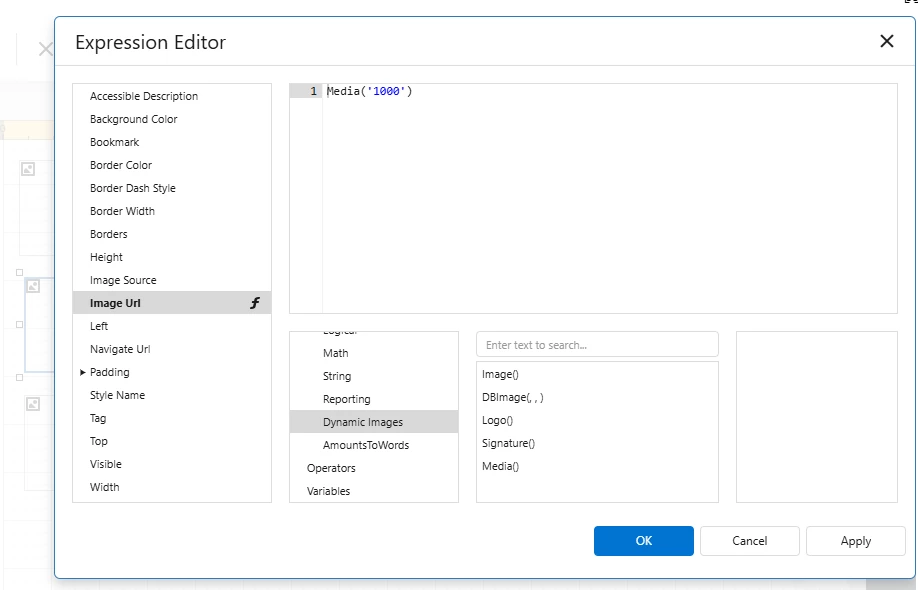
Media(‘RKS’), Media(‘1000’), Media(1000) → none display the picture in the report output.

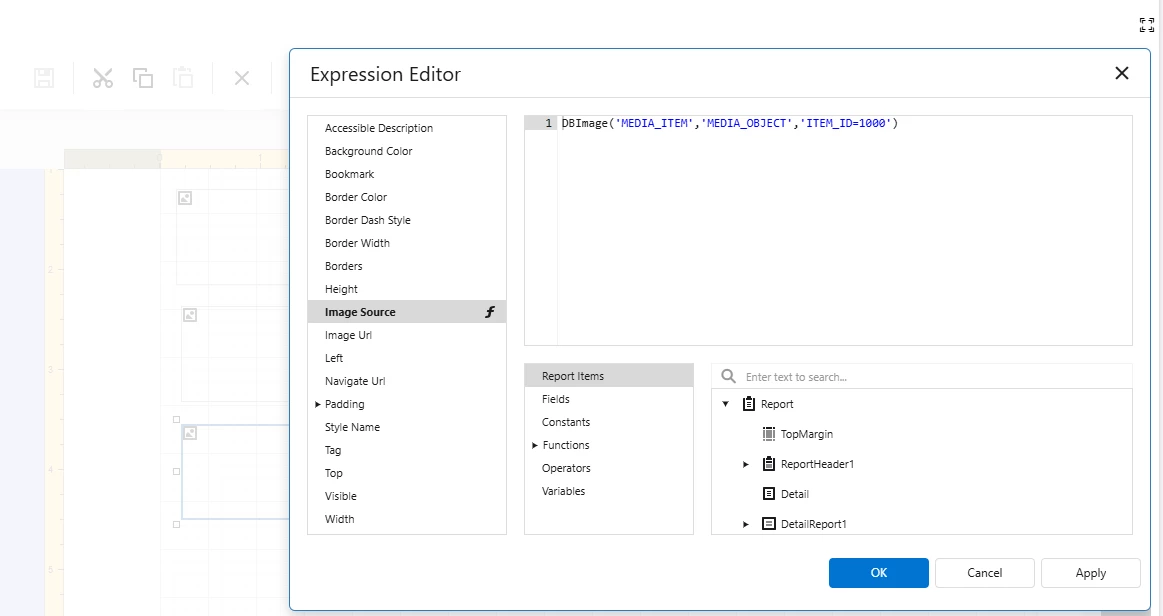
DBImage('MEDIA_ITEM','MEDIA_OBJECT','ITEM_ID=1000') , same in lowercase, same with appowner in front of the view name. → none display the picture in the report output.

13 replies

Forum|alt.badge.img+15
  • Author
  • Superhero (Partner)
  • January 15, 2026

Forgot to mention that I’m working in a 25R1 instance, so the Dynamic Image support should not be a limited functionality.


Forum|alt.badge.img+6
  • Sidekick (Partner)
  • January 20, 2026

Forgot to mention that I’m working in a 25R1 instance, so the Dynamic Image support should not be a limited functionality.

We have similar issue in 24R2 SU12, have you got any response or workaround using new report studio functionality?


Forum|alt.badge.img+15
  • Author
  • Superhero (Partner)
  • January 20, 2026

@gaurav.bagdia As you’ve probably noticed, responses on Report Studio functionality have been sparse.

I can think of a few workarounds  - 

Put the image in one of the three places that we know works (Logo, Image, Signature).

Call the image in the Report Definition (not the layout).

Put the image in a custom field (not sure if this will work because I have not tried it in Report Studio)


Db image support is listed as a limitation for 24R1 but disappears off the list int 24R2.  I have to wonder if this is an oversight.

https://docs.ifs.com/techdocs/24r1/050_reporting/301_report_studio/#known_limitations

https://docs.ifs.com/techdocs/24r2/050_reporting/301_report_studio/#known_limitations


Forum|alt.badge.img+6
  • Sidekick (Partner)
  • January 21, 2026

@gaurav.bagdia As you’ve probably noticed, responses on Report Studio functionality have been sparse.

I can think of a few workarounds  - 

Put the image in one of the three places that we know works (Logo, Image, Signature).

Call the image in the Report Definition (not the layout).

Put the image in a custom field (not sure if this will work because I have not tried it in Report Studio)


Db image support is listed as a limitation for 24R1 but disappears off the list int 24R2.  I have to wonder if this is an oversight.

https://docs.ifs.com/techdocs/24r1/050_reporting/301_report_studio/#known_limitations

https://docs.ifs.com/techdocs/24r2/050_reporting/301_report_studio/#known_limitations

Thanks ​@Tracy Norwillo for your inputs, as we have those signatures as dynamic inputs (Real signatures), we probably can’t use same from Signature as we use real signatures done on Mobile devices.


Forum|alt.badge.img+15
  • Author
  • Superhero (Partner)
  • April 15, 2026

Will someone from IFS take a look at this question please?  As a partner, we’ve starting training our clients on the Report Studio tool.  It would be nice to be able to explain how to use the DB Images() and Media() functions so they fetch images.


jporter
Sidekick (Partner)
Forum|alt.badge.img+10
  • Sidekick (Partner)
  • April 17, 2026

@ChanakaAmarasekara, ​@Banu Liyanapathirana
Are you able to hep with this?


ChanakaAmarasekara
Hero (Employee)
Forum|alt.badge.img+15

In Report Studio there are five Dynamic Images functions.  Image, Logo, and Signature all work without issue.  I have not been able to get DBImage and Media to work.  Has anybody successfully used these two functions in Report Studio? (I know there are workarounds, I’m specifically asking about the functionality in Report Studio)


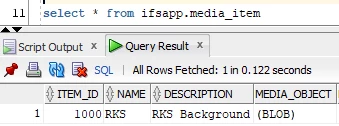
To test, I put a single image in the Media Item.
Following the syntax in the Tech Docs, I have tried the following:

Media(‘RKS’), Media(‘1000’), Media(1000) → none display the picture in the report output.

DBImage('MEDIA_ITEM','MEDIA_OBJECT','ITEM_ID=1000') , same in lowercase, same with appowner in front of the view name. → none display the picture in the report output.

 

Can you show how you have added the function to the image object?


Forum|alt.badge.img+15
  • Author
  • Superhero (Partner)
  • April 27, 2026

@ChanakaAmarasekara

Media(‘RKS’), Media(‘1000’), Media(1000) → none display the picture in the report output.

DBImage('MEDIA_ITEM','MEDIA_OBJECT','ITEM_ID=1000') , same in lowercase, same with appowner in front of the view name. → none display the picture in the report output.



Forum|alt.badge.img+15
  • Author
  • Superhero (Partner)
  • May 12, 2026

@ChanakaAmarasekara  (or anybody else out there that has successfully used the Media() or DBImage() functions - 

Have you been able to use either of these two functions to call images?  Many customers are asking for the ability to call logos based on site or company and all I’ve been able to use is the Iff() function to call the image based on the site.  The function needs to be nested if there are multiple sites and it gets messy as the number of sites climb.


Forum|alt.badge.img+6
  • Sidekick (Partner)
  • May 14, 2026

We also have same issues, and we have a case towards IFS which seems to be pending since 6 months- CS0508836


Forum|alt.badge.img+2
  • Do Gooder (Partner)
  • May 28, 2026

7 months ago I asked here about the functionality of BDImage in Report Studio and so far no response from IFS or anyone else :(


lopespetro
Hero (Customer)
Forum|alt.badge.img+13
  • Hero (Customer)
  • June 10, 2026

In Report Studio there are five Dynamic Images functions.  Image, Logo, and Signature all work without issue.  I have not been able to get DBImage and Media to work.  Has anybody successfully used these two functions in Report Studio? (I know there are workarounds, I’m specifically asking about the functionality in Report Studio)


To test, I put a single image in the Media Item.

Following the syntax in the Tech Docs, I have tried the following:

Media(‘RKS’), Media(‘1000’), Media(1000) → none display the picture in the report output.

DBImage('MEDIA_ITEM','MEDIA_OBJECT','ITEM_ID=1000') , same in lowercase, same with appowner in front of the view name. → none display the picture in the report output.

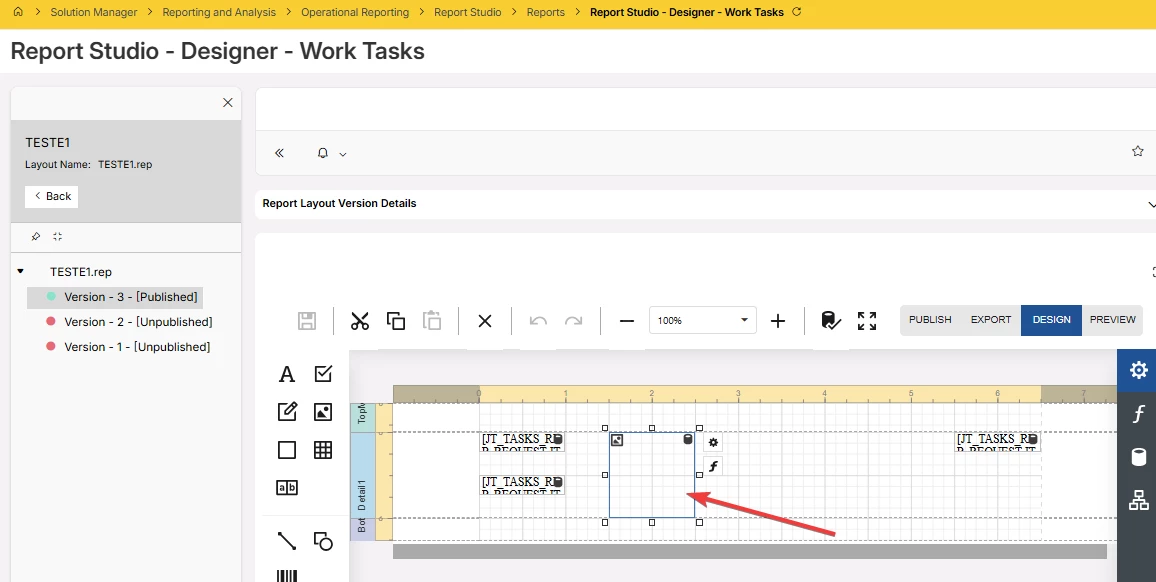
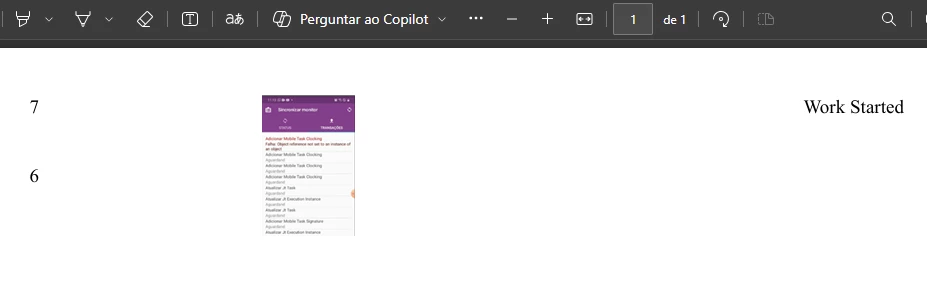
Hi ​@Tracy Norwillo . Did you get it done. I’m in 25R2 and did a test and it worked the same your print. See prints bellow.

I have one question. We are about to migrate from IFS v10 to IFS Cloud, we use crystal reports and I would like to understand whether Report Studio supports displaying multiple images from the database within a single report object.

For example, I have a work task report in EAM where each task may have two or more associated images. I need to include and print all these images in the report for each corresponding task.

Is this scenario supported?

Instead of using a fixed item_id, I need to link the task through the connected_obj_ref1 field to retrieve the related medias.

DBImage('MEDIA_ITEM','MEDIA_OBJECT','ITEM_ID=1004')


Report with image


Forum|alt.badge.img+15
  • Author
  • Superhero (Partner)
  • June 12, 2026

@lopespetro DbImage should work with any view with images.  You just need a field in your Json Datasource to make the connection to the image.  If there isn’t one there, you can either add it to the Report Definition (IFS Developer Studio), or as a configured custom field in a supported Entity (Entity Configuration).

For Work Tasks, this is the list of Entities supporting configured custom fields and the Data Members where any CF_ fields will appear in Report Studio: 

'JtTask', 'JT_TASKS_REP/TASKS/TASK'
 'JtTaskStep', 'JT_TASKS_REP/TASKS/TASK/STEPS/TASK_STEP'
 'JtTaskResource', 'JT_TASKS_REP/TASKS/TASK/PERSONS/RESOURCE'
'JtTaskResource', 'JT_TASKS_REP/TASKS/TASK/TOOLS/RESOURCE'
 'MaintMaterialReqLine', 'JT_TASKS_REP/TASKS/TASK/SPARE_PARTS/MATERIAL_REQ_LINE'
 'WorkOrderRequisLine', 'JT_TASKS_REP/TASKS/TASK/REQUISITIONS/PURCH_REQ_LINE'


And for what it’s worth, I got access to a 26r1 instance and Media() and DbImage() work there too.